



Customer Media
Highlights
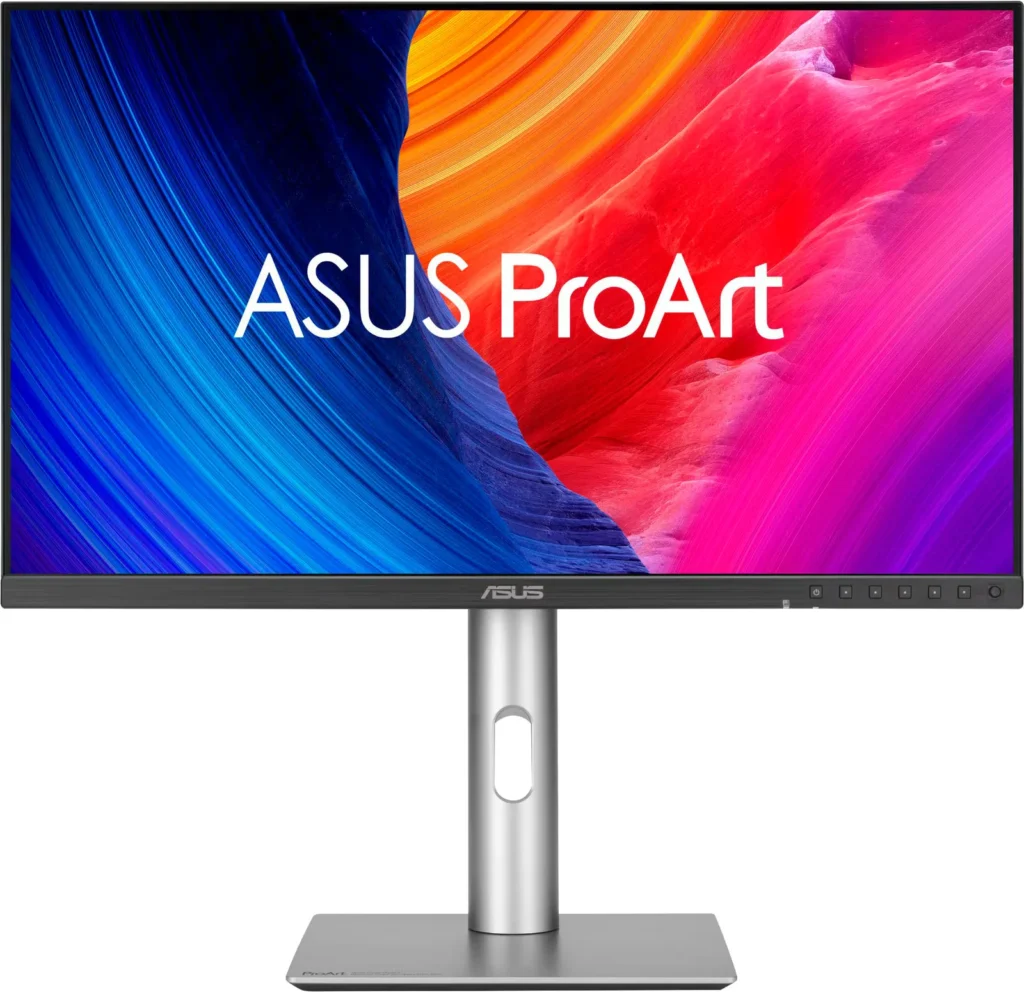
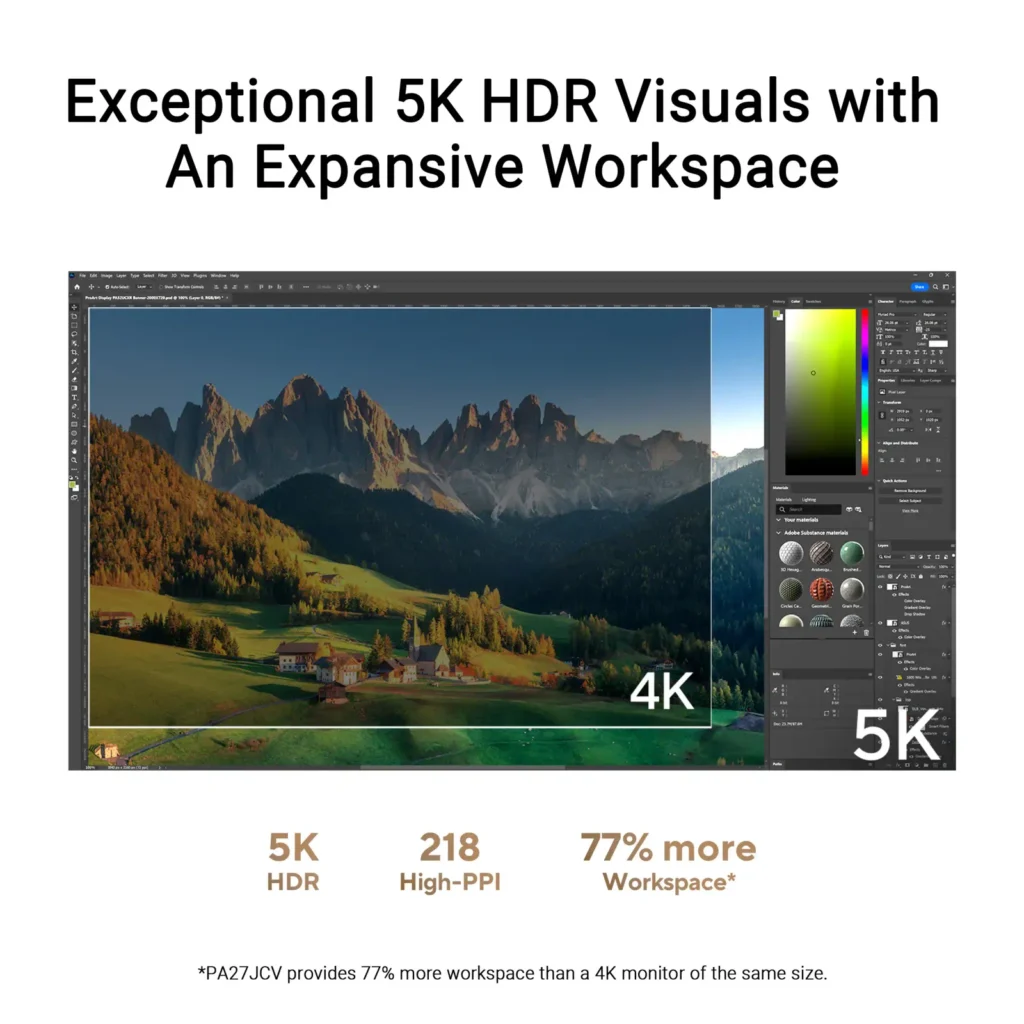
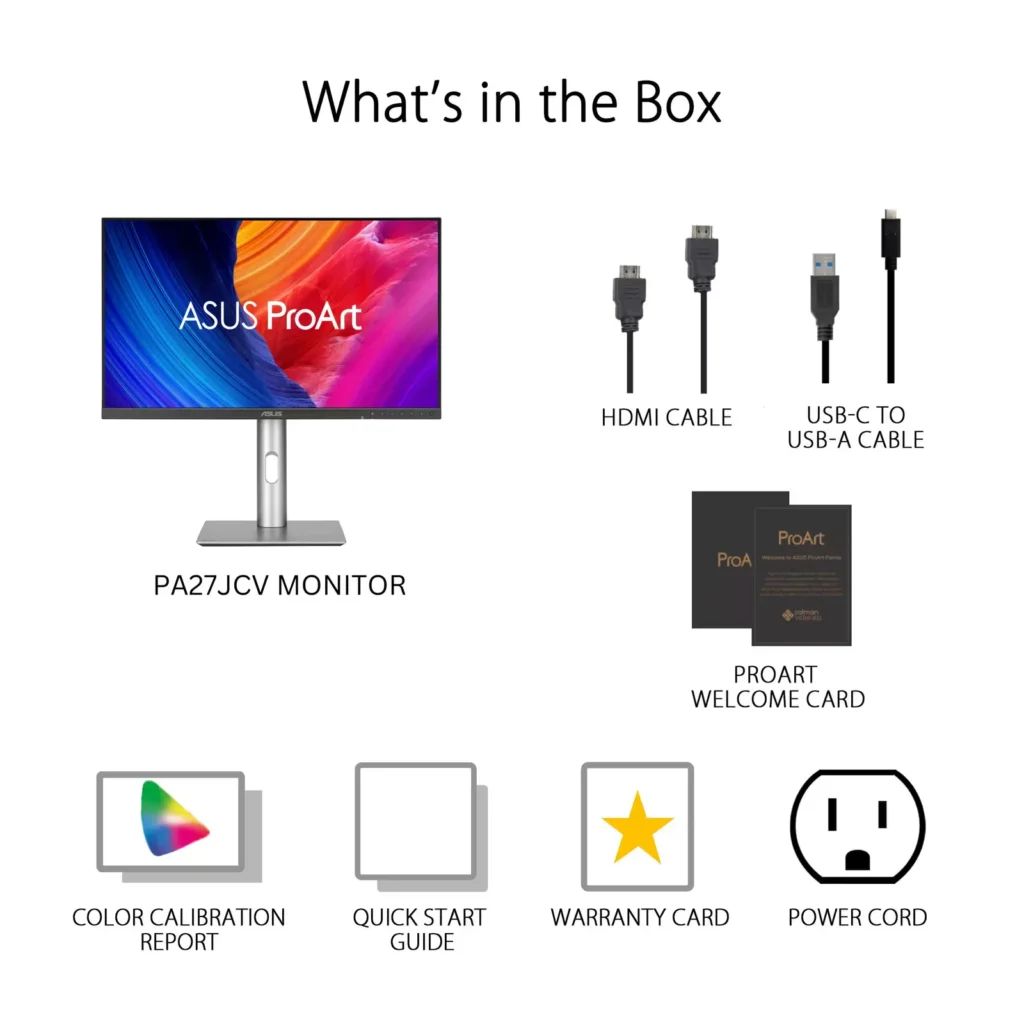
| Stunning 5K Resolution and Pixel Density | The 27-inch 5K (5120 x 2880) IPS panel delivers 14.7 million pixels with a high density of 218 PPI, providing 77% more onscreen space and significantly sharper detail than standard 4K displays. |
|---|---|
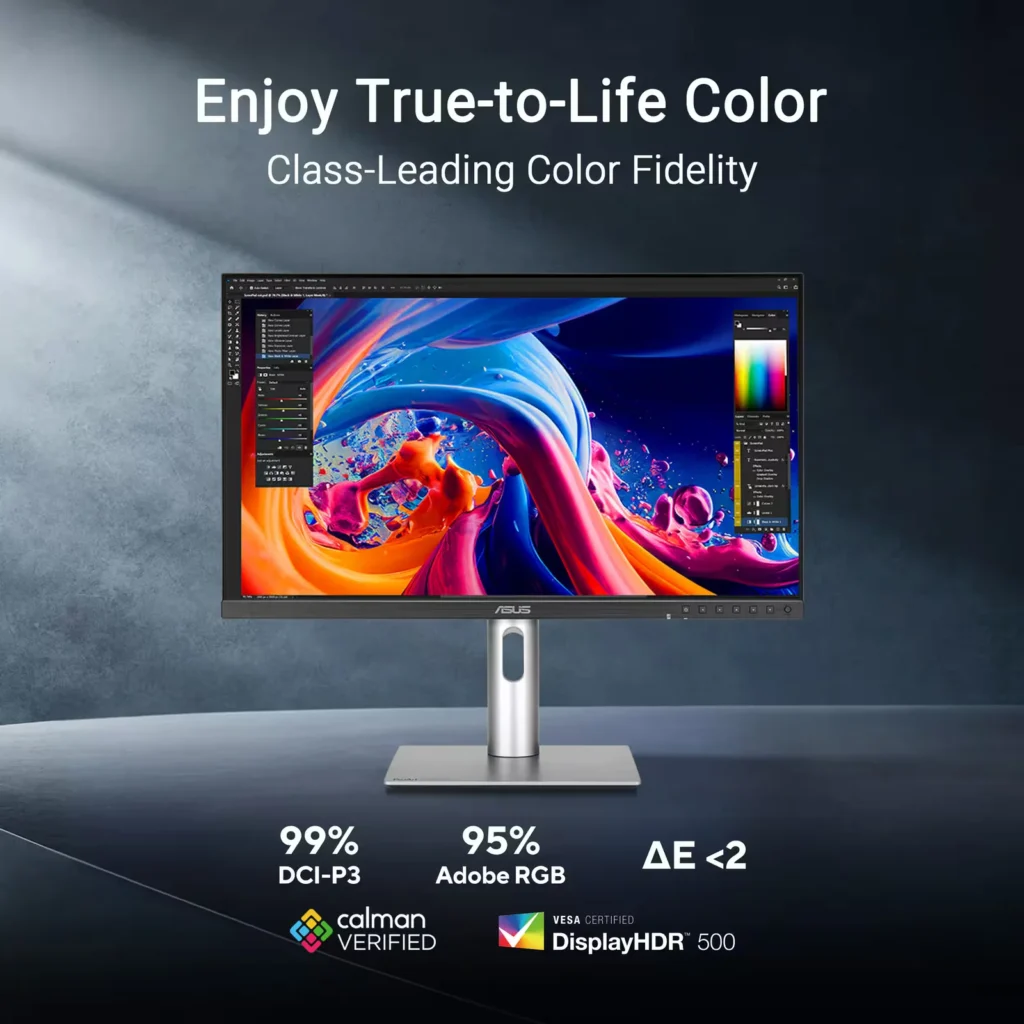
| Professional-Grade Color Accuracy | Factory pre-calibrated and Calman Verified with a Delta E < 2 color accuracy, this monitor covers 99% DCI-P3 and 100% sRGB color gamuts to ensure lifelike color reproduction for demanding creative workflows. |
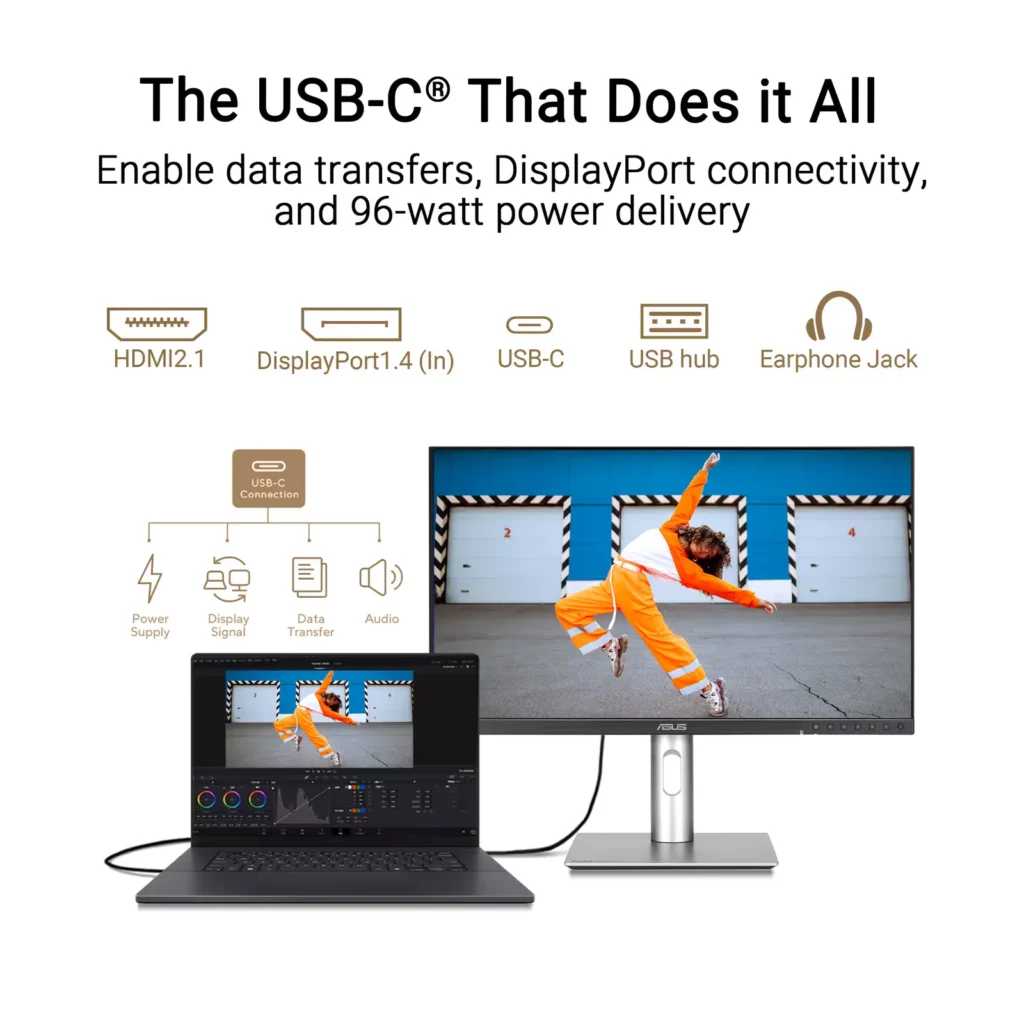
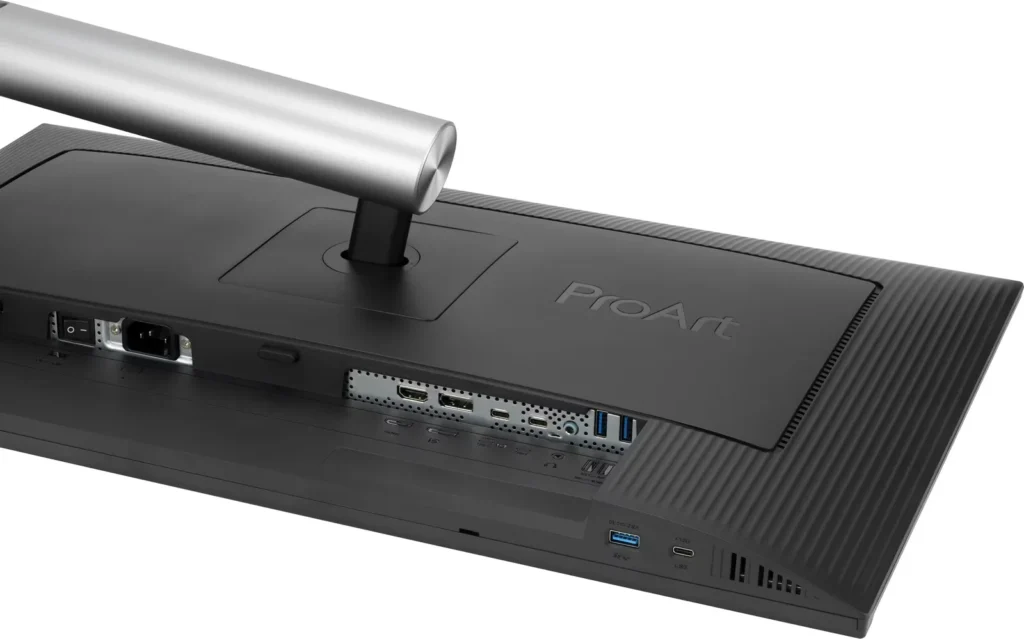
| Powerful USB-C and Auto KVM Integration | Features a full-function USB-C port with 96W Power Delivery, DisplayPort Alt Mode, and data support. The built-in Auto KVM switch allows you to seamlessly control two different devices using a single keyboard and mouse. |
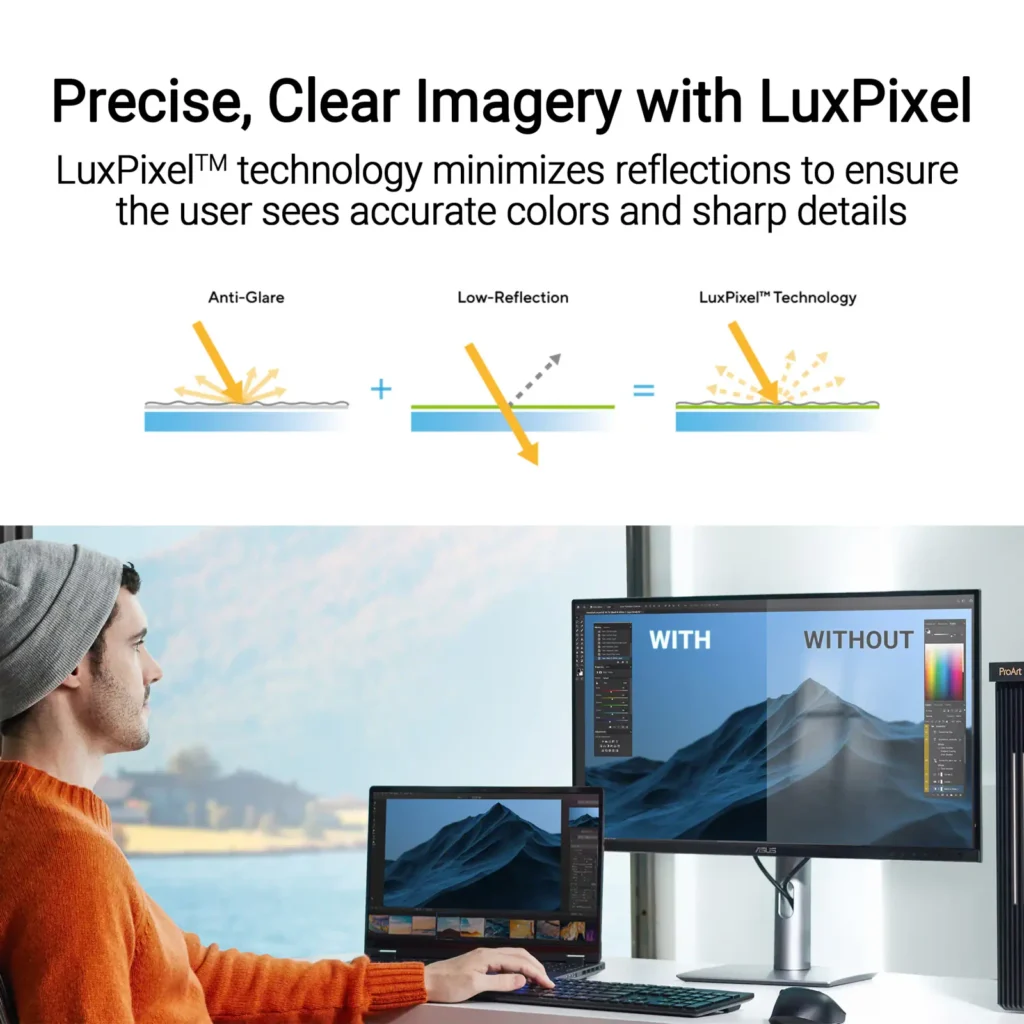
| LuxPixel™ Anti-Glare Low-Reflection Technology | Equipped with a specialized AGLR coating that minimizes distracting reflections and glare while maintaining high color consistency and sharp text clarity, even in brightly lit environments. |
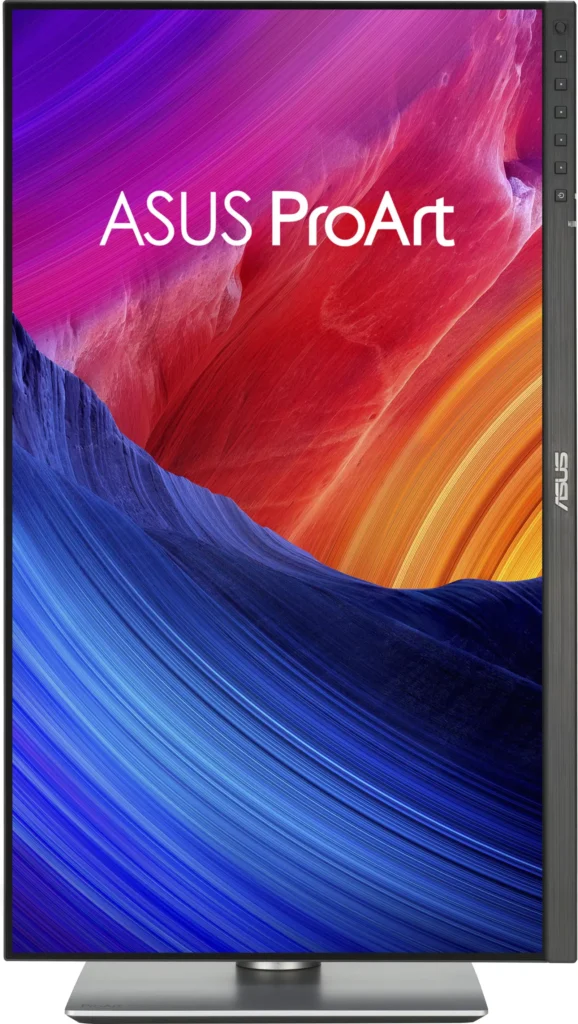
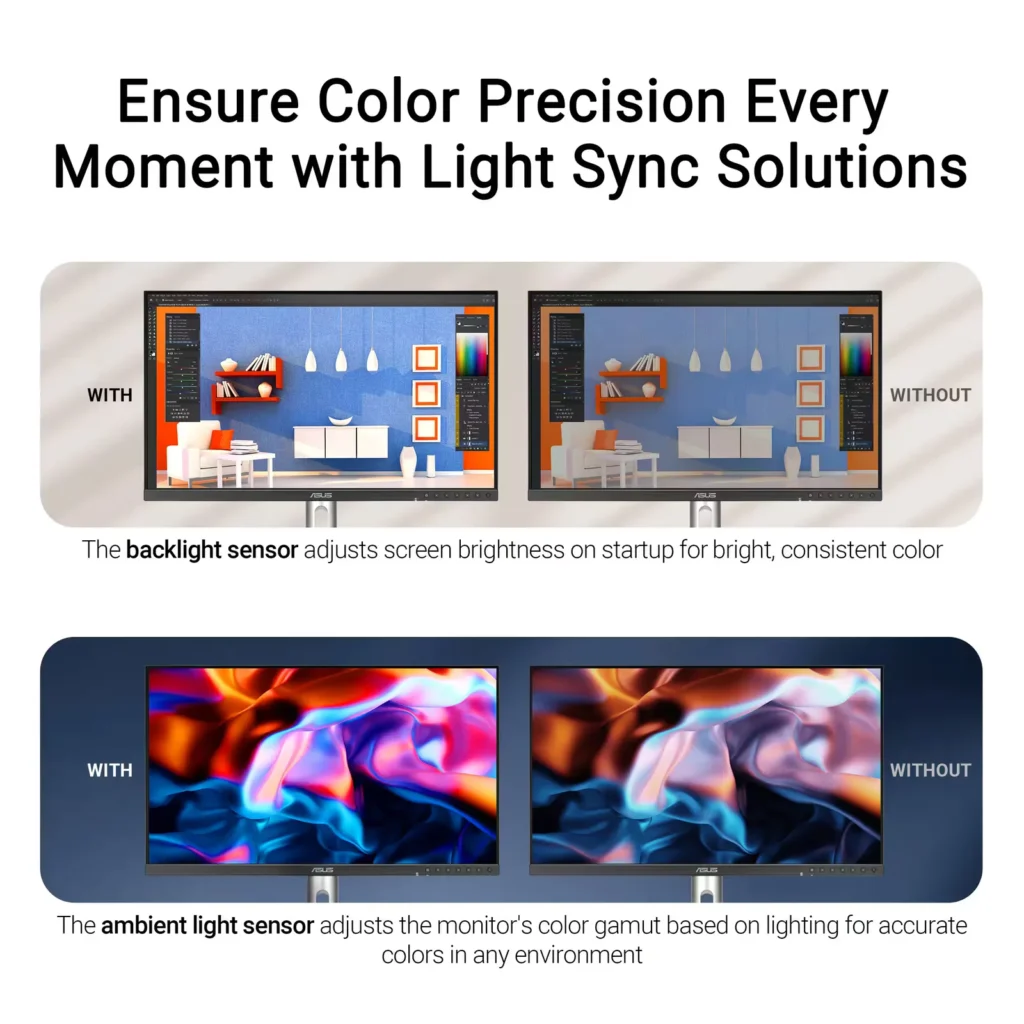
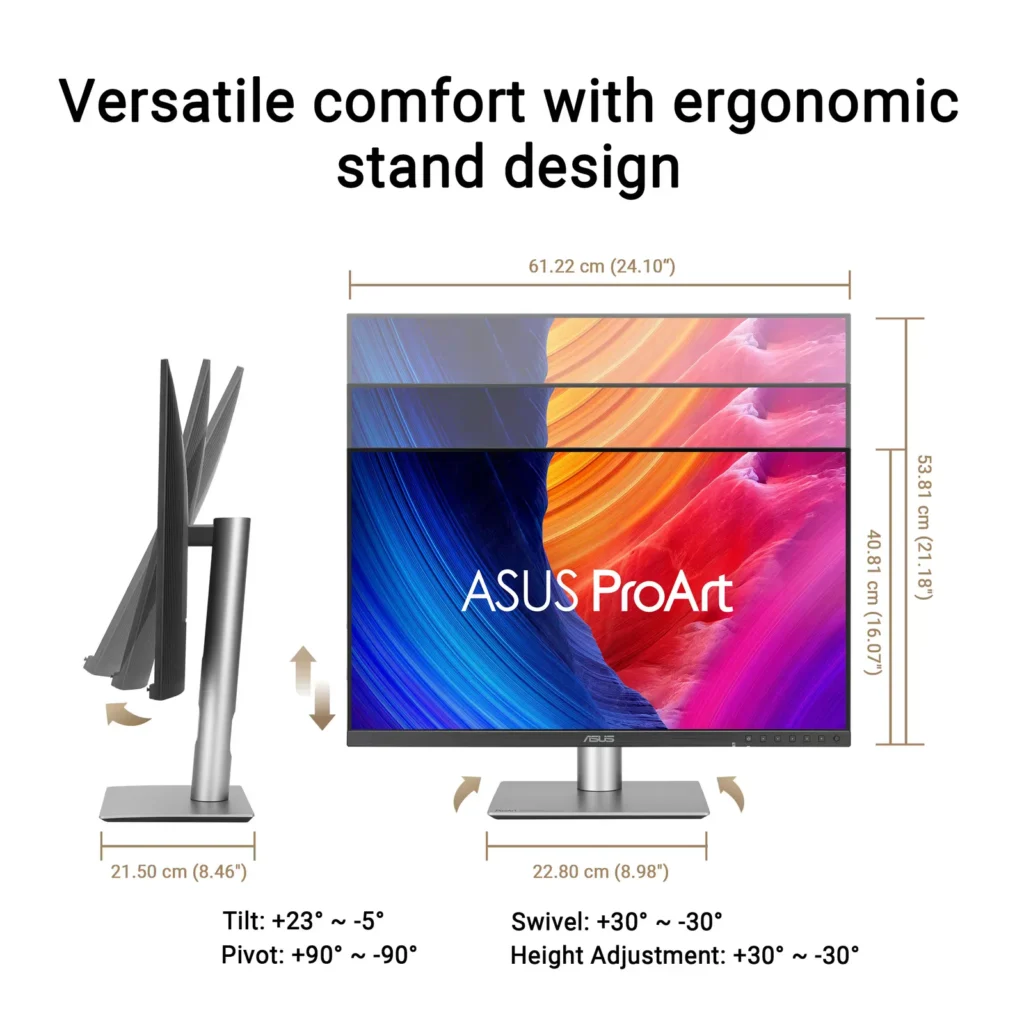
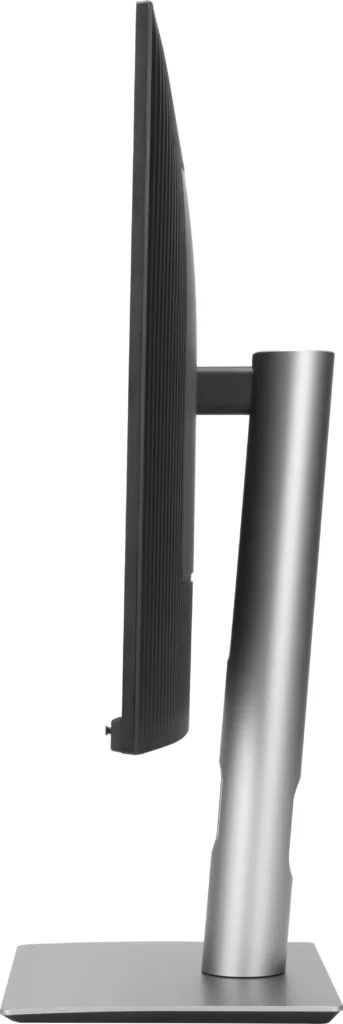
| Advanced Ergonomics and HDR Support | The VESA DisplayHDR 500 certified screen is mounted on a highly adjustable stand offering tilt, swivel, pivot, and height adjustments, complemented by an ambient light sensor that automatically adjusts brightness based on your surroundings. |
Pros & Cons
Pros
- Exceptional 5K Clarity: The 5120×2880 resolution provides incredible sharpness for text and high-resolution media, offering a pixel density that matches premium displays and eliminates the blurriness often found in 4K monitors on macOS.
- Professional Color Accuracy: The display comes Calman Verified with factory calibration reports, delivering true-to-life colors and high coverage of professional gamuts like DCI-P3 and sRGB, which is highly valued by photographers and video editors.
- Versatile Connectivity and Hub: It features a robust port selection including USB-C with 96W power delivery for laptop charging, a built-in KVM switch for managing multiple computers, and easily accessible front-facing USB ports.
Cons
- Hardware Reliability and QC Issues: Multiple reviews highlight serious quality control defects such as dead pixels, screen flickering, and total panel failure with vertical or horizontal lines appearing within a few months of purchase.
- Substandard Audio and Wake Times: The integrated speakers are described as tinny and poor quality, while the monitor is noted for having an annoyingly slow wake-up time when exiting power-save mode or starting up.
- Panel Uniformity and Coating Issues: Users reported noticeable backlight bleed on dark backgrounds, vignetting at the edges, and a matte 'LuxPixel' coating that some found to be too intense, creating a grainy or rainbow-like effect on the screen.
You might also like


Customer Reviews
Showing reviews 1-10 of 103
-
Bought 2 – May 2025 – Both died Jan 26
Verified purchase Verified purchase: This reviewer bought the product.JohnK January 24, 2026Review source: BestbuyGot vertical lines (that’s how it starts, then the monitor just dies) in month 8. Stay away there’s an obvious design/manufacturing problem.
Nice monitor when it did work but why gamble with your money if the product can’t last a year. Both monitors died within 3 weeks of each other.
Good news is that they have a 3 yr warranty, bad news is that you have to wait a month before you get the replacement.
-
ASUS ProArt 27” 5K Monitor: Review 5 Stars!
Verified purchase Verified purchase: This reviewer bought the product.Anonymous January 23, 2026Review source: BestbuyASUS ProArt 27” 5K Monitor: A Perfect Companion to Apple Studio Display
I love this monitor. The 5K clarity and higher contrast ratio are superb, and it performs on a par with—if not slightly better than—my Apple Studio Display for pure image quality.
It does not have the speaker quality, microphone, or camera that the Apple Studio Display offers, but that was never the point for me. I bought it specifically to sit beside my Apple Studio Display as a second and third monitor, and for that purpose it is absolutely outstanding.
If you want a 27-inch 5K monitor that pairs beautifully with an Apple Studio Display for a multi-monitor setup, this is an excellent choice. Don’t buy it for speakers or a camera, because it is not designed for that—but for sharpness, clarity, and overall value, especially at roughly half the cost of Apple’s display, you can’t beat it.
-
Fantastic for me, for others, there may be dealbreakers.
Verified purchase Verified purchase: This reviewer bought the product.D January 22, 2026Review source: Amazon(Review for 5K PA27JCV) – 4.5+ stars, simply because this is the only monitor that checks all my boxes for my use case, and most importantly, doesn’t kill my eyeballs.
I first purchased a 4k Dell U2725QE to use with my desktop PC + Macbook combo. RTINGS named it the best office monitor, and my primary use is writing/text, with a secondary of photo editing. That monitor was beautiful, with no backlight bleed, good contrast compared to their next option of the 4K ProArt, 120hz, and a KVM with a multitude of port options. But the problem was that it immediately caused eye strain. Dizziness, bad headaches, just overall discomfort. I tried every option I could think of, and nothing seemed to help. The strain seemed to be worse while using my Mac, and research revealed that MacOS does not scale properly in 4k, resulting in some softness to the image. 2k or 5k were the only viable options for getting crisp pixels with Mac, which is where I do 99% of my work. After a week of debating, I decided to try the PA27JCV.
Right from the start, it was clear that this monitor did not have the issues of the previous. Text and edges are perfect in MacOS, and I felt no eye strain. I’m not sure if this was entirely due to the perfect pixel scaling of 5K, or if it involved other aspects of Dell’s IPS panel that didn’t agree with my eyes. Either way, for something about the same price, the 5K monitor feels superior, even with the sacrifice of Dell’s other features.
It’s not all roses, though. The Asus has significant blacklight bleed, especially along the top edges. You will see it immediately when the monitor turns on, but it’s only really visible on black/dark backgrounds. If you’re looking for “the best” experience watching movies, this monitor isn’t it. There’s also some vignetting on the sides, though this may be from imperfections with the viewing angle and the monitor’s size — when looking at the sides straight on, the vignetting lessens.
These were the most significant drawbacks I noticed compared to the Dell. The monitor is incredibly bright (It comes default at 50, and I set mine to 20 for daytime lighting). The colors seem true and accurate as advertised, a noticeable improvement over Dell’s color. The build quality is not as “cheap” as some people make it out to be. I actually prefer the darker, more “space grey” aesthetic over Dell’s lighter silver. I don’t mind the chin, I just wish the front USB ports were more easily accessible, like Dell’s pop-down hub. The port options are not as robust as Dell’s, with just USB-C rather than Thunderbolt, but for me, it’s fine. I don’t intend to hook up SSDs or anything that requires high speeds. The LuxPixel matte coating feels premium, and any “rainbowing” is not an issue for me. I’m used to matte monitors and “paper-like” coatings, though I think it would’ve been nice to have the option to buy a glossy version.
Is this monitor as good as the Studio Display? Knowing Apple’s level of quality, definitely not… But it’s also less than half the price, and it works effortlessly with a PC, which is something I need. For some people, the “issues” with this monitor may be dealbreakers, but for someone like me, it’s perfectly adequate.
-
Excemonito
Verified purchase Verified purchase: This reviewer bought the product.RobertL January 16, 2026Review source: BestbuyA very bright screen with excellent resolution. Highly adjustable angle- and height-wise. Great in combination with a laptop. Multiple connections possible and use as a USB hub is cool.
-
Exceeded expectations
Verified purchase Verified purchase: This reviewer bought the product.George McClenahan January 1, 2026Review source: AmazonPerfect size, picture ia amazing and true.
-
Asus PRO ART 5K
Verified purchase Verified purchase: This reviewer bought the product.AmandaManga December 26, 2025Review source: Bestbuyvery good monitor, but speak is bad, rest the colors are excellent.
-
Happy customer
Verified purchase Verified purchase: This reviewer bought the product.Walls December 26, 2025Review source: BestbuyIt gives Apple a run for their money at half the price.happy us
-
Dead on arrival
Verified purchase Verified purchase: This reviewer bought the product.bcseab December 22, 2025Review source: AmazonDead on arrival. Item looked new / undamaged and had a calibration report. Would not power on, no lights, non-responsive device.
-
Perfect Color
Verified purchase Verified purchase: This reviewer bought the product.DThomas December 21, 2025Review source: BestbuyGreat purchase! Great color accuracy. I purchased this monitor to get true color when editing in Adobe Premiere Pro; my colors were nice on the imac pro but I needed a lut to export my footage and the colors still didn’t match what I saw on my phone or other devices. This monitor solves that!
-
Ok resolution but scaling still an issue with my Mac mini
Verified purchase Verified purchase: This reviewer bought the product.Bargain hunter December 18, 2025Review source: AmazonI got a good quality defect free monitor but it does not work (text scaling) perfectly with my Mac mini. Much cheaper than the Apple Studio Display so I’m ok with it. The built in KVM switch does not work well for me (I’ve connected a Win 11 laptop and Mac mini M4)