

Customer Media
Highlights
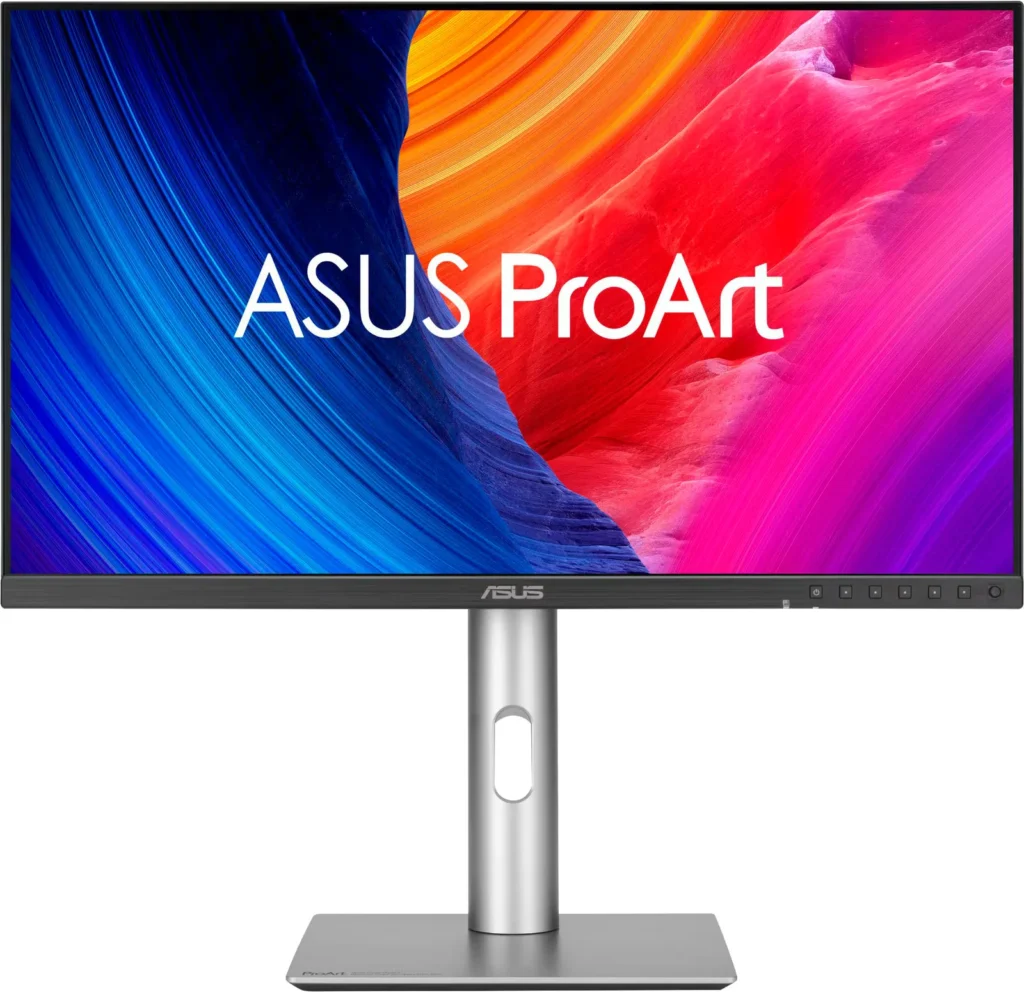
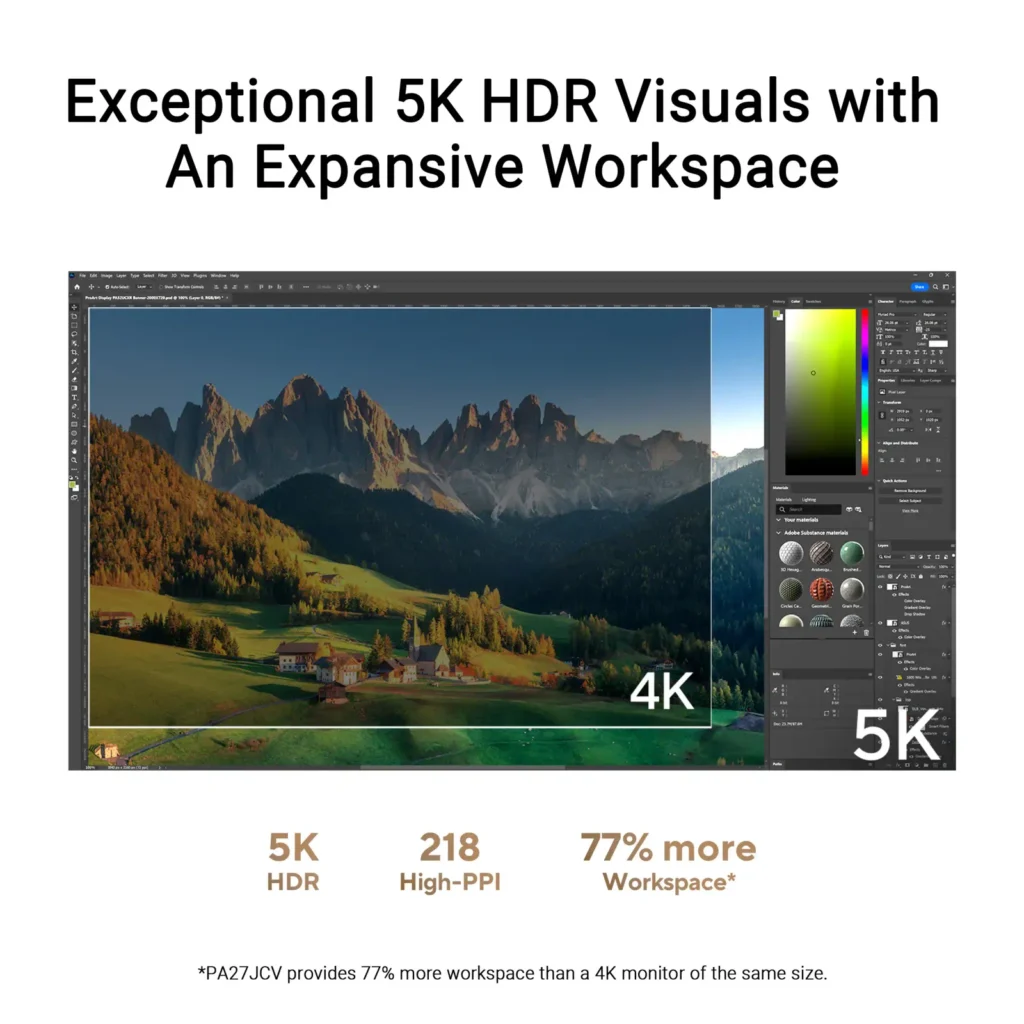
| Stunning 5K Resolution and Pixel Density | The 27-inch 5K (5120 x 2880) IPS panel delivers 14.7 million pixels with a high density of 218 PPI, providing 77% more onscreen space and significantly sharper detail than standard 4K displays. |
|---|---|
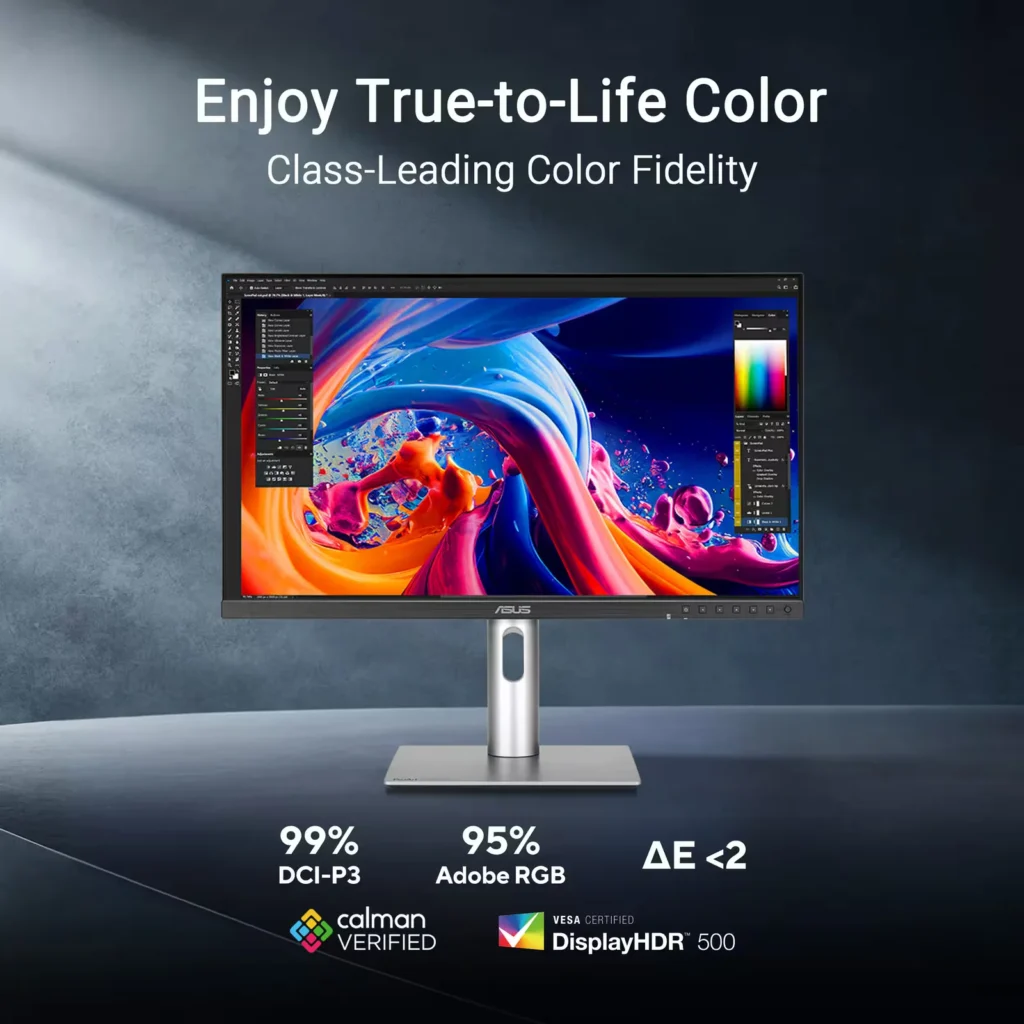
| Professional-Grade Color Accuracy | Factory pre-calibrated and Calman Verified with a Delta E < 2 color accuracy, this monitor covers 99% DCI-P3 and 100% sRGB color gamuts to ensure lifelike color reproduction for demanding creative workflows. |
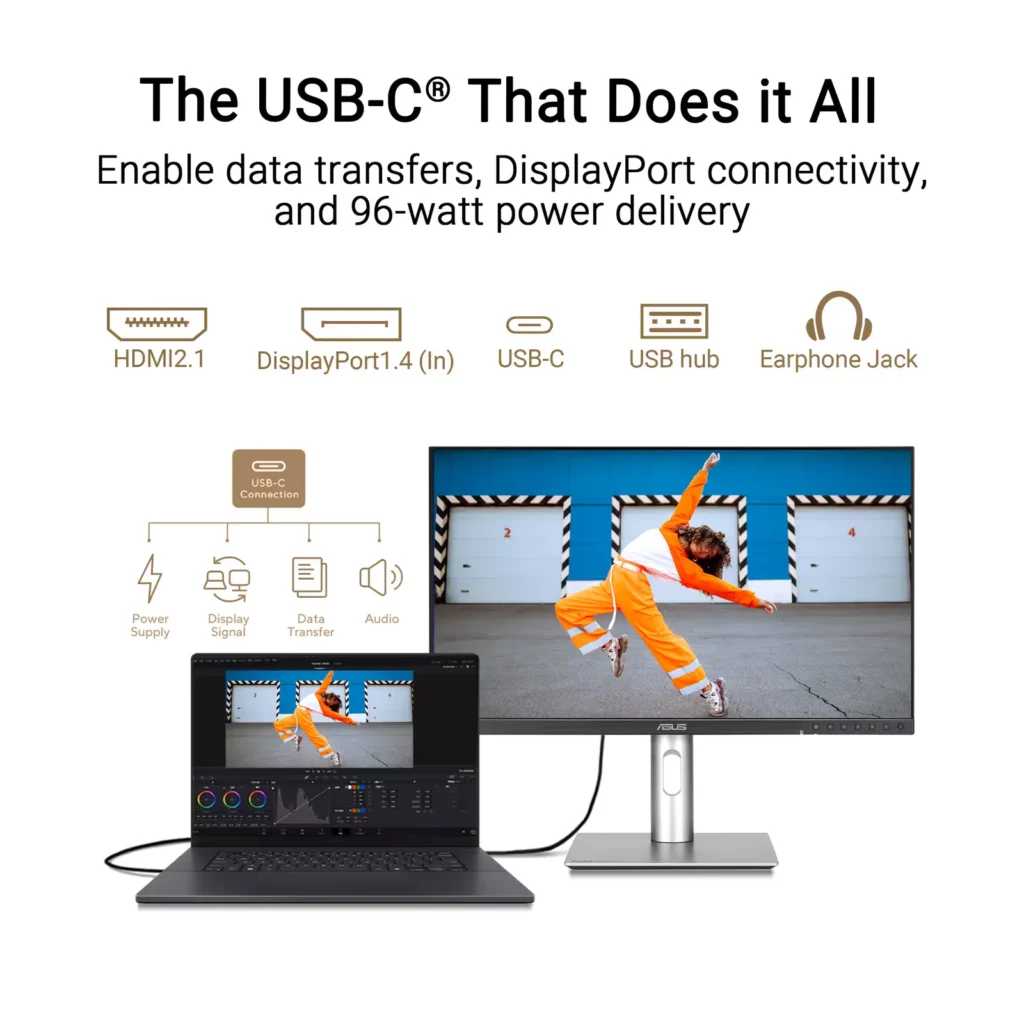
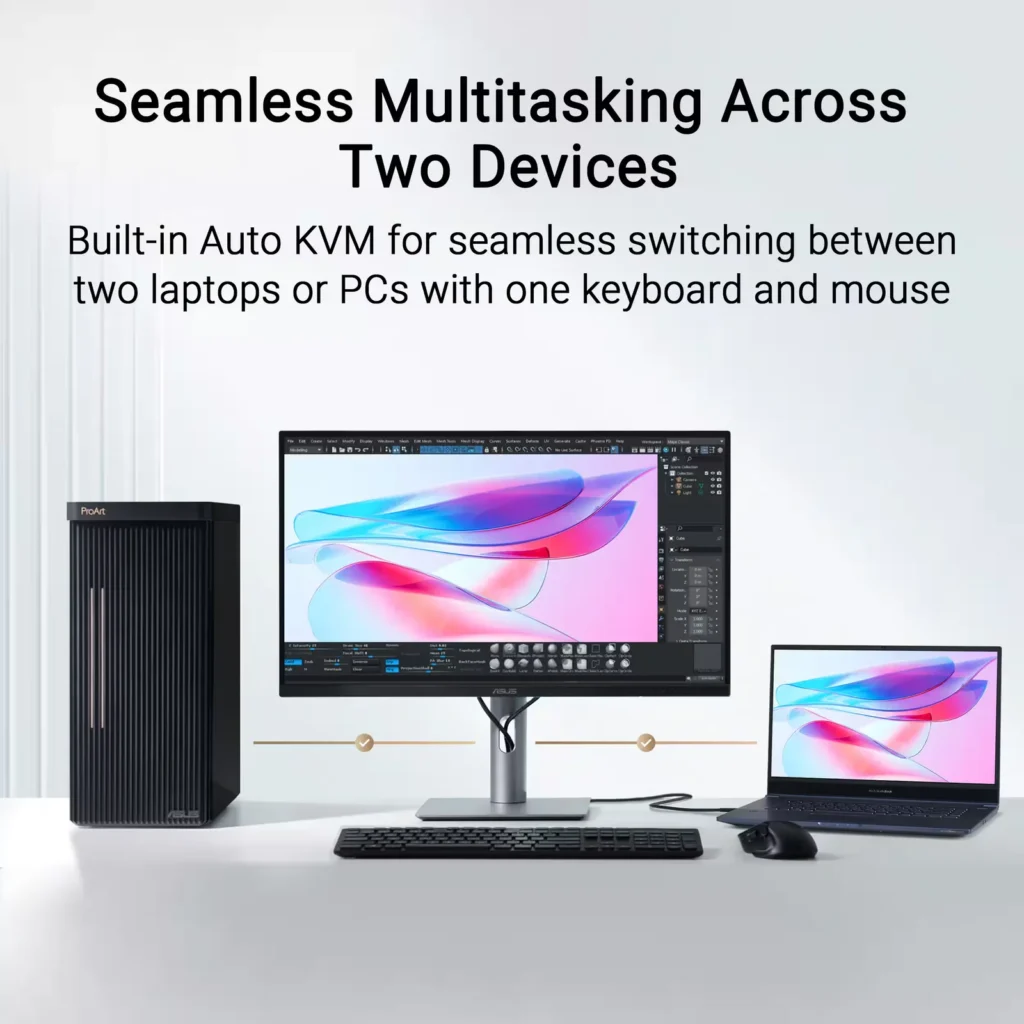
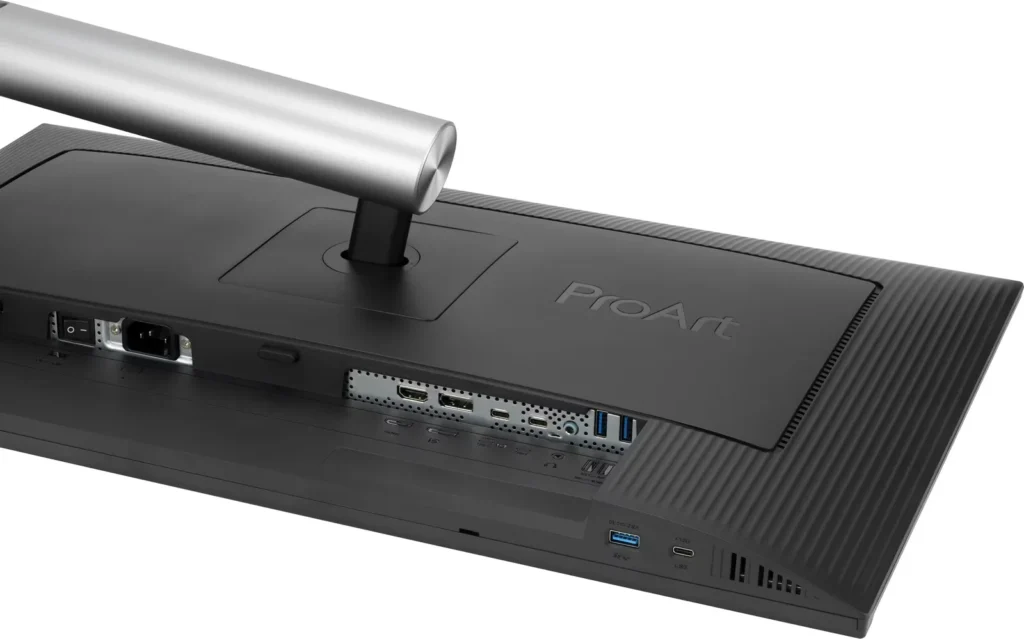
| Powerful USB-C and Auto KVM Integration | Features a full-function USB-C port with 96W Power Delivery, DisplayPort Alt Mode, and data support. The built-in Auto KVM switch allows you to seamlessly control two different devices using a single keyboard and mouse. |
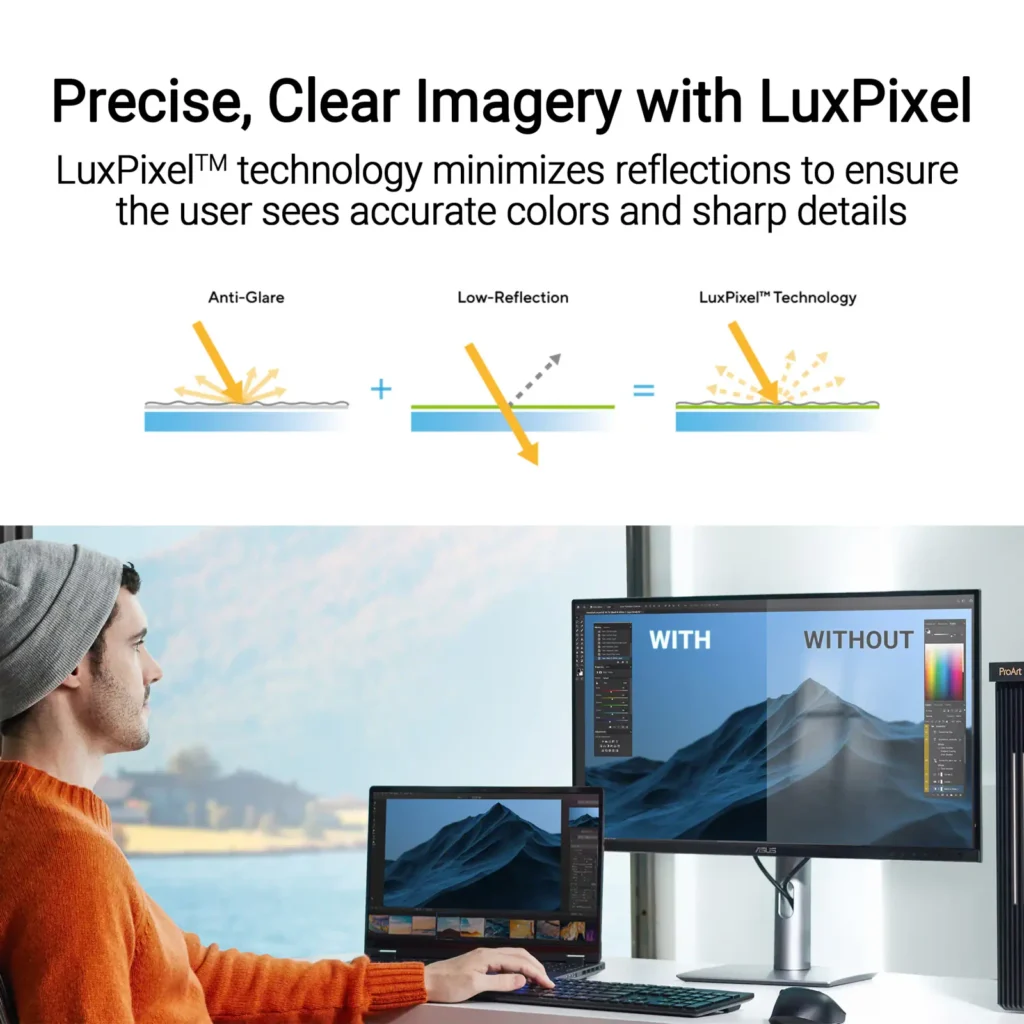
| LuxPixel™ Anti-Glare Low-Reflection Technology | Equipped with a specialized AGLR coating that minimizes distracting reflections and glare while maintaining high color consistency and sharp text clarity, even in brightly lit environments. |
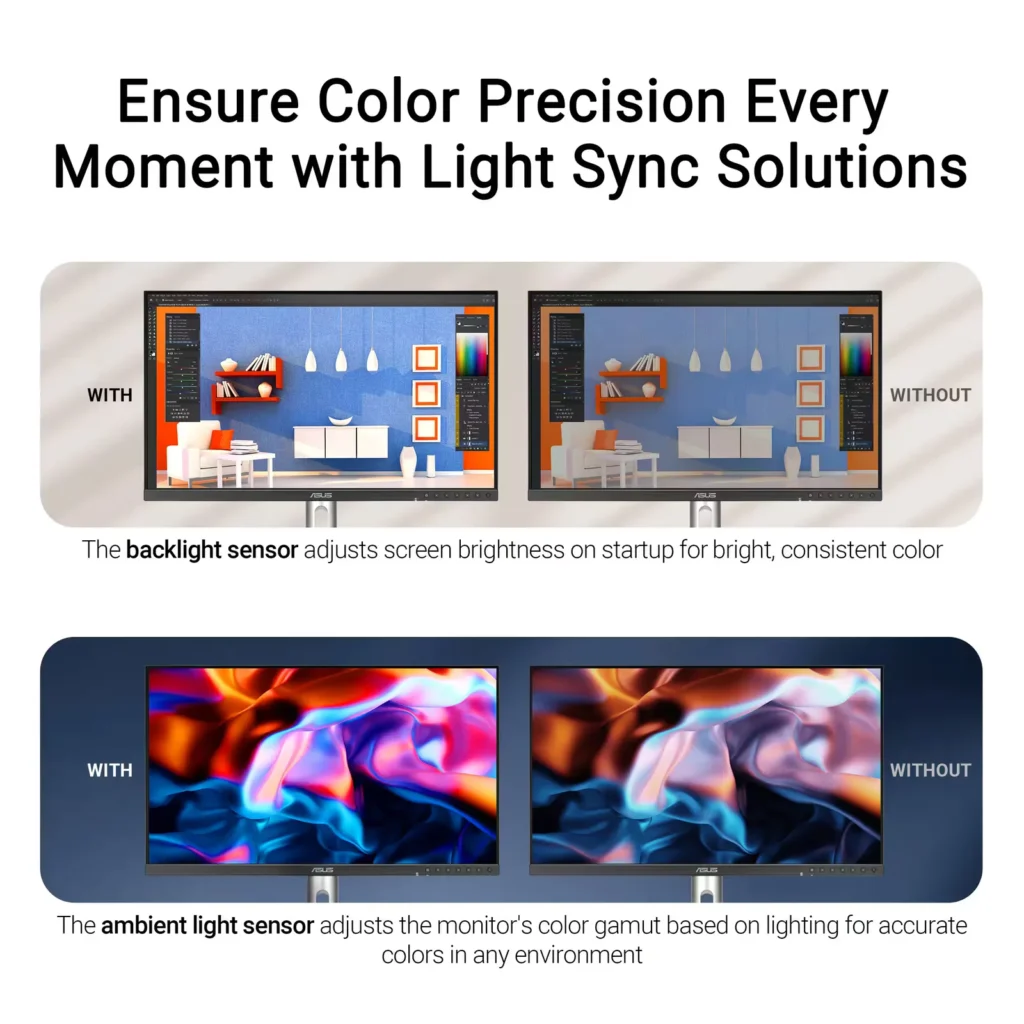
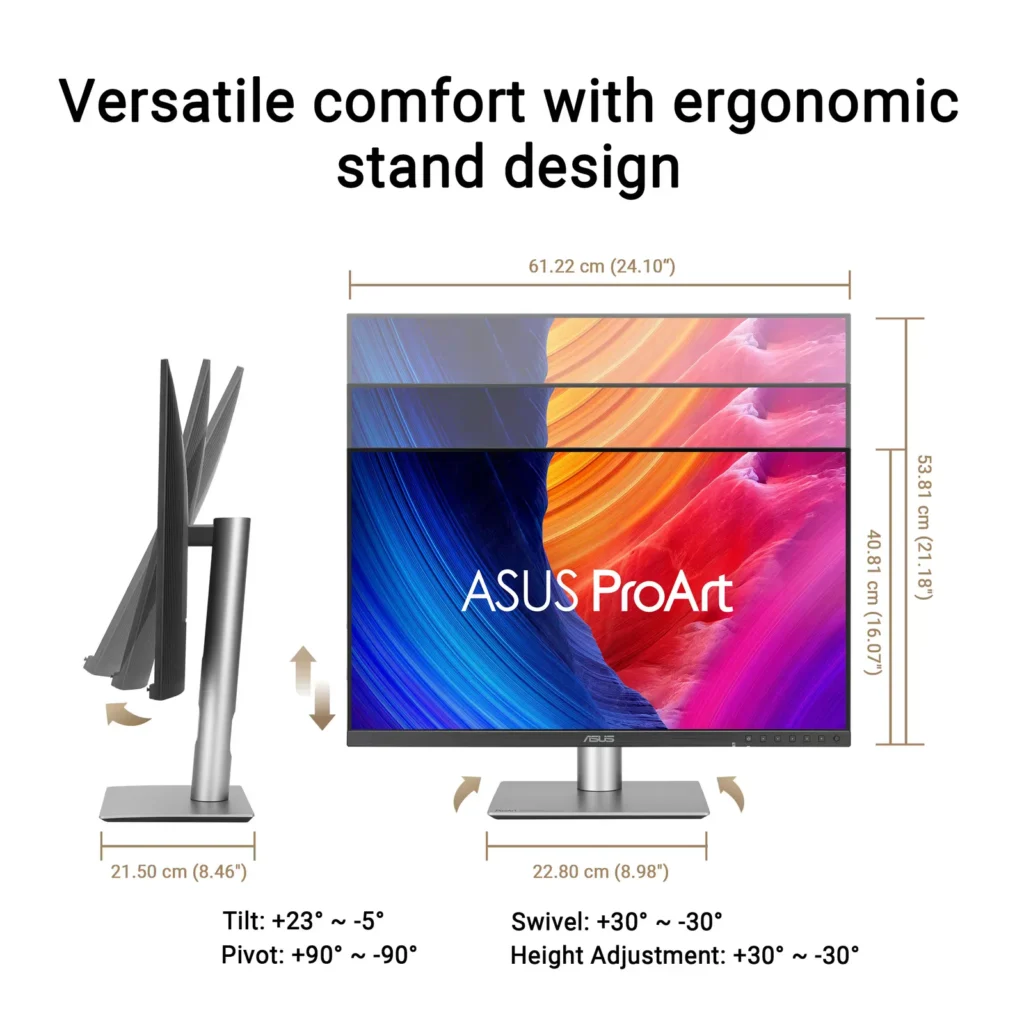
| Advanced Ergonomics and HDR Support | The VESA DisplayHDR 500 certified screen is mounted on a highly adjustable stand offering tilt, swivel, pivot, and height adjustments, complemented by an ambient light sensor that automatically adjusts brightness based on your surroundings. |
Pros & Cons
Pros
- Exceptional 5K Clarity: The 5120×2880 resolution provides incredible sharpness for text and high-resolution media, offering a pixel density that matches premium displays and eliminates the blurriness often found in 4K monitors on macOS.
- Professional Color Accuracy: The display comes Calman Verified with factory calibration reports, delivering true-to-life colors and high coverage of professional gamuts like DCI-P3 and sRGB, which is highly valued by photographers and video editors.
- Versatile Connectivity and Hub: It features a robust port selection including USB-C with 96W power delivery for laptop charging, a built-in KVM switch for managing multiple computers, and easily accessible front-facing USB ports.
Cons
- Hardware Reliability and QC Issues: Multiple reviews highlight serious quality control defects such as dead pixels, screen flickering, and total panel failure with vertical or horizontal lines appearing within a few months of purchase.
- Substandard Audio and Wake Times: The integrated speakers are described as tinny and poor quality, while the monitor is noted for having an annoyingly slow wake-up time when exiting power-save mode or starting up.
- Panel Uniformity and Coating Issues: Users reported noticeable backlight bleed on dark backgrounds, vignetting at the edges, and a matte 'LuxPixel' coating that some found to be too intense, creating a grainy or rainbow-like effect on the screen.
You might also like

Customer Reviews
Showing reviews 51-60 of 103
-
Great Color
Verified purchase Verified purchase: This reviewer bought the product.LanceM May 16, 2025Review source: BestbuyExcellent color balance for professional application
-
Configure ASUS ProArt 27" 5K Monitor to Your Needs
iconoclast May 13, 2025Review source: BestbuyThe ASUS ProArt 27-inch 5K IPS LED Professional Monitor is just that—a large, flat 5K monitor that is an excellent display for content creators, graphic designers, photographers, and others who want a configurable high-definition display.
Unboxing the ASUS PROArt 27-inch Monitor was quick. It ships in a sturdy tuck-flap box with a molded recycled paper insert that holds the parts in place. The monitor screen and adjustable stand components ship in protective plastic envelopes.
This monitor is fairly intuitive to set up. You can use the stylish metal stand or use the VESA screen mount holes on the back. The stand has three parts; the base, the adjustable column, and the plate that fits into the back of the monitor. No tools are required to assemble the stand and attach it to the monitor.
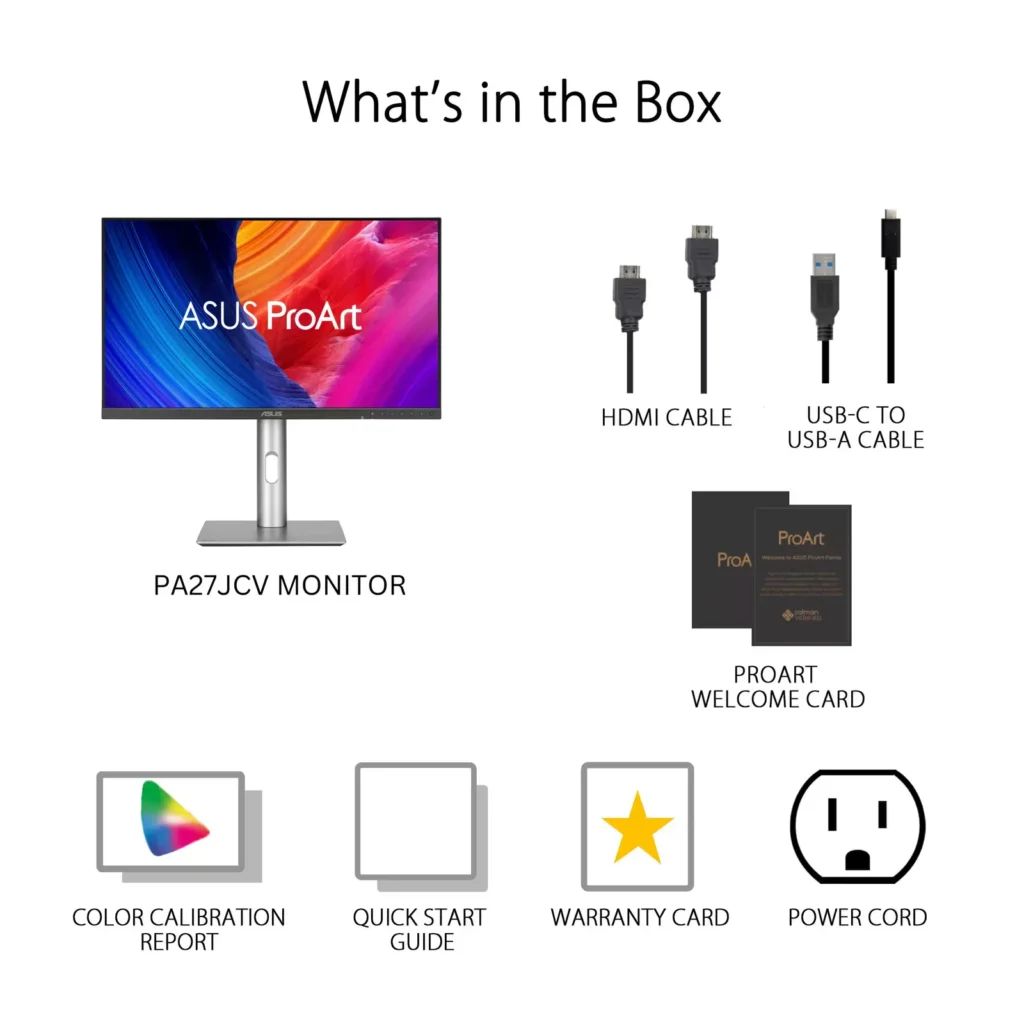
Use the included HDMI or USB-C cable to connect the monitor to your computer, or use your own cable with the DisplayPort. Plug the power cord into a standard A/C outlet on your power strip, and the white indicator light glows.
Use the on-screen menu to configure the ASUS Pro Art Monitor’s settings. Use the joystick on the bottom right corner of the monitor’s frame to move through the menu. Choose the source, either HDMI or USB-C; the color profile, and much more.
I tested the monitor with the provided USB-C cable and The Adobe RGB setting on a MacBook Pro 16-inch laptop. Though this monitor has a native resolution of 5120 x 2880 pixels, the actual resolution is lower if you want to mirror your laptop (or have the laptop mirror the ASUS 27-inch ProArt Display.
Pros:
• The Monitor has a native resolution of 5120 X 2880 pixels, or 5K.
• The User can configure (adjust) the ProArt monitor from eight different presets, and configure palette, brightness, and more settings for the chosen preset. This allows flexibility for content creators, graphic designers, photographers, and others who require a high-res monitor.
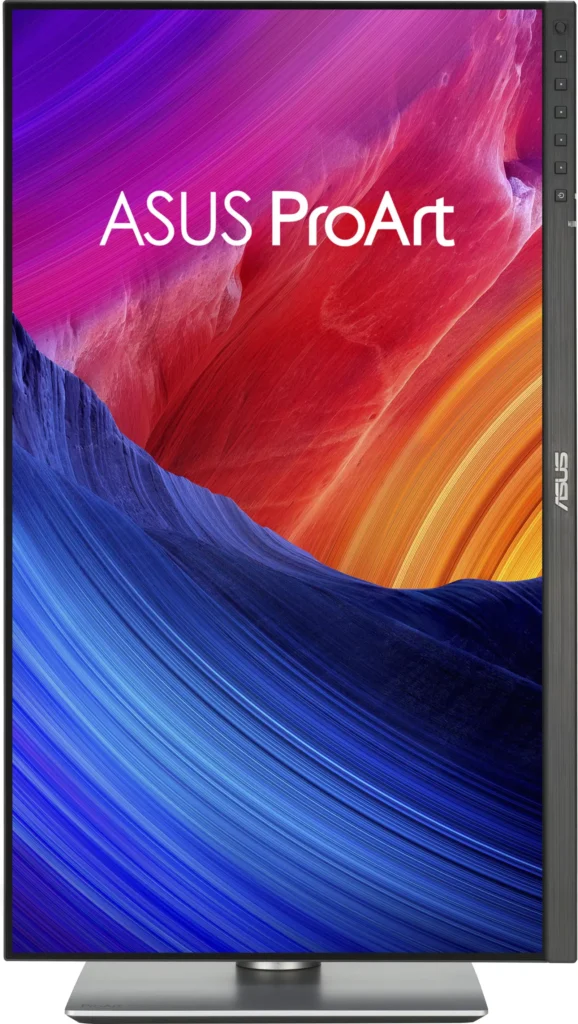
• The User can adjust the monitor height, tilt, and swivel. The monitor also pivots ±90 degrees for Portrait mode.
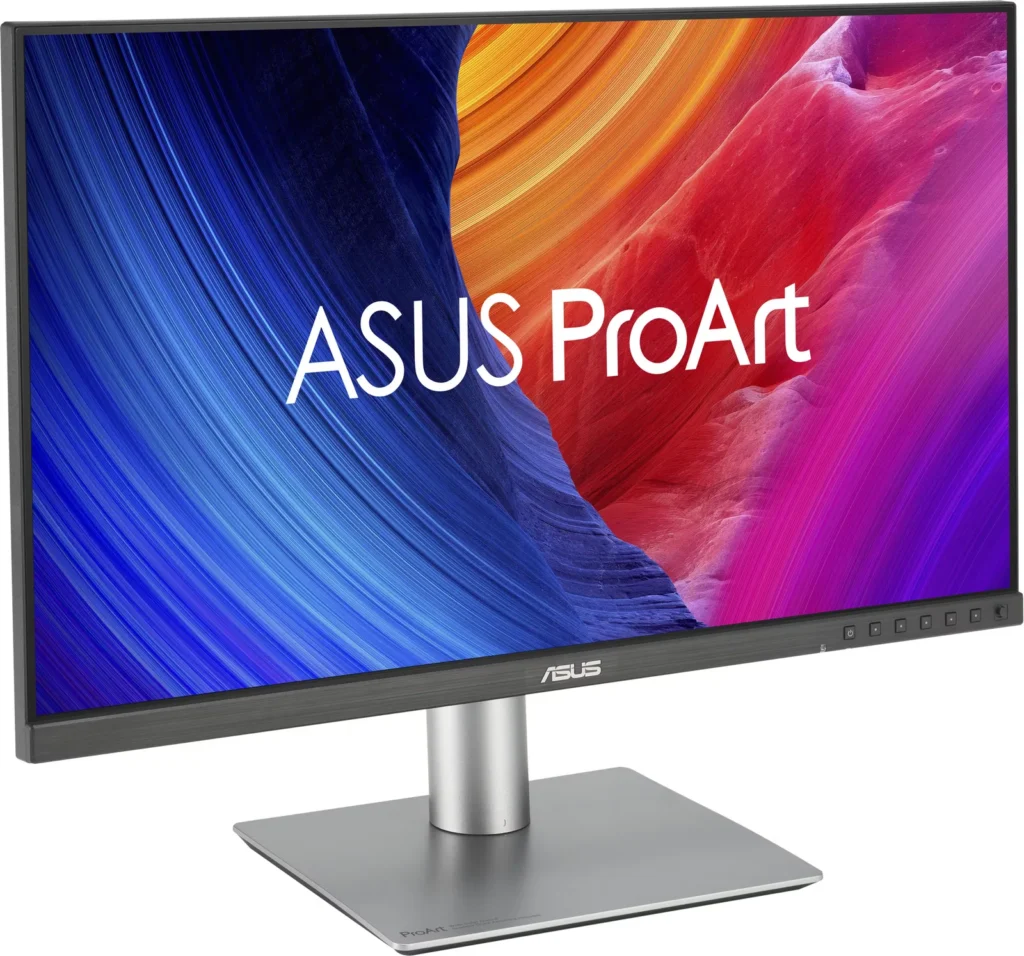
• A small bezel on three sides and a larger bezel on the bottom make the monitor appear nearly frameless.
• The high resolution allows more on-screen content, such as two large windows or two+ pages of content side-by side.
• The monitor has a choice of many different ports on the back of the monitor; three options for connecting the display; multiple USB ports including one powered USB-C where you can connect other devices; an earphone jack.Cons:
• The setup instructions consisted of diagrams only, and the diagrams were very small. For a more detailed explanation of the monitor’s features and setup, you must download the User Manual from ASUS.
• The Joystick and controls for the onscreen menu are nearly invisible; I found the joystick by accident. When you press the joystick, icons appear onscreen above each of the monitor’s control buttons.
• The onscreen menu apparently works only with the joystick and control buttons; it would be much easier if the User could also adjust settings using a mouse or other input device with dedicated ASUS software.
• The User may need to reduce the resolution for readability on the ASUS ProArt Monitor and/or the attached computer’s screen.Overall Assessment:
The ASUS ProArt 5K IPS LED Professional Monitor is a powerful tool for content creators, graphic designers, photographers, and others who need a high-resolution display. It is highly configurable to meet the needs of different types of users. It has a sturdy, adjustable stand with height, tilt, swivel and pivot capabilities. I can envision using this monitor to stream content and screen movies in a small space. I suggest that you download and read the User Manual to understand all of its many capabilities.
-
Great for Productivity and Photo editing
Olive May 9, 2025Review source: BestbuyUnboxing – the monitor was nicely packaged and extremely easy to set up. I just attached the base to the telescoping arm, tightened the screws and done with set up. I must say I love the adjustments that can be made with this monitor. The height, tilt and portrait to landscape features allow you to adjust based on preference. I’m on the shorter side and I don’t have an adjustable height desk so I have to lower the monitor pretty low to prevent neck strain. However, with this monitor the height is low enough that I was able to adjust accordingly. Another great feature is the screen size it perfect for the average size desk depth of 25-27inches without it being too large with sitting too close. Also, because of the screen size I was able to have three open windows at the same time to help with productivity. I currently have 3 monitors because of this but this one allowed me to have the same number of windows open.
The graphics and color was very vibrant and clear and text sharpness. The monitor did very well when using all office programs – Word, Excel, One Note and Visio. There was no lag when moving windows or when streaming movies or work web meetings. The teams meetings were very clear as well.
When adjusting the display using the monitor controls it was intuitive and easy to adjust the settings. The 5K resolution would have been awesome but due to limitations of my graphics card on my laptop I wasn’t able to test it out. I was able to test Minecraft on it and again the resolution was great but the only things with this monitor is that its 60hz refresh rate.
Overall, it you are looking for a versatile monitor for photo editing, productivity, streaming and using as an all in one because of limited in the office, I highly recommend this monitor because its large enough to handle multiple screens and use as a TV in an office or dorm room. Also, great monitor for stock intensive programs.
-
Displays very close to actual colors!
MzRose May 9, 2025Review source: BestbuyThis monitor is actually kind of great, but it does have a few flaws that keeps it from being totally perfect for me. I’m an avid picture taker and also create and design a lot of colorful documents and presentations. The way the ASUS 27” ProArt 5K HDR Monitor displays colors is one of the closest I’ve ever seen the colors be to the actual ones intended when printed! The exception being that the blacks displayed are not as deep as they should be.
It comes with all the port types I need (USB-C, USB-A, HDMI, DisplayPort) and even comes with the cords. The instructions, or the lack thereof, leaves a lot to be desired, but assembling the monitor only took a few minutes. It rotates from portrait to landscape easily when the pedestal is at its tallest setting. Consider the glare factor when setting up and placing the monitor up because it doesn’t block it very well. It comes with internal speakers, but they don’t sound good at all, so I suggest using external speakers if you’re planning to watch video content on it.
Overall, if you’re an artistic creator, then this monitor could be a good fit! I’ve been able to connect my desktop, laptop and cameras with minimal issues. My Apple devices have taken a lot more work trying to get them to connect to the monitor so I found it way less aggravating to move those files to another medium that can be hooked up. If ASUS could get the quirks worked out, this ProArt monitor would definitely be worth it!
-
Great Choice for Features, Performance & Price
argamando May 7, 2025Review source: BestbuyChoosing the right monitor can be overwhelming, especially if you’re like me and upgrading from a 10-year-old Dell Ultrasharp. The ASUS ProArt 27″, however, ended up being an impressive choice – especially at its price point.
DESIGN
Design-wise, it looks like an average run-of-the-mill monitor. While reasonable, I feel that the bezels could be a little thinner, like what Dell does with some of their high-end monitors. The chin makes this somewhat less attractive, with the ASUS branding and all of the control buttons on the front side. Again, I feel that this could have been mitigated with touch-capacitive buttons or, even better, a button knob on the back side with an on-screen menu display. This would have helped eliminate the large chin and buttons on the front side. I’m nitpicking, but after all, it is something we have to look at day after day. The cable management slot is quite low, making it less effective for hiding cables, which is a priority for me.CONNECTIVITY
You can connect your computer to the ProArt 27 in multiple ways, including HDMI, DP, or USB-C. If you’re using USB-C, it also supports 96-watt power delivery, which should support most laptops. Note that I have a Surface Laptop Studio 3, and while it does power it slowly, it requires 120W for optimal performance. If you have one with a dedicated GPU, you’ll want the Surface Connect power cable as well. Side note, I do appreciate the easy-access USB-A and USB-C ports at the bottom of the chin on the left-center of the screen for easily connecting peripherals. There’s also a headphone jack and integrated speakers. Don’t get too excited, though; the speakers aren’t much to write about. In fact, they’re more of a courtesy than anything. Your phone will sound better than the speakers in this monitor. You will definitely want to get an external speaker setup, which is a shame because I feel that for a few bucks more, they could have gotten better quality speakers and really made this monitor a standout product.SCREEN/RESOLUTION/PERFORMANCE
This is where you are really spending your money. The screen has a perfectly matted surface that deflects the light effectively. Contrast comes at a cost, so if you like super glossy screens, this is not for you. If that’s the case, you may want to overcompensate via the soft settings.With a max resolution of 5120×2880, this is a standout 5K monitor boasting 218 PPI, which I believe is the same density as the Apple Studio Display. While the ProArt only reaches 500 nits peak brightness, it’s more than adequate for typical indoor settings. Speaking of settings, if you’re truly a designer and/or worried about color calibrations, one feature this monitor boasts is an ambient light sensor that automatically adjusts the monitor’s colors and brightness. This is something I highly recommend turning off in the monitor’s hardware settings via the OSD.
Color-wise, this is almost on par with the Apple Studio Display, but one gripe I have is the light bleed from the LEDs along the outer sides of the panel. It creates a slight blooming effect on dark backgrounds. With that said, dark backgrounds simply will not be as rich on this monitor as on some other higher-end LED monitors and certainly not any OLEDs.
At a 60Hz refresh rate, it’s perfect for productivity and graphic design work but not ideal for gaming. For that, you’ll want something with a high refresh rate, like 120Hz or faster.
OVERALL
Considering the stunning 5K resolution at this price point, the ASUS ProArt 27″ is hard to beat when compared to something like the Apple Studio Display. Oh, and the built-in KVM is also a bonus in my book if you have a desktop and laptop setup (or simply two computers in general). Are there better options on the market? Sure, but those typically come with a higher price tag. In terms of value per dollar, this is hard to beat. Coming from an 11-year-old Dell UltraSharp monitor, the ProArt is quite an upgrade in every way imaginable, and I am so happy I get to use this as my daily driver. I’m sure you’ll be happy with it as well.Read More -
Perfect for those of us who work from home!
Emmanuel May 7, 2025Review source: BestbuyI’ve been working from home since the pandemic, using the standard 1080p monitor my company provided. It was nothing specia, but definitely not great for someone who spends hours reading documents and entering client data. But the moment I set up this ASUS ProArt 27-inch 5K display, it was a game-changer. Going from 1080p to 5K is a dream. The image quality is ridiculously better, and the sharpness it provides to documents and apps like Teams and Word is incredible.
Honestly, it’s kind of funny, I actually get excited to turn on my computer when I am about to start work because everything looks so much clearer. The colors are vibrant and super accurate, which makes looking at documents a little less boring. I’m finding it easier to stay focused and be productive.
Design-wise, the monitor is sturdy and feels premium. The bezels are thin, which gives it a modern look, and the stand is adjustable with tilt, swivel, and height options. You can even rotate it to portrait mode, but I use mine just in landscapeThe connectivity options are also good. I’m using the included HDMI cable, but it also has USB-C and DisplayPort, so you can set it up however it works for you.
Overall, I’m absolutely loving this monitor. It makes my work easier, more enjoyable, and even a bit exciting. recommend it for anyone working from home or just wanting a much better display.Read More
-
A Photo Editor's Lower Cost Calibrated 5K Dream
NatureLover2 May 6, 2025Review source: BestbuyThe ASUS ProArt Model PA27JCV 5K IPS LED Professional Monitor brings 5120 x 2880 dpi densely packed pixels, Calman certified factory-calibrated color gamuts with outstanding color accuracy, excellent brightness and a 1500:1 high contrast ratio at a relatively affordable price.
If you have ever walked into a store to evaluate televisions that are all running the same pictures and you notice that one screen looks just slightly green and another looks a little bit yellow and the next one is totally different, then you can’t really tell what the original picture is supposed to look like. This is where a calibrated screen really makes a difference. As an graphics and photo artist who wants to be able to create and reproduce images that are what-you-see-is-what-you-get, this calibrated monitor ensures that when you choose a particular color for a drawing or change the tone, brightness and / or contrast of a photo it will really be what you chose and, therefore, will give you true to color prints on a high-end printer.
This well-built Asus PA27JCV monitor has a sturdy and easily assembled stand and a fully adjustable screen that even goes a full 90 degrees up and down! It has multiple connectors: DisplayPort v1.4, HDMI 2.1 x 1, DisplayPort over USB Type-C (upstream 1), USB Type-C (upstream 2). (I am using the HDMI port on my current setup.) It has multiple USB ports (3 x USB 3.2 Gen 1 Type-C 3 x USB 3.2 Gen 1 Type-A) and can be set up to run on two computer inputs (KVM).
It boasts 5 color temperatures and 10 color preset modes so that you can work with confidence in any graphics application.
In my opinion, this monitor was made specifically for graphic and photo artists and definitely not for gamers. The response time on the PA27JCV is 5ms and the refresh rate is 60Hz on its sharp, beautiful screen, which is great for artists, but not so much for gamers.
I think this is a great monitor and am pleased to use it. Another fine ASUS product!
-
Stellar product.
Matt May 6, 2025Review source: BestbuyI have had the opportunity to review many monitors and this was absolutely stands out for a few of the features. The look of the monitor itself, is extremely sleek and minimalistic which is a big bonus for me. The touch of metal at the base and stand with the black bezel is very modern and sleek.
The monitor itself is 27″ and the screen is a whopping 5K! The sRGB color accuracy is fantastic and extremely noticeable with my Mac Pro. The monitor is a two way so you can use it vertically or horizontally. I tested it in both positions and will end up keeping it vertically which I really enjoyed. The monitor can also be raised at many different heights which is very helpful. It also has USB-C for display which is unreal and this was the first time I got to enjoy that feature on a monitor. It works flawlessly. I tested this monitor watching 4K content, looking at high resolution photos (WOW is all I can say to that), light gaming and general work. In all facets of use the monitor is extremely impressive. The colors are really photo accurate and I had to look up what made the the “LuxPixel” technology so incredible. Asus actually defines it really well with between how anti-glare + low light reflection works to enhance the viewing. The monitor has a few built in light sensors which adjust the display based off of lighting in your surrounding area, which I did actually test by moving the monitor from a well lit office into a basement. It was very impressive how well this feature worked.
This might be the best monitor to buy if you are in need of something smaller then 32″ and not curved. I absolutely see this being perfect for the type of person who loves to look at high res images, photo editors, video editors and movie watchers.
Great monitor and a great price.Read More
-
I love asus
Maclemoor May 6, 2025Review source: BestbuyThis monitor is absolutely crisp and ability to keep up is the surprising opposite.
You will need a string computer or laptop. Don’t plug in an old 1999 computer and expect to get that 5k colorism.
I really like the setup and packing in the box. They did a really good job in the Asus box but fedex not so much.
It did not come with any damages so I was happy. It took me only 10 minutes to put it together by myself which I suggest getting a hand when you mount it to a wall which I didn’t I used the stand.
It came with all the cords it needed to attached to my laptop which is running windows 11. Once I went to displays and it recognized it immediately. Now personalizing it is completely all you preference. Make sure you start simple and you can up and add more details as you start opening items.
I will say my eyes are light sensitive and I found myself turning down the saturation which of course people wonder why get a 5k but it’s my eyes!
Over all I really like this monitor and I’m a huge Asus fan.
-
Fantastic every day monitor
Closingracer May 5, 2025Review source: BestbuyThis display is great for an IPS panel. It’s very color accurate as well.
5K IPS LCD display
27 inch
60hz panel
1 display port
1 HDMi port
500 nits
HDR 10 support
99% DCI P3
100% sRGB
And 95% Adobe RGB coverageThis panel isnt great for gaming if you want a high refresh rate but I’ve did some role playing games on it and it looked great on this monitor. I mostly use this monitor with my MacBook pro as a big screen option connecting it with the Display port which is over USB Type C with 96 watt power delivery so it charges my MacBook while using it as well. It’s nice to have the 5K display for just every day use. I also have a 32 inch OLED monitor meant for gaming and it’s nice and all but this I find web browsing and word processing this to be better on my eyes. Also viewing content like the photos and videos I upload to my computer they look great on this panel as well. It is also pre calibrated with a Delta < 2 which is amazing outside of the box . I don't have to worry about it as wellRead More