





Customer Media
Highlights
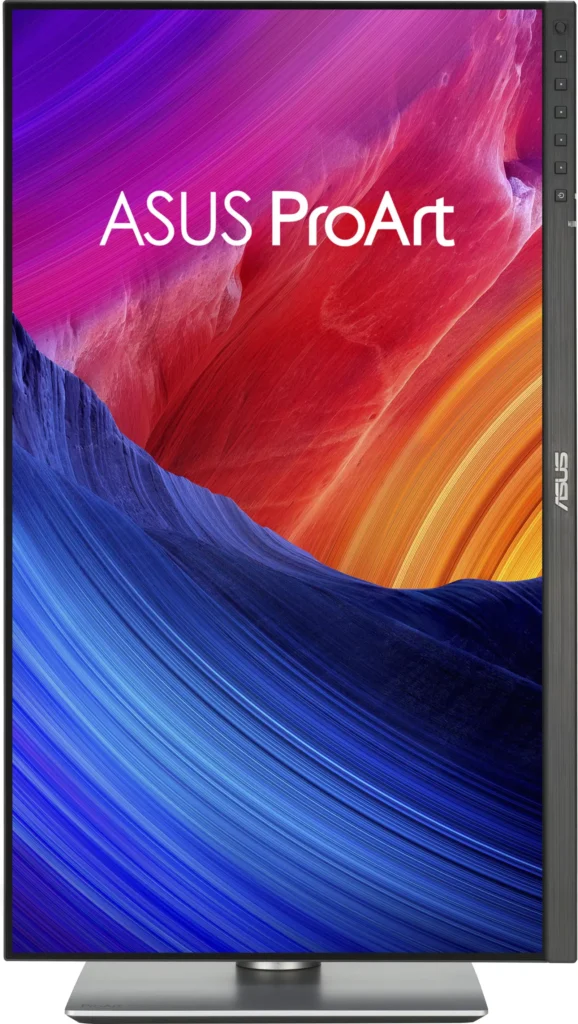
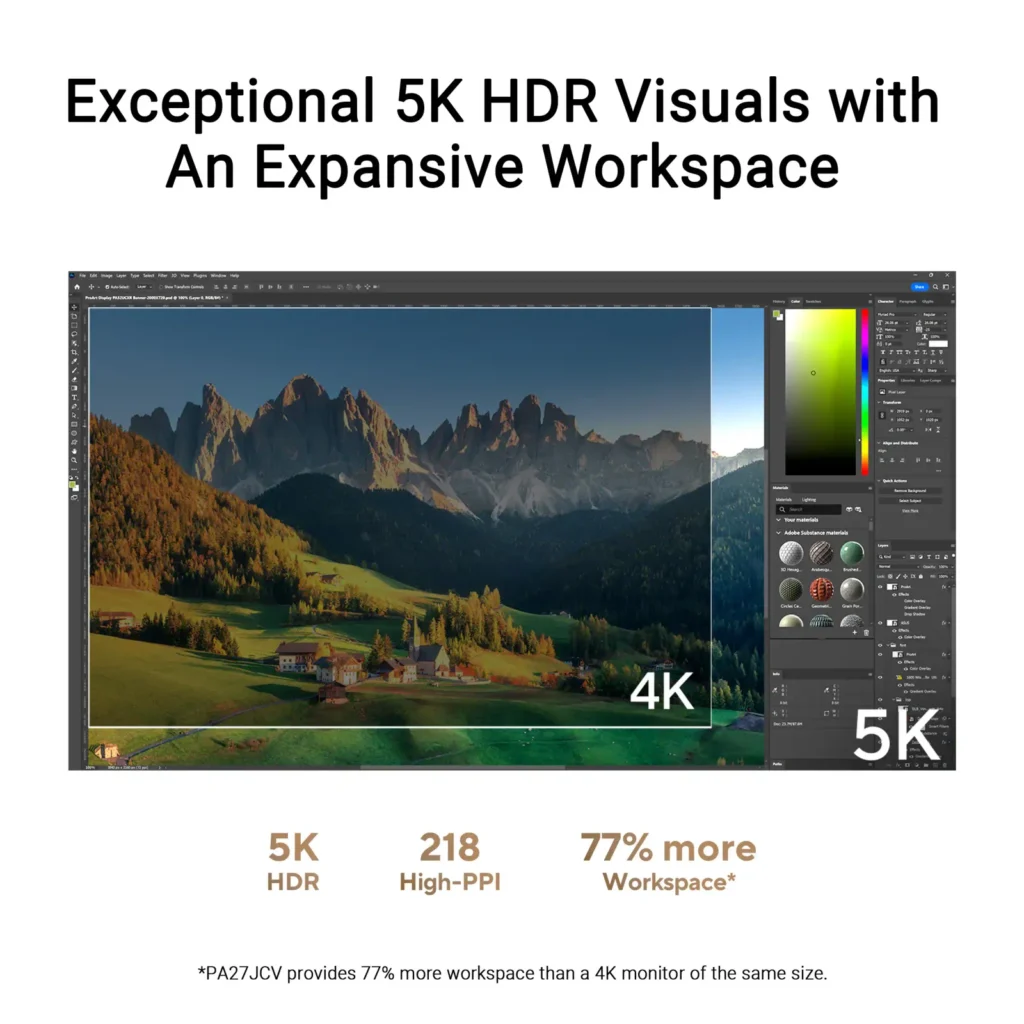
| Stunning 5K Resolution and Pixel Density | The 27-inch 5K (5120 x 2880) IPS panel delivers 14.7 million pixels with a high density of 218 PPI, providing 77% more onscreen space and significantly sharper detail than standard 4K displays. |
|---|---|
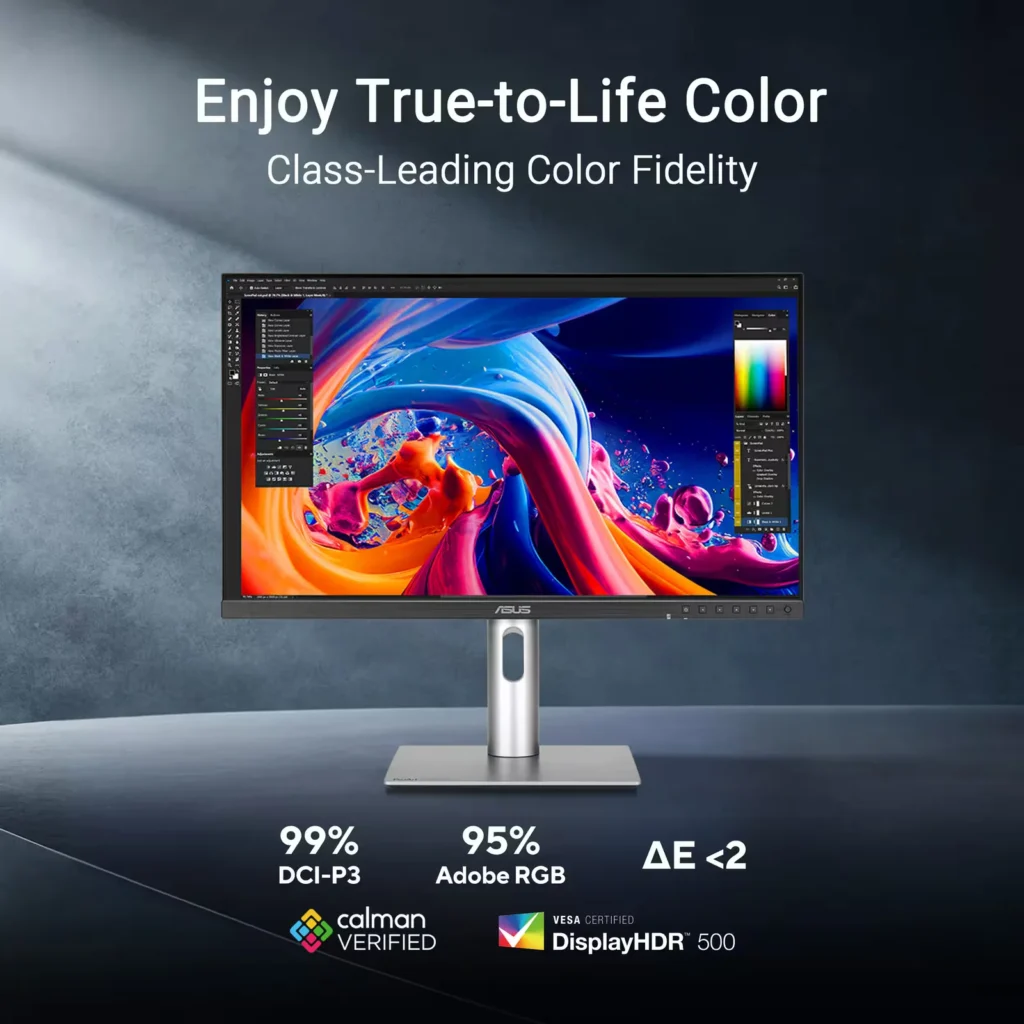
| Professional-Grade Color Accuracy | Factory pre-calibrated and Calman Verified with a Delta E < 2 color accuracy, this monitor covers 99% DCI-P3 and 100% sRGB color gamuts to ensure lifelike color reproduction for demanding creative workflows. |
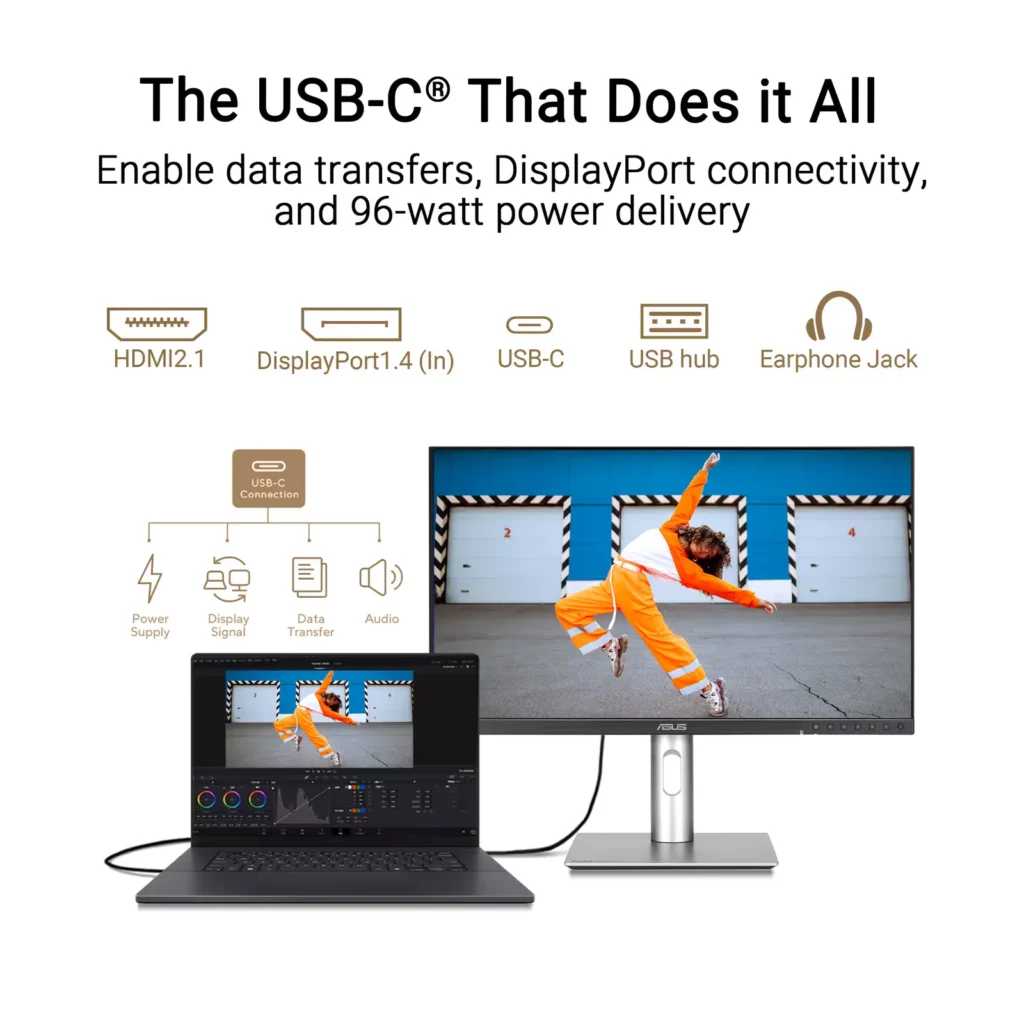
| Powerful USB-C and Auto KVM Integration | Features a full-function USB-C port with 96W Power Delivery, DisplayPort Alt Mode, and data support. The built-in Auto KVM switch allows you to seamlessly control two different devices using a single keyboard and mouse. |
| LuxPixel™ Anti-Glare Low-Reflection Technology | Equipped with a specialized AGLR coating that minimizes distracting reflections and glare while maintaining high color consistency and sharp text clarity, even in brightly lit environments. |
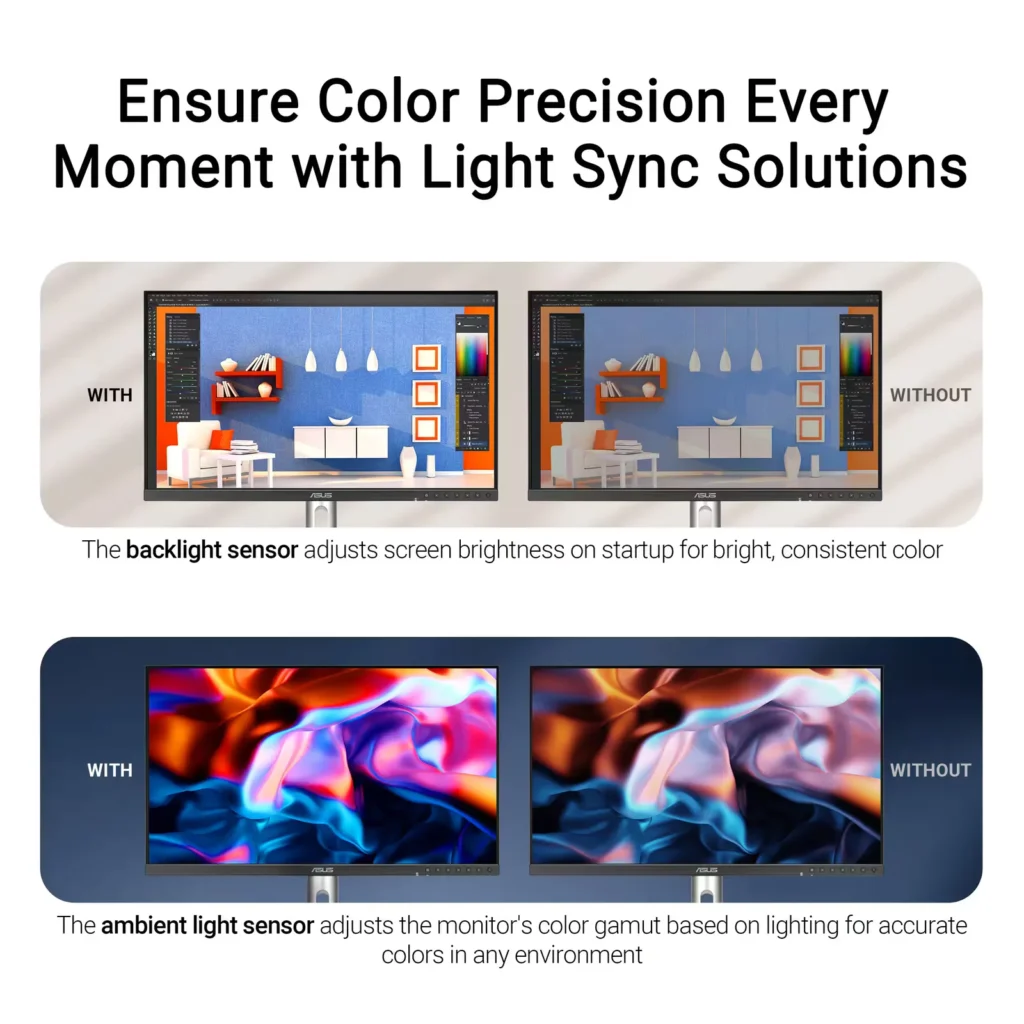
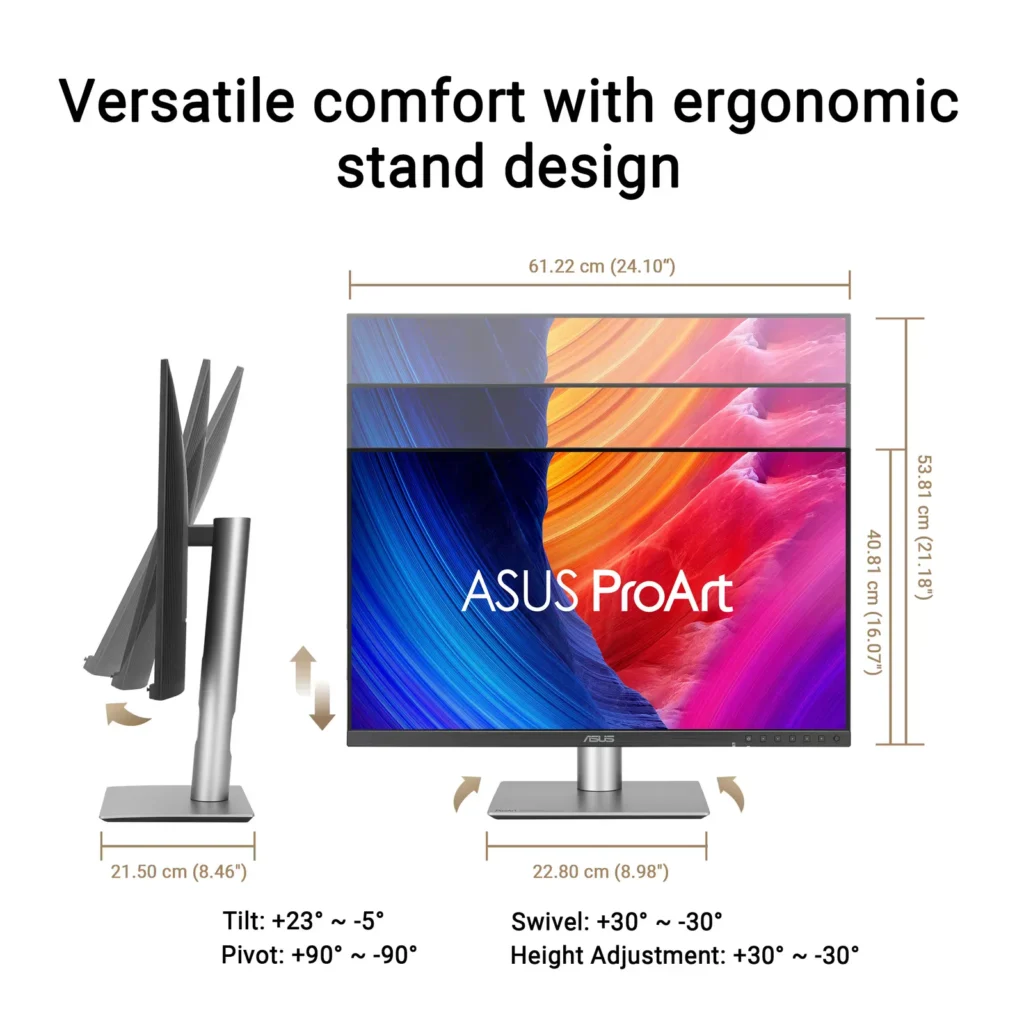
| Advanced Ergonomics and HDR Support | The VESA DisplayHDR 500 certified screen is mounted on a highly adjustable stand offering tilt, swivel, pivot, and height adjustments, complemented by an ambient light sensor that automatically adjusts brightness based on your surroundings. |
Pros & Cons
Pros
- Exceptional 5K Clarity: The 5120×2880 resolution provides incredible sharpness for text and high-resolution media, offering a pixel density that matches premium displays and eliminates the blurriness often found in 4K monitors on macOS.
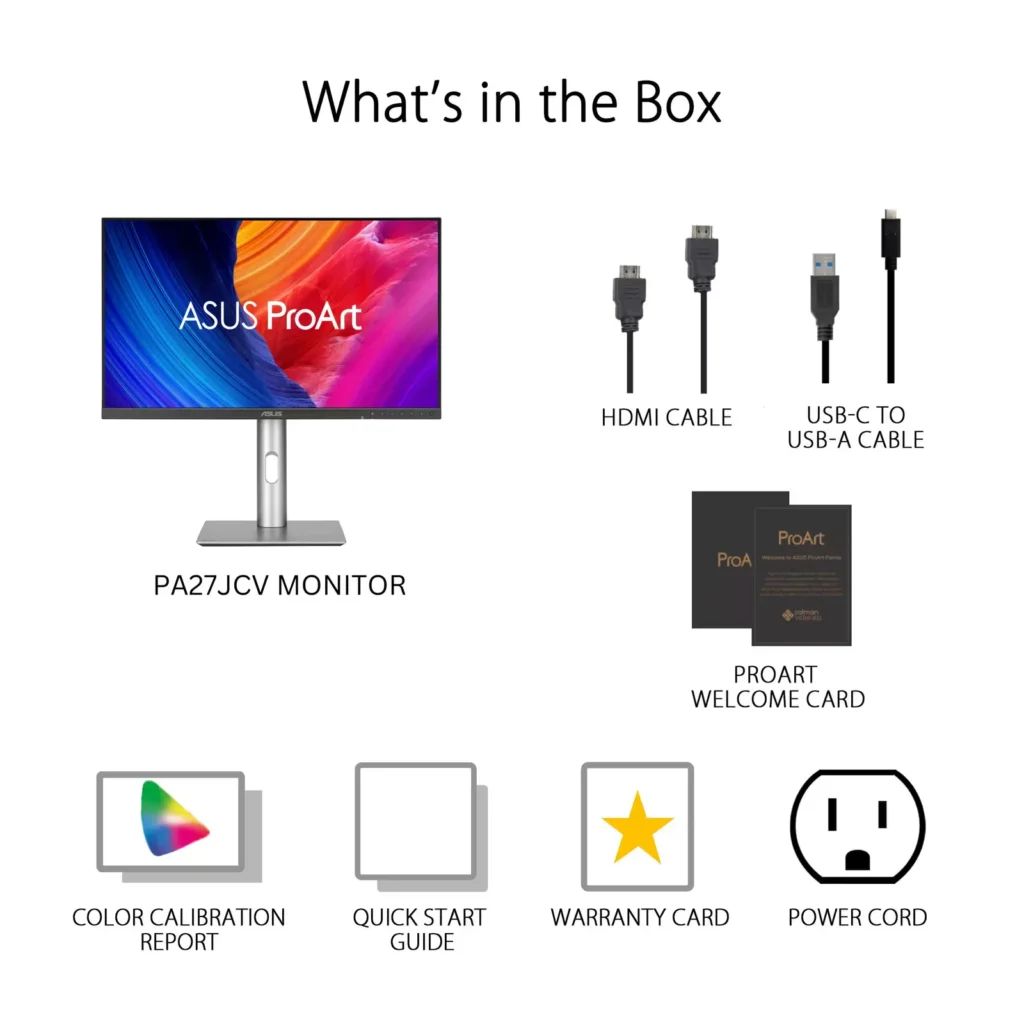
- Professional Color Accuracy: The display comes Calman Verified with factory calibration reports, delivering true-to-life colors and high coverage of professional gamuts like DCI-P3 and sRGB, which is highly valued by photographers and video editors.
- Versatile Connectivity and Hub: It features a robust port selection including USB-C with 96W power delivery for laptop charging, a built-in KVM switch for managing multiple computers, and easily accessible front-facing USB ports.
Cons
- Hardware Reliability and QC Issues: Multiple reviews highlight serious quality control defects such as dead pixels, screen flickering, and total panel failure with vertical or horizontal lines appearing within a few months of purchase.
- Substandard Audio and Wake Times: The integrated speakers are described as tinny and poor quality, while the monitor is noted for having an annoyingly slow wake-up time when exiting power-save mode or starting up.
- Panel Uniformity and Coating Issues: Users reported noticeable backlight bleed on dark backgrounds, vignetting at the edges, and a matte 'LuxPixel' coating that some found to be too intense, creating a grainy or rainbow-like effect on the screen.
You might also like


Customer Reviews
Showing reviews 71-80 of 103
-
Mighty 5K monitor from ASUS
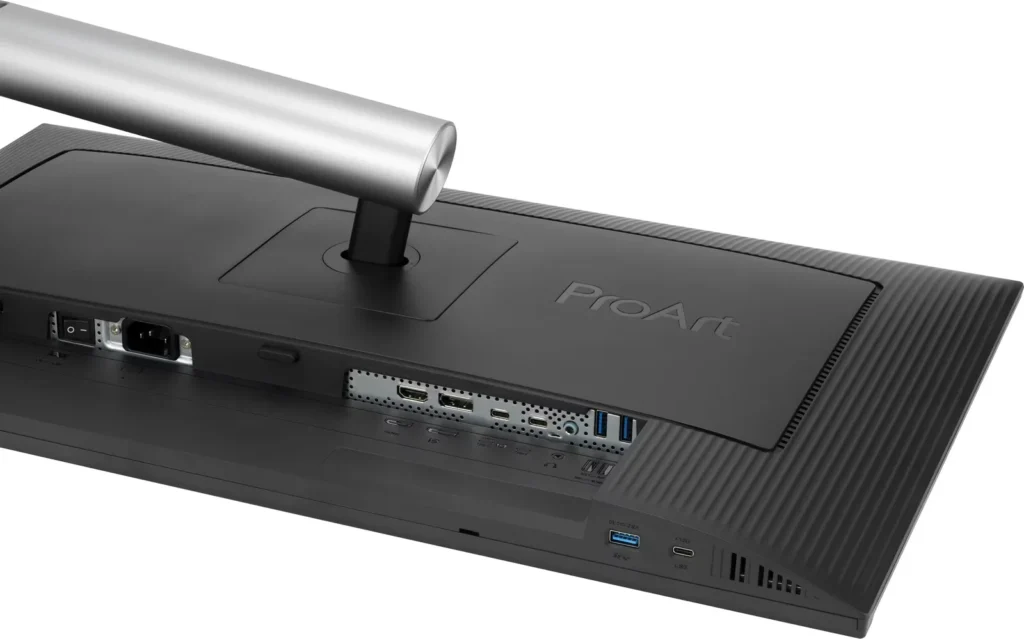
Bappy April 27, 2025Review source: BestbuyThe ASUS PA27JCV 5k Monitor is squarely aimed at those who would like an Apple Studio 5K Retina display but do not want to dole out that kind of money. This ASUS monitor definitely performs and the color accuracy is suburb right out of the box. It was easy to assemble without any tools. The stand consists of a small footprint base and a one-piece pole support that has a decent size cable management hole towards the bottom (perhaps a bit low, as it does not do a good job hiding cables unless you have the monitor very close to the lowest point on the stand). If you are looking at aesthetics, then perhaps the much more costly Apple Studio Display makes sense. The monitor proves however that for image quality and performance the ASUS PA27JCV 5k Monitor certainly excels. The monitor has a multitude of ports including a built-in auto KVM to be able to seamlessly switch between multiple input sources. And those inputs are numerous including on the back an HDMI 2.1 port, a DisplayPort 1.4, two USB-C ports, a headphone jack, and two USB-A 3.2 Gen 1 ports. Also, on the left side button section of the monitor there are a USB-C 3.2 Gen 1 and a USB-A 3.2 Gen 2 ports. I used this monitor with a Macbook and a PC notebook. I have to admit I am mostly a Windows person and used the monitor with Windows 11 most often. However, given how Macs scale video, a 5k monitor really is the best choice as the typical 4k monitor leads to some compromises with scaling. It performed well with either Operating system. The bezel contains a small joystick style button on the right bottom of the bezel used to navigate through the monitor’s menu system. Also, with a number of preset buttons, given they are not overly prominent on the frame it is sometime difficult to use them. ASUS also has a Windows utility that I have yet to download that helps control the monitor. The monitor is calibrated right out of the box and contains an individual calibration report that was created prior to the monitor being packaged. Color gamut performance is stellar and scored 95% or higher in DCI-P3, Native, BT.2020. The only thing I noticed in letterboxed content there was white bleed through on the edges of the panel. After all this is not an OLED monitor and appears to have some local dimming features in an attempt to display a deep contrast and inky blacks you would be typically see in an OLED monitor. Having an LG OLED monitor you can plainly see the differences, however there are also some things with an OLED monitor lead to some compromises with, including brightness. With the ASUS PA27JCV you do not have to make those compromises as this display does 400 nits and peaks at about 500 nits in HDR mode. Since this not really considered a gaming monitor due to the max frame rate of 60 hertz. This monitor is a major component of my video editing rig and is perfect for near reference color grading for your future content creation.
Overall, there are not many misses in the ASUS PA27JCV 5k Monitor, it does Macs well and pays attention to the Windows crowd too.
>>> Pros >> solid IPS panel, good pixel density (218 per inch) >> built in KVM switch >> multitude of ports >> calibrated out of the box >> 3yr warranty >> physical buttons >> Windows management app
<<< Cons << would be great with double the refresh rate << cable management port could be higher up on stand << physical buttons are hard to see << no Thunderbolt ports
-
Color accurate monitor for photo/video work & more
Brett April 27, 2025Review source: BestbuyThe ASUS ProArt line is marketed as being for creative professionals and this is certainly a great monitor for creative uses – but it’s also a great general purpose monitor as well. Is it right for you? Read on to find out!
First off, the basics. This is a 27″ “5K” LED monitor – that’s 5120×2880 or about 40% more pixels than the standard 4K resolution (3840×2160), with the extra pixels making for a VERY sharp and clear picture and the ability to see quite a bit of what you’re working on when dealing with high resolution images or video. Connectivity is easy too with DisplayPort 1.4, HDMI 2.1 and USB-C inputs (when using USB-C, the monitor can also act as a USB hub and can provide up to 96W of power as well to charge a laptop). Keep in mind that to prove a high resolution display, you’ll need to have a device capable of high end connectivity as well.
The monitor is Calman Certified a comes with a full pre-calibration (with the read-out) including a delta E of < 2 so it's highly color accurate and appropriate for professional work. The monitor comes with an appropriate pre-set as well as all manner of adjustments – both automatic and manual to ensure appropriate brightness and ease of use in all types of scenarios / settings (along with a coating that manages reflections for even more accurate usages). So it's clearly well suited for editing photos or videos in a way that is very true to how prints will come out and how an audience will experience the video – in short, it's great for professional work a market in which it competes with Apple albeit at a MUCH more reasonable price point.
For general purposes, this is a great monitor as well – the picture is very clear and sharp, even if you lower the resolution (driving 5K resolution isn't easy – and gaming at 5K would be very challenging for even a high end PC) – conveniently 1080P or 1920×1080 is the same ratio as this monitor so you can display 1080P or 4K video without distortion. The monitor is limited to 60Hz, but with the extreme color accuracy and dynamic brightness of HDR10, the picture is amazing in all manner of scenarios from gaming to consuming media / watching videos to more day to day internet browsing and office work. I love having the controls on the front of the screen as they are much easier to use than those on the back.
The monitor is very well-built and should prove to be very durable in normal use. I do like that there's no external power "brick" like some monitors, just a standard power cord, and that the monitor comes with a very sturdy stand that allows for easy height and angle adjustment.
So if you're in the market for a high-end monitor that can do double duty as a professional color-accurate display AND a more general purpose monitor as well, this is a great monitor to check out. Sure, it's a bit pricier than other 27" monitors out there, but the Calman Certification and combination of features make for a very competitive package and actually a value when compared to similarly featured and calibrated displays.Read More
-
Excellent 5K monitor for MacOS
Techenthusiast1 April 27, 2025Review source: BestbuyI own an Apple Studio Display monitor for my M4 Max Mac Studio system and was looking for a second monitor. From my corporate desk job days where I had a second monitor, I remembered that I’m more productive with 2 monitors. Finally, we have some alternatives to Apple in the 5K monitor category. Asus throws its hat into the ring with this ProArt 27″ IPS LED 5K Monitor with HDR and HDMI 2.1. I hooked the Asus monitor up via the HDMI 2.1 port, as I did not want to use a precious Thunderbolt 5 port up on my Mac. I initially tried daisy chaining the Asus to the Studio Display via a Thunderbolt 4 cable but that did not work.
5K is key for 27” monitors because MacOS requires 5K, not 4K, to have proper retina display resolution. 27” 4K monitors are just a little blurry on MacOS. This Asus monitor doesn’t get as bright as the Studio Display, reaching 400 nits compared to the Studio Display’s 600 nits. However, the quality of the picture displayed is just as good as the Studio Display’s at the native resolution of 2560 x 1440. Unfortunately, just like the Studio Display, the refresh rate is only 60 Hz.
The built in speakers are not that good. They don’t remotely approach the quality of the Studio Display’s 6 speaker, spatial audio, Dolby Atmos speakers. There is no built in video camera either, unlike the Studio Display. The build quality is also nothing remarkable. It is basic black plastic. Nothing to write home about on the aesthetic side. Neither bad nor good. On the plus side, the bezels are thin and the included stand does allow for up and down and full rotation, unlike the stand included with the Studio Display. Another nice feature is the built in KVM switch. This allows the Mac to be hooked up via Thunderbolt and a PS5 or Xbox hooked up via HDMI.
Asus claims this is a HDR monitor and I played a few 4K HDR videos on YouTube and they looked fine. I don’t understand how this is claimed as an HDR monitor at 400 nits, while Apple doesn’t make an HDR claim for the Studio Display at 600 nits.
Overall, this is an excellent monitor for the value. It is half the price of the Studio Display with the same picture quality. The key differences being it is less bright and it has a matte finish. It would have been nice if the finish were glossy instead of matte, because matte finishes are a little bit duller than glossy finishes. Competition and choice is always good, and I’m glad Asus is giving Mac owners a viable alternative to Apple in the 5K monitor space.
-
Awesome 5K under $1K
neio11 April 27, 2025Review source: BestbuyI’m using this monitor home office and it is connected to my Apple Mac Mini with M4. This monitor is built solid with quality plastic in matte black. It comes with a gray monitor stand but I opted to mount it on a dual monitor stand. Only thing special about the stand was that it lets you rotate the monitor to portrait view. All the menu buttons are on the front which I like and I don’t mind the looks of the buttons. They make menu selection a breeze. All the ports are in the back and the cables connect from the bottom unlike some monitors that have cables protruding outwards, ugly! There’s also separate power switch in the back along with a power button in the front. Has a very thin border on the left, right and top of the screen, nice, and the screen is matte, very nice. Less prone to fingerprints.
Screen: This monitor is very bright, awesome! 3000:1 contrast ratio and 500 candela. The blacks, well they are not OLED level black but they are pretty black and there’s a Black Level setting should you need to adjust it. The whites are nice but can see a bit of vignetting. It also has blue light filtering for those late night projects. Text looks awesome and colors are accurate and it does come pre-calibrated with a Calman Verified Color Calibration Testing Report. I don’t do color grading work but I can still appreciate a monitor that can display images accurately and this monitor does not fall short of that especially at this price point.
I really like the monitor settings menu along with the corresponding buttons. Makes changing settings so painless, well thought out in my opinion. I also use a Windows desktop and the Auto Input Detection works as it should perfectly. Again, the menu buttons helps with switching inputs with just two button press, I can switch between computers. There’s a built in KVM but I didn’t use that feature.
Sound: The only negative on this monitor and it is a big negative but certainly not a deal breaker. The speakers are tinny at best and probably only good for system sounds. The Mac mini speaker sounds a whole lot better, doesn’t compare. Use an external speaker please!
If you want a bright, colorful 5K monitor under a grand, look no further than this Asus ProArt!Read More
-
Amazing Color Accurate 5K Monitor
James April 27, 2025Review source: BestbuyASUS has another hit with the ASUS Pro Art 5K 27” monitor. ASUS’ Pro Art series of monitors over the past couple of years have impressed me each year. With this monitor, ASUS stepped it up to 5K and still has color accuracy that is top notch.
Color
ASUS advertises the color accuracy of this monitor as being less than 2 delta E. The Calman Verified sheet that came with my monitor shows 0.71 for sRGB and 0.50 for DCI-P3. This shows with my photos. The true to life colors I see when displaying them on this monitor. I have also noticed how much better the color looks with my color graded BRAW and ProRes RAW video files. The colors stand out better on this monitor than they do on my 4K monitor.Physical Features
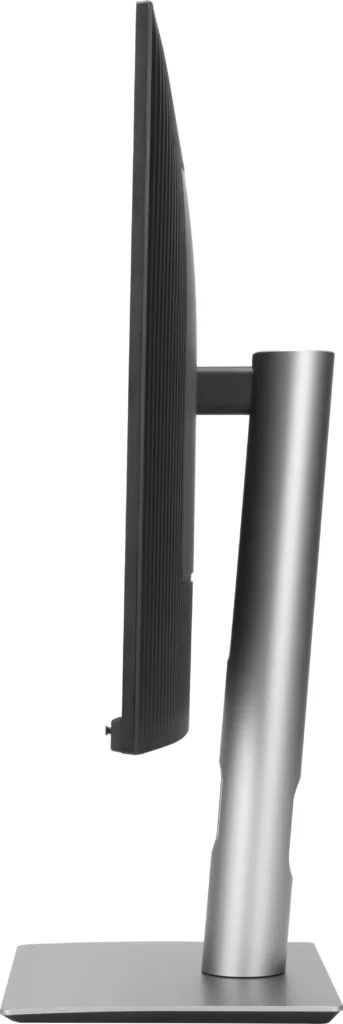
The sides and top of the screen has a narrow border and at the bottom the bezel is about 1”. Not quite edge to edge on the top and sides, but it is very narrow. It looks good. The bottom of the monitor is where the physical buttons and joystick is. The buttons are easy to access and use. I can also set two shortcuts if I wish to do so. The monitor plus sand has just a little weight to it, but not bad at all. The stand is wide enough that the monitor doesn’t feel like it might fall over when the monitor is oriented vertical. The monitor can pivot left to right and has a good range. It can also be moved up or down. When vertical and horizontal I can tilt the monitor back or tile it forward to suite my needs. The range of motion is more than I need, but I’m happy that I have that to adjust the monitor just the way I want it.Ports
There are a lot of ports on it. There are 3 USB-C ports, 3 USB-A ports, a 3.5mm headphone jack, a full size HDMI port, and a full size Display port. One of the USB-C ports is also a display port and the monitor supports up to 96W over USB-C. I’m using the monitor with my Mac mini M4 connected to a Thunderbolt 4 port via the USB-C display port. Over that port the monitor receives video out from the Mac as well as audio out. I have one of the shortcut buttons on the bezel set to volume so I can quickly change the volume using the joystick. Using the 3.5mm headphone jack for output to my headphones helps me to keep my headphone cable off to the side and out of the way when I’m not using them. It’s a cleaner look than plugging them into my Mac mini’s front 3.5mm headphone jack.Resolution
ASUS stepped up the resolution to 5K. Everything is crystal clear. From photos to text. It all looks good on it. Text is incredibly smooth and easy on the eyes. I like using it when editing my photos on it and I also like using it in vertical orientation with Pages and Notes.Final Thoughts
This monitor is color accurate and very clear. The Pro Art 5K is helpful to anyone editing photos. Though it shouldn’t seen to be limited to only that. Video editing, desktop publishing, digital art, and numerous other applications will benefit from it. ASUS has been doing good work with their Pro Art series and now they made it even better. With the 5K resolution, the numerous ports, physical orientation adjustments, ASUS had done an amazing job with this monitor. I would recommend it to anyone looking for a 5K color accurate monitor. -
Stunning 5K Graphics at an affordable price
TheOffice1234 April 26, 2025Review source: BestbuyPRODUCT
ASUS – ProArt 27″ 5K IPS LED Professional Monitor Model: PA27JCVSUMMARY REVIEW
I’m transitioning from a 32 inch monitor for my everyday work from home monitor to this ASUS ProArt 27 inch 5K monitor. I was worried that the size would be a letdown, but honestly it feels more natural (the 27 inch) and the 5K real estate is amazing. I was blown away by the color and clarity and crispness of everything.IMPRESSIONS
The build quality is great for this price point. It is not 100% metal, who cares? I don’t need my monitor to look like a hot rod on the outside if it performs like one on the inside, which it does.
Setup/assembly was easy, with no issues. The parts all felt strong and good quality.
Out of the box the monitor is “pre-calibrated” and of course you can fine tune it to your environment and usage. Disclaimer, I’m not a graphics artist, but the colors and everything seemed spot on out of the box, rich and vibrant.The monitor looked great at any angle and was not overly glossy or reflective.
FEATURES
For me, the winning feature is included USB-C (display port) connectivity which I prefer over HDMI and traditional Display Port. I also like that ASUS still included the “legacy” ports for added flexibility and allowing for connecting more than one system.
PRO’s
– Video Ports (HDMI, Display Port, USB-C)
– USB Hub (3 Ports Type A, Plus 1 Port USB-C)
– Buttons on the front for easy access / fine tuning
– KVM capability (2 systems, 1 monitor)
– Earphone Jack and Built in Speakers
– Rotating Stand for Portrait Mode
– HDR 500 (very bright) with ambient light sensor to automatically dim
– Built in Power Supply (no bricks)
– Dedicated On / Off Power SwitchThe speakers are not going to win any awards for audio quality, but I already have my own dedicated sound bar, which I prefer anyway. It is nice they are there in a pinch.
I like the fact that the controls are on the front instead of behind the monitor. This makes it much easier when you complete the initial setup and fine tune settings.NOTE: This is not a high-speed gaming monitor, it only supports 60p and 5ms.
MY USE
In general, this is my everyday monitor for boring work stuff and the added 5K real estate is a big help. However, every so often, I need to process and edit large 4K video files and 25MP photos. With the built in KVM I can just fire up my graphics editing computer and be off and running with the 5K monitor. It looks fantastic!
RECOMMENDATION
This is a huge step up in quality over my older but similarly priced 4K monitor. If you are thinking about 4K take a closer look at 5K. I think you will be very impressed. I recommend this monitor for all professional uses.
-
Worth the price
Verified purchase Verified purchase: This reviewer bought the product.Old Duffer April 24, 2025Review source: AmazonReally nice monitor. I’d buy one again.
-
WASTE OF TIME AND MONEY!!!!
Verified purchase Verified purchase: This reviewer bought the product.sally April 8, 2025Review source: AmazonMaybe Ill edit this but currently I HATE THIS MONITOR AND COMPANY. Im chatting with my 5th rep who is so not helpful. Telling me they will send my issue through to the top but haven’t heard back in days! I have done everything they have asked of me and it still isnt working. It doesnt even have some of the functions THEY ARE TELLING ME TO TRY! It charges it but no display. My mac is completely updated with the latest software. we tried my husbands dell and it worked right away. Very disappointed!
-
Cumple, no sobre sale.
Verified purchase Verified purchase: This reviewer bought the product.Claudio Ezcurra April 2, 2025Review source: AmazonLa diferencia de imagen usando una Mac es notoria respecto de un monitor 4k. La calidad general de los plásticos y las funciones es algo básica. Por el momento funciona correctamente. Me gustaría que hubiese más opciones 5k con un poco mejor calidad pero sin llegar al precio del Apple Studio.
-
Great clarity and color
Verified purchase Verified purchase: This reviewer bought the product.R. Pettengill March 27, 2025Review source: AmazonI’ve paired this 27″ 5k Asus up with a Dell 27″ Ultrasharp 1440p monitor. I had been pleased with the Dell because it gave truer colors than my prior monitor. The colors on the 5k are visibly richer and text is clearly sharper than on the 1440p monitor. A great upgrade so far.
I have noticed a couple of nits:The monitor boots slowly when I wake up my MacBook M1 Pro. The Asus is always the last screen to light up.
The VESA monitor mount was problematic for me. The 100mm square array of bolts is inside a deep inset. After I attached the VESA adapter plate from my 2 arm VESA desktop stand, the lip of the deep inset would not allow me to mount the monitor on the arm. This seems to be a problem with ASUS monitors, which they have solved in the past by including standoffs to raise the VESA adapter out of the recess. Sadly no standoffs were included as they have done for other monitors. I found a simple work around. I slipped the upper mount arm out of its socked, attached it to the VESA adapter plate. Next I screwed the mounted adapter plate onto the monitor. I was then able to slip the upper mount arm back into its socket with the monitor attached.