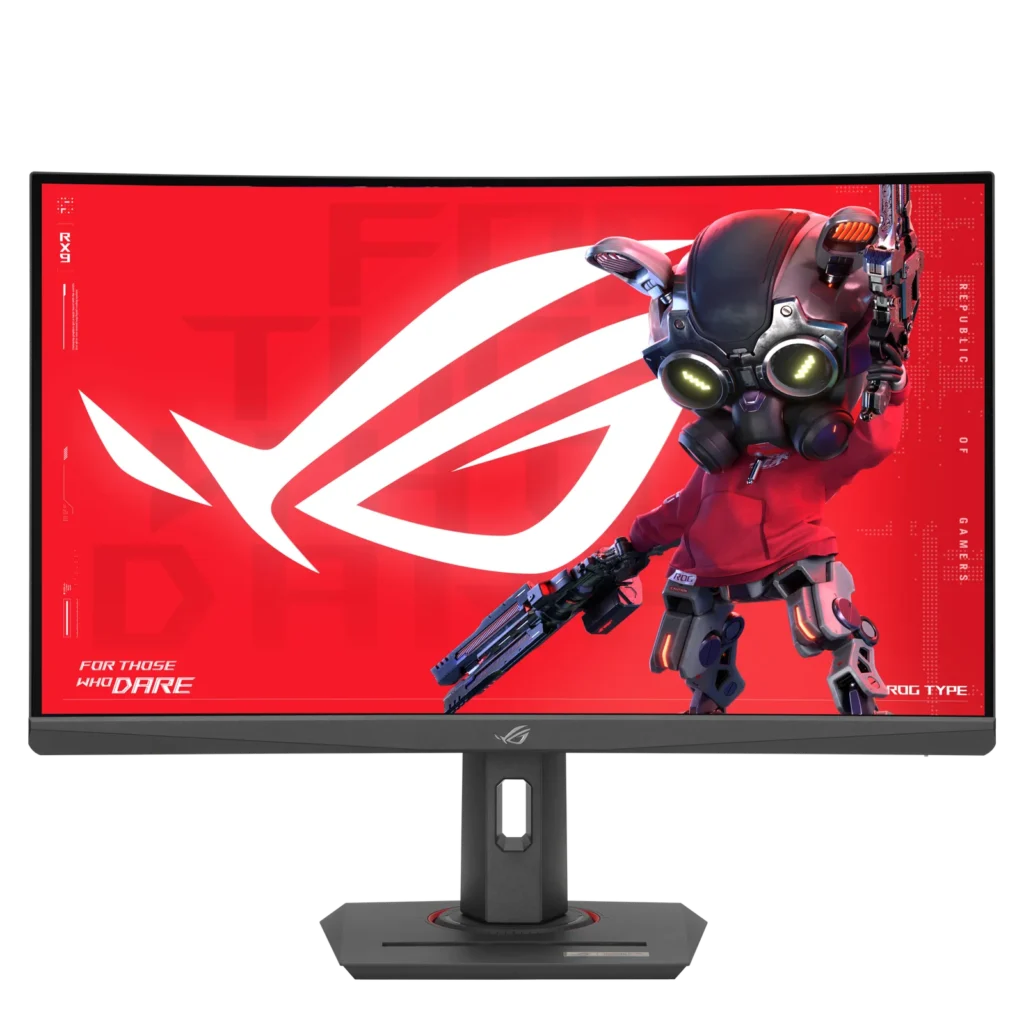
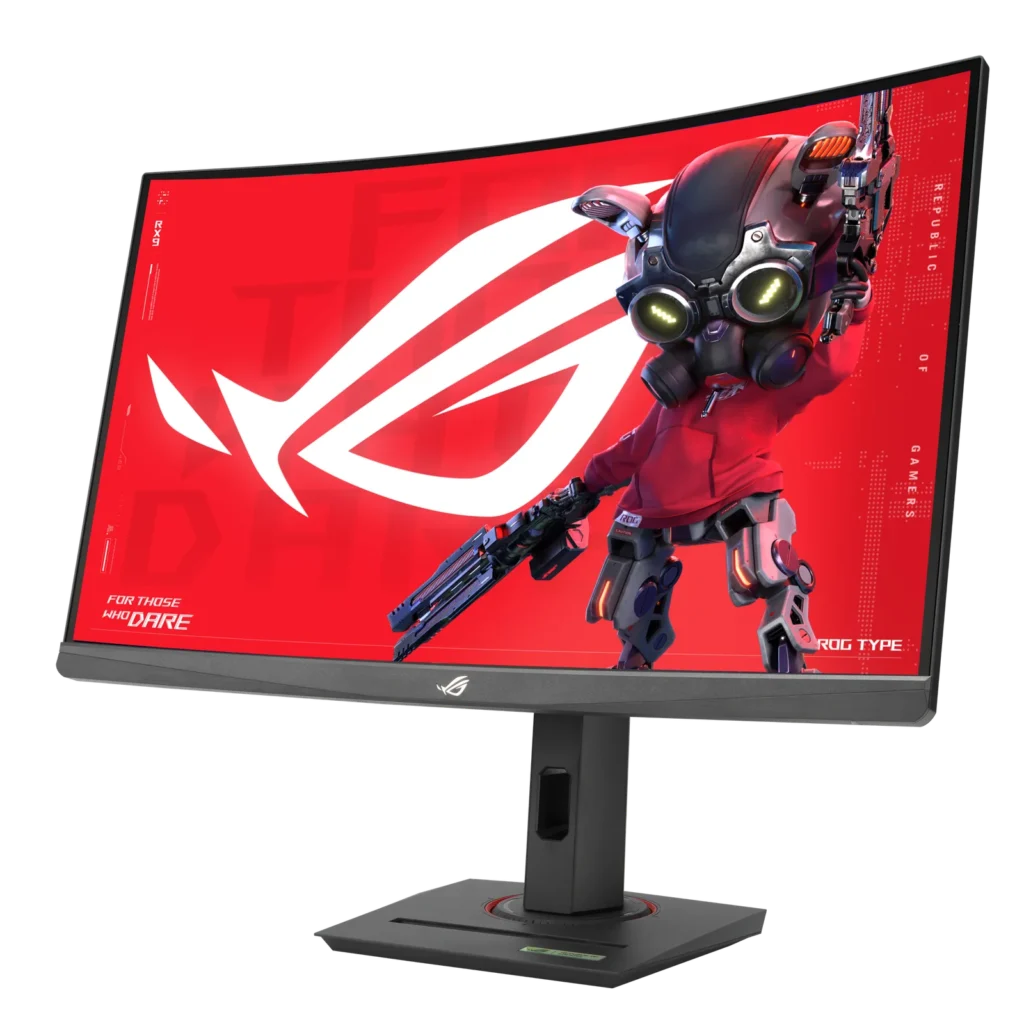
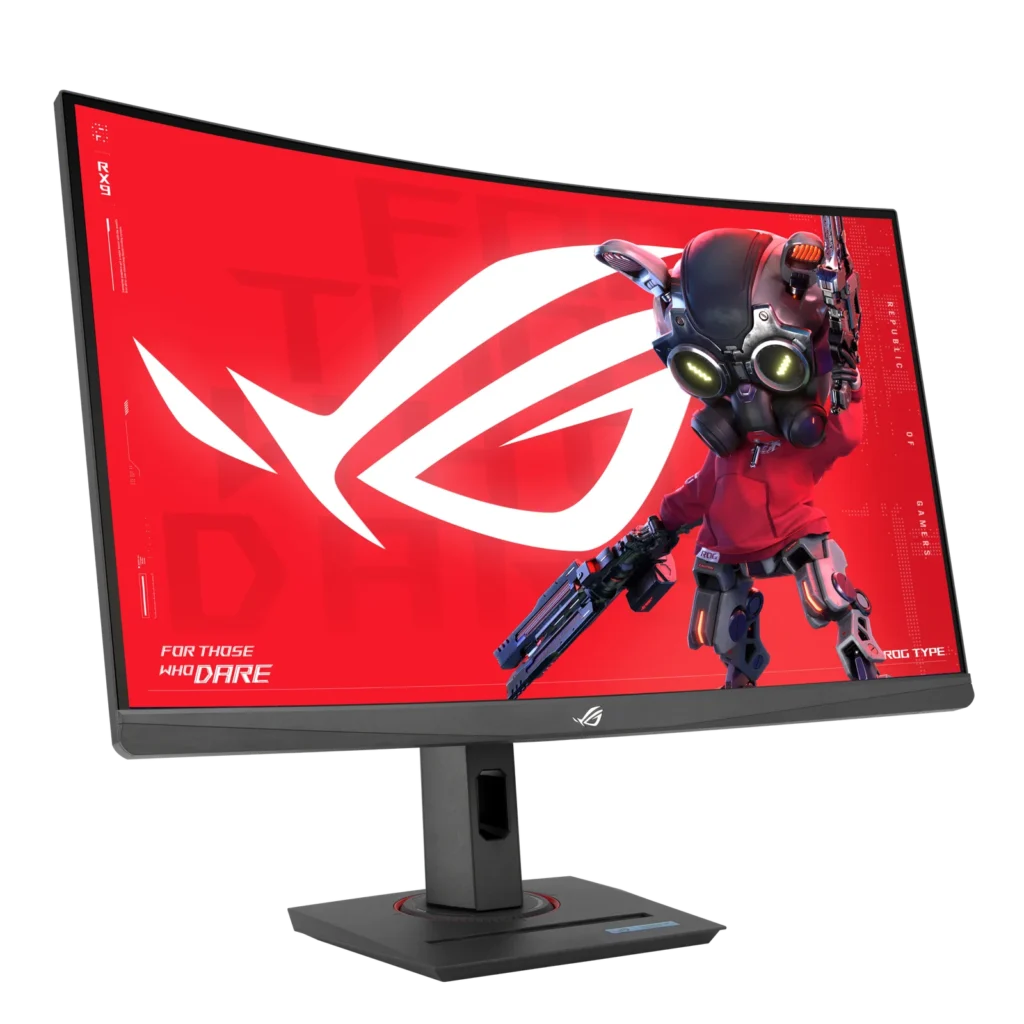
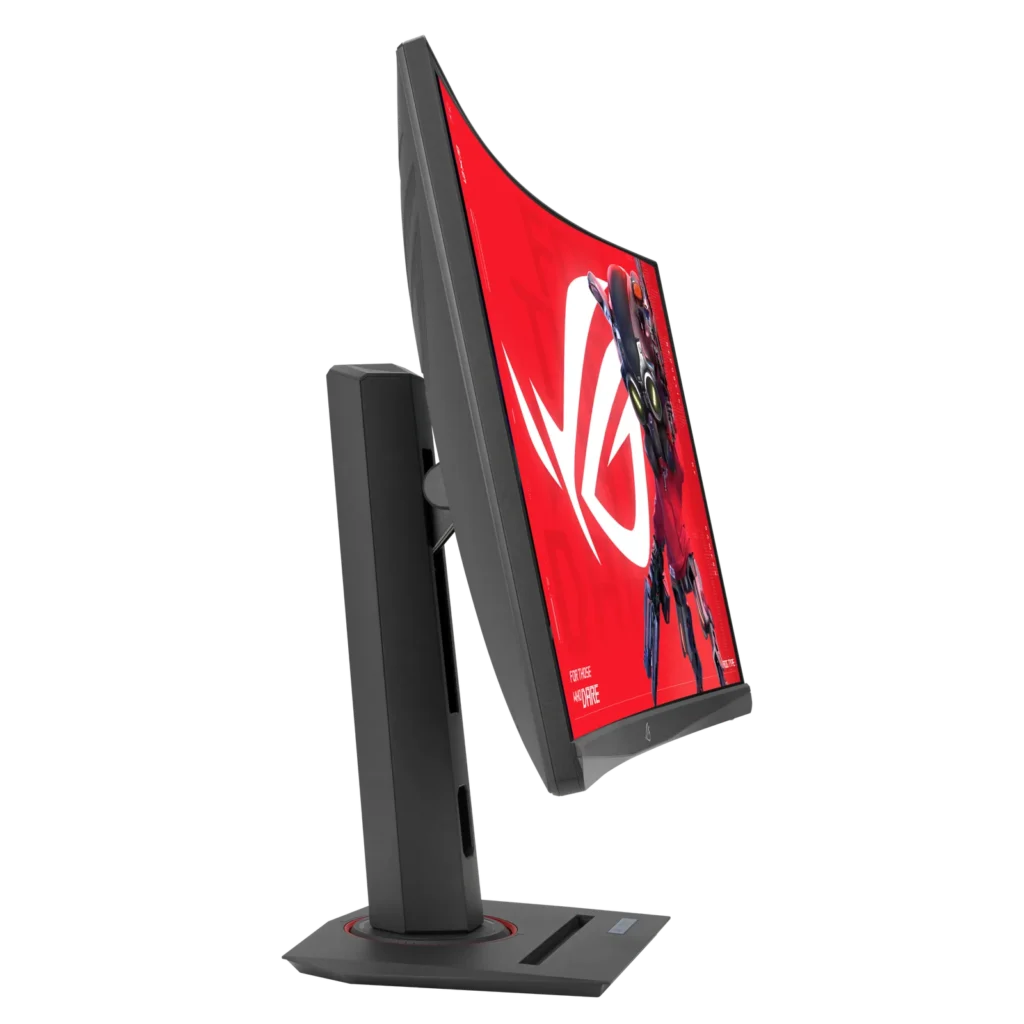
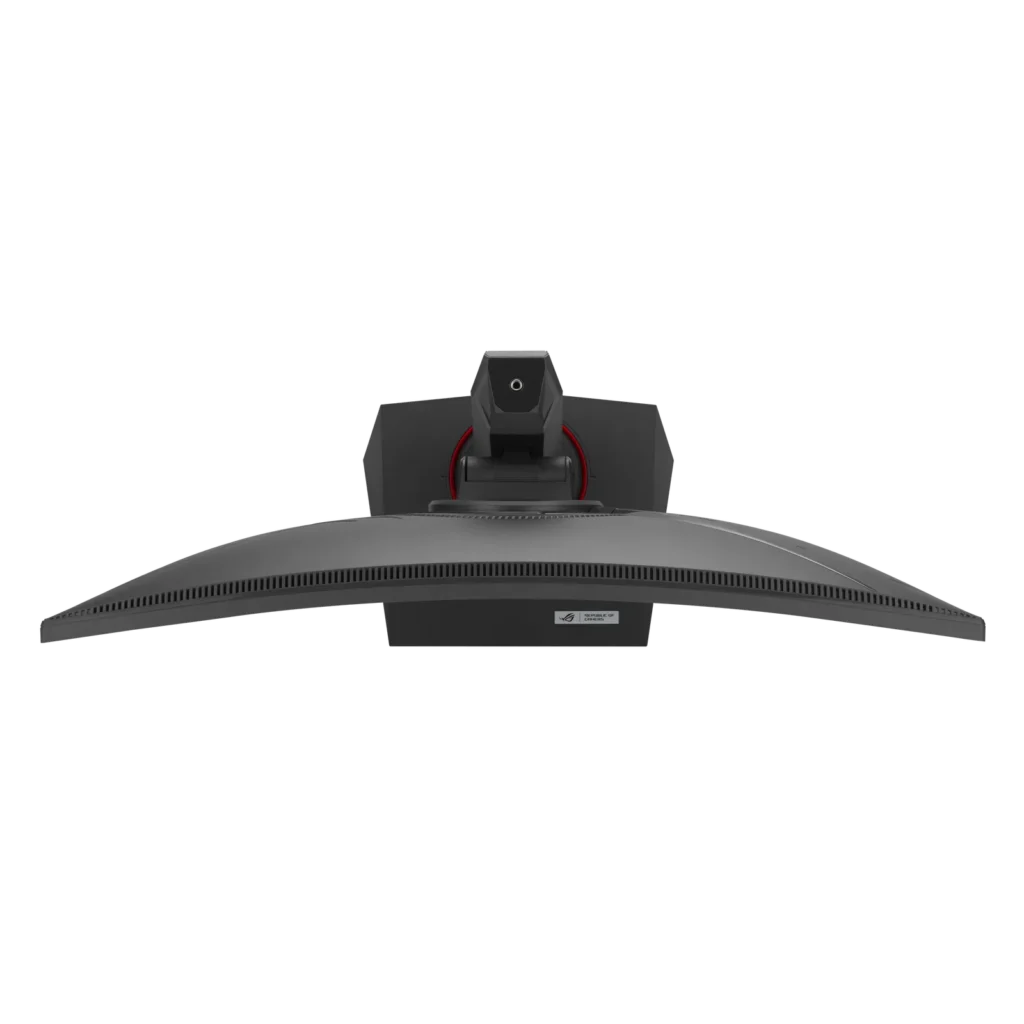
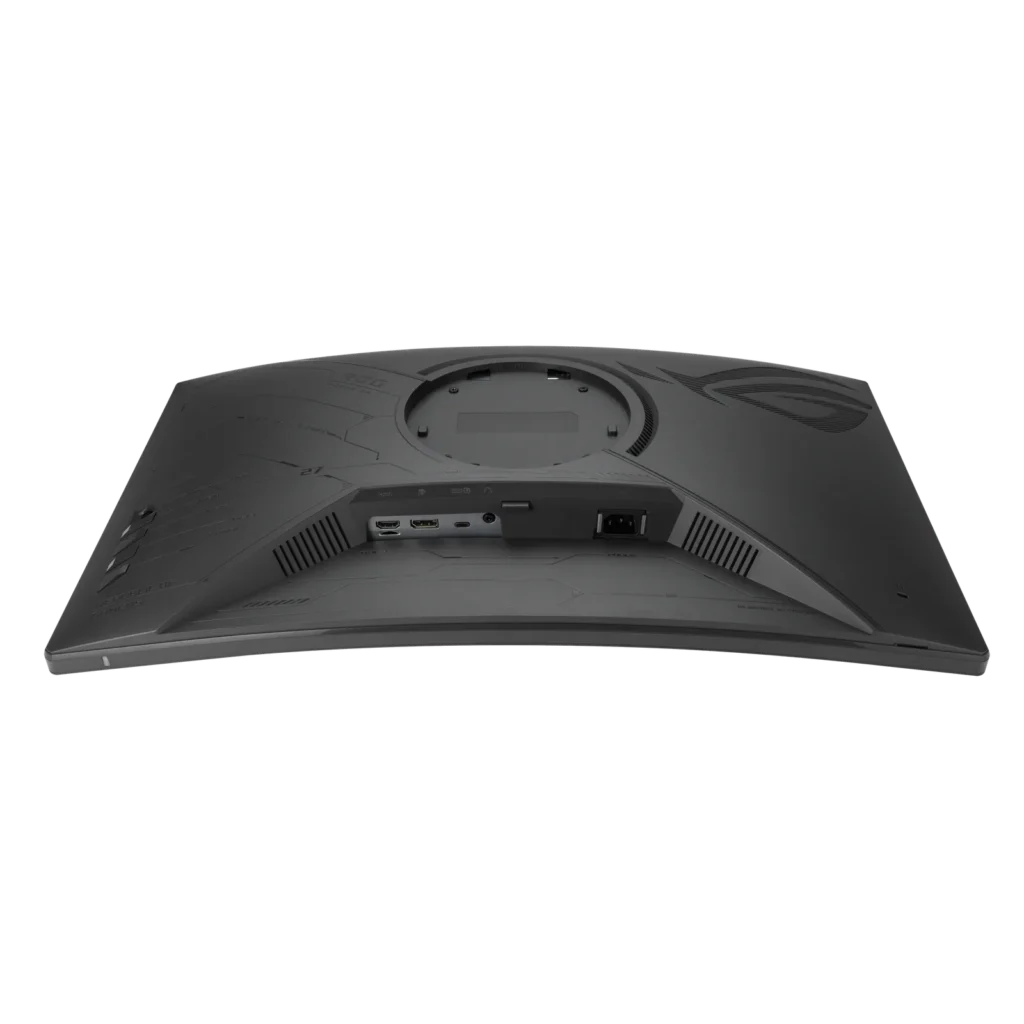
Customer Media
Highlights
| High-Performance Visuals | Experience stunning 27-inch 2K QHD (2560×1440) resolution visuals with an ultra-smooth 180Hz refresh rate and a lightning-fast 1ms (GTG) response time, ensuring crisp and fluid gameplay. |
|---|---|
| Immersive Curved Fast VA Panel | Dive into your games with a 1500R curved Fast VA panel, offering a wide DCI-P3 95% and sRGB 125% color gamut for vibrant colors, a 3000:1 contrast ratio, and HDR10 support for enhanced visual depth. |
| Seamless, Tear-Free Gaming | Enjoy tear-free and ghost-free gaming thanks to AMD FreeSync compatibility and ASUS Extreme Low Motion Blur Sync (ELMB Sync) technology, which enables ELMB alongside variable refresh rates for sharp visuals. |
| Versatile Connectivity | Connect with ease using a comprehensive array of ports, including USB Type-C (with DisplayPort Alt Mode and power delivery), DisplayPort 1.4, and HDMI 2.0, providing flexibility for various devices. |
| Enhanced Gaming Features & Ergonomics | Gain a competitive edge with AI-powered ROG Gaming A.I. features like GamePlus and Dynamic Shadow Boost, complemented by an ergonomically designed stand offering tilt, swivel, and height adjustments, plus a convenient phone holder. |
Pros & Cons
Pros
- Excellent Picture Quality and Performance: Many reviewers highlight the monitor's vibrant colors, deep blacks (due to its VA panel), and crisp 1440p resolution. Its high refresh rate (up to 180Hz, or 120Hz for consoles) and low 1ms response time contribute to smooth, lag-free gameplay and an immersive visual experience for both gaming and multimedia.
- Great Value for Money: The monitor is frequently recommended as an affordable or budget-friendly option, offering a strong set of features like 1440p resolution and high refresh rates at a competitive price point, making it an excellent upgrade for many users.
- Versatile and Ergonomic Stand: The stand is noted for its sturdy build and extensive adjustability, including height, tilt, swivel, and rotation, allowing users to easily customize their viewing experience. It also features practical additions like a phone slot and cable management.
Cons
- Backlight Bleed and Motion Clarity Issues: Several users reported noticeable backlight bleed, particularly in dark scenes or rooms, which can be severe. Some also experienced black smearing or slight ghosting, impacting overall motion clarity despite the fast response times.
- Inaccurate Product Specifications: Multiple customers found discrepancies between the advertised product specifications and the actual monitor. Specific issues include the stand's pivot function being restricted, fewer HDMI and USB ports than listed, and confusion over whether the panel is VA or IPS.
- Lack of Built-in Speakers: A recurring complaint is the absence of integrated speakers, meaning users must rely on external headphones or speakers for audio, which some found inconvenient.
Customer Fit
- Primary audience: Competitive or casual gamers seeking a high-refresh QHD curved display that balances price and performance.
- Secondary audience: Multi-device users (e.g., PC, PS5, Steam Deck, or MacBook) who want seamless connectivity and strong visual quality.
- Ideal scenarios: Ideal for gaming setups, home offices doubling as entertainment hubs, or multi-monitor environments needing smooth visuals and color accuracy.
You might also like
Customer Reviews
Showing reviews 191-200 of 211
-
Entry Level 2K Curved Gaming
Incentivized Incentivized review: The reviewer received a benefit for sharing feedback.Furyspectre May 29, 2024Review source: BestbuyThe Asus ROG Strix curved 1440p is the perfect entry level for not only 2K resolution gaming, but curved as well.
The days of 1080P are coming to an end and it’s long over due. I have been using 2K resolution since 2018 and this new line up by Asus is a great place for gamers to make the upgrade to their gaming.
The stand is a great size for desk space, a lot of curved monitors have a wide foot to counter the weight and physics of a curved monitor, but Asus went old school with a heavy foot that doesn’t make you give up desk space. Asus includes a Display Port cable in the box which is essential to experience the 180Hz (frames per second). Don’t be fooled by HDMI, if you use your existing cable, this will limit your performance to 60hz.
Also, make sure upon set up that you check your monitor settings on your computer and on the monitor itself. The biggest mistake most people make is plugging a gaming monitor into their system and not realizing they are still playing at a 59/60hz setting.
Overall, I am impressed with this monitor as an entry level to curved and 2k gaming. The colors are pleasing, the performance is acceptable and it’s definitely enjoyable to play on.
-
Smooth VA with Vibrant Colors
Incentivized Incentivized review: The reviewer received a benefit for sharing feedback.IBEWSuper May 29, 2024Review source: BestbuyThis product soo far is excellent, I acquired mine a couple of weeks back and I am pleasantly satisfied. The appearance is standard ASUS and is impressive, the performance is smooth and clear, and there have been no indications of any dead pixels.The ASUS ROG Strix XG27WCS is a quality VA panel with quality performance packed into a sleek black design. Offering a perfect blend of speed and precision, this monitor is a dream come true for gamers seeking an immersive gaming experienceat an affordable price point.
With a lightning-fast 180Hz refresh rate, 2560 x 1440 HDR and a rapid 1ms response time, every frame renders smoothly and with utmost clarity, minimizing motion blur and ensuring crisp visuals even in the most intense gaming sessions. The inclusion of FreeSync Premium technology further enhances the fluidity of gameplay, synchronizing the monitor’s refresh rate with the GPU for tear-free gaming.
Featuring an Fast VA panel, the monitor delivers vibrant colors and wide viewing angles, allowing for an immersive gaming experience from any angle. Whether you’re exploring vast landscapes or engaging in fast-paced action sequences, the monitor’s QHD resolution ensures stunning detail and clarity and can be adjusted easily via the Display Widget center.
Connectivity options are plentiful, with HDMI, Displayport 1.4 and a USB-C option providing flexibility for connecting multiple devices. The monitor’s 1500R curvature and ergonomic design, including tilt, swivel, pivot, and height adjustment options, ensures comfortable viewing for extended gaming sessions.
I would recommend this to anyone.
-
An average monitor for the novice gamer.
Incentivized Incentivized review: The reviewer received a benefit for sharing feedback.FlightMedic May 28, 2024Review source: BestbuyFollowing a few initial hiccups, which I’ll discuss shortly, this ASUS ROG turned out to be a decent gaming monitor.
I was very excited to unbox this well-packed curved monitor and put it to use. Everything needed is included in the box, including the cables. Initially I was struck by two things – one, the excellent build quality of the fully adjustable stand, and two, the rather lackluster build quality of the monitor itself. The stand is solid, heavy, and seems like a tank compared to the very “soft”, flimsy feel of the plastic monitor.
The initial setup was not as seamless as anticipated. Use of the HDMI port yielded screen blackouts, which I initially thought might be related to my graphics card going bad. However, this continued on a second gaming computer. Switching to the optical cable also did not fix this issue, and both laptops worked perfectly with other monitors. Oddly enough I switched back to HDMI but utilized a different cable and have had no issues since. I can’t say I know what the issue was, but somehow it seems to be rectified.
Now that the screen blackouts were no longer a thing, it was time to tweak the settings, which is easy enough to do with the joystick toggle and buttons on the back of the monitor. While the refresh rate and response rate are both certainly of the caliber to satisfy most gamers, the overall picture quality is just average. HDR yields a flat, darkened image regardless of the adjustments made. Don’t get me wrong, it’s definitely playable and useable, but it’s not the greatest quality.
Along that same line, there are many adjustments that may be made to the refresh rate, mode, colors, etc. along with presets that for many beginner gamers will fit the bill. Unfortunately, I think more seasoned gamers will be left wanting more.
So why the 4-star rating? Quite simply, given the price point you would be hard pressed to find a curved gaming monitor with such a high refresh rate and low latency. So as long as you go in knowing what you’re getting, you likely won’t be disappointed.
I would recommend this to a certain subset of people – those wanting an inexpensive curved monitor that are more along the line of an occasional or novice gamer.
-
2560 x 1440 180 Hz monitor!
Incentivized Incentivized review: The reviewer received a benefit for sharing feedback.computerboy May 27, 2024Review source: BestbuyThis monitor – the box was so big, my neighbor thought it was a television and it took a bit of energy to unpack it myself. Connected via Displayport to a RTX 4090, and set at 2560 x 1440 at 180 Hz (Intel i9 14900k) running Windows 11 Workstation with 128 G of RAM, it’s quite a dream machine.
Everything I through and it worked perfectly. Downloaded a few demonstrations of current games and they all working fine. The same neighbor was more impressed with this monitor then the video card itself. Netflix and Amazon prime looked absolutely gorgeous because of the HDR. It is very physically sturdy and is well made. I turned my Windows desktop background to black just to see how dark it is – almost thought it was an OLED screen (and yes, I have an OLED tv so I know how dark when it’s black).
The text (scale) at 100 percent is a bit small, but I can easily have two programs running side by side. Compared to a 240 Hz monitor (that I have), I couldn’t tell the difference during a game play, but when I lowered it to 60 Hz, I saw the fast movements of the game that being played quite blurry.
For under $300, the price is amazing considering that a couple of decades ago you could buy for the same amount of money, a plain VGA monitor that weighted a ton. It comes with all the cables and even cute sticker booklets if you are into that.
By the way there is no VGA port in the back but it if you are going to spend this type of money for a said monitor, you would not connect a VGA output to this monitor anyway.
This is a recommended gaming monitor and good just about for everything else and for streaming channel, as well.
-
Great QHD Gaming Monitor
Incentivized Incentivized review: The reviewer received a benefit for sharing feedback.Justin May 27, 2024Review source: BestbuyThe Asus XG27WCS is one of Asus’s latest offerings in the budget/mid-price range that offers 1440p resolution, very high refresh rate, HDR, curved design for optimal viewing, three input methods, and lots more. My experience using the monitor was overall very positive although the number of inputs on the product listing is incorrect.
Inputs:
1x HDMI 2.1 (Product Listing Says 2, which is not the case)
1x USB-C 3.2
1x DisplayPort 1.4
1x 3.5mm Headphone JackIn the Box:
– Stand (Height, Tilt, Rotation + Threaded mount on top)
– Monitor
– Power Cable
– Display Port Cable
– Zipper Bag + ManualsSetup:
Setup is very easy as with nearly every monitor. Just place the stand where you want it, and clip the monitor in. Cord management is as expected with a slot for everything to pass through. The top of the monitor stand has a threaded 1/4-20? Mount for accessories which is great for those that might stream or use a camera/light a lot. The base of the stand also has a phone slot which you can use horizontally for your other thin device. Also included is a zipper bag with the display port cable and a place to store other accessories.
Usage:
I first tried connecting the display via HDMI as this is what my previous monitor was using perfectly fine to achieve it’s 165hz refresh rate at 1440p. Unfortunately, I was unable to get anything more than 60hz out of this monitor using HDMI. No biggie, I switched to Display Port and everything immediately went to 1440p at 180hz. This monitor also has the option for USB-C input at maximum display settings.
The buttons on the back of the monitor to adjust settings and use some of the gaming features are easy to use compared to other monitors out there. I like the fact it has a little joystick for navigation.
The display itself has a nice picture with lots of customization depending on your use case or person preference. I really like the amount of presents available in the menu’s which allows easy switching between gaming and casual use. During my use I found no issues with gameplay or causal browsing. It’s snappy with just about as little lag as one could ask for. 1440p at 27” offers a good PPI of 108 which is the equivalent of a 1080p monitor of 20” is size. I find 27” is a great size for most use cases as 32” can be a little overwhelming only a couple feet from your face while smaller can be tough to feel immersed.
Pros:
– DisplayPort cable included
– Good colors, brightness, resolution
– 180hz refresh rate capable
– Stand features/quality
– HDMI, DP, USB-C inputsCons:
– HDMI limited to 60hz?
Overall:
I would certainly recommend this monitor to anyone looking for a somewhat inexpensive, curved, QHD gaming monitor. With tons of gaming features and a quality stand, it feels like a quality monitor. Despite my issues with HDMI, I find the number of inputs above average for the price with some monitors limiting you to two input methods so having three is great to see for a monitor of this price.
-
Great Gaming Monitor for the price point.
Incentivized Incentivized review: The reviewer received a benefit for sharing feedback.UnkinB May 27, 2024Review source: BestbuyThe Asus ROG Strix XG27ACS 27-inch curved 1440p display, is a great entry level gaming monitor, it won’t break the bank, and it’s not as capable as the Asus ROG Strix XG27AQMR, but at the price savings its worth a look. The XG27ACS Refresh Rate is 180Hz (overclockable), has a response time of 1ms GtG, has HDR600 and is an IPS Panel. The XG27ACS offers vibrant colors, good contrast for an IPS panel, and sharp visuals thanks to the 1440p resolution. It’s great for smooth gameplay, especially in fast-paced titles. It minimizes ghosting and blurring for a clear viewing experience. While it’s not the most amazing HDR experience, it can enhance the visuals in some games and movies. It is Freesync compatible and will eliminate screen tearing for a smoother gaming experience with compatible graphics cards. It offers rich connectivity options: Includes HDMI, DisplayPort, and USB-C ports.
With the 180Hz capability of the Asus ROG Strix XG27ACS can significantly improve your visual experience in many games, especially those that emphasize fast-paced action or require split-second reactions. With Smoother Visuals the monitor can update the image on the screen 180 times per second. This means you’ll see much smoother motion compared to a standard 60Hz monitor, which can make fast-moving objects appear blurry or jittery. With the high refresh rate it can also help reduce input lag, which is the time it takes for your monitor to display an image after your graphics card renders it. Lower input lag is crucial for competitive games where reaction time is critical.
I went away from a 32” flat panel and found the XG27ACS a better fit for my space and with the curve, I don’t really miss the 32” screen. When choosing an Asus ROG Strix 27″ curved 1440p monitor, consider your priorities. If you prioritize a high refresh rate for competitive gaming, the XG27AQMR is the best option, but it’s also the most expensive. The XG27ACS is a more affordable option with some trade-offs. -
Good starter gaming monitor
Incentivized Incentivized review: The reviewer received a benefit for sharing feedback.Mookie May 27, 2024Review source: BestbuyI currently use a 25” Alienware display for gaming. This ASUS ROG Strix is my first curved monitor. I’ve been wanting something a little bigger. I’m not utilizing the stand as I mounted it on a dual monitor stand next to my Alienware. Going over it, and checking out the quality of the asus stand that came with this monitor, it appears well made, and both the base and neck swivel for easy adjustment.
This monitor came with a very decent zippered bag for cord storage, or whatever you want to use it for honestly. (see photo) Strange as I’ve never seen any bag quite so nice with any other monitor I’ve purchased. Come to think of it, they don’t usually come with a zippered bag.
I really really wanted to like the picture quality since it’s now my biggest monitor, and I plan on some serious gaming on it. Spent a considerable amount of time on it, adjusting the display levels , trying the presets, and testing it on a few games. At first I noticed there are very nice buttons for adjustments/menus on the back of the monitor. (see photo) These are well made and very responsive. I tried the FPS preset and Cinema, Racing presets while gaming. I tried the HDR, but after a long time of farting around, determined that it barely edged out the SDRGB clarity when compared. Even downloaded a Windows 11 HDR Calibration program. There is a side by side photo showing the best picture for both monitors (see photo) The Alienware is the monitor on the left and the ASUS ROG is on the right. It’s not even a comparison between the two images, due to the Alienware being so much better quality . Sorry Asus, Im just not too impressed with the quality of the image on this monitor. My 2 hours of learning how monitors are made, and how to set the image parameters, must not have been too fruitful otherwise. Tried everything I could to tweak it. Finally ended up on the best setting I could come up with, which was I believe full 180 Hz, HDR definition, and I believe Cinema mode. (see photo)
Monitor speed there was absolutely no issue at all. Played hours of games and never any slowdown of the monitors capability of 180 Hz. That said it’s a decent enough display for those who aren’t too picky and it’s at your price point.
For me I’ll use it as a backup gaming monitor instead, and as a 2nd screen for when I work from home. -
ASUS – ROG Strix 27” Curved 1440P 180Hz Monitor
Incentivized Incentivized review: The reviewer received a benefit for sharing feedback.Charles Buck May 25, 2024Review source: BestbuyAs an avid gamer who is used to a 34″ curved Monitor this is a completely different beast to me so to speak of as the settings are completely different all though mush easier to work with with the toggle switch to move up, down, left or right to get to which setting you want. The pros for this monitor are that it’s small in size even though it does look big for a 27″, the stand for it which you can turn or raise up or down to suit your taste and the fact that the stand itself has a cable management hole in it so you can thread the cables through to the ports your going to use. I has 8 different visual setting depending on your type of gaming. It will take you some time to get used to as you will want to set the colors up to how bright or dark you want them to be. To be very honest the only two cons that I see with this type of monitor being someone that’s not really used to a 2560×1440 type monitor is that when you do use it for looking up things on a browser is the size of the text and trying to set them up big enough to see which you end up having to play around with to set them and figuring out how to get the HDR setting to work which it does have. It comes with an HDMI and a display cable so you can in fact use either one, right now I’m using the display port cable which is giving a clear image more so that the HDMI that I use on my 34 inch with everything being said I personally think that ASUS has one of the better if not the best monitors going with this 27″. If I had to recommend it to anyone it would be a yes GO and get one 100%
-
Immersive and brilliant gaming display
Incentivized Incentivized review: The reviewer received a benefit for sharing feedback.NJRY May 25, 2024Review source: BestbuyThis monitor is a gamer’s delight. With a 27″ curved display and a fast 180Hz refresh rate, you can be sure you’re ahead of the game with the Asus ROG Strix.
A true monster of a monitor, this bad boy is not for the minimalist. The display doesn’t take long to set up – only a few screws to tighten and the screen snaps on easily at its rear center. The base is very heavy to securely prop its large screen. Once connected, you can raise and lower the eye-level of the screen with a little push up or down on the edges, or turn the display left or right depending on your desk configuration. Its base also has a functional slot to hold your mobile device front and center. The stem connecting the display to the base has a hollowed out center, which looks nice but doesn’t help to hide the power cord or HDMI cable. I ran it along the back, left side of the stem and held it with cable ties to ensure a seamless, clutter-free aesthetic.
Curved screens function to give users an immersive experience, and combined with the fast refresh rate and brilliant, vivid 1440p resolution, the ROG Strix does just that. This is the perfect monitor for an optimal gaming and multimedia environment. While it is on the smaller end of curved gaming monitors, it looks beautiful as the centerpiece of any workstation or gaming desk. While the center of the screen catches the eye and deservedly so, it’s on the edges of the display where the ROG Strix stands out. It doesn’t lose clarity or ghost during sessions, leaving the peripheral view undistracted and able to focus on the main task at hand.
Asus’s ROG Strix comes equipped with lots of connectivity options for multiple devices. Switch between your console on the HDMI to your laptop on the DisplayPort or USB-C connected mobile device. And the customizable settings on this display through the DisplayWidget Center are exhaustive but easy to configure, with specifications for every gaming or media type, from racing games to cinema views to FPS-centric settings.
If you’re looking for a quality curved gaming monitor with a simple setup and a brilliant display, the Asus ROG Strix is the one for you. Seamless refresh rates and customizable settings for any gaming experience make the ROG Strix a perfect option for gamers everywhere.
-
Great Monitor for Gaming and Photo / Video Editing
Incentivized Incentivized review: The reviewer received a benefit for sharing feedback.NatureLover2 May 25, 2024Review source: BestbuyI was excited to receive the ASUS – ROG Strix 27” Curved 1440P 180Hz FreeSync Gaming Monitor model XG27WCS. I had read the specifications for it and as a gamer was impressed by the 180Hz fast screen refresh rate and the ultra-speedy 1ms Gray to Gray response time. As both a gamer and photography and video editor I was impressed by the 95% (as opposed to a typical 90%) DCI-P3 (Digital Cinema Initiative) and the 125% sRGB rating which offers a wider range of colors at high saturation and vibrancy levels at up to 10-bit color / 16.7M Display Colors, which allows users to enjoy extremely colorful HDR content.
In addition, the ASUS seems to have hit the sweet spot with this VA panel in the controversy as to whether IPS or VA is better. IPS or In-Plane Switching LCD panels are known for faster refresh rates, low response times, and good color accuracy edge-to-edge, while VA or Vertical Alignment LCD panels are known for their high contrast ratios, which tells you how black the black will be compared to the white on a screen. This ASUS XG27WCS panel has a 3000:1 contrast ratio, which means that the blacks are 3000 times darker than the whites and is very good and much better than most IPS panels can muster; this is all while maintaining excellent color spaces, fast refreshes and fantastic response times. This is an awesome achievement for ASUS for an LCD display in this price range.
In person, this display delivers on its specifications. The colors are fantastic edge-to-edge, the blacks are extremely dark and the gameplay is very smooth and clear on this immersive 27″ curved screen. Add to that excellent monitor drivers and awesome monitor control software in the ASUS DisplayWidget Center and you have a great display for all users.
I highly recommend the ASUS Republic of Gamers (ROG) XG27WCS!