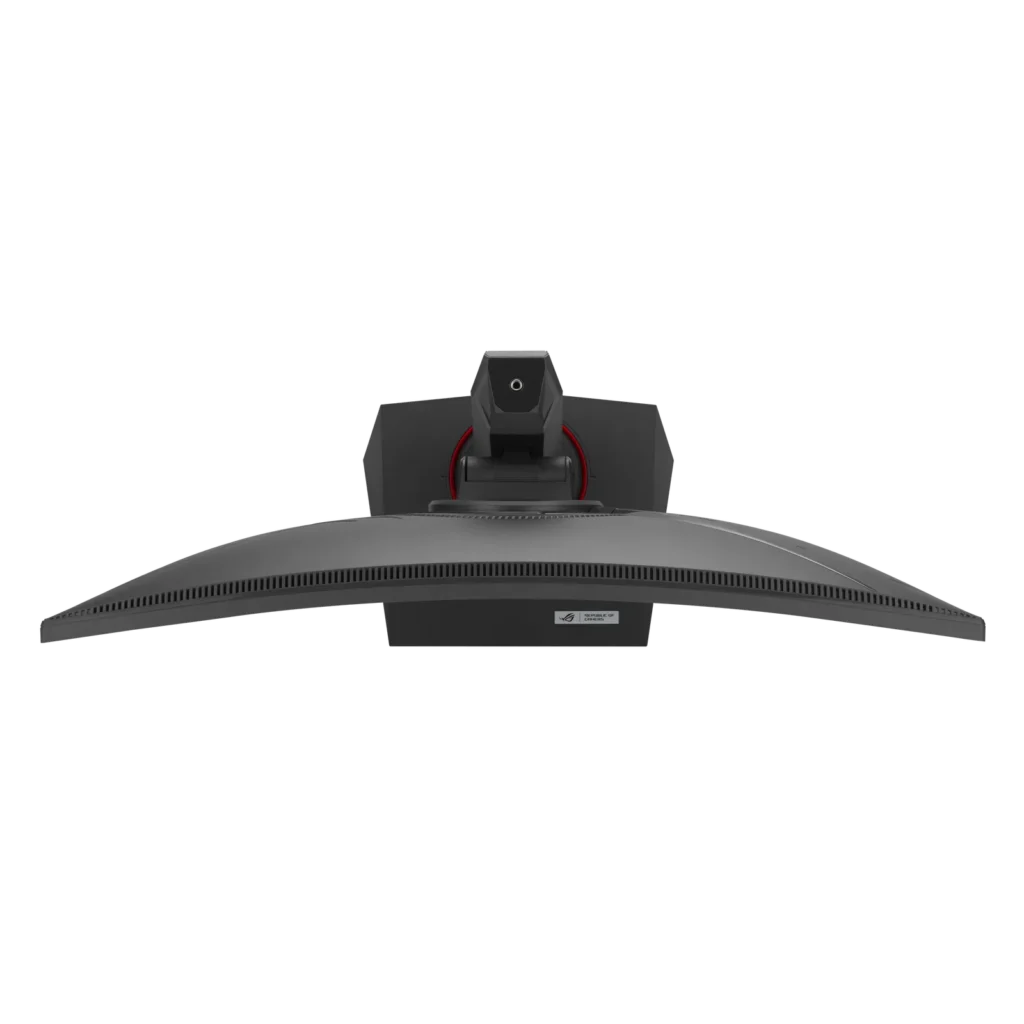
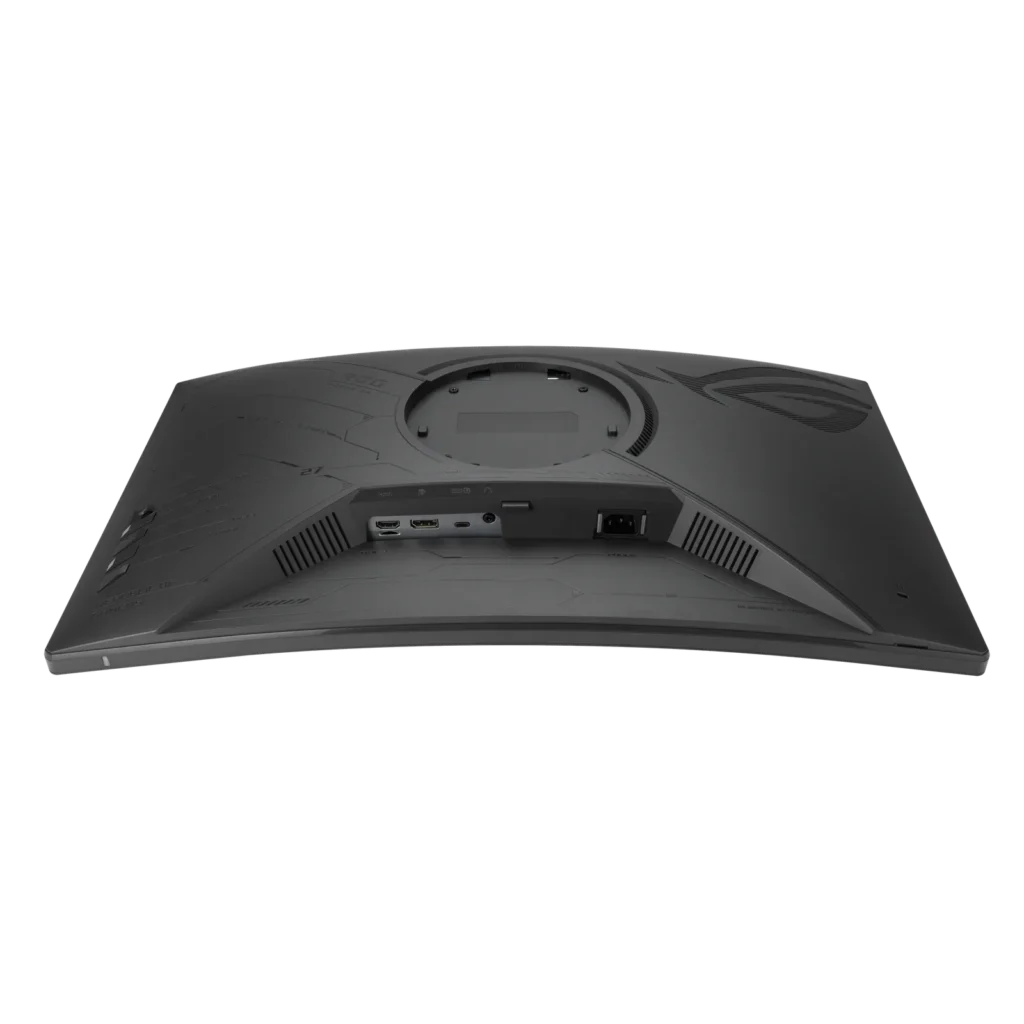
Customer Media
Highlights
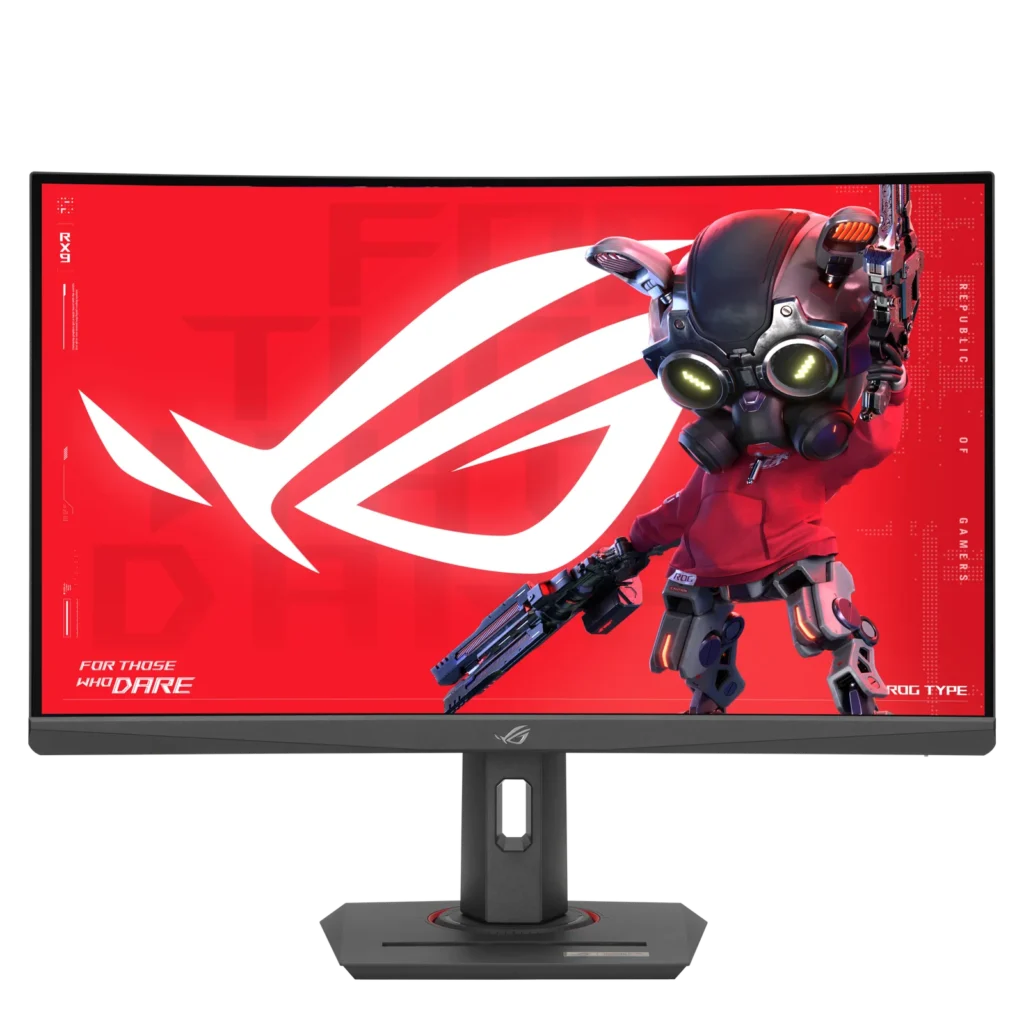
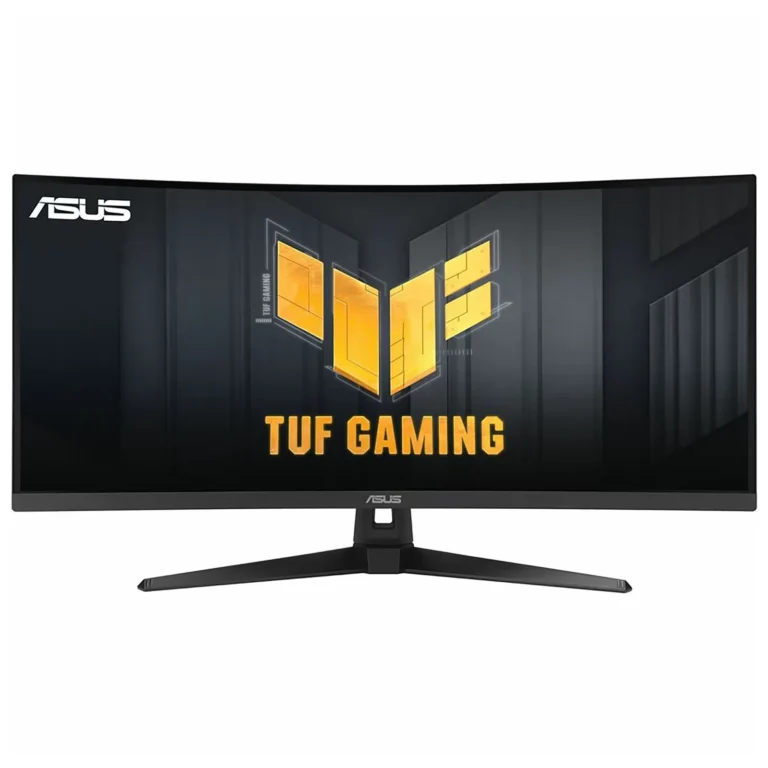
| High-Performance Visuals | Experience stunning 27-inch 2K QHD (2560×1440) resolution visuals with an ultra-smooth 180Hz refresh rate and a lightning-fast 1ms (GTG) response time, ensuring crisp and fluid gameplay. |
|---|---|
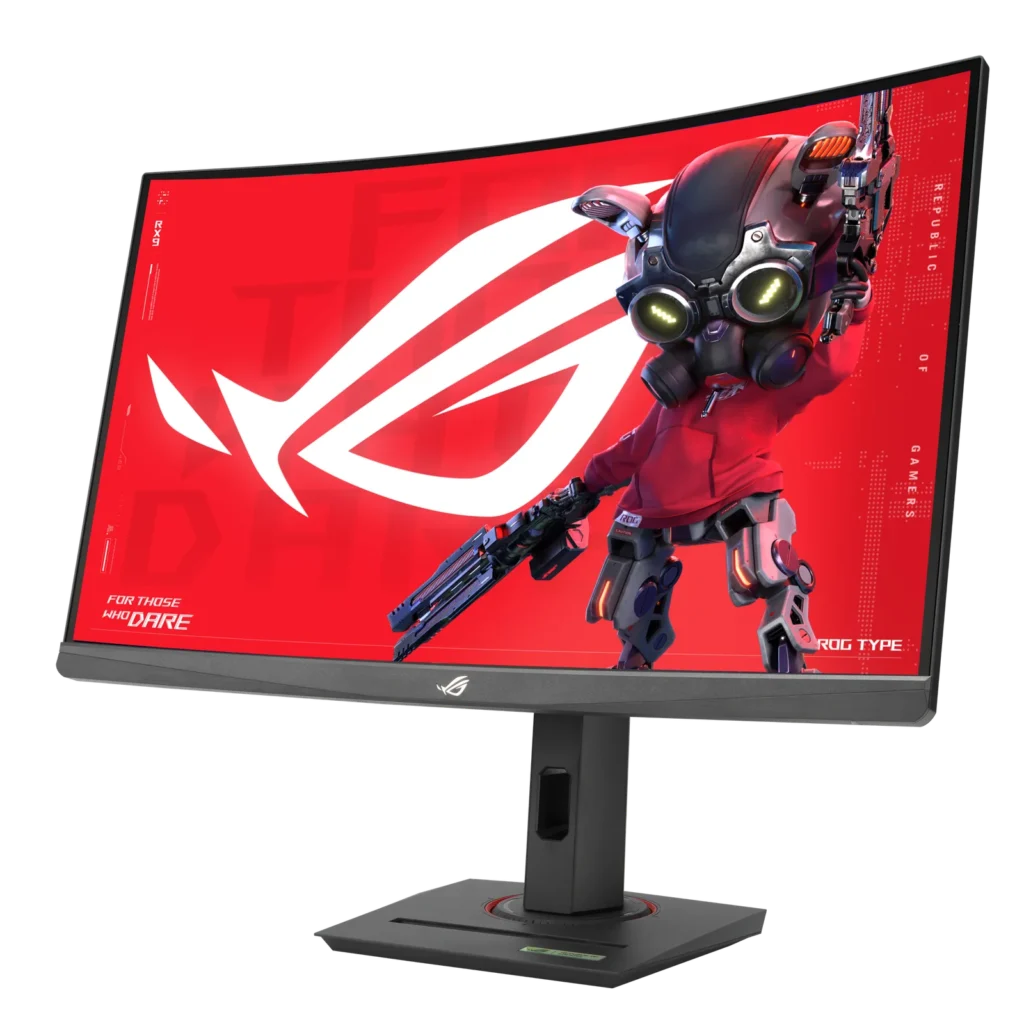
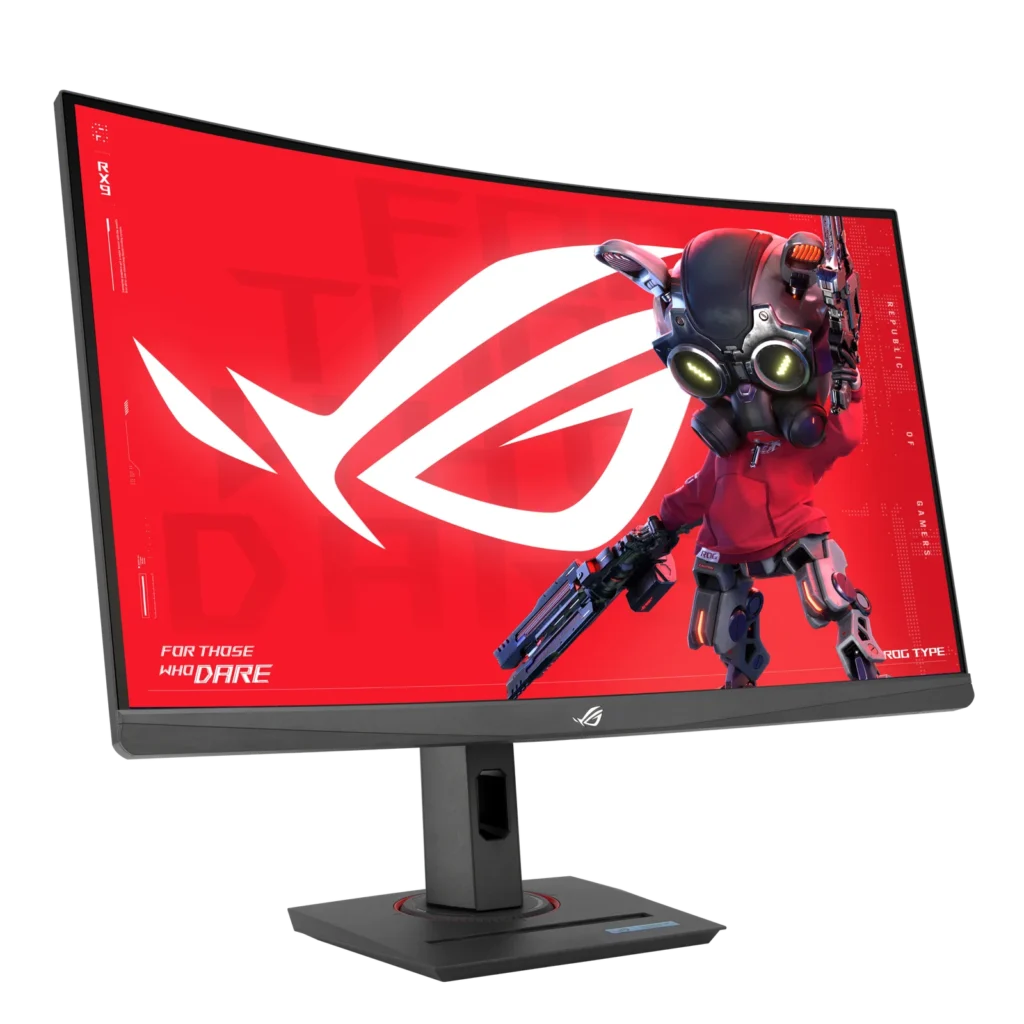
| Immersive Curved Fast VA Panel | Dive into your games with a 1500R curved Fast VA panel, offering a wide DCI-P3 95% and sRGB 125% color gamut for vibrant colors, a 3000:1 contrast ratio, and HDR10 support for enhanced visual depth. |
| Seamless, Tear-Free Gaming | Enjoy tear-free and ghost-free gaming thanks to AMD FreeSync compatibility and ASUS Extreme Low Motion Blur Sync (ELMB Sync) technology, which enables ELMB alongside variable refresh rates for sharp visuals. |
| Versatile Connectivity | Connect with ease using a comprehensive array of ports, including USB Type-C (with DisplayPort Alt Mode and power delivery), DisplayPort 1.4, and HDMI 2.0, providing flexibility for various devices. |
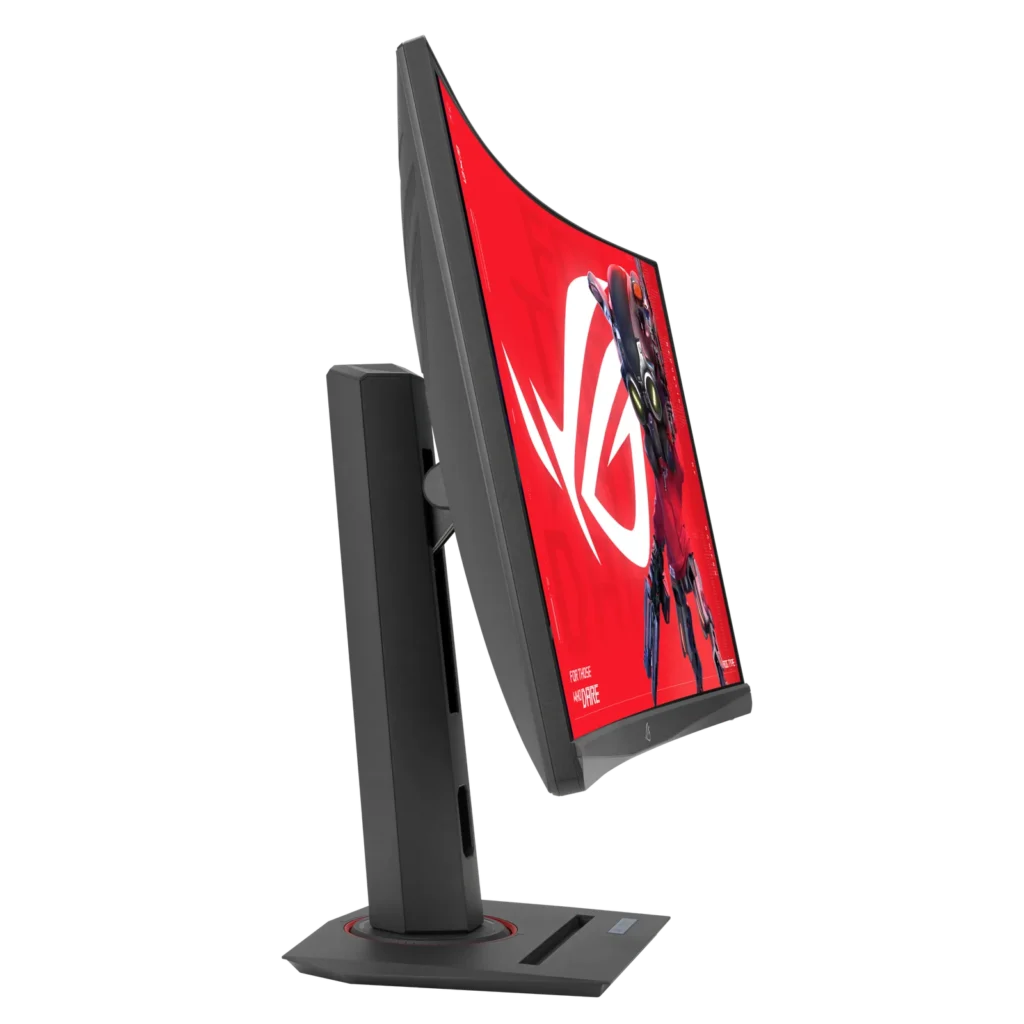
| Enhanced Gaming Features & Ergonomics | Gain a competitive edge with AI-powered ROG Gaming A.I. features like GamePlus and Dynamic Shadow Boost, complemented by an ergonomically designed stand offering tilt, swivel, and height adjustments, plus a convenient phone holder. |
Pros & Cons
Pros
- Excellent Picture Quality and Performance: Many reviewers highlight the monitor's vibrant colors, deep blacks (due to its VA panel), and crisp 1440p resolution. Its high refresh rate (up to 180Hz, or 120Hz for consoles) and low 1ms response time contribute to smooth, lag-free gameplay and an immersive visual experience for both gaming and multimedia.
- Great Value for Money: The monitor is frequently recommended as an affordable or budget-friendly option, offering a strong set of features like 1440p resolution and high refresh rates at a competitive price point, making it an excellent upgrade for many users.
- Versatile and Ergonomic Stand: The stand is noted for its sturdy build and extensive adjustability, including height, tilt, swivel, and rotation, allowing users to easily customize their viewing experience. It also features practical additions like a phone slot and cable management.
Cons
- Backlight Bleed and Motion Clarity Issues: Several users reported noticeable backlight bleed, particularly in dark scenes or rooms, which can be severe. Some also experienced black smearing or slight ghosting, impacting overall motion clarity despite the fast response times.
- Inaccurate Product Specifications: Multiple customers found discrepancies between the advertised product specifications and the actual monitor. Specific issues include the stand's pivot function being restricted, fewer HDMI and USB ports than listed, and confusion over whether the panel is VA or IPS.
- Lack of Built-in Speakers: A recurring complaint is the absence of integrated speakers, meaning users must rely on external headphones or speakers for audio, which some found inconvenient.
Customer Fit
- Primary audience: Competitive or casual gamers seeking a high-refresh QHD curved display that balances price and performance.
- Secondary audience: Multi-device users (e.g., PC, PS5, Steam Deck, or MacBook) who want seamless connectivity and strong visual quality.
- Ideal scenarios: Ideal for gaming setups, home offices doubling as entertainment hubs, or multi-monitor environments needing smooth visuals and color accuracy.
You might also like
Customer Reviews
Showing reviews 201-210 of 211
-
A Great Budget-Friendly Gaming Monitor!
Incentivized Incentivized review: The reviewer received a benefit for sharing feedback.BarackObama May 24, 2024Review source: BestbuyDo you need a budget-friendly gaming monitor with a 2k resolution and high refresh rate? If that sounds enticing, I would certainly look into this model. While it may not be the brightest monitor or have the best HDR, this is a solid gaming monitor for those who have a budget in mind. This is my review of the ASUS – ROG Strix 27” Curved Gaming Monitor.
*TLDR at the bottom
=====================
IN THE BOX/SETUP:
In the box, you get a monitor power cable, display port cable, ASUS small storage bag, some documentation, and stickers. There is no HDMI cable included which I thought was unusual considering most monitors have both cable types included. Regardless, the small storage bag that can be used for cables or miscellaneous item storage is a neat addition!Setup is quick and easy, It’s simply all plug-and-play! Of course, you can set how the display appears, using the monitor’s built-in settings. On the monitor, there are 4 buttons, and a joystick to navigate the settings menu. Do note that you will need to provide your own HDMI cable if you plan to use this for console gaming.
=====================
DISPLAY:
The gaming monitor has a 2k resolution, a refresh rate up to 180Hz, and a 1ms response time. These features are usually seen in higher-tier models but am glad to see these features get included in a budget-friendly monitor like this one. Of course, not everything is sunshine and roses. The monitor is not as vibrant as some other monitors. At peak brightness, the monitor is seemingly dimmer compared to other monitors. Viewing angles are also decent. This monitor is best used when you sit directly in front of it. Viewing the image from a different angle does “wash” away the image. This gaming monitor uses a VA panel which is the reason for the aforementioned items but that doesn’t take away from its performance and crisp quality.=====================
PERFORMANCE:
Performance-wise, the monitor performs well. I mostly tested the monitor in Destiny 2. I’m a quality over-performance person but I did want to max out the monitor’s refresh rate. I adjusted a couple of in-game settings and obtained the 180Hz refresh rate, which to the eye, gameplay appeared buttery smooth. I also did the opposite and maxed out the graphics and even with the maxed-out graphics, I was averaging about 125 FPS. I also love the deep colors that the monitor provides!=====================
CONCLUSION:
In conclusion, this is a solid gaming monitor that doesn’t break the bank. The 2k display and up to 180Hz refresh allow for buttery smooth gameplay with crisp quality. This gaming monitor is best placed in front since viewing the monitor from an angle does tend to “wash” away the image. The monitor is also not the brightest but if you don’t mind these two minor nuances, I recommend you give this one a shot! -
Great option for 1440p curved monitor
Incentivized Incentivized review: The reviewer received a benefit for sharing feedback.Casey May 24, 2024Review source: BestbuyThe Asus-ROG Strix XG27WCS is a very solid option for high refresh rate gaming on a curved monitor while also having a higher resolution in 1440p. For the price, I believe it is an excellent value choice for someone who prefers curved monitors over flat panels and is in the market for something new.
Overall, I have greatly enjoyed my time testing out this monitor. Gameplay looks great and I find it to be very nice in most games, but especially first person shooters and racing titles, such as Project Cars or even simulators like American Truck Simulator. While lacking in terms of viewing angles, the Asus-ROG Strix XG27WCS has very solid build quality, was super simple to put together, has great color depth, has HDR, G-sync and FreeSync capabilities, and many other features you will find in most modern monitors. It does only go up to 180hz, so it does not quite hit the 240 threshold that a lot of people are looking for now-a-days, but it is also way cheaper than your typical 1440p/higher than 144hz monitor would be.
In the current market, I feel that there really aren’t too many bad options, but Asus has always been a very solid choice when it comes to monitors and this Asus-ROG Strix XG27WCS is just the latest example of why that is. If you choose to go with this monitor, you won’t be disappointed. It is a great value.
-
Amazing value
Incentivized Incentivized review: The reviewer received a benefit for sharing feedback.Maddie May 24, 2024Review source: BestbuyThis curved monitor is excellent for gaming and other uses too. I use it for gaming and also as an extension to my laptop screen while working or during school work, this makes it easier to multitask. It comes with some label stickers, I didn’t care for them much but son thought they were really cool. The instruction page is a very simple one-page with pictures and no words showing how to set it up. The pictures were easy to follow. This page also has QR codes for getting detailed instruments/manual in many languages, registering it and the display widget center.
This monitor allows for so much flexibility, from being able to raise or lower the monitor on the stand, to titling backwards and forward and swivelling it from side to side. The stand also offers a phone holder. I really love this monitor. It meets all my needs. It provides many options for connecting, a HDMI, USB-C port and DisplayPort and access to using headphone that connect to the monitor. Please not that this comes with a DisplayPort cable but not an HDMI cable. It also has a fast response time, I notice no lag difference whether I use the laptop or this external monitor. The colors are great! I’m just excited because there litetraty is no negative difference from this monitor or using my laptop monitor.
I love the widget display center. It is so convenient and offers many specifications. I was nervous at first, because there are buttons for the OSD menu on the side of the of the monitor screen and I did not like using them at all. So I was thrilled with the display center that I could download to access so much! Some of the things I really like are the blue light feature, timer, the game visual options, setting up different multi-screen options, and setting up different hotkeys. There is so much to like about this monitor. I have no complaints and would recommend.
-
All the right curves, at the right price
Incentivized Incentivized review: The reviewer received a benefit for sharing feedback.bTobin May 24, 2024Review source: BestbuyThe ASUS XG27WCS curved monitor is a great budget friendly monitor for any use. The VA screen looks decent from all angles, but obviously straight on is best, the refresh rate is fantastic, 2K display and HDR look decent, though the HDR is a bit underwhelming, but overall, this is a great display for gaming, production, or basic daily use. The monitor has a curve to it which is really nice when you have a dual display going. With traditional flat panels, the far edges tend to be difficult to see unless you have your monitors angled inward, and even then, it still can be difficult to see. But curved screens wrap around nicely and show you all corners of the screen.
Speaking of dual displays, I have a monitor arm on my desk to hold two displays and this ASUS monitor fits the VESA mount style fine, no additional spacers or screws needed. Obviously this will vary depending on your mount type etc, but there are no deep indents or odd shapes to the back of this monitor.
That said, the stand that comes with it is actually very good. Not a surprise from ASUS as they always seem to give you a small melee weapon of a stand made out of the heaviest metals you can think of (in a good way, this thing isn’t moving). The stand has up – down, left – right, tilt, as well as rotation movement available meaning you can get it placed right where you want it. There is also a small channel for your phone (or anything that size) at the base if you’re someone who likes to have their phone in front of you, or perhaps synced to your PC etc.Inputs include HDMI, display port and USB C and the included cable is actually a display port not an HDMI, nice to see that become the standard. Personally I’m swimming in HDMI’s but not display port cables. This turned out to be a very good thing because I originally used my existing display port cable to hook up the new monitor and thought there was an issue with the monitor at first because it kept blinking off and on. I found out my cable had a slight short in it and so I had to replace it, thankfully that was included in the box! Also worth noting, the box includes a very nice zipper bag for spare parts and cables, it looks about the size of a travel toiletries bag with a small netted window. Not something I’m used to seeing in my computer parts packages but I was very happy to see. I immediately filled it with misc. cables, screws, and monitor parts.
Speaking of not skimping on extras, this monitor may be more in the budget friendly category but besides still boasting a great display, they also included most of the bells and whistles features you’d expect in a newer gaming/production monitor. Things like on screen FPS display, crosshair, VRR, blue light filter, gameplus etc.
You also have the ability to fine tune the picture and color to your liking if you need to get a well calibrated display for production work and can save it as a user setting. This way you can have your vivid look for gaming and your calibrated look for editing and production if that’s your world.Overall, I am really enjoying this monitor. It’s a massive upgrade to the 1080 HD display I was using before. The 2K 1440 looks sharp, the HDR is decent (though not amazing to be fair) but the colors are bright and accurate. You can watch 4k HDR easily and if you’re gaming, you will have almost no ghosting (it’s basically not there, you have to look for it to see it) and a fantastic 180hz refresh rate. If you’re losing your match, it’s your skillz not your monitor.
-
Nice monitor for the value and good features
Incentivized Incentivized review: The reviewer received a benefit for sharing feedback.blahnika May 23, 2024Review source: BestbuyI have mostly enjoyed my time with the ROG Strix 27. It is a nice side for gaming, and you can check out the specs which are nice too. If you are using a desktop monitor to play games now, this is going to be an impressive update. The refresh rate is awesome and the 2k resolution is the best way to play PC games from my experience. The HDR also works, and color is OK (more on this later). So, if you are looking to get a gaming monitor this is an excellent choice.
There are also a few cool features that I like. The stand is surprisingly good in how you can not only tilt forward and back, but also side to side and on top of that rotate the screen. The button placement is a little weird, but I have not had any monitor that is good. You also get HDMI, DisplayPort and USBC which although you will want to use DisplayPort but good to have options especially if you brought a laptop to use quickly.
There are two things though that I see as lacking. First, the display color is not as good as you get if you go with an OLED. This is not something you notice unless you have been using an OLED gaming monitor, just a note the colors are a little bright and your blacks are not super deep. The other part is that with this size an ultrawide would have been nice. Again, unless you have used an ultrawide not something you would notice. Overall, the monitor value is great for what you get. Sure, there are better options if you want to upgrade but as a good gaming monitor from my experience you cannot go wrong with this.
-
Keep Your Expectations In Check & You'll Love It
Incentivized Incentivized review: The reviewer received a benefit for sharing feedback.KMed May 22, 2024Review source: BestbuyThe Asus ROG Strix XG27WCS is a budget gaming monitor that offers great visuals, and a variety of features that are sure to appeal to most gamers.
Design
The XG27WCS has a sleek and stylish design built with mostly plastic, but it’s easy to look at and will blend in with most gaming setups. The monitor features a 27-inch Fast VA panel with a resolution of 2560×1440. The panel is surrounded by a thin bezel that helps to create a more immersive gaming experience, and the curve of the screen definitely catches the eye.
Performance
The XG27WCS offers decent performance for gaming. The monitor has a fast refresh rate of 180Hz and a low response time of 1ms. For a VA panel, there is very minimal ghosting, it’s so slight that I think you’d only notice it if you’re actively looking for it. It’s there, but is one of the best performing VA panels I’ve ever used.
The other variant of this monitor is the ACS, which comes with an IPS panel, so please be aware of which one you are purchasing. If you want deeper blacks and better contrast ratio, I’d stick with a VA panel, like this WCS model. The IPS variant (ACS) will be almost completely ghost and blur free, but have much lower contrast ratio and black will look like gray most of the time.
Features like HDR are present, but at only 400 nits, I wouldn’t recommend using HDR since the panel doesn’t get bright enough to truly experience it. VRR support is present and if you have AMD card you will get Freesync support. If you have an Nvidia card, this monitor is G-Sync compatible, so turning it on will enable VRR as well.
ELMB can also help with motion blur, but will limit the screen brightness and lock you out of other features, which some users won’t like. Experiment with all the features to find the ones that best suit you, but right out of the box the monitor provides a bright, vivid picture that’s ready for gaming.
Features
The XG27WCS is packed with features that are designed to enhance the gaming experience. The monitor has a variety of gaming-specific features, such as GamePlus and GameVisual, which can put a crosshair on your screen or an FPS counter, amongst other things. I’m a pretty minimalistic person when it comes to features like these, so I don’t usually turn them on, but they are there and they do function.
Features like blue light filtering are also present for those that will use this monitor later at night or for productivity instead of gaming. These additional features are all just icing on the cake as Asus doesn’t seem to skimp out on packing this budget monitor full of high end features.
The adjustable stand is solid and works like a charm. This is a huge bonus because a lot of monitors at this price point come with a fixed stand that can be uncomfortable if you’re a little too tall or short.
You’ll also get 1 DP, 1 HDMI and 1 USB-C port on the back for connectivity. USB-C is great to see on a monitor of this price and will allow for future connectivity as well.
Overall
The Asus ROG Strix XG27WCS is a fantastic choice for the budget friendly gamer and offers a lot of features for its price point.Pros
Great contrast, vivid colors, deep blacks
Fast refresh rate and low response time
Variety of gaming-specific features
Adjustable stand
Cons
Slight ghosting still present, even with Fast VA technology
Questionable build quality -
Works good for my gaming
Incentivized Incentivized review: The reviewer received a benefit for sharing feedback.averagetechguy May 21, 2024Review source: BestbuyI finally decided to upgrade from my old 2018 qhd monitor to an actual gaming monitor. I have a smaller gaming set up and 27 inches is the largest I can fit on my desk setup. This came along and fit the bill I was looking for. Fast refresh rate, qhd, curved screen, and a price point that doesn’t drain my wallet. The hook up went reasonably well. The slots are recessed a bit and my old fingers did struggle a bit getting the hdmi and the power cord in coming from the bottom blindly. My old monitor was straight on in the middle through a hole in the stand. I did like that. The adjustability on this stand crazy good with tilt top to bottom or rotate side to side, and adjustable height for each person to put it directly in front of your face for best viewing angle. I have an old curved TV and my experience with it made me want that for gaming. So far, I have tried several setting for the hdr and colors and also modified some of the brightness settings to get it to the tones I’m used to. Games from the Forza series, Fortnite, and Beam NG are my most played games and all look just crisper detail and no lag or stutter that I can tell. I did occasionally have that on my old one. Colors pop, and the black depth/contrast is really good. It is certainly better than my old monitor, and I feel it was worth the upgrade. I see no reason not to give it 5 stars and do reccomend it.
-
Great product
Verified purchase Verified purchase: This reviewer bought the product. Incentivized Incentivized review: The reviewer received a benefit for sharing feedback.VaughnW May 18, 2024Review source: BestbuyLove it. Decent size, not to big not to small. Pixels and refresh rate are amazing!
-
This has a VA panel
Verified purchase Verified purchase: This reviewer bought the product. Incentivized Incentivized review: The reviewer received a benefit for sharing feedback.Collin May 17, 2024Review source: BestbuyFirst off, the most important thing anyone should know is that this monitor has a VA panel and not an IPS panel like Best Buy claims. If you go to the ASUS website, the model XG27WCS has a VA Panel. XG27ACS has the IPS panel. In addition, this model (XG27WCS) is not G-Sync compatible like Best Buy claims. XG27ACS is G-Sync compatible. Not that G-Sync really matters anymore but still it is an inaccuracy that Best Buy should correct. I spoke with several people from Best Buy who all claimed the XG27WCS has an IPS panel and claimed the website is correct. This is false, they are just reading off of their spec sheets which are mistaken and are probably just the spec sheets for the XG27ACS. Someone at Best Buy needs to correct this information before someone gets really mad and claims false advertising especially when so many Best Buy reps keep doubling down on the inaccuracy.
Now to the review. I was someone who actually wanted the VA panel monitor. After reaching out to Best Buy a handful of times and getting information that was factually incorrect, I just decided to go to the store and see for myself. This is the XG27WCS and the monitor is fantastic, the contrast ratio is amazing. The colors are incredible especially for a VA panel. The response time is great for a VA panel. ASUS really put some decent technology into this VA panel and it shows. This monitor really feels like something that was made in 2024 and for the price, I think it is hard to beat.
I am only taking away one star because of the inaccuracy on Best Buys website. If they correct that info then this is truly a 5/5 product.
-
Great monitor
Verified purchase Verified purchase: This reviewer bought the product. Incentivized Incentivized review: The reviewer received a benefit for sharing feedback.AmandaS May 17, 2024Review source: BestbuyI love that I can adjust the height and I love the settings for the graphics.