Customer Media
Highlights
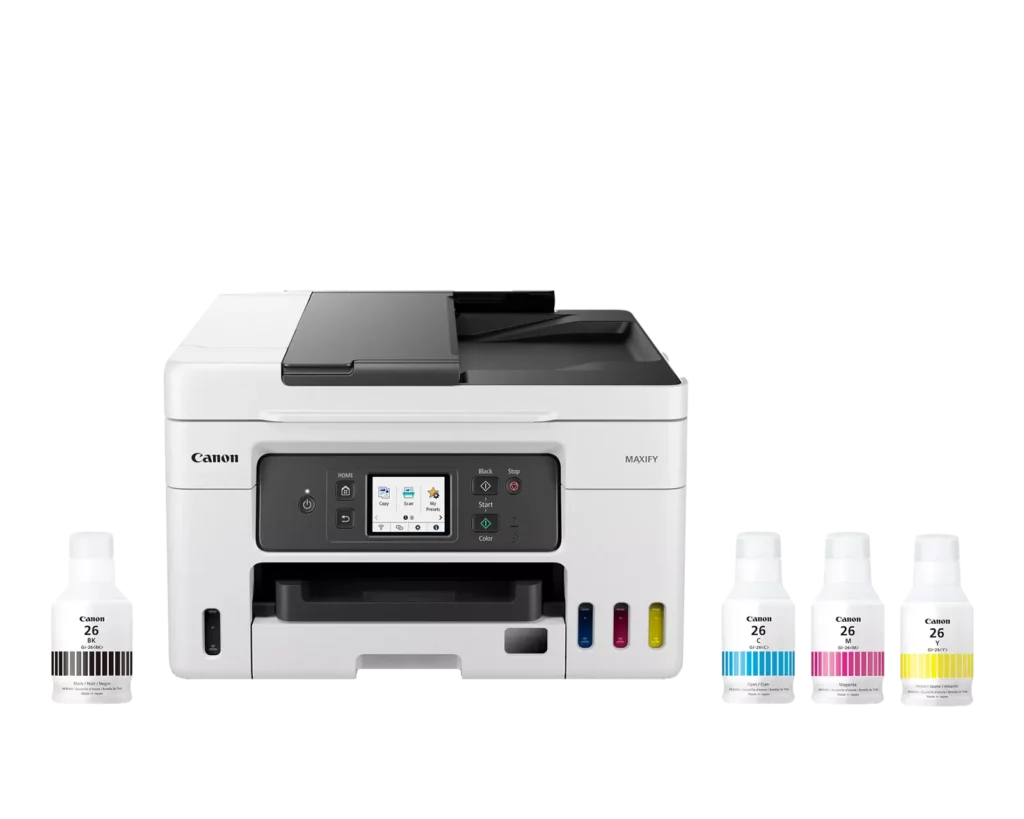
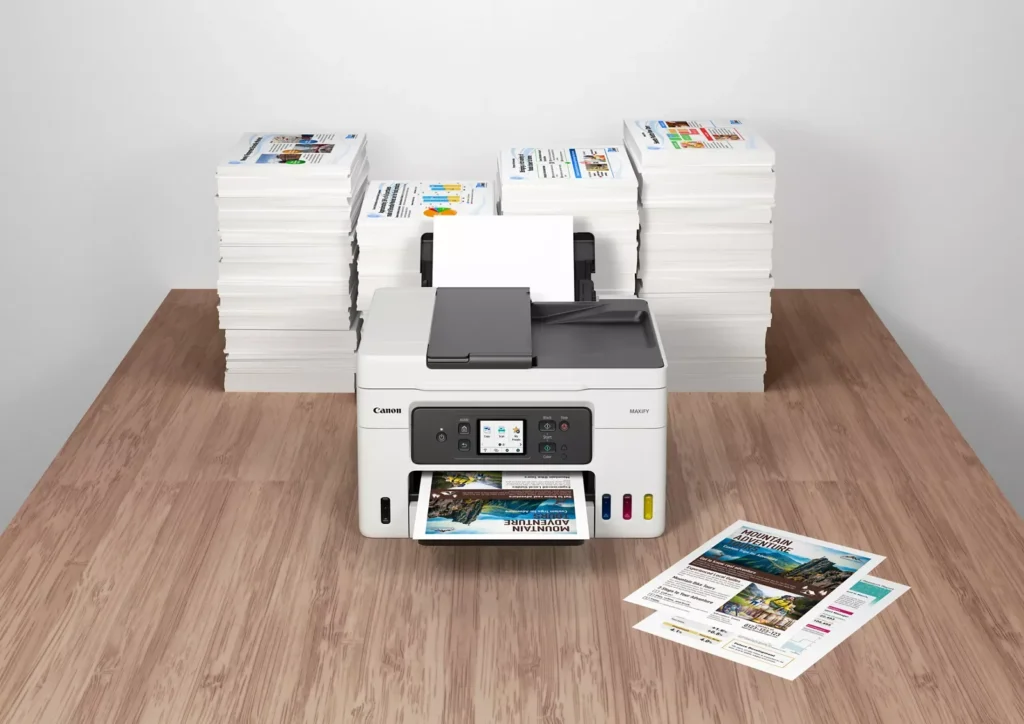
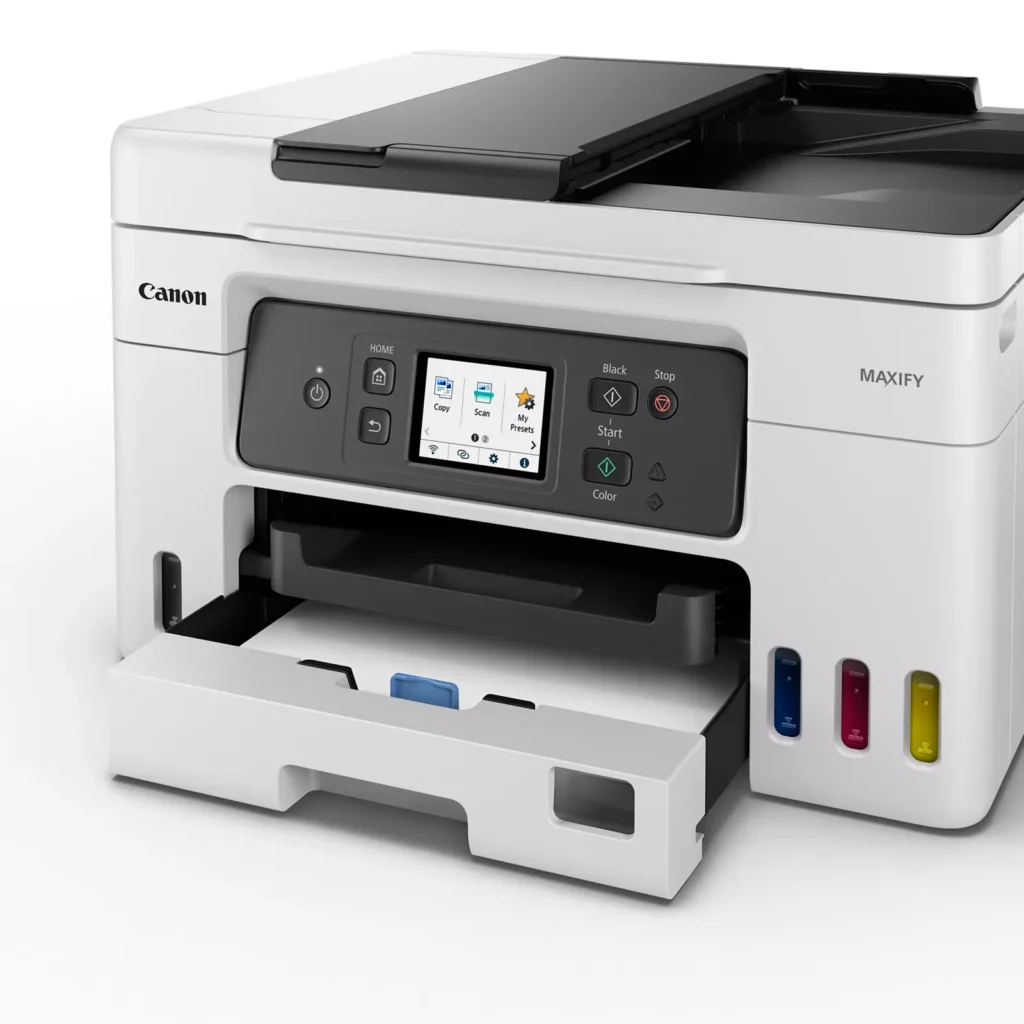
| High Page Yield and Low Running Costs | The MegaTank refillable ink system delivers an impressive yield of up to 6,000 black and 14,000 color pages with a single set of ink bottles. This high-capacity design results in a low cost per print of less than 2 cents per page, significantly reducing the total cost of ownership compared to traditional cartridge-based printers. |
|---|---|
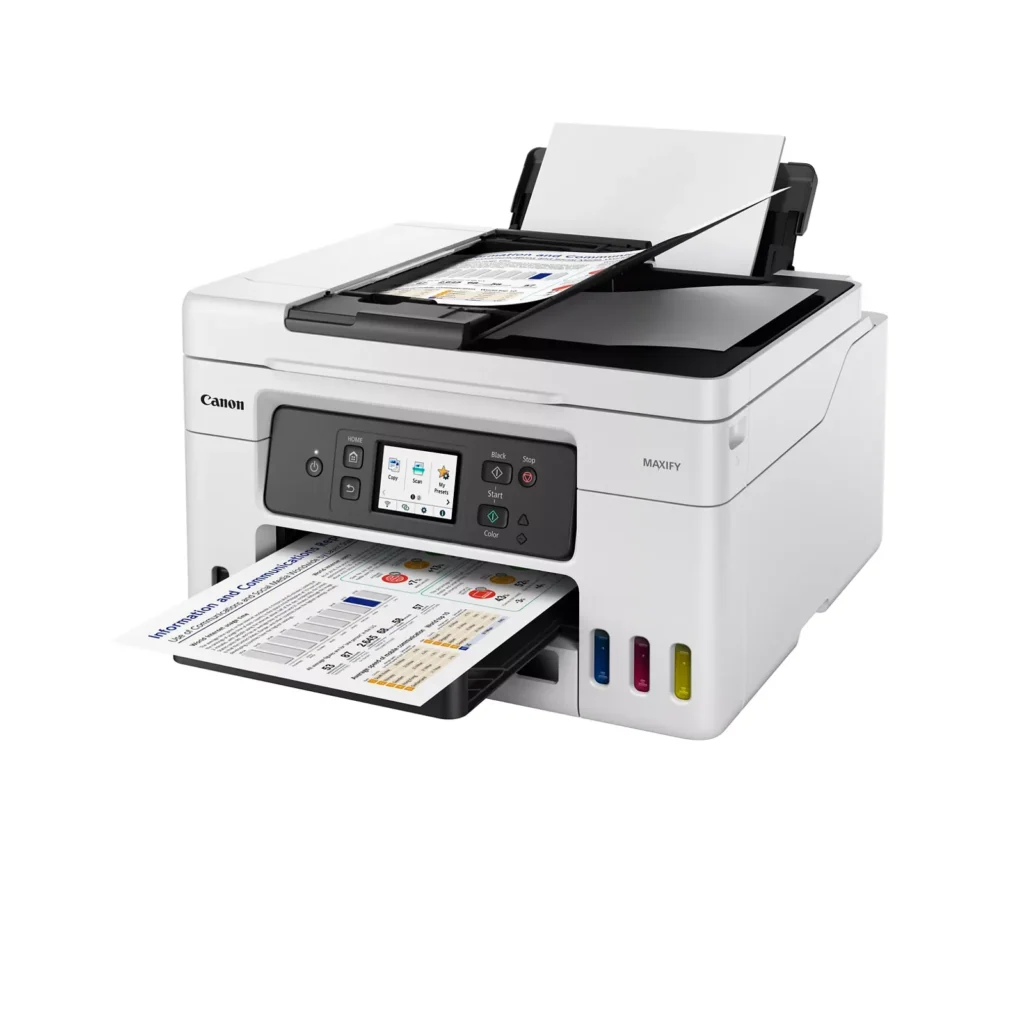
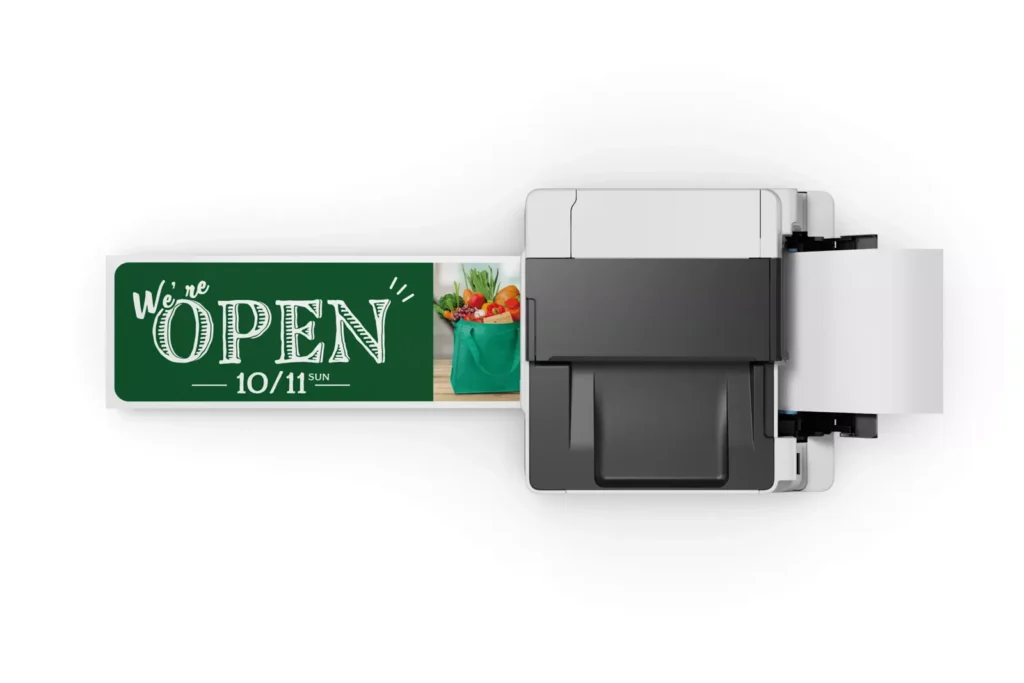
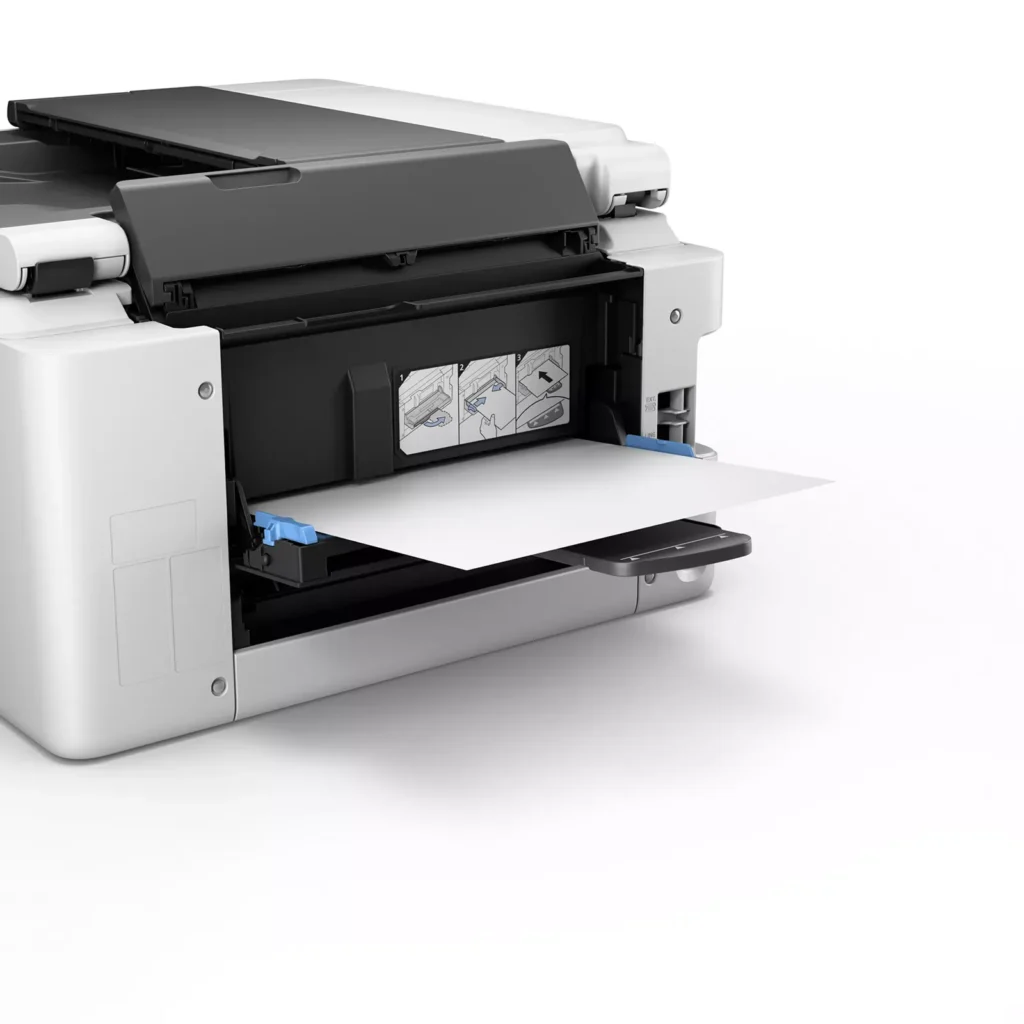
| Versatile 3-Way Paper Feeding | Equipped with a 250-sheet bottom cassette and a 100-sheet rear tray, this printer also features a unique rear flat tray designed for thicker media. This allows for seamless printing on a wide variety of materials, including envelopes, banners up to 47 inches, and heavy cardstock up to 0.7mm thick. |
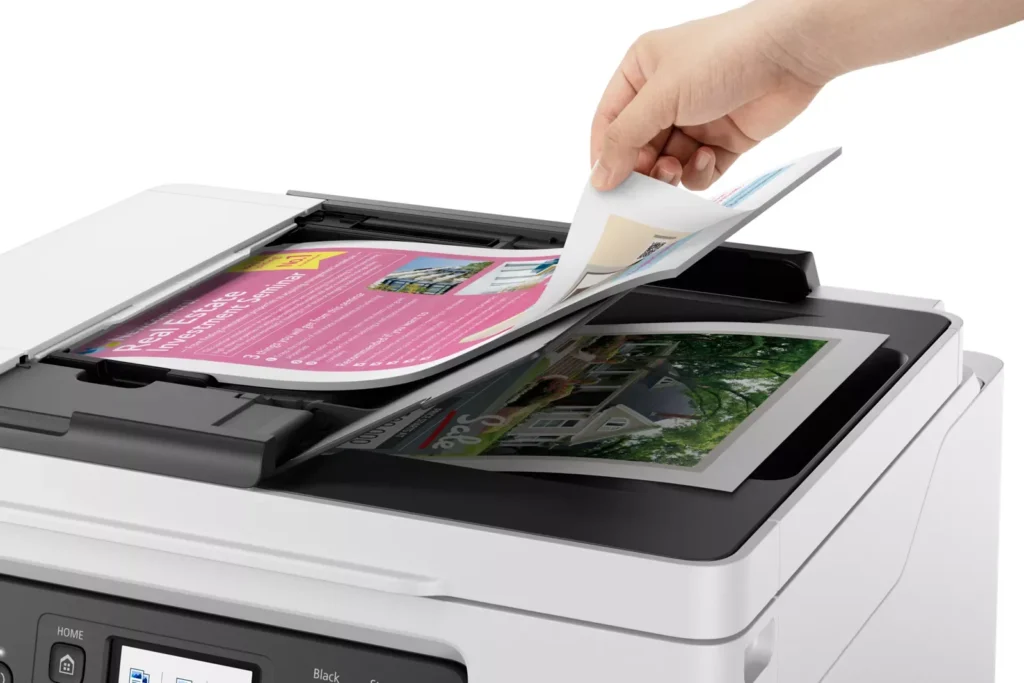
| Fast Business-Class Performance | Boost office productivity with print speeds of up to 18.0 ipm in black and 13.0 ipm in color. The integrated 35-sheet Automatic Document Feeder (ADF) streamlines multi-page scanning, copying, and faxing tasks, while the first print-out time is as fast as 8 seconds. |
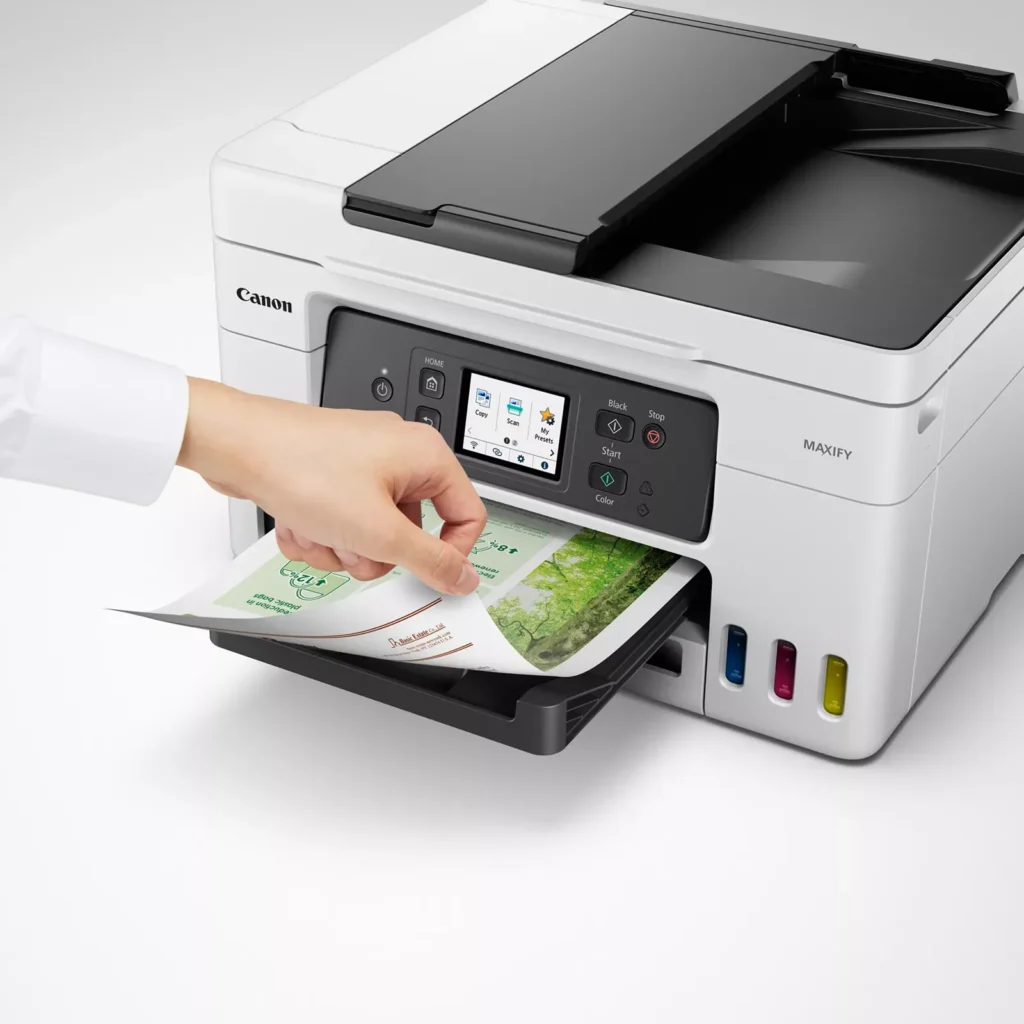
| Durable 4-Color Pigment Ink System | Utilizing a 100% pigment-based ink system, the GX4020 produces sharp, laser-like text and vibrant graphics that are highly resistant to smudging and highlighters. This ensures professional-quality documents that are durable enough for frequent handling in a busy office environment. |
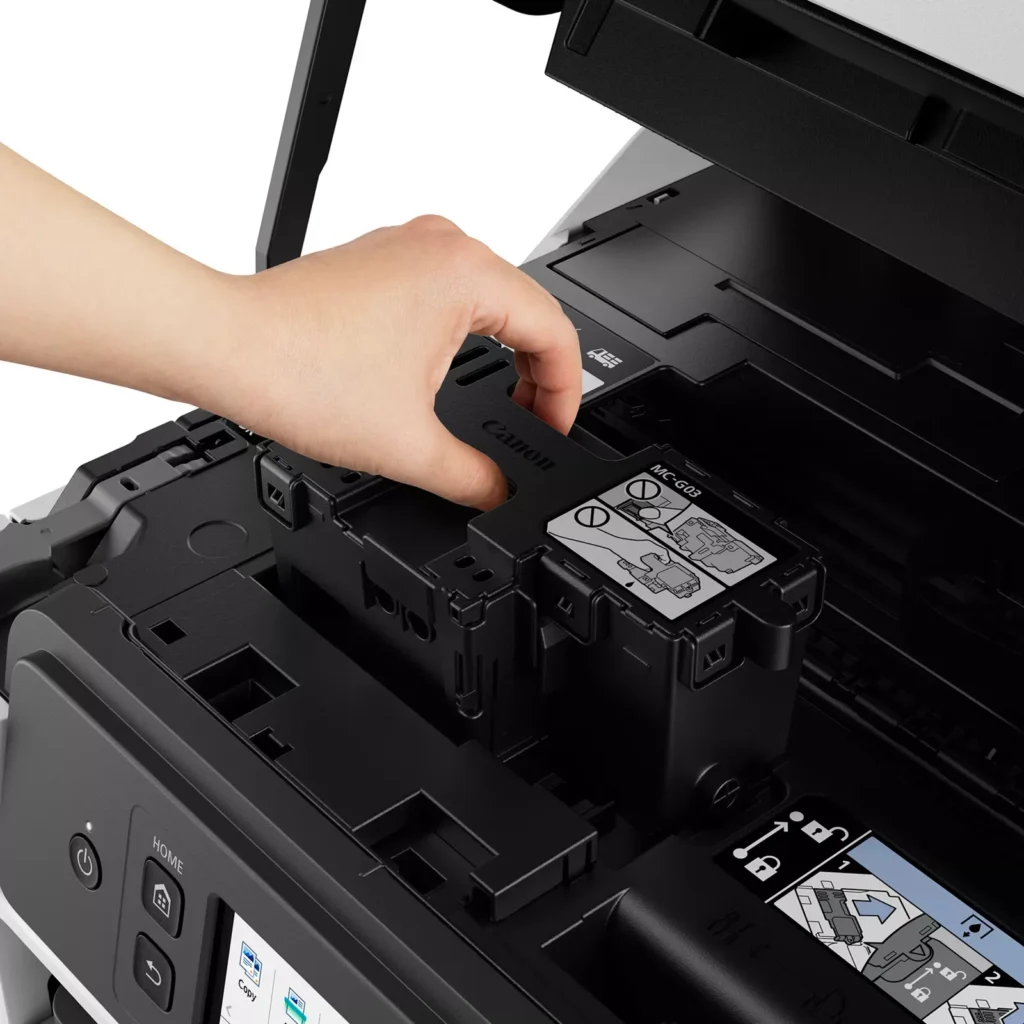
| User-Friendly Maintenance and Reliability | Designed for minimal downtime, the printer features a user-replaceable print head and maintenance cartridge that can be swapped without a service call. It is further backed by a 3-year or 80,000-page limited warranty, providing long-term peace of mind for small business owners. |
Pros & Cons
Pros
- Exceptional Ink Efficiency: The MegaTank system offers a massive ink capacity that lasts for thousands of pages, with a mess-free refill process that significantly reduces long-term operating costs compared to cartridge-based models.
- High-Quality Print and Scan Results: Reviewers consistently praise the printer for producing crisp, professional text and vibrant colors on various media, including glossy photos, stickers, and heavy cardstock.
- Versatile Media Handling: The device features multiple paper sources, including a high-capacity front cassette and a rear tray, allowing users to keep different paper types loaded simultaneously for diverse projects.
Cons
- Persistent Connectivity Issues: A significant number of users experienced frequent WiFi disconnections, difficulty with AirPrint, and a complex setup process that often required manual IP configuration to remain stable.
- Slow Operational Performance: The printer is noted for being slow to wake from sleep mode, having a sluggish touchscreen interface, and taking a long time to process and print documents, especially in high-quality mode.
- Limited Scanning Features: While the printer supports automatic duplex printing, the document feeder lacks automatic duplex scanning, requiring users to manually flip pages to scan both sides.
You might also like












Customer Reviews
Showing reviews 201-210 of 261
-
Fantastic, ink-efficient printer!
Incentivized Incentivized review: The reviewer received a benefit for sharing feedback.Eva Wu April 4, 2023Review source: AmazonBefore I really put this printer to the test, I used it for printing day-to-day pages that mostly consisted of black-and-white pages, and it handled them like a champ. But then I used it for printing out all my wedding papers, including programs, seating charts, table numbers, etc, and in my honest opinion, it handled it pretty well.
Quality: When printing on the highest quality, this printer does a fantastic job. There is a noticeable difference printing on the economic, ink-saving setting vs the highest quality, as-much-ink-as-necessary setting. The economic setting has visible streaks through colored photos, but the pictures on the high-quality setting are clear and sharp. The overall print quality worked well for my wedding.
Color: For an unknown reason, the automatic color setting was a little off for the photos in my wedding program. All the photos turned out a little more red. It was a quick adjustment in the print settings to decrease the red and magenta, so my pictures turned out as expected.
Paper source: The printer handles all kinds of paper from normal white paper to cardstock to glossy photo paper to thin vellum paper. The ink printed clearly without any smudging and also dried quickly. The printer also allows for different size sheets, even allowing you to set custom dimensions. However, loading thicker or uniquely sized paper can only be done from the rear; the front tray can only handle the more typical types of paper.
Double-sided printing: The printer can print double-sided only if the paper is loaded from the front tray. Paper sourced from the rear tray cannot do double-sided printing. Since I printed mostly on cardstock, I had to manually arrange the pages to print on both sides.
Ink-use: The included bottles of ink were able to handle all of the printing for my wedding, and there seems to be close to half left in the tank. I printed over 500 pages (250 sheets) of high-quality, color with at least 100 pages of full photos. I had bought extra ink and an extra maintenance cartridge just in case, but I didn’t even come close to having to use it. There are more affordable, off-brand inks available on Amazon, but use them at your own risk. Overall, really satisfied with the ink usage.
Speed: The printer does take a while to print, especially when it’s high-quality and colored, but that is to be expected. I printed about 36 pages on cardstock in about 25 minutes. Lower quality and black and white prints are significantly faster though.
Connectivity: I have the printer set up to print via WiFi and have had no issues. I’m sure you can set up a wired connection.
Paper jams: Paper jams do happen intermittently, not really sure why. Has probably happened to me 3 times total so far. The screen guides you through how to remove paper jams, but unfortunately, you have to watch the whole instruction before trying to remove the jam because the screen stops the moment you open up the printer. And since it’s a basic screen and video, you can’t scroll through the instructions so you have to just let it play.
Price: Not a cheap printer, but I think I made it worth it.
-
Awesome
Verified purchase Verified purchase: This reviewer bought the product.DanielG March 28, 2023Review source: BestbuyJust excellent, fast, quality, durability, perfect
-
DO NOT BUY–Great Print Quality, Very Unreliable, Error After Error
Verified purchase Verified purchase: This reviewer bought the product.Smiley March 9, 2023Review source: AmazonVery sensitive and unreliable but great print quality. I have loved the Pixma series of printers, and have worn out several of them in my small business. Since it was advertised as having great features and excellent print quality, I relied on the Canon name, even though there were few reviews for this machine. It prints on regular paper beautifully, but if you try to do anything else with it, it constantly creates an error message. It currently has an Error 1300, which is a paper jam, but there is no jammed paper, and the machine is useless. I also wanted to print envelopes, but it will only print 10 at a time, and you constantly have to answer question after question about the paper source.
The bottom line is that the print quality is excellent, but it is very high maintenance and I can’t use it. I wish I’d never bought it! I rely on honest reviews on Amazon for my purchasing decisions and wanted to save others from wasting their money.
-
Canon's mediocre answer to the Epson EcoTank – Bad banding and image quality.
Incentivized Incentivized review: The reviewer received a benefit for sharing feedback.Beowulf and Migwit February 15, 2023Review source: AmazonI was excited to get this printer and was looking forward to seeing how it performed. Unfortunately, after a couple of months of using it, it has turned out to be a disappointment. Set up was pretty easy once I got past some of the annoying error messages in the menu system. The printer is surprisingly light weight which I’m not sure is necessarily a good thing. Filling the tanks was pretty straightforward, with each bottle having it’s own key on the neck to prevent accidentally filling the wrong tank with the wrong color. That presumably also has a design patent that would prevent third party ink refills. I haven’t been able to find any that say they’re compatible with this printer and have that feature. I kept my bottles just in case I have to refill the bottle to refill the printer! It was also disappointing that I couldn’t get all of the ink out of the bottle.
As far as print quality, the printer is just ok. Trying to print pictures on standard paper, I’ve discovered I have to bump the brightness and contrast by 20% in order to get something that looks reasonably on the printer. Otherwise everything comes out muddy. It still shows bad banding with a variation from top to bottom of the print head and overlap on one side of the raster scan that creates a line every other raster. I haven’t found an alignment to fix that, but it wouldn’t likely fix the variation across the print head.
The tiny display is almost unusable, and the printer complains about a lot of things when you try to use it. It doesn’t like the regular power failures we get here in the country and with the ice storm we had, so it always has a message about “shutting it down properly.”
Overall, it’s an OK printer, but nothing special. If you want good print quality, I’d say look further.
-
So far it works as intended.
Verified purchase Verified purchase: This reviewer bought the product.Antonio February 13, 2023Review source: AmazonI needed to replace an old Kodak EasyShare 5500 printer we had since about 2007. For what I needed, the Kodak printer was not the best printer, but it got the job done and the inks were very cheap compared to the inks from other printers of that time. After Kodak stopped making printers, it was getting harder and harder to find Kodak inks and printer heads. The quality of the photo prints was good with aftermarket inks but not the same with aftermarket printheads. I finally ended up throwing it away. So, I started my search for an all-in-one photo printer with a flat top scanner, auto document feeder and duplex printing. A printer that would perform the same or better than my old Kodak. After reading all the good and bad reviews, I put my eye on 2 printers. One was a Brother brand and the other was the Canon MAXIFY GX4020. At first, I had the Brother printer ordered but canceled the order because of the high price for ink cartridges. I put some more thought and research on the Canon MAXIFY GX4020 and decided this was the one. It’s on the pricey side but it had all of the features of my old Kodak and more. I received it yesterday afternoon. It was a little bigger than the Kodak. About the same width at the front but about 2 to 3 inches longer from the front to the back, but it fit on the desk, so I was happy. Plugged it in, went through the setup process, filled the ink tanks and connected to the Wi-Fi network. Did a few scans from the flat top scanner and from the document feeder. I also printed some documents from two laptops and a photo from my phone. For me, the setup was easy and had no problems. As others have posted, this printer does not come with an owner’s manual or online documentation. The only documents in the box were warning information and a quick start card. I have not had this printer for 24 hours yet, so, I will definitely update this review as time goes on.
-
Fast and economical
Incentivized Incentivized review: The reviewer received a benefit for sharing feedback.TOPJOB7 January 31, 2023Review source: AmazonThis is a great option for duplex color printing. In general, I prefer toner/laser printing but this one stores a lot of ink so you get much more printing at a lower cost than other inkjets. Love the duplex (2-sided) printing. Takes some time for the first page, but surprisingly fast after that. The built-in touch screen helps with changing settings.
Standard paper takes a few seconds to dry after coming out. Color printing looks good, but of course not the quality of my old 7-ink Canon photo printer. Refilling is pretty easy and comparable in cost to toner per page.
I had some issues finding the Windows driver. Had to use google to find the GX4020 support page on usa.canon.com, which has a bunch of downloads. After a while I figured out the best way to install is just download and run “Master Setup”. It includes some Canon scanning software – to scan, run “U Scan” and if you want more control choose “ScanGear”. The scanner works well but only scans one side at a time.
-
Top quality with ease of setup and ease of use
Incentivized Incentivized review: The reviewer received a benefit for sharing feedback.SomebodyUused2Know January 28, 2023Review source: AmazonThe Canon MAXIFY GX4020 is a fantastic all-in-one color printer that offers a wide range of features for both personal and professional use. The wireless MegaTank design allows for easy refilling and long-lasting ink, making it a great choice for those who do a lot of printing. The mobile printing capability and 2.7″ touch LCD screen make it easy to control and manage your print jobs from anywhere. The auto document feeder and fax feature are also convenient additions for a small office or home office. The print quality is excellent, with vibrant colors and sharp text. Overall, I highly recommend the Canon MAXIFY GX4020 for anyone in need of a reliable and high-performing all-in-one printer.
-
Mighty Printing; Small Footprint
FlightMedic January 23, 2023Review source: BestbuyI’ve used a number of printers in my time, not all have been a pleasant experience. Whether it’s a clunky setup, inefficient printing, durability, or any other number of things printers can, and have, been an often frustrating experience. Then every now and again one comes along that changes your experience and your mindset. That is the case with the Canon GX4020.
To begin, the footprint of this printer is relatively small comparatively, but don’t let that fool you. It packs a pretty decent punch – more on that later. The smaller size makes it much easier to place in tighter workspaces.
Setup is one area where printers can cause an enormous amount of frustration. Canon has quite an easy setup and installation process. Remove the shipping tape, fill the tanks, connect to your print source, and boom – you’re printing. The initial print head cleaning did take several minutes, however that’s not something you have to deal with at any frequency.
I connected to an iPad Pro 12.9, MacBook Pro, iMac, Windows 10 PC, and a Chromebook. Everything connected wirelessly and quickly. I’ve had no issues on any platform and printing is easy.
I love the ink tanks. Filling is the easiest of any printer I’ve ever used. Literally turn the ink bottle upside down and place it on the tank. Canon has even made it foolproof by making each color have a different attachment shape, preventing users from placing the wrong color in an ink tank.
Printing is fast and produces excellent images. No edge bleeding or runoff noticed. Paper feeds are smooth with printing and copying. Copying also produces excellent reproductions. Ink tank levels are easily visible from the front of the printer.
The touchscreen is a bit small but definitely useful and usable. That is about my only complaint, but it’s not really a complaint, just more of a wish for a slightly larger screen.
This is now my main home office printer. Small, efficient, tons of ink print longevity, excellent print, scan, and copy quality. It really is a no brainer. I would absolutely recommend this printer.Read More
-
All in one printer that is more than you'll ever need
Incentivized Incentivized review: The reviewer received a benefit for sharing feedback.The General January 22, 2023Review source: AmazonEXPENSIVE. But you are suppose to save on the INK. I do not know if that is a real savings because right now on amazon.com the GI-26 ink bottles are around $27+tax and needing 5 of them, it’s not as cheap as you believe. There are generic ink but I’d rather use canon’s own made in Japan ink in this machine. That’s the first thing that comes to mind when reviewing this machine – the initial cost and the cost of INK.
It has fax capabilities but I do not have a primary use for that – it will be once every 3 years even if that I will need to fax – but I will need the SCANNER capabilities 100% more than the fax and this machine is great for that. The scanning can be done via the flatbed or the document feeder. It is SLOW to warm up and using MacOS Preview app to scan isn’t the fastest either. Everything will take a couple of minutes just to scan in pages. But the pages that do come in are of high quality due to the high DPI scanner included.
The inkjet prints out great – again from the moment you send the doc to be printed, it does take a while (I am even using LAN connection) – it has AirPrint capabilities too – wifi and LAN are both supported. Even WPA2-PSK security. The printing is fast once it starts to print. This is for both color and B&W printouts. It will all depend on the paper quality type you print on to see differences. I’ve tried printing a photography on plain 88lb bright white laser printer paper and the paper is wet and takes a while to dry and the quality looks terrible. On photo paper it is significantly better. It is still no match for even their own Canon Selphy Dye-sub printer which gives you fantastic image clarity/quality.
It states 4000pages per ink bottles (I’m assuming all 5 combined) – I’ve just printed maybe 5 pages and my yellow ink window has gone down about 10%. I will be using this printer for months and I will update how the ink supply works out. So far I am happy the printer is extremely quiet when printing, has no O3 pollution unlike my laser printer, and the inkjet print quality is very, very good – good enough to stop using my laser for text printing.
The printer has a plethora of connections – the most annoying connection problem is with the app – the canon print app from the iOS App Store has problems sometimes – it tries to locate precision location data and hangs for a long, long time. SO long that I just use an actual computer on my LAN network to print it instead.
EXPENSIVE. But you are suppose to save on the INK. I do not know if that is a real savings because right now on amazon.com the GI-26 ink bottles are around $27+tax and needing 5 of them, it’s not as cheap as you believe. There are generic ink but I’d rather use canon’s own made in Japan ink in this machine. That’s the first thing that comes to mind when reviewing this machine – the initial cost and the cost of INK.
It has fax capabilities but I do not have a primary use for that – it will be once every 3 years even if that I will need to fax – but I will need the SCANNER capabilities 100% more than the fax and this machine is great for that. The scanning can be done via the flatbed or the document feeder. It is SLOW to warm up and using MacOS Preview app to scan isn’t the fastest either. Everything will take a couple of minutes just to scan in pages. But the pages that do come in are of high quality due to the high DPI scanner included. Has a nice touch screen for input as well and includes SDCard reader, scan to cloud features, and a multitude of scanning options as well via the touchscreen input.
The inkjet prints out great – again from the moment you send the doc to be printed, it does take a while (I am even using LAN connection) – it has AirPrint capabilities too – wifi and LAN are both supported. Even WPA2-PSK security. The printing is fast once it starts to print. This is for both color and B&W printouts. It will all depend on the paper quality type you print on to see differences. I’ve tried printing a photography on plain 88lb bright white laser printer paper and the paper is wet and takes a while to dry and the quality looks terrible. On photo paper it is significantly better. It is still no match for even their own Canon Selphy Dye-sub printer which gives you fantastic image clarity/quality.
It states 4000pages per ink bottles (I’m assuming all 5 combined) – I’ve just printed maybe 5 pages and my yellow ink window has gone down about 10%. I will be using this printer for months and I will update how the ink supply works out. So far I am happy the printer is extremely quiet when printing, has no O3 pollution unlike my laser printer, and the inkjet print quality is very, very good – good enough to stop using my laser for text printing.
The printer has a plethora of connections – the most annoying connection problem is with the app – the canon print app from the iOS App Store has problems sometimes – it tries to locate precision location data and hangs for a long, long time. SO long that I just use an actual computer on my LAN network to print it instead.
EXPENSIVE. But you are suppose to save on the INK. I do not know if that is a real savings because right now on amazon.com the GI-26 ink bottles are around $27+tax and needing 4 of them, it’s not as cheap as you believe. There are generic ink but I’d rather use canon’s own made in Japan ink in this machine. That’s the first thing that comes to mind when reviewing this machine – the initial cost and the cost of INK.
It has fax capabilities but I do not have a primary use for that – it will be once every 3 years even if that I will need to fax – but I will need the SCANNER capabilities 100% more than the fax and this machine is great for that. The scanning can be done via the flatbed or the document feeder. It is SLOW to warm up and using MacOS Preview app to scan isn’t the fastest either. Everything will take a couple of minutes just to scan in pages. But the pages that do come in are of high quality due to the high DPI scanner included. Has a nice touch screen for input as well and includes SDCard reader, scan to cloud features, and a multitude of scanning options as well via the touchscreen input.
The inkjet prints out great – again from the moment you send the doc to be printed, it does take a while (I am even using LAN connection) – it has AirPrint capabilities too – wifi and LAN are both supported. Even WPA2-PSK security. The printing is fast once it starts to print. This is for both color and B&W printouts. It will all depend on the paper quality type you print on to see differences. I’ve tried printing a photography on plain 88lb bright white laser printer paper and the paper is wet and takes a while to dry and the quality looks terrible. On photo paper it is significantly better. It is still no match for even their own Canon Selphy Dye-sub printer which gives you fantastic image clarity/quality.
It states 4000pages per ink bottles (I’m assuming all 5 combined) – I’ve just printed maybe 5 pages and my yellow ink window has gone down about 10%. I will be using this printer for months and I will update how the ink supply works out. So far I am happy the printer is extremely quiet when printing, has no O3 pollution unlike my laser printer, and the inkjet print quality is very, very good – good enough to stop using my laser for text printing.
The printer has a plethora of connections – the most annoying connection problem is with the app – the canon print app from the iOS App Store has problems sometimes – it tries to locate precision location data and hangs for a long, long time. SO long that I just use an actual computer on my LAN network to print it instead.
If you’re looking for an all in one printer, you can’t go wrong with this Canon Maxify series – the 4020 is enough for family use and plenty for small office. I will say the INK is always the deciding factor and one major DEAL MAKER on this printer is the print head/maintenance unit – it’s dirty cheap to replace and I no longer have to worry about clogged printer heads. You can swap out the printer head unit (MC-G03 Maintenance Cartridge – I ordered directly from canon) and never ever will you need to worry about clogged inkjet problems again. Again, time will tell how long the ink will last and at the $27+tax per bottle, I don’t think it’s that cheap but again, 4000 pages per bottle(s) – so let’s see.
-
Easy to use and quality
Incentivized Incentivized review: The reviewer received a benefit for sharing feedback.Red January 17, 2023Review source: AmazonThis is a nice quality multi function printer copier, scanner and fax machine with all of the standard functionality one would expect. The print quality is great and the scanner resolution hasn’t missed anything so far. The ink bottle fill is easily readable and a nice change from the guess work of older proprietary cartridges of so many printers in circulation. I am in the IT industry so for me the setup was fairly intuitive and straight forward.
The quality is definitely what is expected from a name like Canon and makes for a great home office printer or even in a corporate office setting. Great Multi function printer.