Customer Media
Highlights
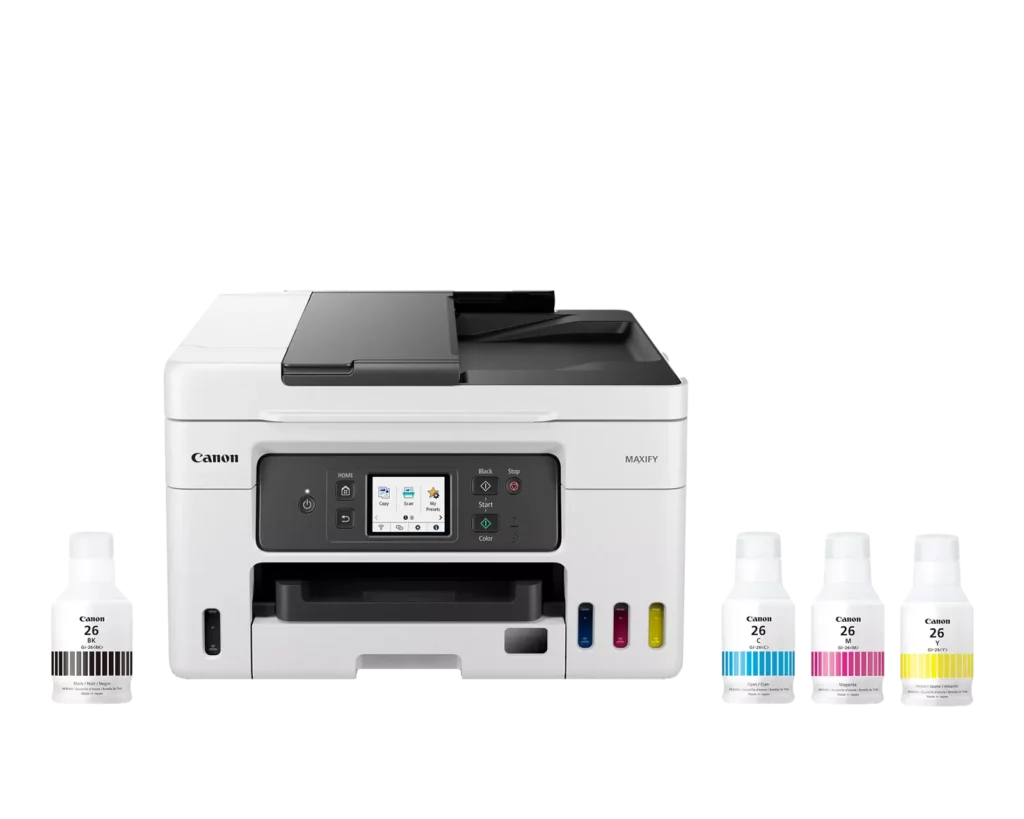
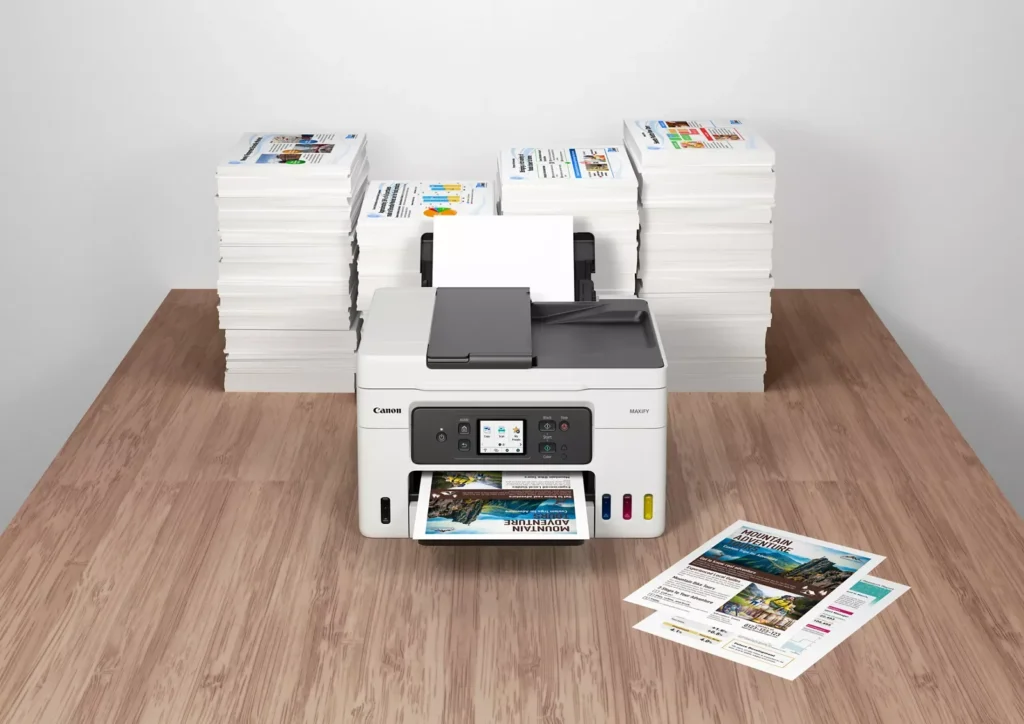
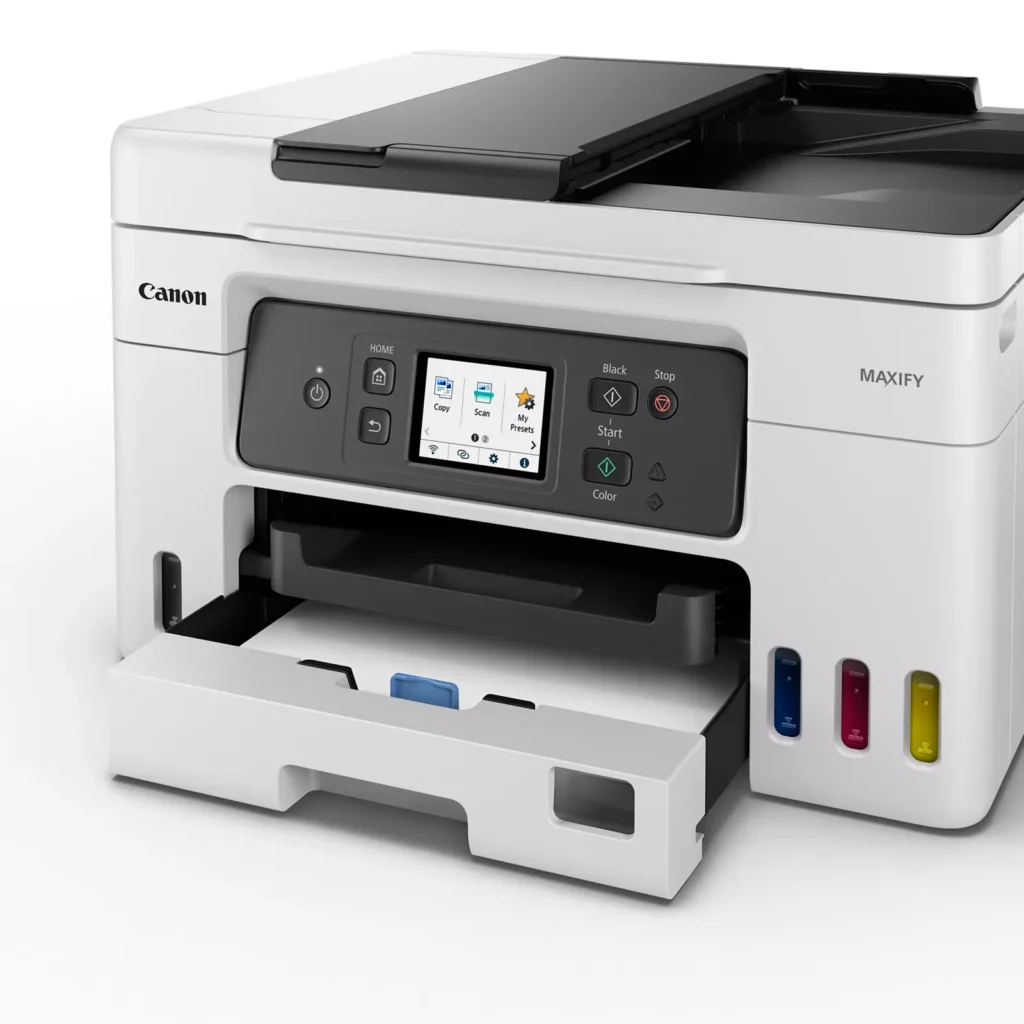
| High Page Yield and Low Running Costs | The MegaTank refillable ink system delivers an impressive yield of up to 6,000 black and 14,000 color pages with a single set of ink bottles. This high-capacity design results in a low cost per print of less than 2 cents per page, significantly reducing the total cost of ownership compared to traditional cartridge-based printers. |
|---|---|
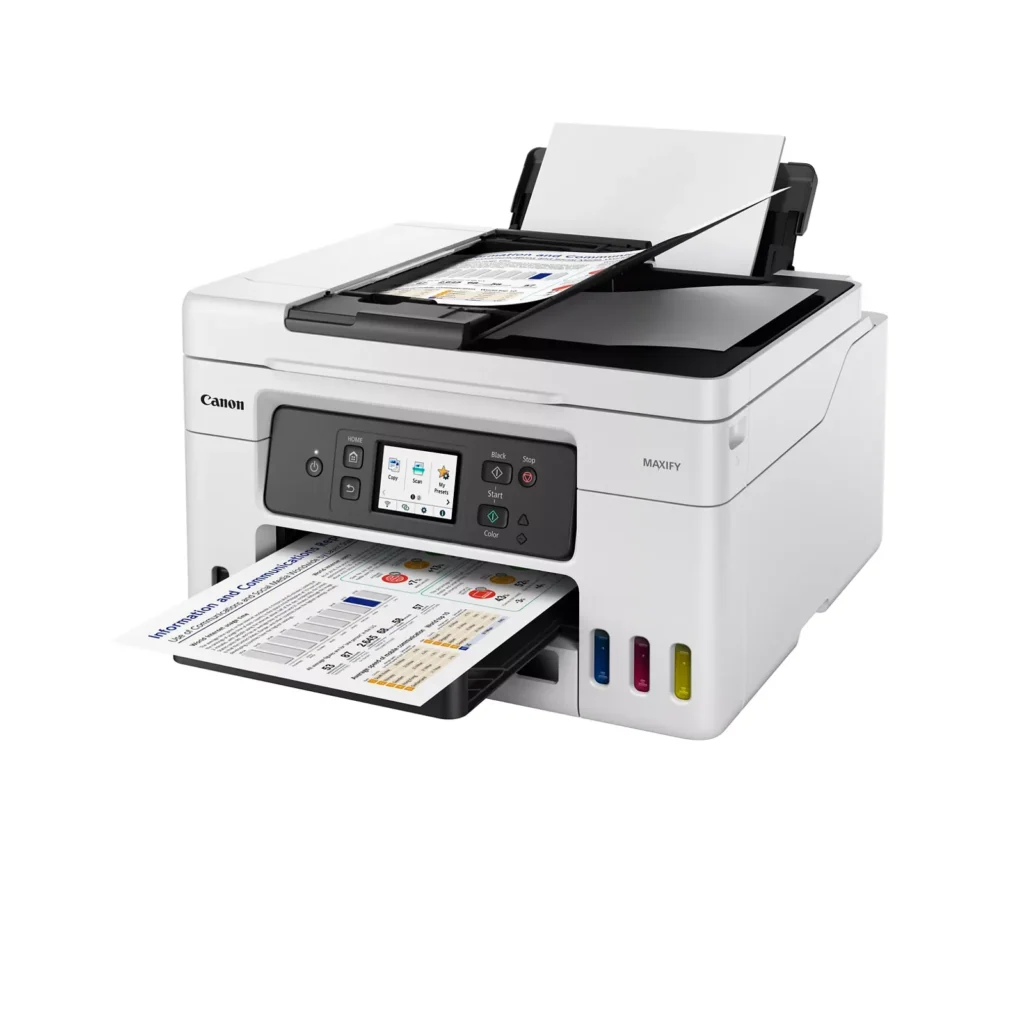
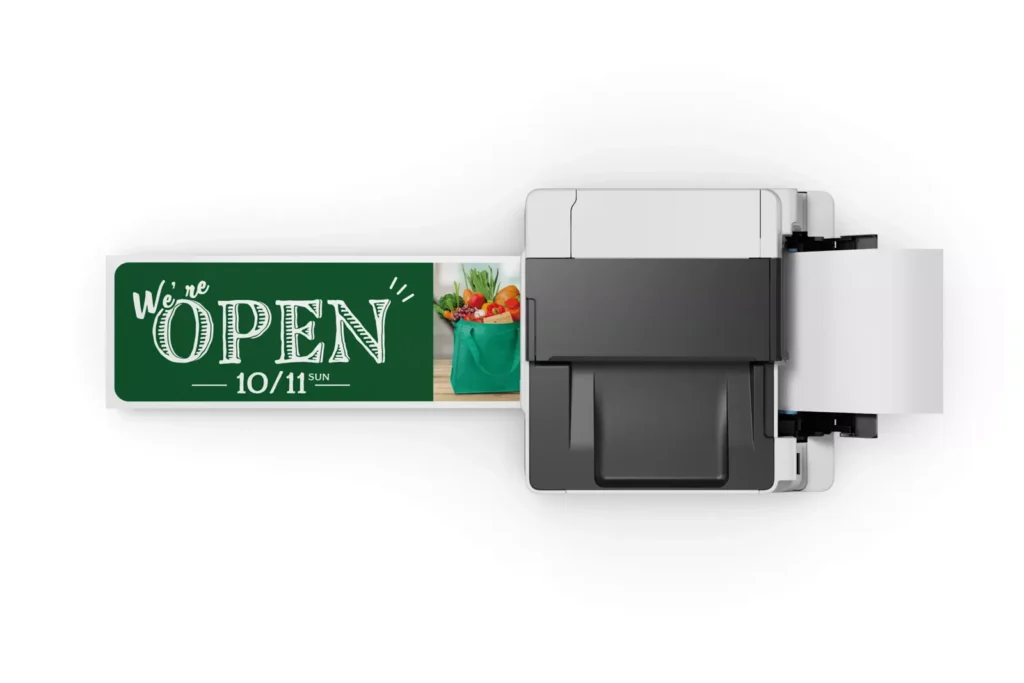
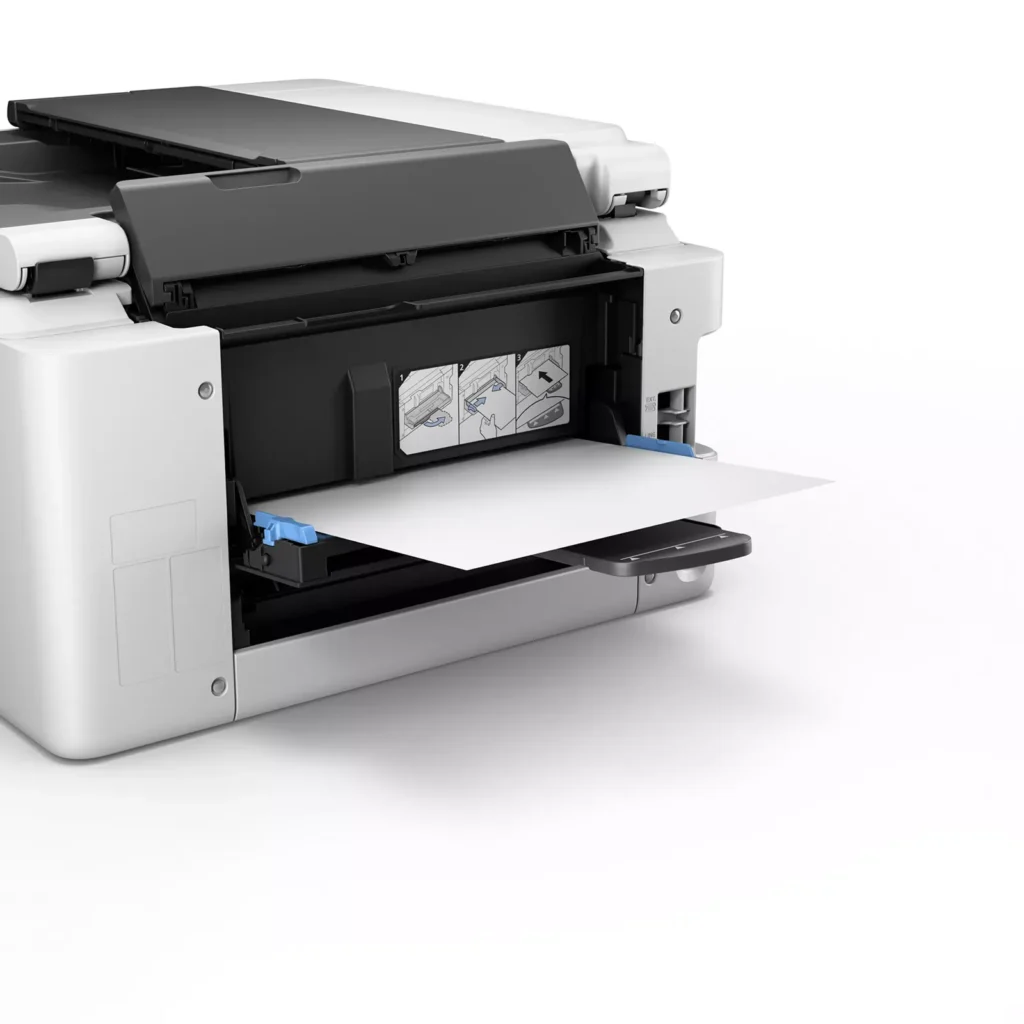
| Versatile 3-Way Paper Feeding | Equipped with a 250-sheet bottom cassette and a 100-sheet rear tray, this printer also features a unique rear flat tray designed for thicker media. This allows for seamless printing on a wide variety of materials, including envelopes, banners up to 47 inches, and heavy cardstock up to 0.7mm thick. |
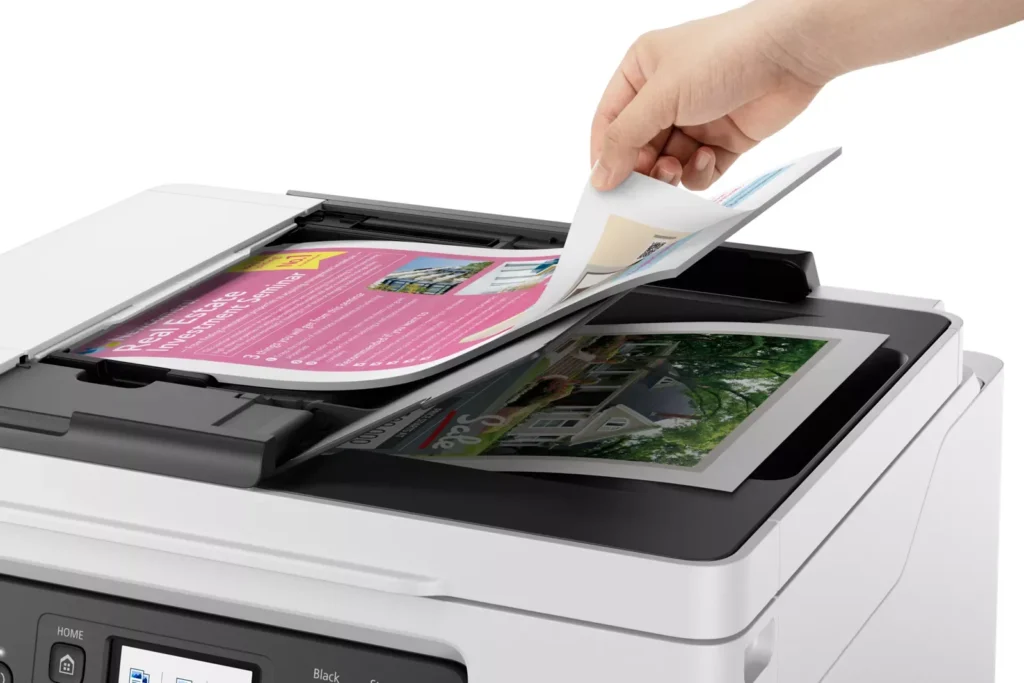
| Fast Business-Class Performance | Boost office productivity with print speeds of up to 18.0 ipm in black and 13.0 ipm in color. The integrated 35-sheet Automatic Document Feeder (ADF) streamlines multi-page scanning, copying, and faxing tasks, while the first print-out time is as fast as 8 seconds. |
| Durable 4-Color Pigment Ink System | Utilizing a 100% pigment-based ink system, the GX4020 produces sharp, laser-like text and vibrant graphics that are highly resistant to smudging and highlighters. This ensures professional-quality documents that are durable enough for frequent handling in a busy office environment. |
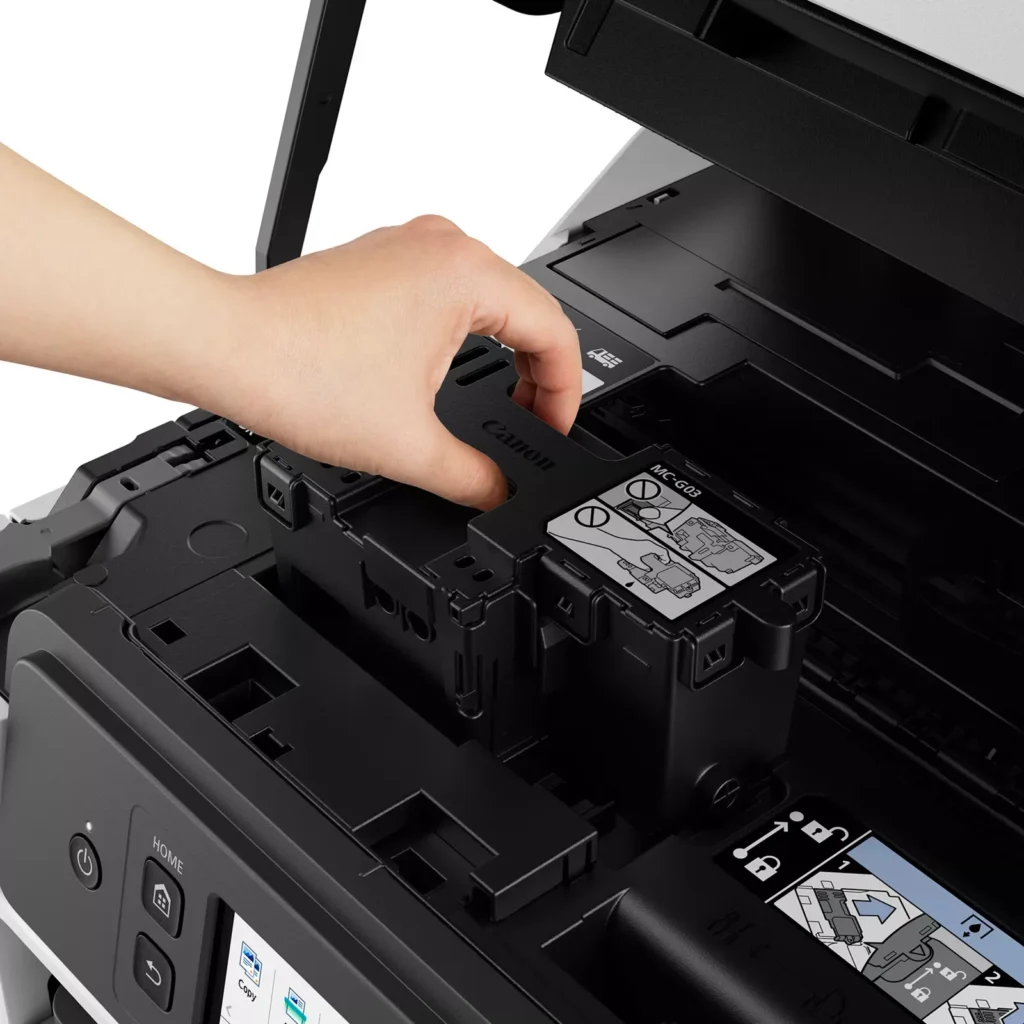
| User-Friendly Maintenance and Reliability | Designed for minimal downtime, the printer features a user-replaceable print head and maintenance cartridge that can be swapped without a service call. It is further backed by a 3-year or 80,000-page limited warranty, providing long-term peace of mind for small business owners. |
Pros & Cons
Pros
- Exceptional Ink Efficiency: The MegaTank system offers a massive ink capacity that lasts for thousands of pages, with a mess-free refill process that significantly reduces long-term operating costs compared to cartridge-based models.
- High-Quality Print and Scan Results: Reviewers consistently praise the printer for producing crisp, professional text and vibrant colors on various media, including glossy photos, stickers, and heavy cardstock.
- Versatile Media Handling: The device features multiple paper sources, including a high-capacity front cassette and a rear tray, allowing users to keep different paper types loaded simultaneously for diverse projects.
Cons
- Persistent Connectivity Issues: A significant number of users experienced frequent WiFi disconnections, difficulty with AirPrint, and a complex setup process that often required manual IP configuration to remain stable.
- Slow Operational Performance: The printer is noted for being slow to wake from sleep mode, having a sluggish touchscreen interface, and taking a long time to process and print documents, especially in high-quality mode.
- Limited Scanning Features: While the printer supports automatic duplex printing, the document feeder lacks automatic duplex scanning, requiring users to manually flip pages to scan both sides.
You might also like












Customer Reviews
Showing reviews 211-220 of 261
-
outstanding printer from a long trusted brand
bd43274 January 16, 2023Review source: BestbuyMAXIFY GX4020
the good:
print quality – Coming from a laser printer (toner, one color), I will admit I am very impressed with the printing quality of the 4020. I found colors to be vibrant with excellent detail, regardless of the paper type or text/images. In my opinion there are a few qualities that are really the “bread and butter” of a printer, and of course this would be one. One thing of note; if you have a color image on one side of normal printing paper, be aware that the paper can feel somewhat “wet”. Definitely let the paper fully dry before printing an image on the other side. The amount of ink it lays down in default mode is substantial and saturates the paper.
ink “tanks” – Another “bread and butter” quality for a printer is the cost of printing, and the switch from ink cartridges to individual reservoirs for the base colors is a welcome one. Instead of paying astronomical prices for little complex plastic cartridges, they’ve taken the tech out of the cartridge part, which of course is simply a waste of money. With the 4020 you simply buy bottles of ink. The cost per page ends up being significantly less than a traditional cartridge printer. They key comparison of course is the higher start up cost for the printer itself. It still remains to be seen if it will last long enough to offset that cost with the ink savings, but at the very least you won’t feel like you’re getting robbed every time you replace the ink.
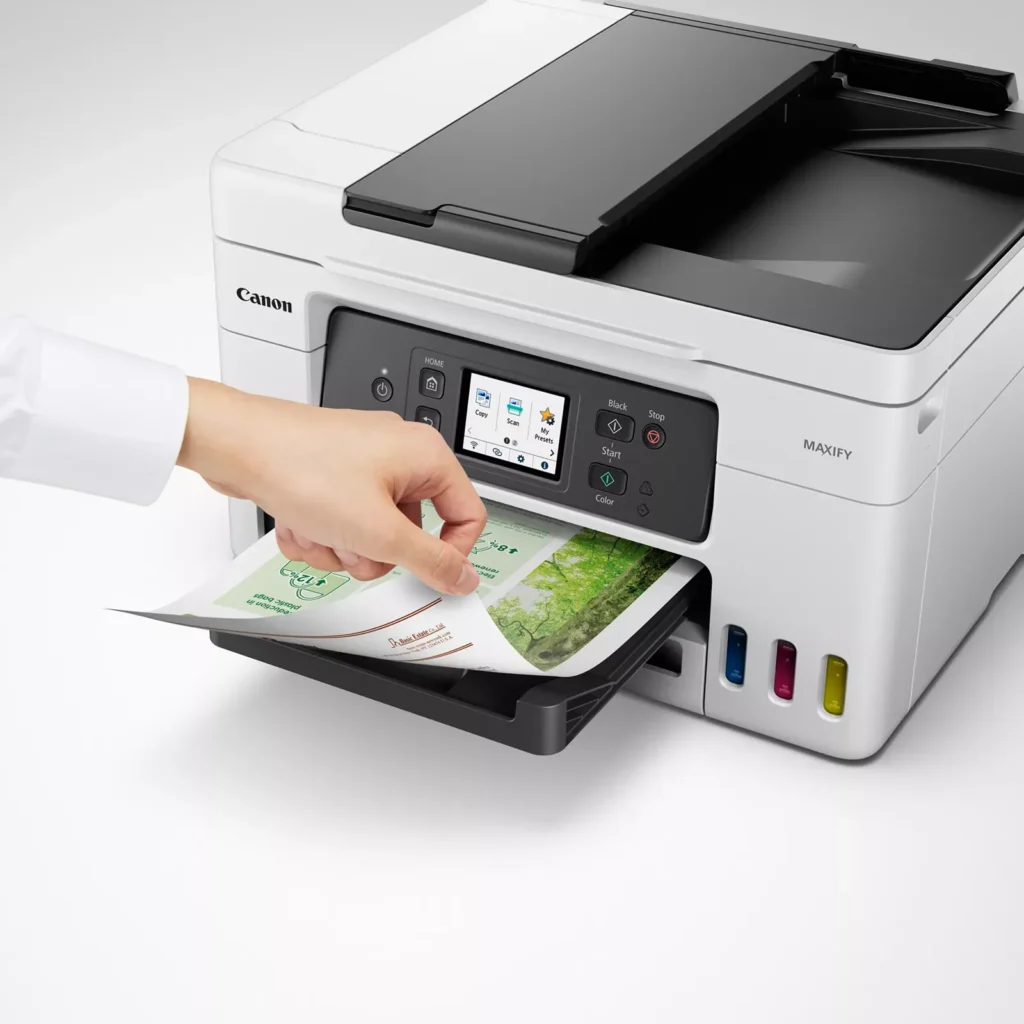
duplex printing – Most printers in this price range will have this feature so of course it’s nice to see here.
scan quality – good, not great. I personally don’t consider this a make or break feature, mostly just a nice to have for ADF scanning. Otherwise I’ll just use my phone.
small footprint – Considering its features and quality, it has a smaller footprint than my old (4-5 year old) toner laserjet printer.
network connectivity, wired or wireless – Connect over wifi or network cable, and print directly from mobile devices connected to the same network.
Auto power on/power off configuration – Set each option separately, with the ability to power on when data is received.
the bad :
duplex scanning is manual. Not a huge deal, and really only helpful for larger multi-page documents.
misc:
fax ability – If you happen to be one of the few people left on the planet who require a fax, good to know you’re covered with Canon’s current offering.
print speed is good, not great – Again, really only noticeable with larger documents. I personally don’t see it as much of a down side.
overall:
Outstanding printer from a long trusted brand. Easy 5 stars for me.Read More
-
Exceptional Canon Quality
Adam January 15, 2023Review source: BestbuyAfter a couple weeks of use of the Canon 4020 printer, I have to say, it’s probably the happiest I’ve been with a printer at this price point or below. This coming from an IT professional who has dealt with setting many up, and associated user complaints.The kicker for me was the ease of setup using my phone, and ultimately the ability to easily print directly from it with the app. If you’re like me, I use my phone for everything, from viewing bills, forms, email, etc. I have several computers, but I rarely use them unless I have to type, so I appreciate the integration, moreso than other brands, in accommodating the mobile devices. On to quality, I didn’t have any photo paper, mainly because I print invoices and forms exclusively, but I did attempt to print one even on plain paper, and it came out surprisingly good! The scan feature is easy, but be aware, if you’re going to be scanning into your computer, although this has an ADF, it is not fast, at all….So any frequent scanning is highly discouraged, but it’s at least available on this for the occasional usage. Copy of course allows you to use the flat bed or ADF. There is also a direct input in the rear that folds out to do envelopes or thicker items that may not bend well through the traditional drawer. The quality of the device feels modest, not impressive, but acceptable. I foresee the slide out tray to catch prints breaking at some point down the road, but this is a true all-in-one device at a fairly decent price for the features. This isn’t even mentioning the whole “maxify mega tank”. The ink comes in 4 separate bottles, 3 color and 1 black. It is extremely simple to input, the bottles have their own specific ports that each have a unique cutout pattern, so you can’t insert the wrong color in the wrong slot, I appreciate that, if not for myself, for other users that may be less…aware. I’m skeptical the ink will stay fresh and not begin to clot, but I’m assuming Canon did their research here and have a special formula to avoid that. The claim for 14,000 color pages is extreme. I rarely print in color, so we’ll see how it holds up. Overall a very solid machine at this price point, especially if you have a mini home office that requires multifunctionality.Read More
-
Exactly what we needed for the home.
Verified purchase Verified purchase: This reviewer bought the product.Amazon Customer January 15, 2023Review source: AmazonThis is the first tank printer we’ve owned. So far, it looks like the cost of ink is going to drop like a rock. Yhe documents come out great but haven’t gotten into printing pictures yet but the first trials came out pretty darn nice. Love the large paper tray and the ability to load more than one sheet at a time to either scan or make copies. Would be great for a small work at home business but with how much the wife like to print I have a feeling that this is going to be operating in our home till it completely dies.
-
Excellent all-in-one with large capacity and yield
Steven January 13, 2023Review source: BestbuyGot this Canon MAXIFY GX4020 all-in-one printer for home use. I got tired of all the other printers I’ve had running out of their color ink. I have four school-age kids and a very involved active wife – Of course this means we do a lot of printing on a daily/weekly/monthly basis. I already have a nice laser printer setup for documents and all our black and white printing, but I was really sick and tired of every time we needed to print something in color one or more of the color cartridges needed to be replaced. It never failed, EVERY SINGLE TIME we needed something in color I would need to replace the color ink. Not anymore!! This is a mega tank printer which means there is a ton of ink on hand at any given time. It even has super convenient tank level indicators to see the levels of each color right on the front of the printer – this is extremely useful to know at any given time exactly where your levels stand. I have not had the machine long enough to test the actual print output yield, but the manufacturer claims high yields of 6,000 pages black and 14,000 pages of color per set of ink bottles.
Print quality is crisp and sharp with excellent 600×1200 DPI.
It has both simple straight forward wireless that you can setup with even using a computer – OR – it also has the much-appreciated built-in wired LAN support to connect to a wired network.
The built-in auto duplexing is a big plus for me as well for saving paper as well as time during the print process. This is much nicer than manual duplex where you need to flip it by hand and hope you put it back into the printer in the correct orientation for it to print the back side of the paper correctly. I also love the auto document feeder for scanning larger documents. Again, this just simplifies tasks and saves time.
Setup is easy and quick using the 2.7” touchscreen on the unit. No need for a computer to get this thing up and going and connected to your network.
Overall I have been very happy with this unit thus far and I am excited to see how long the ink really lasts as well as how the refill process goes.Read More
-
Fantastic and useful All in one GX4020
AngelM January 11, 2023Review source: BestbuyI have many Canon products including my R7 and the Maxify GX4020 is what I needed for my home small office.
Right out of the box it comes well packaged, it comes with instructions on how to take it out, it has tape to make sure everything is intact on arrival. The box comes with the GX4020, Power cord, telephone/fax cord, 4 Canon 26 ink (one yellow, one cyan, one magenta and one black) and lastly the manual and instructions.
Setup is easy, it comes with a setup instructions pamphlet, and the application either on the computer or mobile device can be connected to the all in one. It has generic drawings of the printer and has step by step, from turning on the printer, pouring the ink, loading paper and the instructions on the screen of the printer.
I like how it works either wired or wireless, so I do not need to have the printer next to me or my printer all I need is an outlet to plug it in.
Printing is easy and for a home office it is fast, I like that I can print from my mobile device as well as my computer or laptop that I work from and it is not wired. I also like that it does print on both sides and it prints with a nice sharp and crisp finish. As I mentioned I have an R7 so I have printed my photos and they come out great.
Copying is easy with the ADF or automatic document feeder up to 35 pages and that is more than enough for me.
Scanning is something I do a lot since I do not like to have documents around, I just scan and store them on my computer, cloud or storage. The scanning resolution is 1200 x 2400 and it is plenty.
Faxing can be done and it is a good option to have but I usually just scan and email or share the file.
As for the ink, I really like the visual I have on the ink; the printer has windows to show the levels of ink and having a visual also helps to know if I have to order more Canon ink.
I like the touch screen on the printer, I can do everything from the touchscreen if I want to and also it does give me important information such as how to do maintenance or fill with ink.
I also like the shape of the printer, I can do everything I need without taking much space.
Overall I really like the GX4020 for home or small office, I like how easy it is to setup and maintain. I like that it is easy to connect and use. I also like that all around the printer you have stickers showing me how to open, close, fill with ink and on the screen there is more information, finally on the application there is plenty more info available if necessary.Read More
-
This Printer Has It All!
ElectronicJunkie January 11, 2023Review source: BestbuyCanon has officially won my heart back with the Maxify MegaTank GX4020, an all in one printing solution. Setup was the easiest yet with easy to follow prompts plus fast and easy mobile setup as well!
This is an All in One printing solution, which means it can Print, Copy, Scan, and Fax. This is available on most printers nowadays but where the Canon shines is the scan and copy bed, with a 1200 x 2400 dpi can resolution, which gives original detail on almost every document, photo or whatever you are scanning/copying/faxing. The Copy features are plenty as well with Fit to Page, Doc Copy, and even ID Copy, but that’s not all.The printer itself can make great photos and print all the work documents you need, but I found it works great making stickers! Yes, stickers, and it rocks! I bought a sticker making kit with precut shapes you can add a logo, picture, or whatever you want and print. The quality is just as good as the $5 stickers at truck stops, which is fine with me. The printer also can make professional signs and long style banners, I only tried a small 8×10 poster and the quality looked no worse or better than most local printing companies, this will save me lots of printing costs for the fliers I use at events.
The printing color is also very true to what I want, the colors do not differ much and it is always hard to take what is on a screen and put it to paper. My system has been tuned to have the truest colors as I design graphics for ATV’s, dirt bikes and more, so I can truly say Canon’s color profiles are corrected and can be used for projects that color is the utmost important item on your checklist.
This is my first tank style printer and I can say this looks to be the way to go. Quick fill, easy to buy the ink at many retailers and cheaper in the long run from what I can tell. The printing head can be removed easily for replacement and maintenance as well, it will most likely last the lifetime of a normal consumer but may wear out in a business setting after a few years like most do.
The 4020 has an included 3 Year or 80,000 Page warranty, which is insane for most companies nowadays, this shows me that Canon knows this printer is built to last and perform.
Print fast, Print Clear, Print Bright, Print with this Canon!Read More
-
Great for home office or small businesses!
tmcgo510 January 11, 2023Review source: BestbuyThe Canon Maxify GX4020 is one amazing device. It truly, in my opinion, checks all the boxes for a small business or home office. It copies, prints, scans, and even faxes documents! On a side note, I am not sure exactly how many people still send a fax, but it is a nice feature to have. It came well packaged and, after opening the box, I followed the easy to understand setup instructions. The main thing that has to be done is adding ink. This printer holds a huge amount of ink in four different reservoirs. All you have to do is open the bottle of ink and dump it into the appropriate reservoir. It really is that simple. After that, I loaded some normal printer paper into the printer and let it run the setup process. This printer does also do automatic double sided printing which is an awesome addition to the device. Printing wirelessly from my phone and laptop was a breeze as well. My only complaint about this printer is the screen size and the lack of a “tilt” function. I feel like a printer of this quality should have a larger screen. I also feel like it would have been easier to use if I could have tilted the screen outward. Other than that, this is a great printer with a huge ink reservoir that will print a long time before having to buy more ink!
-
Awesome Multifunction – Does Everything Well !
James K January 11, 2023Review source: BestbuyWe have three users in our household and an indispensible need for a multifunction unit that “just works”.
We all love to print in full color, my spouse scans quit a few documents on a monthly basis and my daughter
seems to invent a new art or scapbooking use for printer ink every other week. We previously used an HP full
color laser that was marketed towards small office or home use. That has served us well for the last few years
but we have always wanted to be able to do glossy photo prints and higher resolution graphics.I was thrilled to hook up the Maxify GX4020 with pigment based inks. This printer has a faster time to ready
than our laser, Prints dual sided without issue and prints remarkably good photos. Straight out of the box I was
laughing at the size of ink bottles – especially the black. Notably – the included bottles will be consumed in
the first fill. Yes – that IS how large the tanks are ! After a quick search for replacement ink, I also noted
that it’s quite inexpensive to buy more. The first run setup took around 5 minutes to prime the printer and it
self aligned. I used the app to setup the printer and wifi settings. I also checked through the onscreen settings,
they are easy to navigate if you don’t want to install an app on you phone.Torture testing – We have collectively scanned over 1000 pages already most of which were scanned via the ADF.
I’ve managed to Jam the ADF two or three times with an inadvertantly folded over page which I consider to be user
error. I have printed a stack of photos on photo paper – they are all crisp and vibrant with no streaks or banding.
I have also printed out a few manuals from the 1950’s complete with original technical drawings – black and line
art print very fast and dual sided printing saves on paper. Our art loving teenager has printed a pile of patterned
papers for scrapbooking and other projects and a good number of photos. This printer keeps doing exactly what it
was made to do.Compatibility –
Using the default driver on Windows 10/11 – we are able to print and scan without issue.
ChromeOS / Android / Mac – Also can also print without issue and autodetect the printer.What I Love –
ADF feeder – We have already scanned around 1000-1200 pages. The ADF feed is not “picky” and works well.
Massive ink capacity, Low ink cost and waste tank is inexpensive to replace ( $14-17 at the time of this review )
Lots of extra features – Cloud ability, built in prints etc. . . go ahead and wander through the menus – nice suprise !
5GHZ Wifi compatibility – THANK YOU ! –Room for improvement –
Power Management – Defaults to power off after 12 hours requiring a physical power on to bring the printer back up.
Periodic head purge and clean- I would love to be able to set the interval and just leave the printer powered on / asleep. -
Nice, full-featured printer/scanner
Incentivized Incentivized review: The reviewer received a benefit for sharing feedback.MikeDevo January 10, 2023Review source: AmazonNice printer, right out of the box. Small item, but I like that it’s white. Very easy to setup, only a few steps to follow. Included documentation is sparse, with a few steps to startup. Some see that as a problem, but I typically download or use online instructions for most things these days. Connected easily/quickly to my home wireless network. Printing/scanning worked perfectly through my phone and my laptop. Fax? No land line, and I’m not a business user, so that will probably never be tested. Biggest plus for me that I’ve always wanted was the ink supply. It came with four containers of ink, which were easy to use to fill the printer. Info. claims x number of copies/prints/etc., but I probably won’t keep exact track of that – but no buying of cartridges needed, and the software should tell me when I need to refill. Color screen on the printer easy to see and use, paper trays versatile and also easy to use. Has a variety of settings to personalize. One for me that other home printers didn’t have, you can choose if it powers completely down after a certain amount of time and what “wakes” it up – front panel interaction or a software request to print or scan. It defaults at the front panel, so I thought I had a problem. Once I set it to respond to a request to print, all good. Prints clear, clean, sharp and pretty quickly – of course depending on what’s being printed. Overall very pleased, we’ll see how it holds up over time. It has other capabilities which I haven’t used yet, but if they all operate as well as the basic stuff I’ve used so far, it’s a winner. Imagine it would be great for a small business, very capable for home use.
-
Great all-in-one printer for daily or home office!
Sac22 January 9, 2023Review source: BestbuyDesign:
The printer has a nice and attractive look. Considering the features available in this printer, it is just the right weight and has a compact design, so it easily fits onto a computer desk at home, or in a small home office.Features:
This compact printer provides wireless printing at a low cost without the need for a computer if you don’t have one. This delivers smooth and excellent-quality prints. It has a 2.7″LCD touchscreen to operate and is quite user-friendly. The setup was easy and was completed in about 20-25 minutes. The only thing I can highlight is while setting up the printer, the screen visual is always showing the yellow ink to be filled and then closing the lid but instead, all the inks need to be filled before closing the lid and moving ahead. I was stuck at this point for some time but later everything was smooth. The Wi-Fi setup is easy and straightforward and within a few minutes, the printer can be used on Wi-Fi. I prefer to use it via AirPrint as it is very convenient for me. The other impressive feature is built-in automatic duplex printing which is not commonly available in compact-size printers, but this is definitely a great add-on. I love this feature as it is done automatically and helps to reduce the printing cost and also helps the environment in the process. In addition to print, I have verified the copy, scan and fax features too. The copy was almost identical to the original and the fax goes out pretty quickly.Overall, this is a great all-in-one printer for daily or home office that is easy to use, portable, and gives great quality prints.