Customer Media
Highlights
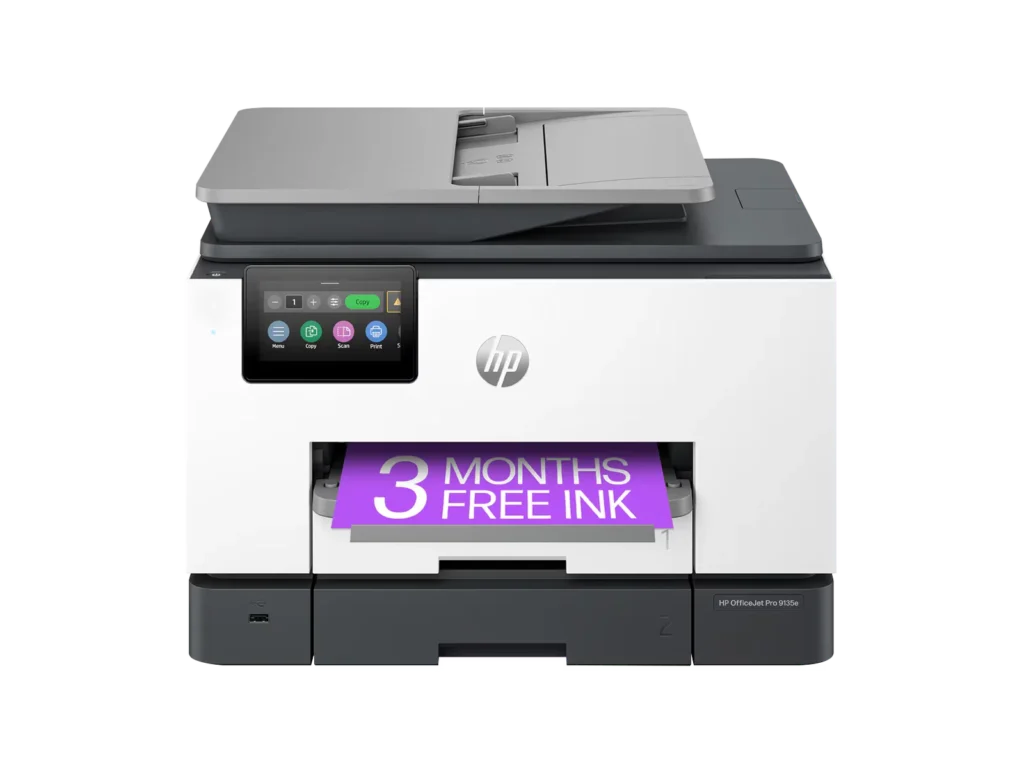
| Blazing Fast Print Speeds | Experience rapid printing with speeds up to 25 pages per minute (ppm) for black and white documents and 20 ppm for color documents, ensuring efficient workflow for busy offices. |
|---|---|
| High Capacity & Automatic Duplexing | Equipped with a substantial 500-sheet paper capacity, split across two 250-sheet input trays, and featuring automatic two-sided printing and single-pass duplex scanning, this printer is designed for high-volume tasks and enhanced productivity. |
| AI-Enabled Smart Features | The HP OfficeJet Pro 9135e is AI-enabled to intuitively adapt to your workflow and offers perfectly formatted prints with HP AI, alongside seamless integration with HP's easy-to-use print app for cloud sharing and multi-device printing. |
| Reliable Connectivity & Robust Security | Stay connected with HP's self-healing dual-band Wi-Fi that automatically reconnects, and protect your network from cyberthreats with HP Wolf Pro Security, ensuring your multifunction printer stays up to date and secure. |
| Versatile All-in-One Functionality | This all-in-one inkjet printer provides comprehensive functionality, allowing you to print, copy, scan, and fax, making it a versatile solution for diverse office needs. |
Pros & Cons
Pros
- Excellent Print Quality: The printer consistently delivers crisp, clear, and vibrant prints for both documents and photos, with many reviewers noting its professional or laser-like quality.
- Fast Printing and Scanning: Users appreciate the high speed of printing, especially for basic jobs, and the efficiency of features like automatic two-sided printing and one-pass duplex scanning.
- Versatile All-in-One Features: The device is highly valued for its comprehensive functionalities including printing, scanning, copying, and faxing, along with practical features like dual paper trays and seamless mobile printing via the HP Smart app.
Cons
- Connectivity and Setup Challenges: Many customers found the initial setup complicated and time-consuming, often encountering difficulties with wireless connectivity, frequent disconnections, and the printer not being recognized by devices, sometimes requiring multiple reboots or extensive troubleshooting.
- High Ink Costs and Restrictive Policies: A major point of dissatisfaction is the high cost of HP's proprietary ink cartridges and the mandatory nature of the HP Instant Ink subscription, with some users reporting the printer becoming unusable if non-HP ink is detected or the subscription is cancelled.
- Noise and Mechanical Issues: Several reviewers noted the printer is considerably noisy during operation. Other mechanical problems include frequent paper jams, the output tray bending printed pages, and the scanner feeder being unreliable or slow.
Customer Fit
- Primary audience: Home-office professionals or small-business owners who need fast, dependable color printing and scanning for daily paperwork.
- Secondary audience: Families and remote workers printing homework, invoices, or photos who value easy wireless control and compact size.
- Ideal scenarios: Typical uses include home offices printing client files, scanning multi-page contracts, or producing marketing flyers and reports.
Customer Reviews
Showing reviews 711-720 of 729
-
HP Printer
Verified purchase Verified purchase: This reviewer bought the product. Incentivized Incentivized review: The reviewer received a benefit for sharing feedback.SailorGuy February 16, 2024Review source: BestbuyGreat printer . Easy to setup and configure. Prints fast
-
One of the Best All-in-One Printers
Incentivized Incentivized review: The reviewer received a benefit for sharing feedback.Ian L February 16, 2024Review source: BestbuyI recently had the chance to upgrade my old HP printer to the HP OfficeJet Pro 9135e and it has exceeded my expectations with its array of features that cater to both productivity and convenience, making it a standout option in its category.
The setup for this printer is by far one of the easiest wireless setups I have come across to date.
Setting it up on my network was a breeze, just download the HP smart app from your app store on your phone or laptop on the windows store or the app store for Mac and add a new device and follow the steps and you are ready to go.the ability to print seamlessly from multiple devices, including my smartphone, Desktop, tablets,and laptop adds a level of flexibility that simplifies my workflow.No longer am I having to forward something on my phone to my laptop to print anymore.Print speed and quality are two crucial factors for any printer, and the OfficeJet Pro 9135e excels in both areas. As someone who has to print documents that can be up to 100 pages the printing speed ensures that I don’t have to wait around for my documents, and the print quality is consistently sharp and clear with so far no smearing or ink bleed on the pages. The inclusion of automatic double-sided printing is a noteworthy feature, saving me a ton of time not having to take the page out and flip it back into the feeder like I had to do with my old printer. As someone who also mails out a lot of envelopes, tray 1 has the ability to print envelopes and can hold up to 20+ envelopes at a time has saved me a ton of time in my work process and not having to worry about individually loading one envelope at a time like I also had to do with my old printer.
The scanner and copier provides high-resolution scans and copies with speed and ease. The automatic document feeder (ADF) is a valuable addition, allowing for efficient scanning or copying of multiple pages at once. The touchscreen control panel is user-friendly and responsive, making it simple to navigate through the various functions and settings.
The only real negative thing I encountered was the installation of the ink cartridges, in that it uses a spring system to load the ink, where I had issues with the ink cartridges not fully seating in causing it to get stuck and had to forcibly pull the ink cartridge back to reseat it and it finally clicked in after some force and I havent had an issues since.
Overall the HP OfficeJet Pro 9135e Wireless All-in-One Printer has proven to be a valuable asset to my home office. Its combination of wireless connectivity, fast printing, and ADF scanning make it a top contender in the realm of all-in-one printers. You can not go wrong with this printer and I highly recommend this printer for all your printing and copying needs. -
Great Printer for a Small to Mid-Sized Business
Incentivized Incentivized review: The reviewer received a benefit for sharing feedback.TechGuru February 16, 2024Review source: BestbuyThe HP officejet pro 9135 e wireless all-in-one inkjet printer is an excellent, affordable piece of hardware for your small to mid size office. Especially when compared against IT and print subscription services, this is such a great price.
First off, right out of the box, it struck me how large the paper storage trays were, and that there were two of them. A larger storage tray means that you run out of paper less often, and can focus more on doing work.
Double-sided printing and scanning give this the full gamut of capabilities that a typical small to mid size office would need.Color print jobs looked amazing, even just on standard paper. Although the photo paper quality was even more impressive.
The HP SmartApp allows you to print remotely, as well as share scans, etc. You can also set up the printer to automatically send scans to a network folder, an email address, or even a cloud drive. This allows for amazing workflows, especially at any businesses that require lots of scanning, such as mini law firms. This device can make ediscovery scanning and placement on network drives incredibly simple.
There is a printer ink service that you can subscribe to, which is great and convenient if you have an overcast office manager. It’s also great for when you always need the highest quality of prints. Is the lack of ability to use generic ink. While this doesn’t suit every use case, being able to use generic ink can save a lot of money for businesses and individuals who do a lot of printing. That said, HP touts that using this printer a black and white page is about a penny to print in ink, and the color pages about 16 cents. You can use those figures to help determine if this is the right printer for you, but also, if you have this printer, use those numbers for larger print jobs to determine if you need to take that job to a print shop or can just use this printer.
-
HP never lets me down! Bigger LCD!!
Incentivized Incentivized review: The reviewer received a benefit for sharing feedback.GameOverSuckas February 15, 2024Review source: BestbuyMy first PC was Hewlett Packard, throughout the years I’ve had numerous products from their company, whether it be printers, scanners, copiers, or pc. The one thing that always came to be true was that I never had an issue with any of them. Setup was always simple and easy. Just as with this HP OfficeJet Pro 9135e All-in-One Printer was.
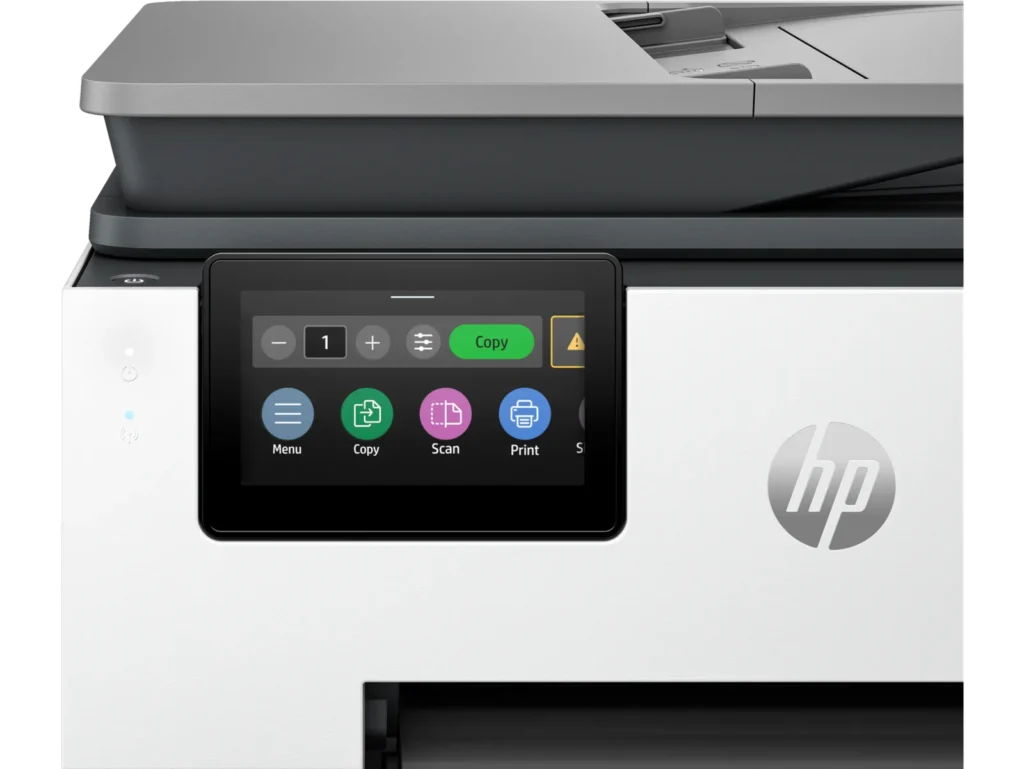
One of the first things that stands out from my last HP printer, copier, and fax, was the size of the touch screen LCD screen which was noticeably larger at 4.3 inches now, and easier to read as well as manipulate through the settings. You can use it wirelessly or wired, it’s Energy Star compliant which is always a plus. Color print speed are about 20 pages per minute and Mono Print Speed is roughly 25 pages per minute. It doesn’t take much desktop space being at 12.53 height, 17.2 width, and 15.6 depth. And you’re getting multiple devices all wrapped up in one.
Other things I liked were it automatically prints double sided prints, tray capacity is 250. As far as the scanner the resolution is 1200 x 1200. It has 4 separate cartridges for the different ink colors and black. This does come with 3 months of free HP’s ink program. Printer resolution for black is up to 1200 x 1200, and for color up to 4800 x 1200.
In using it they’re super fast. I haven’t tried to print any pictures out as of yet but as far as documents everything I throw at it, it handles with ease. I would highly recommend this to others
-
Good printer. Lousy philosophy.
Incentivized Incentivized review: The reviewer received a benefit for sharing feedback.swemoney February 15, 2024Review source: BestbuyHP printers do a good job at their primary function. I haven’t had any issues with them as far as them just being printers (or scanners or copiers). My biggest gripe is just the philosophy behind the company and how expensive it is to replace the ink. This isn’t new news but with recent remarks stating their whole goal is to DRM all of their ink and push everyone into subscriptions, I’m just not a huge fan.
As far as the printer goes, it was pretty easy to set up. I ran into a hiccup that just sort of resolved itself when setting up the wifi settings. You do everything from the app which gave me the option to skip logging in (surprising) but I already had an HP account so I logged in anyways. You follow the steps to insert paper (they say to insert paper into the bottom tray, but the bottom tray is labeled 2 which just irks me), insert the ink that’s included, print out a test/calibration page and connect to wifi. I tried over and over to connect to my wifi and kept getting an error message. Google told me that I could resolve it by changing a setting on my router but I eventually just bypassed the setup on the printer and printed out a wifi connection page that said all of my wifi details were correct and that it was receiving an IP. So who knows what that was about. It took a little bit of time but eventually my phone and computers started seeing the printer on the network. So the hiccup didn’t really stop anything but it was annoying at the time.
Usage is nice and simple. Most devices just see the printer on the network and allow me to print straight away. I don’t need any extra drivers or anything. Just select the printer and use the device’s print dialog to send it. The copy screen is displayed up front on the printer’s screen so it’s easy to access and you can just insert some papers into the tray or lift the top and then copy with minimal effort. Scanning will definitely depend on your setup. You can set some things up inside the printer to send any scans to a network drive. Or even email them to you. I think the easiest way to go about it (since USB thumb drives are so cheap and everywhere) is to just insert a USB drive into the port on the front and tell the scanner to send the scans there. No extra setup required. Just works.
Print quality is quite nice. I haven’t used anything but standard paper and thicker stock standard paper and the prints look good. Images print out nicely. I’m not sure it’ll replace a professional photo style printer or anything but it gets the job done. Copy/scanning quality is also top notch. I haven’t seen a ton of improvements on this front for many years. This one doesn’t disappoint.
My favorite thing about this printer (and past HP printers I’ve used) is just needing wifi and that’s it. Being able to plug it into power without worrying about connecting a network cable or powering on a PC it’s connected to is just so nice. Being able to print from any device without a lot of extra steps (i.e. not needing extra drivers on most devices) is very nice. Like I said, HP printers are good printers. I’m just not a fan of how much they price gouge their ink and how gung-ho they are on getting everyone to subscribe to their ink subscription plan. Their subscriptions are based on how many pages you print and they charge you every month no matter if you hit this number or not but they only send you a new set of inks if they detect that you’re running low. I’m just not a fan of their ink policy even if I enjoy using their printers.
Bottom line, if you need a printer for the office and you’re confident you’ll save money on an ink subscription, this might be the printer for you. It does it’s job correctly, just be ready for the cost of ink as you move forward.
-
Great little office printer
Incentivized Incentivized review: The reviewer received a benefit for sharing feedback.Derek February 12, 2024Review source: BestbuyIt’s a solid unit. Well-built, feels sturdy and heavy. Takes a little oomph to lift it out of the box and set it on the stand. Set up is about as easy as it comes. I am not a fan of having to use an app to set up a printer, and HP obliges by making set up entirely possible from the front panel. The front panel is a brightly colored 4.3” LCD screen and very responsive to the touch.
My main use for the 9135e is as a black and white printer/scanner. My wife is a teacher and is printing out literally hundreds of pages a week, as well as scanning in papers and uploading them to the cloud. The 9135e excels at both. Print quality is excellent, and scan quality with an auto feeder is excellent. I low how there are two trays for paper. My wife often needs to print visual aids on card stock, and having a separate tray that can hold card stock is such a benefit! No more need to swap paper in and out of a tray or accidentally print regular docs on expensive card stock. This is truly a great option to have on a home office printer.
Print cost is always something that is interesting to consider. I have a couple of printers that have the large ink tanks on them that can be refilled, and I do get spoiled by the low cost of printing. A replacement black HP 936 cartridge is around $42 and says it should yield 1,450 pages. Math turns out to be around 3 cents a page for black and white. Color of course is a bit more expensive, with the replacement carts (all three) costing around $80 for ~800 pages. That’s around 10 cents a color copy which isn’t too bad…. But could be better. If you are using this printer as a mostly black and white printer, I feel like you can’t go wrong.
-
Just Great
Incentivized Incentivized review: The reviewer received a benefit for sharing feedback.bigshayn87 February 12, 2024Review source: BestbuyThis printer is a beast. It looks like any other hp office all in one printer. It’s white and blends well into my area. It was fairly simple to setup. I use it with my PC, my Laptop and my smart phone. The software and app are great and sync with the printer very easily. I have had no issues printing, scanning or copying while using the app. I really like the dual trays and the ability to scan double sided documents is great. I was able to scan so many personal documents, that had information on both side, so easily and super quick compared to scanning one side at a time. The print speed is excellent. It shoots anything out super fast. The quality of the printer is also very good. I have printed a range of things, from documents to photos, and it has printed them with ease. The photos turned out really well on both standard paper and photo paper. I don’t notice and smudging or dripping on anything that I have printed. The best part is that it’s wireless. Just great at what it’s supposed to do. Overall, I am extremely happy with this all in one printer. HP did it again.
-
Great Printer for my Home Office
Incentivized Incentivized review: The reviewer received a benefit for sharing feedback.Frank Omelu February 11, 2024Review source: BestbuyIn the fast-paced world of office work, finding a reliable and efficient printer is paramount. My search ended with the HP OfficeJet Pro 9135e, a sleekly designed powerhouse that transformed my document management routine. Below, I delve into the features that stand out, making this printer a staple in my home office.
Professional-Quality Color Printing
The HP OfficeJet Pro 9135e shines when printing professional-quality color documents. The output is consistently crisp and vibrant, whether it is presentations, brochures, or flyers. With print speeds of up to 20 ppm in color and 25 ppm in black, my workflow has seen significant efficiency improvements.
Upgraded Features for Enhanced Productivity
This printer doesn’t just print; it is an all-in-one device designed to cater to all my office needs. The fast color printing, copying, faxing, and auto 2-sided printing and scanning are just the tip of the iceberg. Including an auto document feeder and two 250-sheet input trays ensures I spend less time managing the printer and more on what matters.
Seamless Wireless Printing Experience
The dual-band Wi-Fi connectivity of the OfficeJet Pro 9135e is a game-changer. It keeps me connected reliably with an intelligent system that automatically detects and resolves connection issues. The freedom to print from anywhere in the office without worrying about connectivity issues is a significant advantage.
Simplified Printing with the HP App
The HP app integration has made this printer even more indispensable. The ability to print, scan, copy, or fax right from my smartphone is the epitome of convenience. It is user-friendly and the most straightforward print app I have encountered, streamlining my document management process.
Cost-Effective Printing Solutions
HP’s Instant Ink delivery service is a revelation. With three months of printing included, I hope to take the convenience of having ink delivered to my door and significant savings. The subscription service, which is optional after the initial period, will reduce my printing costs by up to 50%.
Uncompromised Data Security
In today’s digital age, security is non-negotiable. The HP Wolf Pro Security features provide peace of mind with customizable tools to bolster security and protect against cyber threats and malware. This added layer of security is crucial for sensitive documents and data.
Intuitive User Interface
The 4.3-inch touchscreen with a phone-like user interface is another highlight. Navigating the printer’s features has never been easier, allowing for a more efficient and pleasant user experience.
Commitment to Sustainability
The sustainable design of the OfficeJet Pro 9135e, made with over 40% recycled plastic, reflects HP’s commitment to environmental responsibility. It is reassuring that my choice of printer contributes positively to the planet.
Smart Cartridge System
HP’s decision to ensure the printer works only with cartridges equipped with original HP chips or circuitry might seem restrictive, but it guarantees optimum performance and security. The periodic firmware updates keep the system running smoothly and securely.
Conclusion
The HP OfficeJet Pro 9135e Wireless All-in-One Color Inkjet Printer has exceeded my expectations in every aspect. From its professional-quality prints to its robust security features and commitment to sustainability, it is an invaluable asset to my office. I highly recommend it to anyone seeking a reliable, efficient, and feature-rich printing solution.
-
Another fine HP printer with good software feature
Incentivized Incentivized review: The reviewer received a benefit for sharing feedback.Drj5j February 11, 2024Review source: BestbuyI have been using HP Printers for something like 30 years, which indicates that (with occasional exceptions) I have had good experiences with HP. Before I acquired the HP OfficeJet Pro 9130e, I was using the HP OfficeJet 8034e and the HP OfficeJet Pro 9015 in different rooms. The latter died after almost exactly five years of use, which is why I acquired the 9130e.
The new 9130e is physically very similar to the older 9015, except that it has two paper trays, both of which slide in and out much easier than with the 9015 and 8034e. Paper is much easier to load in the 9130e than the 8034e and 9015, which required removal of the output tray every time I added paper—and this never seemed to go smoothly. The setup process is also similar. Written instructions indicated that I should scan a QR code to access online instructions. When I did so, the procedure had me go back and forth between the online instructions and instructions on the LCD panel on the computer. At one point, I was told to download the HP Smart App (which I already had on my phone) to help with the setup. Using four sets of instructions (written, online, LCD, phone app) for setup sounds complicated, but it is not. The instructions were easy to follow. I compared my experience to what I had written about the 9015 setup, and setup was much smoother this time. Setup with the older HP printer required downloading and installing two APK files on my phone, and the setup hung until I unplugged my Ethernet cable. With the newer HP 9130c, everything about the setup was much smoother, with one exception.
The exception involved the new design of the ink cartridges. With all my older HP printers, I could tell when the ink cartridges were properly installed because they clicked into place. You could literally hear a clicking sound, and the cartridge would not move around unless you ejected it. With the new cartridges for the 9130c, there was no audible click. And there was a spongey feeling as I inserted the cartridges, so I could not tell if I had pushed them in all the way. (There is a visible spring responsible for the spongey feeling.) After I thought I had all four cartridges installed correctly and I closed the cartridge access door, the LCD told me that the yellow and black cartridges were not installed properly. On opening the door, I could see no visible difference between the cartridges. They all lined up; it wasn’t like the yellow and black cartridges were sticking out. It took several tries of pushing in harder on these cartridges before the LCD panel said they were installed correctly. And then when I tried to proceed, the LCD panel told me that the cartridge carriage was hung up. I opened the access door, jiggled the carriage a little, and then everything seemed to be okay. I sailed through the rest of the setup, and the printer has been printing just fine since the initial setup.
One odd thing about all the HP printers I’ve owned is that they vibrate intensely while printing. If I could post videos with this review, I would show that the printer literally makes the wooden two-drawer file cabinet that I placed it on sway back and forth as it prints out pages. I was hoping the 9130e might print less vigorously than the 9015, but it does not. Not a deal-breaker, and you might not notice the vibration if your printer is on a very solid surface.
The HP Smart app continues to provide useful functions for a phone such as scanning, copying, faxing (at extra cost after a free trial), and, of course, printing. You can also check the status of your ink with the app, although oddly this is accomplished by linking to the HP website. I doubted the usefulness of the app with my previous printer, but I now think that this app is indispensable. And on my laptop, there is no excessive bloatware that came with older HP printers back in the days of Windows XP.
One of the best things about HP printers is the instant ink system, which allows you to purchase ink cartridge replacements based on the number of pages you print. When I was new to this system, I was very leery and was not sure I was really getting a better deal with instant ink. But I learned over the years that it really is more convenient and less expensive than buying ink cartridges when they run out. HP monitors page and ink usage over the Internet and automatically sends new cartridges when I need them. And if I find that I will be printing fewer pages than usual (or more, like with Christmas letters), I can easily change my subscription online. I’m totally sold on instant ink and can heartily recommend this program as well as the HP OfficeJet Pro 9130e.
-
Big features for a small office
Incentivized Incentivized review: The reviewer received a benefit for sharing feedback.MGoose February 11, 2024Review source: BestbuyThis OfficeJet Pro was a great choice for a color printer for my home office. It offers a lot of functionality: 2-sided scanning and printing, fast color printing, and lots of paper capacity/size options. I have owned a few HP printers, which have all been reliable and easy to use – so far, this new OfficeJet has met all my expectations.
—Pros—
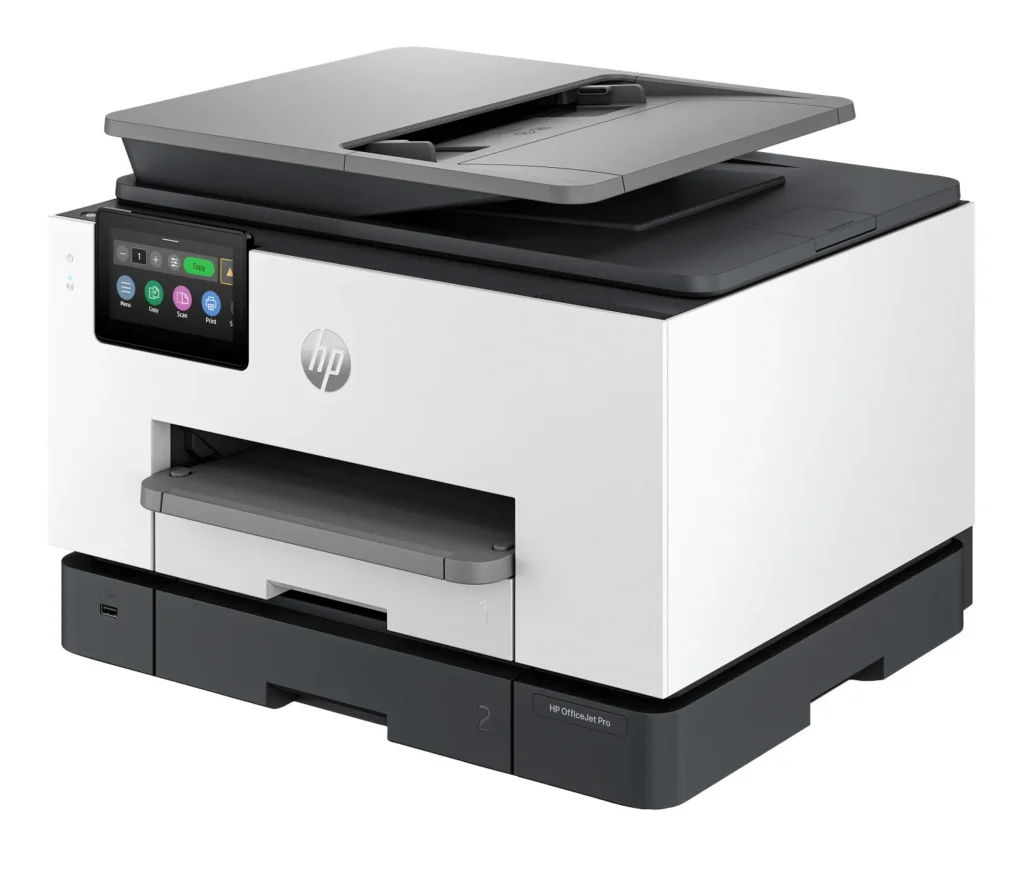
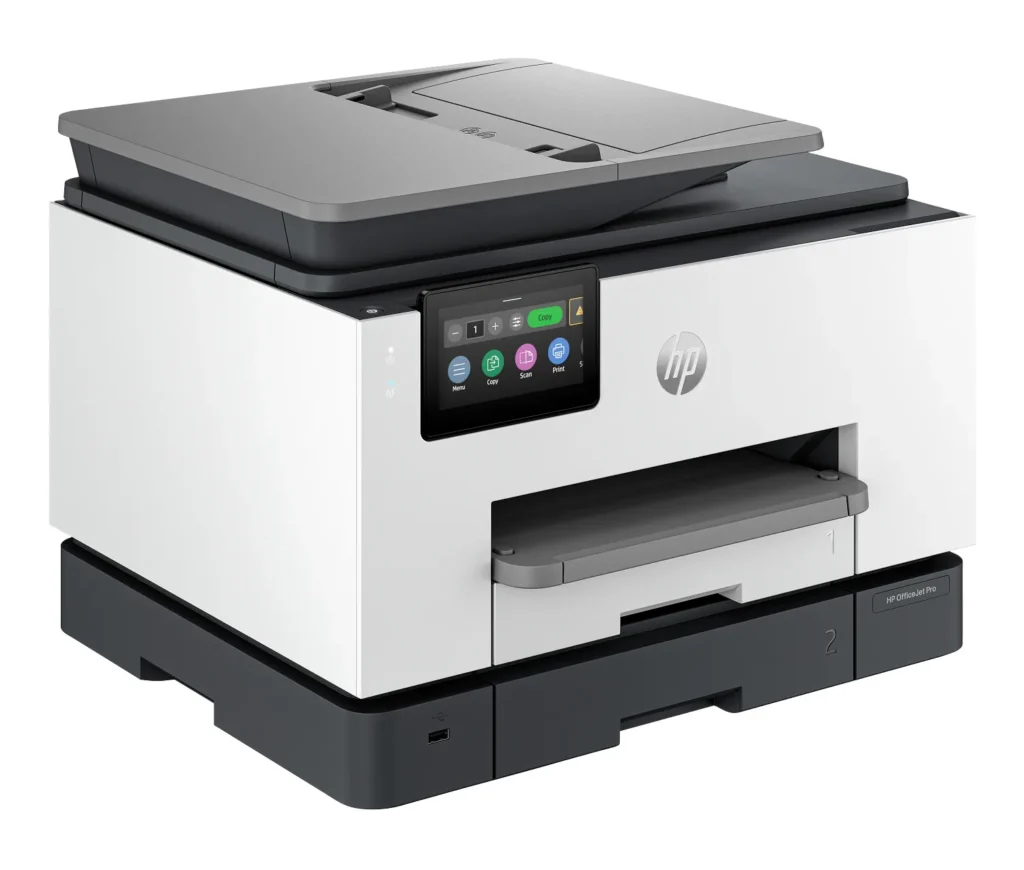
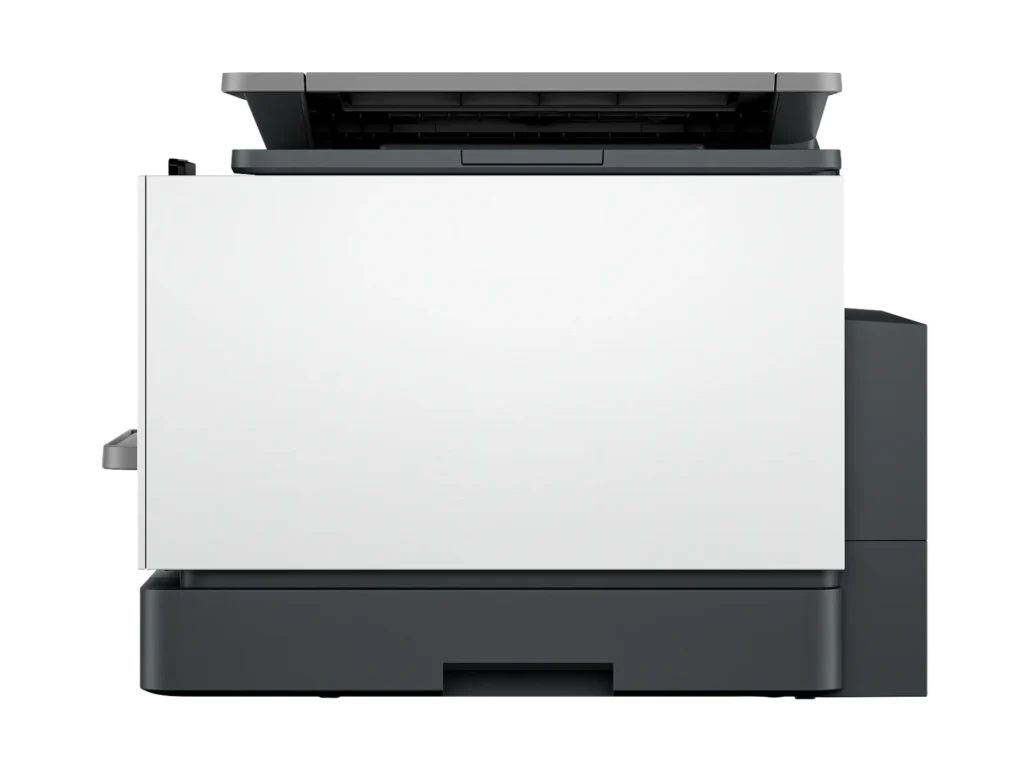
1. Size and design. I like the low profile, square edges, color combination, and the large adjustable color screen – making this printer look very modern. The printer easily fits on my 20×20 side table with a few inches to spare in every direction – keeping in mind that you need to leave a little space for access to the back paper feed door (has not happen to me, but this is used to clear jams). It is about 26lbs, but 2 integrated, textured hand holds along the bottom edge help you move it if needed.
2. Input paper capacity and variety. It has 2 x 250 sheet trays (500 total, better than my laser printer) that are both expandable up to 8x14in (legal paper). Tray 1 also takes a variety of other sizes, including envelopes, stock for cards/photos (3x5in, 4x6in; 5x7in, 8x10in).
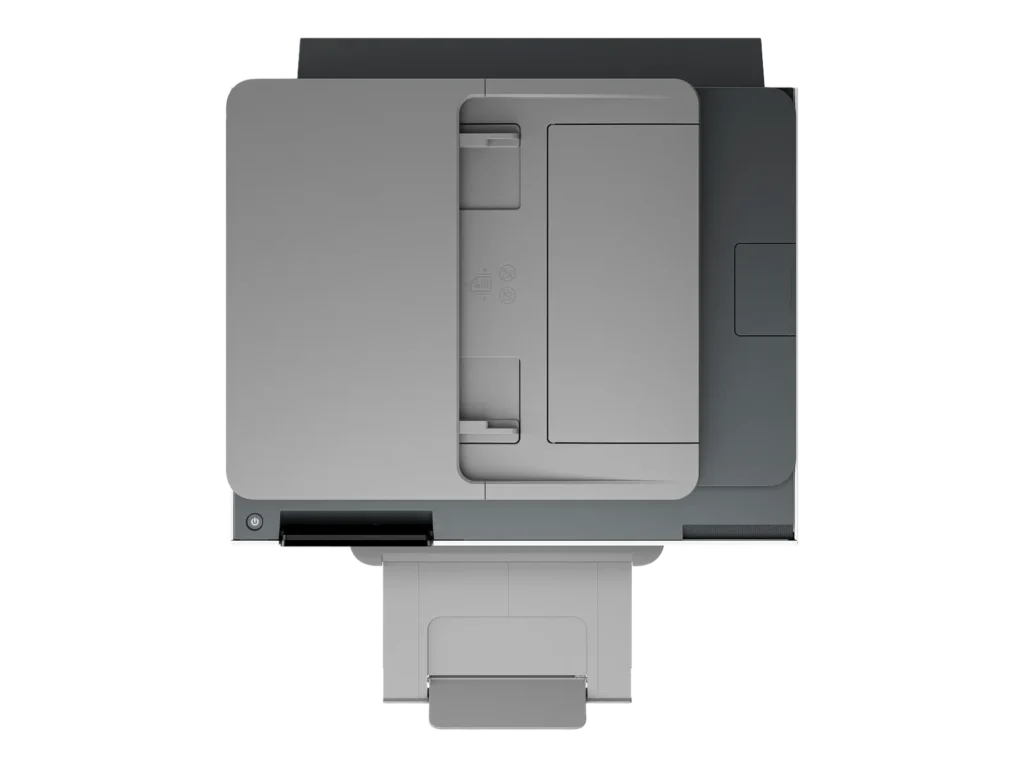
3. Automatic double-sided printing AND scanning. You have to use the document feeder for double sides scans and copies, but it works well. For double sided scans to a file in the HP app, you have to select the “2 sided feeder” input source option in the scan settings.
4. Scan (300dpi) and print quality (1200x1200dpi) are good even just using copy paper and the document feeder text copies are sharp and look professional. I did not try it with photo paper, but color images on regular paper were sharp with accurate color tone; I am sure it could produce frameable photo prints with the right paper.
5. The HP Smart app is the awesome. Both wireless scanning and printing using the app are easy and quick. It works well on every platform I have tried; I have this app on my computer, tablet, my wife’s iPhone, and my Android phone. I often print email attachments directly from my phone or scan a document without having to turn on my computer. You can also see ink levels (even order ink) and change lots of printer/scanner settings.
6. Front USB port for thumb drives is handy, allowing you to print or scan without any device. It reads my thumb drive with no issues, and navigating through the folders and files on the printer’s touchscreen is easy, and you can preview before you print.
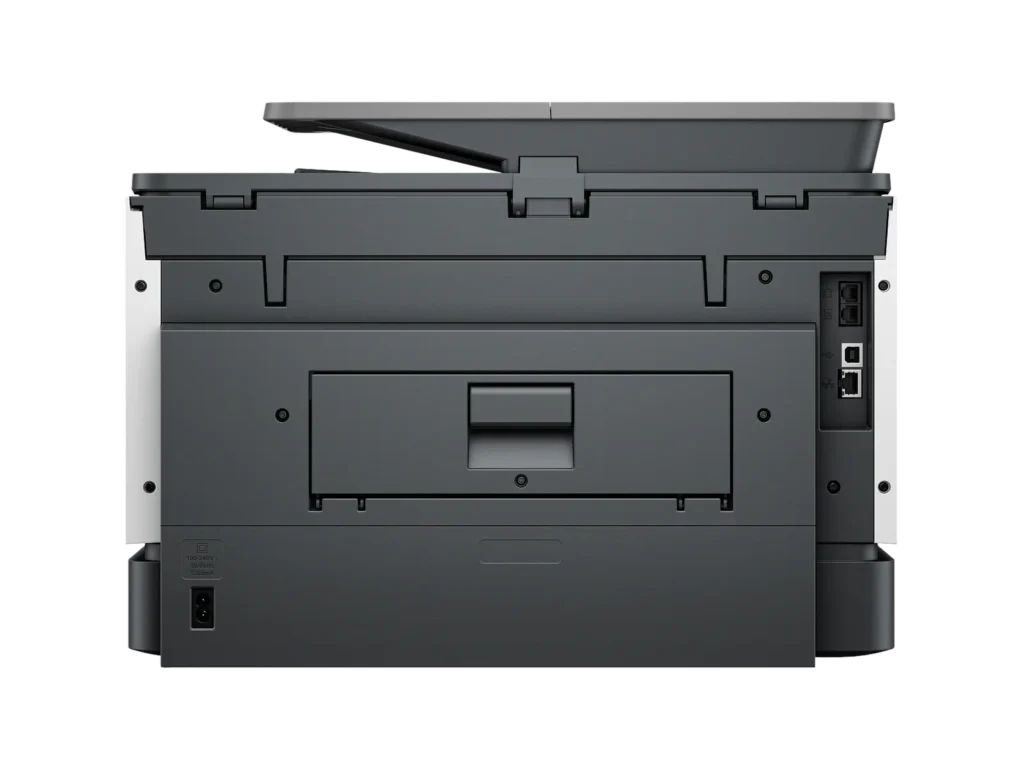
7. Fax capability (phone line in and out), wired USB-B direct connection (covered with a removable sticker recommending Wi-Fi), and wired network port (LAN).
8. Wireless printing and scanning work perfectly with the ChromeOS built in utility on my Chromebook.—Things to Consider—
1. Quick multi-page printing – this printer is fast; I have seen well over 20ppm black & white set on draft quality (it is rated up to 25ppm in the specs). The only issue is that it takes a little longer to get started than I was expecting. The quoted first page out time of 10 seconds is worse than my laser printer (with warm up) and with larger or high-quality printer jobs, it sometimes takes 15-25 seconds for the first page. Once it gets going, I was impressed with my real-world results for my typical small to medium sized printer job: black & white, draft quality, one-sided ~22ppm; color, normal quality, one-sided ~10ppm; color, high quality, one-sided ~ 3ppm; grayscale, normal quality, one-sided ~ 14ppm. For double-sided printing the speed is just under half the one-sided speed (as expected).
2. This printer uses the HP 936 ink cartridge that is rated at 1,250 black pages and 800 color pages which is around 1 cent per page for black and 16 cent per page for color at the current price for the 4 pack (black + cyan + magenta + yellow). You can purchase just one cartridge if you run out (black is my most used). For a mixed-use printer this is pretty reasonable, although laser is probably a better option if you only ever want black & white.
3. The paper output receiver (or “tray” I guess) capacity for holding finished print jobs is only 100 sheets in the specs and I would not even get close to that number (maybe 50 pages). It also has to be extended or the printer will throw your printed papers on the floor. This is a minor issue in a small home office, but walking over to extend the output paper receiver after someone else has pushed it in really defeats some of the “wireless” printing fun.
4. The power cable could be a bit longer at just under 5ft but was not an issue for me. No USB or phone cable are included for the fax or direct connection to a computer.
5. Lots of options are available in the settings for managing where scans are sent directly from the printer (email, cloud, network folder) – I did not try this feature, because the HP SmartApp works so well for sharing scans.
6. This printer makes some noise, especially printing double sided. It does offer a quiet mode (that reduces printer speed approximately in half) to cut down on noise – it does help but the paper handling clicks are still noticeable. It is in the same room as my computer and it doesn’t bother me, but I would not use it for double-sided printing during a conference call.