Customer Media
Highlights
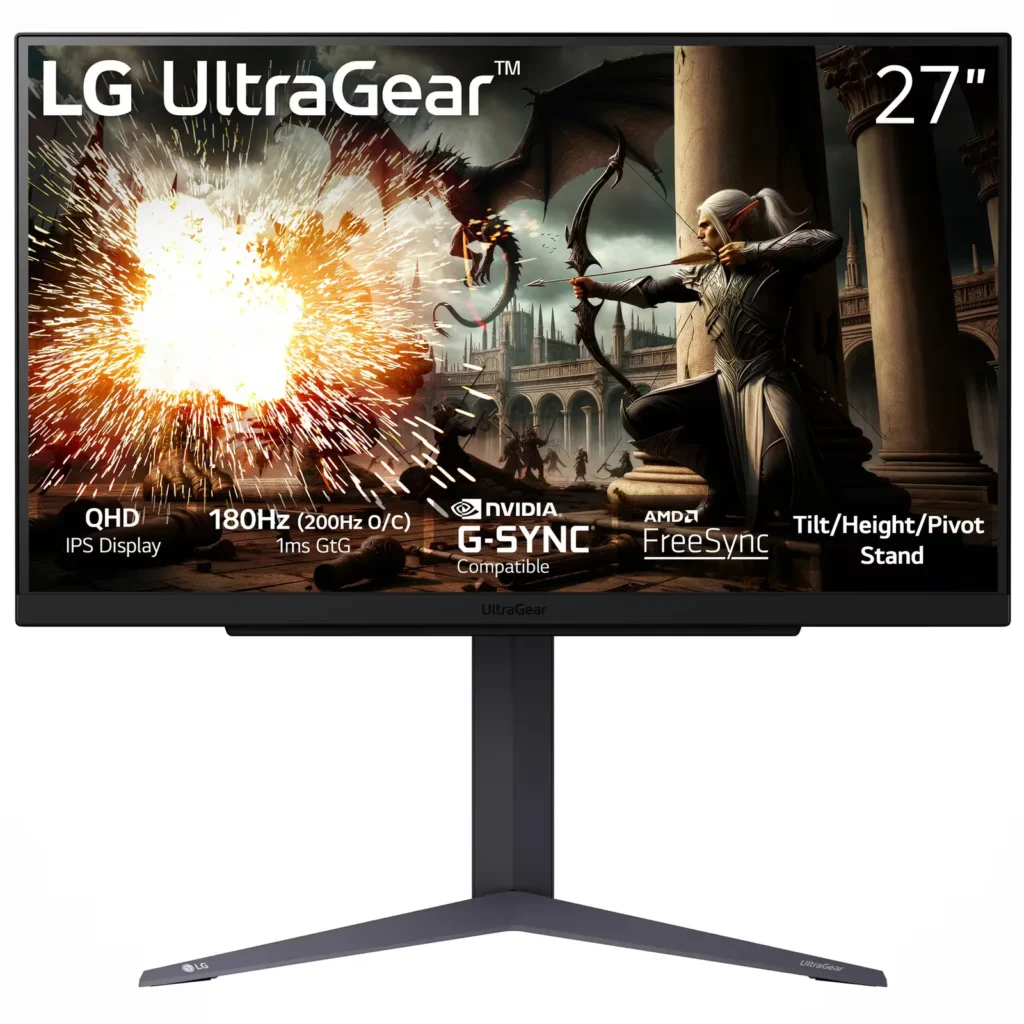
| 200Hz Overclocked Refresh Rate | Experience ultra-smooth and fluid gameplay with a native 180Hz refresh rate that can be overclocked to 200Hz, providing a competitive edge in fast-paced titles by reducing motion blur. |
|---|---|
| 1ms (GtG) Response Time | The advanced IPS panel delivers a 1ms Gray-to-Gray (GtG) response time, virtually eliminating ghosting and trailing for crisp visuals during intense action. |
| QHD IPS Display with sRGB 99% | The 2560 x 1440 resolution provides 77% more screen real estate than Full HD, while the IPS technology ensures vibrant color accuracy with 99% sRGB coverage and wide 178-degree viewing angles. |
| G-SYNC Compatible & AMD FreeSync | Officially validated by NVIDIA as G-SYNC Compatible and supporting AMD FreeSync technology, this monitor synchronizes with your GPU to eliminate screen tearing and minimize stuttering. |
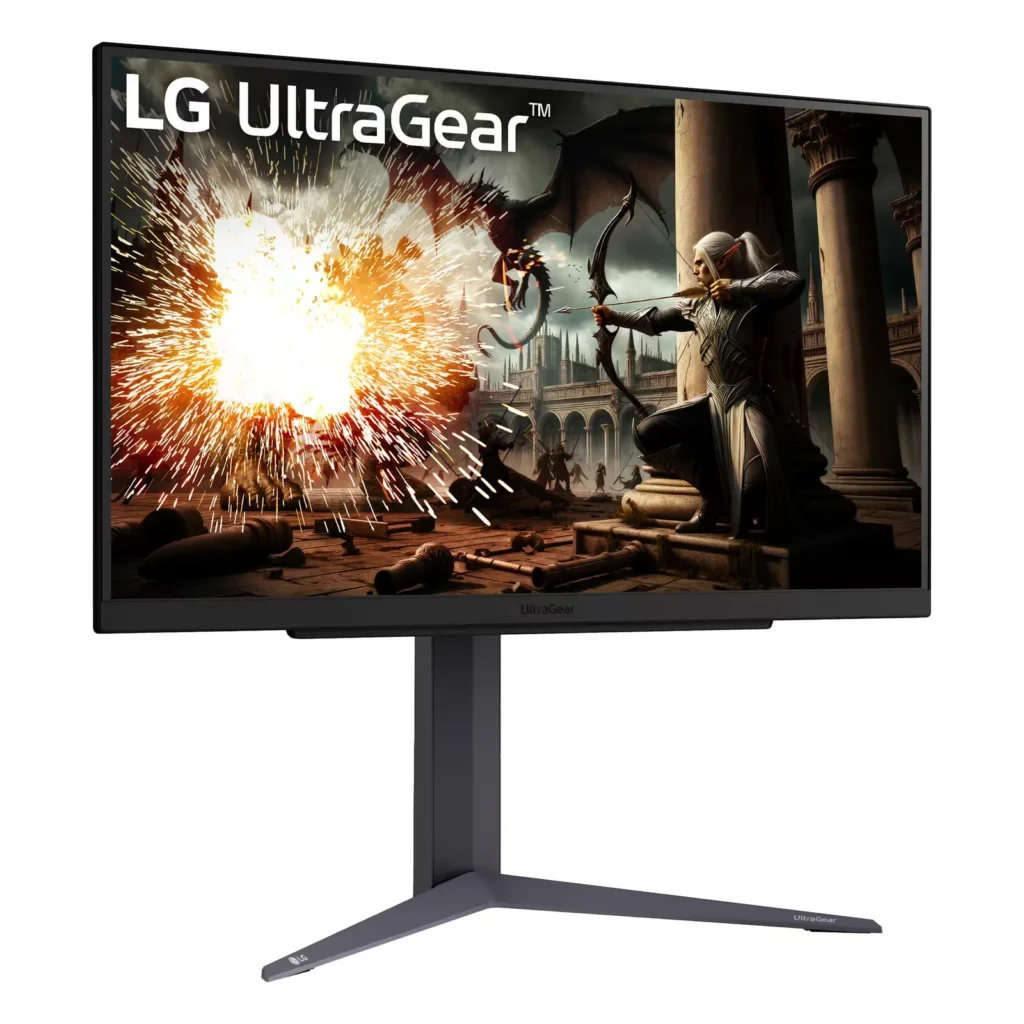
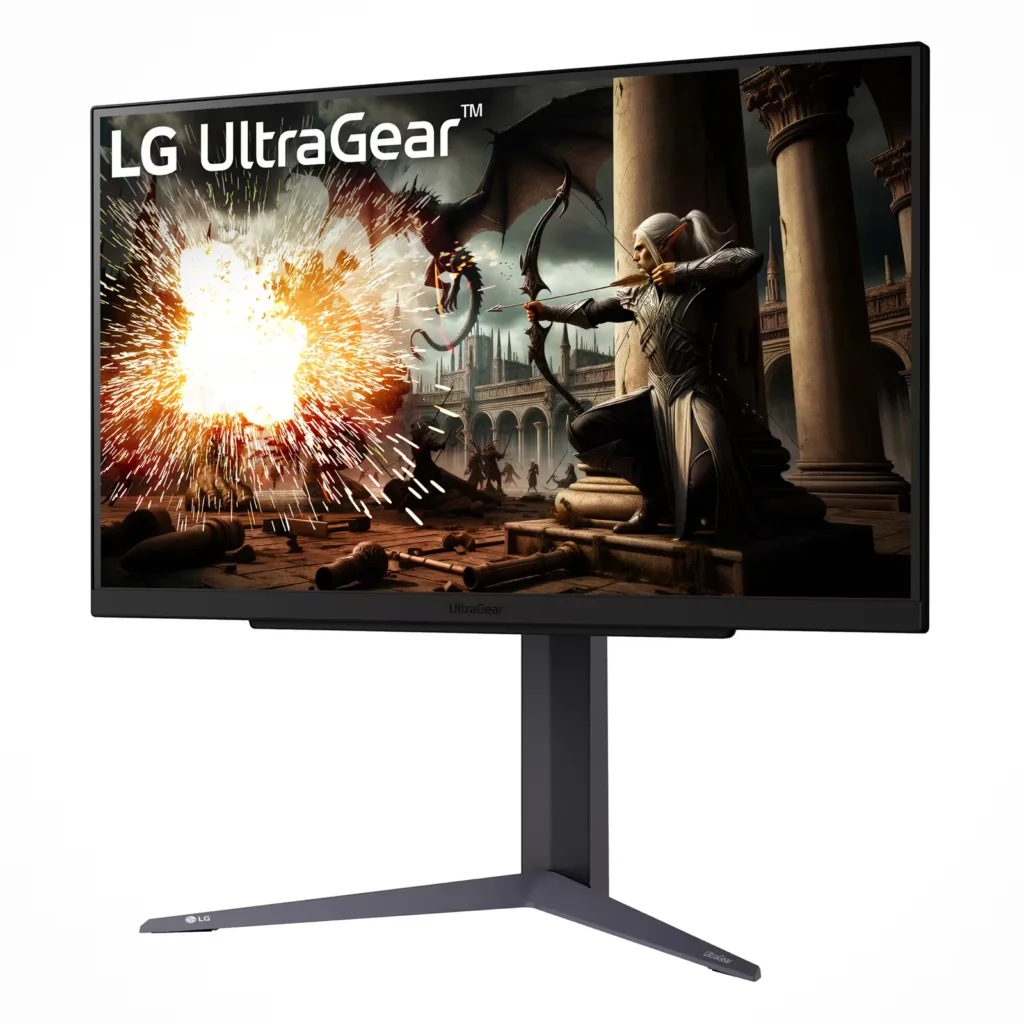
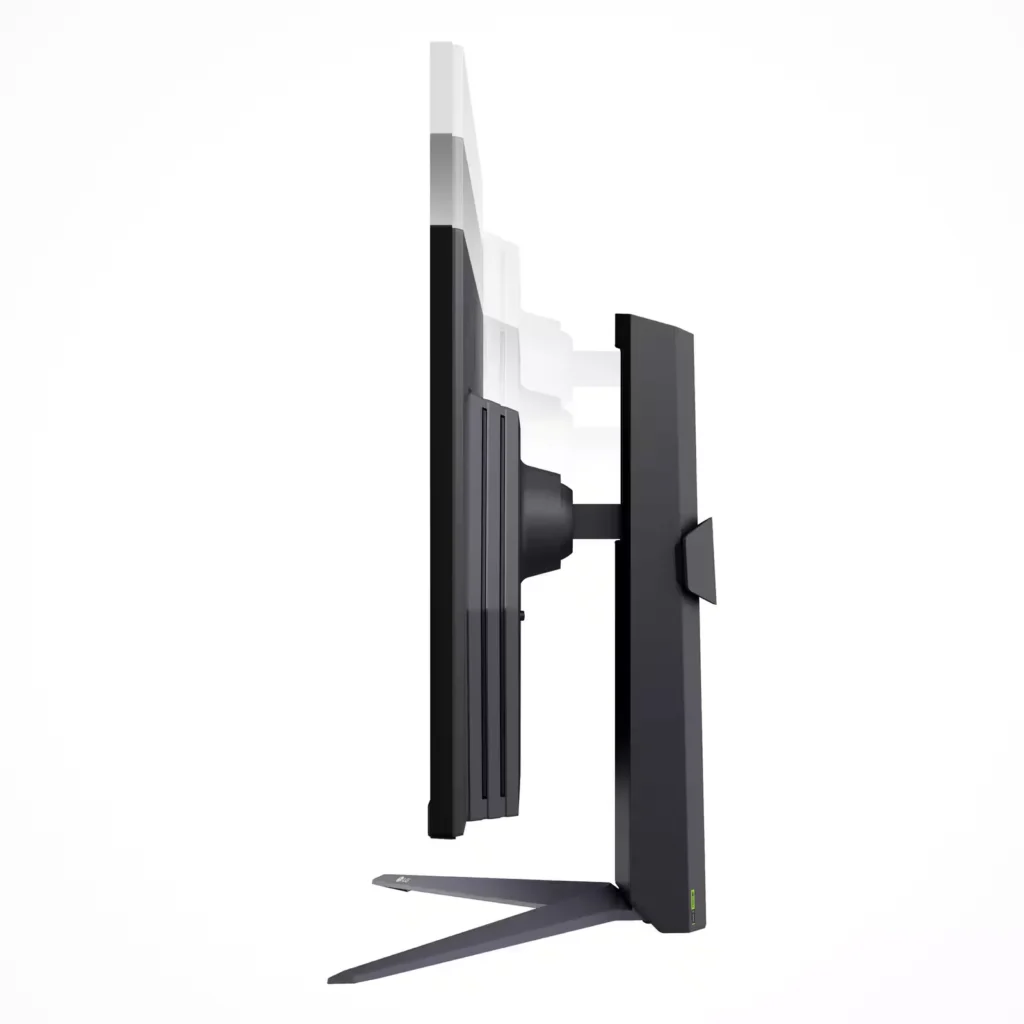
| Ergonomic Adjustable Stand | Maximize your comfort with a versatile stand that supports tilt, height, and pivot adjustments, allowing you to customize your viewing position or rotate the screen 90 degrees into portrait mode. |
Pros & Cons
Pros
- High Refresh Rate and Smooth Performance: The monitor features a native 180Hz refresh rate that can be overclocked to 200Hz, providing buttery-smooth gameplay with minimal motion blur or ghosting. It is compatible with both NVIDIA G-Sync and AMD FreeSync, which effectively eliminates screen tearing during fast-action moments.
- Excellent Value for QHD Resolution: Reviewers consistently highlight the monitor as a 'best bang for your buck' option, offering sharp 1440p image quality and vibrant IPS colors at a budget-friendly price point. It is frequently recommended as a significant and worthwhile upgrade for those transitioning from 1080p displays.
- Versatile and Ergonomic Design: The included stand is praised for its sturdiness and flexibility, allowing for easy height, tilt, and pivot adjustments, including a full 90-degree rotation for portrait mode. The tool-free assembly and sleek, borderless design contribute to a premium user experience.
Cons
- Underwhelming Peak Brightness: Multiple users noted that the monitor's brightness is lacking, particularly in well-lit rooms with significant natural light. With a peak of approximately 300 nits, some find the display too dim for their preferences compared to higher-end models.
- Poor HDR Implementation: While the monitor supports HDR10, reviewers describe the experience as limited or 'in name only.' Activating HDR can result in muted colors, a yellow tint, or a washed-out image rather than providing a true high-dynamic-range experience.
- Lack of Built-in Speakers: Several customers expressed disappointment that the monitor does not include internal speakers, requiring the additional purchase of a headset or external sound system. This was a common point of confusion for buyers who expected basic audio capabilities.
You might also like
Customer Reviews
Showing reviews 371-380 of 391
-
Good as anticipated
Verified purchase Verified purchase: This reviewer bought the product. Incentivized Incentivized review: The reviewer received a benefit for sharing feedback.CamiloO September 11, 2024Review source: BestbuyVery nice monitor. My only regret is the blacks but I understand that an ips panel does not have this as a key point
-
Sweet spot for 27 inch gaming monitors
Incentivized Incentivized review: The reviewer received a benefit for sharing feedback.Malcolm September 9, 2024Review source: BestbuyThe LG UltraGear 27″ is a beast of a gaming monitor that delivers top-tier performance for gamers who crave speed and visual fidelity. With its 180Hz refresh rate and 1ms response time, the monitor provides buttery smooth gameplay (especially in Ghost Recon Breakpoint and Wildlands), eliminating motion blur and screen tearing. The inclusion of NVIDIA G-SYNC and AMD FreeSync support ensures that you get the best of both worlds, with synchronized frame rates that reduce stuttering for a seamless gaming experience.
Setting up the monitor was straightforward, thanks to its intuitive on-screen controls and adjustable stand, which allows for easy height, pivot and tilt adjustments (download the software from LG to get a bot more control of the monitor). The IPS panel ensures vibrant colors and wide viewing angles, making every game look stunning. The HDR support is a nice touch, offering enhanced contrast and more realistic color reproduction, though it’s not the most advanced HDR implementation out there. Thank you LG for including a display port cable😁
In conclusion, the LG UltraGear 27″ combines excellent performance with a sleek design, making it a fantastic choice for serious gamers who want a competitive edge. Whether you’re looking for fast refresh rates, responsive gameplay, or vibrant visuals, this monitor delivers on all fronts.
-
Great Monitor
Verified purchase Verified purchase: This reviewer bought the product. Incentivized Incentivized review: The reviewer received a benefit for sharing feedback.DamonB September 6, 2024Review source: BestbuyGreat monitor for the price. Needed it for a place to put email and chat windows. Works great in portrait mode.
-
Good All Around Monitor – Smooth Picture
Incentivized Incentivized review: The reviewer received a benefit for sharing feedback.zboot September 4, 2024Review source: BestbuyThis review is for the LG UltraGear 27” LED gaming monitor. At 2560 x 1440 pixel resolution, what makes this a gaming monitor beyond the slightly better than 1080p HD resolution is the 180Hz refresh rate, low 1ms latency, NVIDIA G-Sync/AMD Freesync compatibility, and brightness of the LED screen. One loses contrast ratio range compared to OLED, but that’s more key for cinematic/video experience.
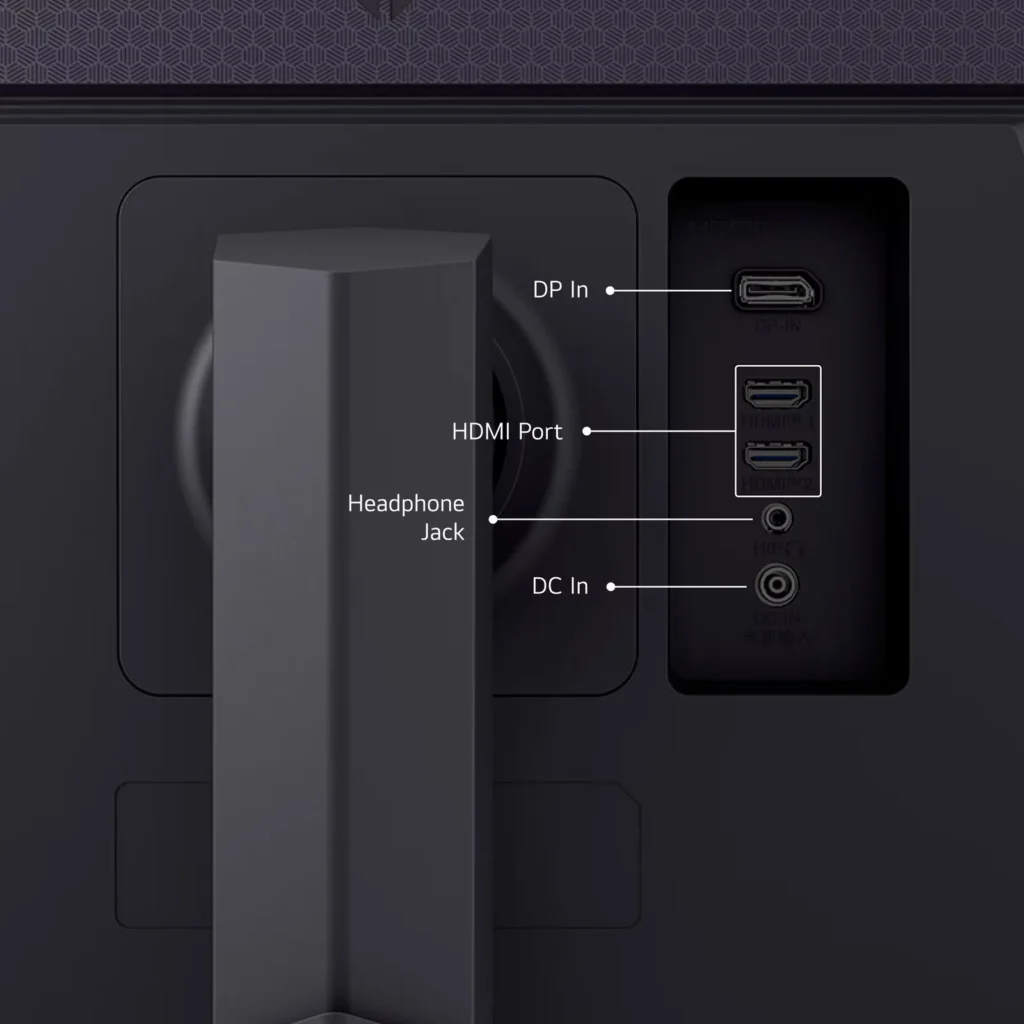
Setup is pretty straightforward. Connection wise you’ve got 1 display port, a surprising 2 HDMI, 3.5mm audio and the power barrel jack connector. No built-in speakers here and honestly, I’m not sure why monitors continue to use 3.5mm audio versus USB to allow you to get higher quality output. The monitor also comes with a stand where you can adjust the tilt angle. The on-screen menu is accessible via a joystick button on the underside of the front face. You’ve got the typical settings, brightness, contrast, color, inputs, etc but there’s a couple key ones that I’d like to highlight. First, the monitor beeps at you on power up. You can thankfully disable that through the monitor settings. Second, in the game adjust menu, you can actually turn on an FPS counter. This comes in handy if you’re attempting to benchmark a few games or compare monitors.
For general use, I was pretty happy. The screen is sharp and looks better than my existing wide screen landscape monitor. I did need to tweak settings to get the color temperature to match my second monitor (4K portrait) but got them to line up pretty well despite being from different manufacturers (and decades!). I ended up not using the stand but the mounting bracketing is VESA compatible so it went onto my existing monitor arm without issue. My wide screen is 2560 x 1080 and it doesn’t seem like much but I appreciated having the additional vertical resolution. It felt a lot more natural with a 27” diagonal. My existing widescreen is truly wide – with a 29” diagonal so the squeezed vertical effect is even more pronounced. I also appreciated being able to drive the monitor at just 1920 x 1080. Sometimes, I remote desktop using a program where it can’t adjust the remote screen to the local screen, but you’re limited to resolutions the physical attached monitor can achieve.
The monitor was awesome playing Counter Strike 2 and Hades 2. FPS on the monitor matched what the game was claiming and certainly kept up with my graphics card. While I can’t say I was really blown away by comparison to others, one thing that stuck with me was the LG felt really smooth. With Hades 2, there was perhaps one cut scene where the screen seemed a bit bright but the black stabilizer setting seemed to help so playing through again, I didn’t notice at all. It didn’t do as good a job rewatching a Jason Bourne movie but the picture was still great (and honestly, I’ve watched this about 10 times over the past twenty years and no screen has quite gotten it as perfect as when I first watched in the theater).
In all, I’m pretty pleased and would highly recommend this screen for gaming or just general purpose office work. Maybe programming as well if like me, you have a primary monitor for your IDE and a secondary one for email, web searches, etc.
-
Quality Performance Gaming Monitor
Incentivized Incentivized review: The reviewer received a benefit for sharing feedback.MrBill250 September 3, 2024Review source: BestbuyThe LG UltraGear 27GS75Q is made with quality durable plastics. It comes with a stable, sturdy adjustable stand that allows the usual tilt, height, and pivot adjustments. Overall impression is the monitor is well-constructed and will last. The monitor looks modern with an almost borderless display on the top and sides. Rather than the typical buttons on the bottom edge to set the monitor functions, which are often awkward to use, this monitor has a joystick in the center you use to move through menus that you push up on to select.
The power is not a standard power cable but AC Adapter with the power conversion done in a box at the plug. The AC Adapter was wide enough to block the neighboring AC sockets on my power strip. I moved plugs around to put it at the end of the strip, so it overlapped just one socket. Depending on the spacing of your power strip, this may or may not be an issue for you. There are 4” extension cables that solve the issue if you run into this.
The LG UltraGear 27GS75Q is built for gaming. With a refresh rate of 180Hz that can go up to 200Hz (overclocked), gameplay is ultra-smooth, even with fast-paced games. Screen tearing and stuttering are virtually eliminated. I noticed none using an Nvidia RTX 4090 video card. However, the two HDMI connectors are limited to 144mhz. You must connect using the one Display Port 1.4 connection to utilize the 180mhz 200Hz (overclocked) refresh rate. A Display Port 1.4 cable in included with the monitor. The 1ms (GtG) response time makes motion blur and ghosting nonexistent. Even during rapid movements, the image is crisp and clear. You can plug in a second PC or a streaming box for watching TV or movies into the HDMI ports.
This monitor supports both NVIDIA G-SYNC and AMD FreeSync, which synchronizes the monitor’s refresh rate with the graphics card’s frame rate. This results in a smoother fluid gaming experience with even demanding games.
The LG UltraGear 27GS75Q covers 99% of the sRGB color spectrum, ensuring accurate and vibrant colors. The HDR10 improves color and contrast, bright scenes are brighter and dark scenes darker. HDR10 adds depth and realism for more realistic and immersive visuals.These features also make the LG UltraGear 27GS75Q great for watching movies. Even fast changing scenes while watching a Fast and Furious movie displayed smoothly, without any noticeable blur or lag. The high refresh rate and quick response time makes this a greet choice for watching action-packed movies and sports.
The IPS panel offers wide viewing angles, so you can enjoy consistent colors and clarity from almost any angle. Useful when watching movies with others sitting off to the side.
I found the LG UltraGear 27GS75Q to be a well-made, attractive, and versatile high-performance monitor that excels in both gaming and multimedia use. Its impressive features provide smooth gameplay and movie viewing. Whether you’re looking for intense gaming or simply want to enjoy high-quality visuals, the LG UltraGear 27GS75Q is a monitor that delivers on multiple fronts.
-
Good Value
Verified purchase Verified purchase: This reviewer bought the product. Incentivized Incentivized review: The reviewer received a benefit for sharing feedback.John August 30, 2024Review source: BestbuyGood value for the money. Setup was easy. Only con was that the interface isn’t very good.
-
Worth it
Verified purchase Verified purchase: This reviewer bought the product. Incentivized Incentivized review: The reviewer received a benefit for sharing feedback.Sara August 30, 2024Review source: BestbuyGood resolution, adjustable height, elegant design
-
Great budget 1440p high refresh rate monitor.
Incentivized Incentivized review: The reviewer received a benefit for sharing feedback.aarondr August 30, 2024Review source: BestbuyThe LG UltraGear 27GS75Q, a confusing name for a simple, yet strong, monitor. LG throws a solid IPS screen with an appropriate resolution for a great 27” size. Coupled with a high refresh rate this should be a real winner. First and foremost, this is billed as a gaming monitor. But does it serve its purpose?
Before we jump into that, out of the box, the UltraGear is pretty well equipped. Despite a fairly reasonable price, the stand has a fairly robust height, rotates to portrait, and tilts -5 to 20 degrees (estimated, I couldn’t find my protractor). The weighted stand is fairly wide, and a dark gray texture (the texture is plastic). The top and side bezels are narrow at about 7mm. Below the front lower bezel, which is larger at about 2cm w/ a 5mm chin below that. The chin honestly struck me as a light sensor, or IR receiver, but alas it is neither.
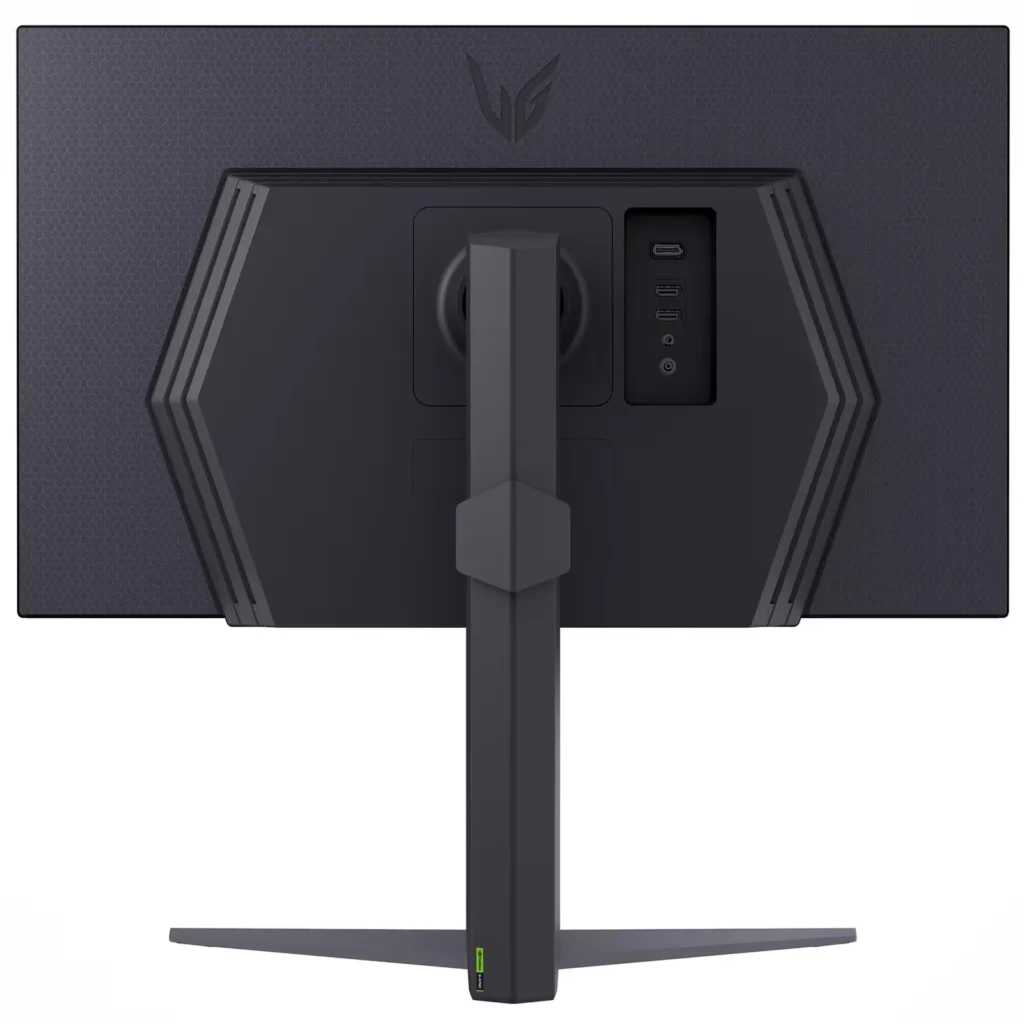
The stand is easy to attach, clipping in tool free. The bottom attaches with a wing nut, and you’re in business. Around back you’ll find a DisplayPort 1.4 and 2 HDMI 2.1 ports. The monitor also sports a 3.5mm audio port for headphones or external speakers. There are no internal speakers. The only other port on the back is a DC power jack, and yes, this monitor has an external power brick. It’s small, but only has a 4’ power cord.
Powering on the monitor is easy, and it lets off a cheery beep when you do. The beeps appear to be accessibility features that are turned off by default, but it obviously needs to let you know that it has powered on. The accessibility features are nice to see. To power on the monitor simply press in the 4 way joystick found on the bottom center of the display. Once powered on, you’ll find tilting the joystick left or right will adjust volume of the audio output, up and down open the accessibility menu, and another press in will show the on screen menu which changes what each direction does. Up turns the power off, left selects in the input, right goes to game mode, down closes the menu and another click in will open the full settings menu.
In settings you’ll see a nice display of the current refresh rate, feature settings, response time, and DAS mode status. The first menu lists what ‘Game Mode’ is active and let’s you select one. The options are Gamer 1, Gamer 2, FPS, RTS, Vivid, Reader, HDR effect, and Color Weakness. I found that Gamer 1 is the most like standard, while the other modes tended to play with the color balance and gamma. The Game Adjust menu is the next option, and this is where you find the tasty settings of ‘Overclock’, which enables 200hz over the stock 180hz, Adaptive Sync, which is on by default, but the set to extended, black stablizer, which can enhance dark scene details.
Below those menus you’ll find picture adjust, with the normal color controls. Gamma controls are represented as ‘modes’ and color temp has 4 presets and a manual. Individual RGB channels can be adjusted as well. Input and general are left, and the only interesting piece in input is the ability to turn on or off automatic input switching, which is a great thing. In general you get language settings, the ability to change what settings are found on the first menu, and various energy saving settings. The power LED is off by default, and offers a warm red glow when enabled.
Leaving the settings behind, what exactly are we looking at? Well this panel sports a 2560×1440 resolution at a 27” size, HDR support, 200Hz refresh rate and about 300 nits of brightness. If your eyebrows raised at the ‘HDR’ and 300 nits, I don’t blame you. You’re not getting any true HDR experience out of this. Sure it supports HDR 10, but in name only really. Colors look bright and vibrant though. The monitor will wash out severely in a bright room however. That said, this panel is billed for gaming, and here is where it excels. Very rarely can you find such a nice looking panel w/ IPS support and high refresh rate with a usable resolution.
So how does it game? Well first, let’s max out this by going to the settings menu and selecting “Overclock” to yes. Once we have that turned on the monitor will reboot. You should now be able to select 200Hz as a refresh rate (if it doesn’t already default to it). Note: You’ll need a GPU from the past few years. I would recommend leaving HDR off in Windows with this monitor. I’d also recommend turning on G-Sync or Freesync, which should be enabled by default. I found leaving the default “Fast” overdrive setting was best, as there was limited overshoot and ghosting in my pictures.
Now that we have the monitor optimized, let’s game. The default game 1 settings are appropriate for most games, despite there being an FPS and RTS settings. 1440p is a great resolution for many mid-high end GPUs to drive at high-ultra details. I fired up Counter Strike 2 and found buttery smooth frame rates (my 4090 knocks out plenty of frames to hit 200 FPS+ in this game on Ultra at 1440p). Playing Starcraft 2, one of my all time favorites, was great as well. The colors popped, motion was smooth, and the overall experience was excellent. Dark Souls, a game locked at 60FPS, won’t get a lot from the high refresh rate, but definitely pointed out a weak spot on this monitor with IPS glow very evident in the darker scenes in this game. Luckily the glow was even, without much backlight bleed around the edges. This means dark games, played in dark environments are pretty rough compared to a VA panel or OLED. Of course this is the tradeoff for those beautiful IPS colors that pop and excellent viewing angles.
Of mention, the 200Hz overclock is legit. I had no trouble running the resolution at that refresh rate, and I did frameskip tests – with perfect results. Motion also was excellent when doing high speed captures of the UFO motion test on Blur Busters website. This monitor does excellent motion for LCD.
The overall experience of the LG Ultragear, especially considering the prices, is excellent. You get a solid 1440p monitor, at an exceptionally high refresh rate, a large variable refresh rate support, and great color. You deal with the realities of IPS technology, but good quality control is evident, as backlight bleed was practically non-existent. LG makes some of the best IPS panels in the business, and even their budget offerings are top notch. Dark scenes will suffer, but if you don’t mind those compromises, this monitor stands out as an exceptional piece of kit for the budget minded high resolution gamer.
-
Gaming monitor
Verified purchase Verified purchase: This reviewer bought the product. Incentivized Incentivized review: The reviewer received a benefit for sharing feedback.CSingh August 30, 2024Review source: BestbuyIt’s great gaming monitor I love playing on it will recommend
-
A great purchase for PC and Modern Console users!
Incentivized Incentivized review: The reviewer received a benefit for sharing feedback.Bren August 29, 2024Review source: BestbuyI am super pleased with this gaming monitor. This monitor is what I would describe as “up to date” for what gamers should be looking for in this price range in terms of performance and connectivity options. First, the HDMI ports on this monitor are HDMI 2.1. This means that PS5 and Xbox Series X users can get the maximum 120FPS frame rate out of their consoles when hooked up to this monitor, if they game and graphic settings support that high of frames, of course. For PC gamers running newer GPUs, you can take advantage of the single display port on this monitor (wish there were two) or the HDMI 2.1 ports to connect up to your GPU and get buttery smooth frames as high as 180FPS thanks to the 180hz screen on this monitor. I ran this monitor off of a display port connection on my 4070 Super GPU and enjoyed high-refresh gaming at my favorite resolution of 1440p. I feel like 1440p gaming is still the sweet spot resolution-wise for gamers. It is not as demanding as 4K, nor as expensive a panel as a 4K monitor would have, but it still offers crisp images at this 27” inch size. Many professional gamers, esports players, and streamers prefer 24” to 27” monitors to this day for highest performance capability.
LG is always a go-to display device brand for me, from its TVs to its monitors. Many other companies use LG panels in their monitors, and there are good reasons for this.