Customer Media
Highlights
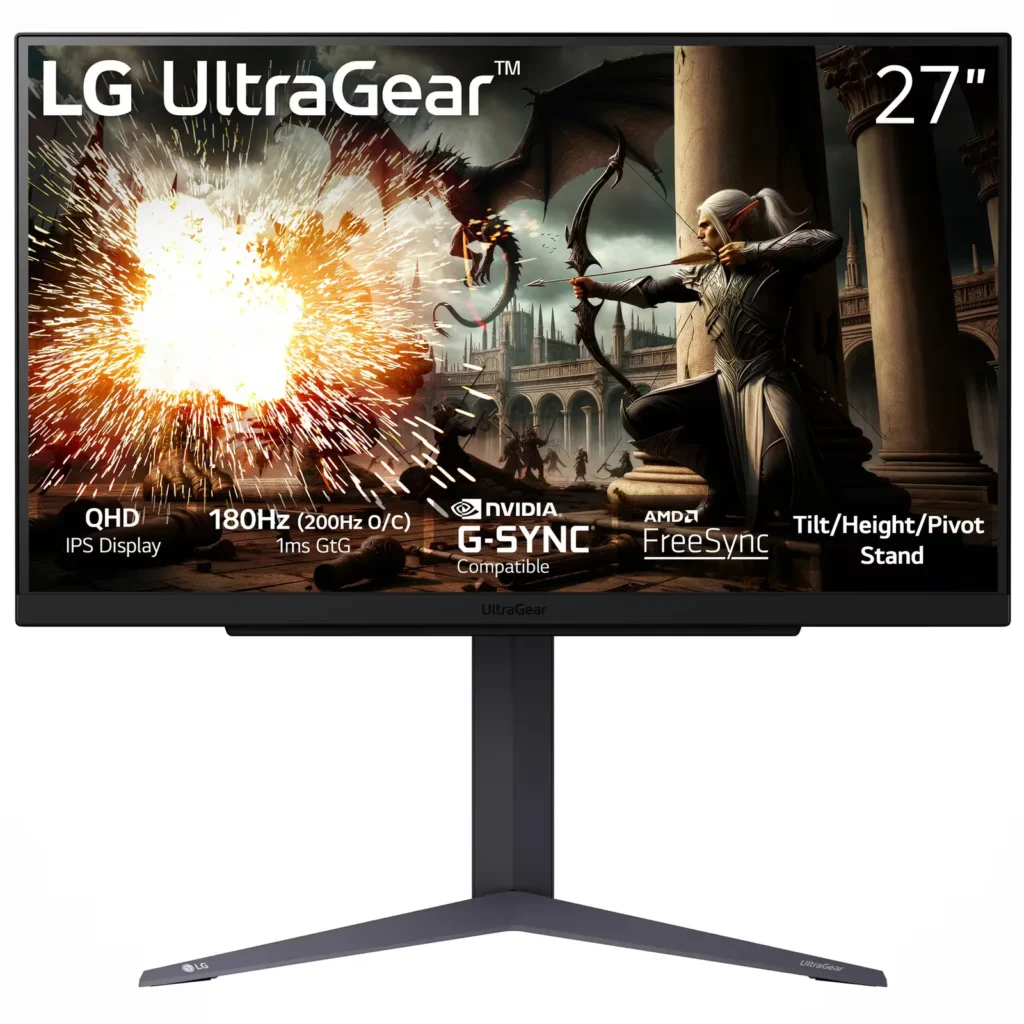
| 200Hz Overclocked Refresh Rate | Experience ultra-smooth and fluid gameplay with a native 180Hz refresh rate that can be overclocked to 200Hz, providing a competitive edge in fast-paced titles by reducing motion blur. |
|---|---|
| 1ms (GtG) Response Time | The advanced IPS panel delivers a 1ms Gray-to-Gray (GtG) response time, virtually eliminating ghosting and trailing for crisp visuals during intense action. |
| QHD IPS Display with sRGB 99% | The 2560 x 1440 resolution provides 77% more screen real estate than Full HD, while the IPS technology ensures vibrant color accuracy with 99% sRGB coverage and wide 178-degree viewing angles. |
| G-SYNC Compatible & AMD FreeSync | Officially validated by NVIDIA as G-SYNC Compatible and supporting AMD FreeSync technology, this monitor synchronizes with your GPU to eliminate screen tearing and minimize stuttering. |
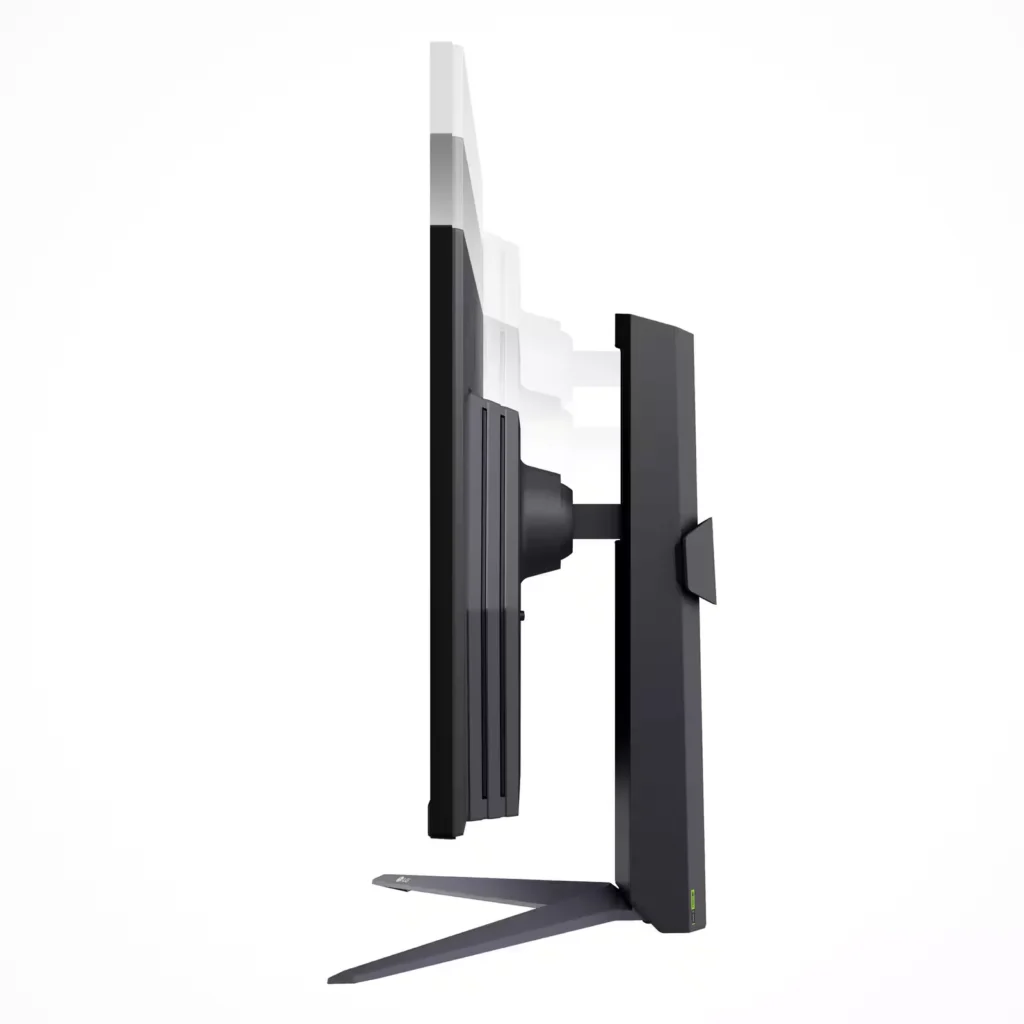
| Ergonomic Adjustable Stand | Maximize your comfort with a versatile stand that supports tilt, height, and pivot adjustments, allowing you to customize your viewing position or rotate the screen 90 degrees into portrait mode. |
Pros & Cons
Pros
- High Refresh Rate and Smooth Performance: The monitor features a native 180Hz refresh rate that can be overclocked to 200Hz, providing buttery-smooth gameplay with minimal motion blur or ghosting. It is compatible with both NVIDIA G-Sync and AMD FreeSync, which effectively eliminates screen tearing during fast-action moments.
- Excellent Value for QHD Resolution: Reviewers consistently highlight the monitor as a 'best bang for your buck' option, offering sharp 1440p image quality and vibrant IPS colors at a budget-friendly price point. It is frequently recommended as a significant and worthwhile upgrade for those transitioning from 1080p displays.
- Versatile and Ergonomic Design: The included stand is praised for its sturdiness and flexibility, allowing for easy height, tilt, and pivot adjustments, including a full 90-degree rotation for portrait mode. The tool-free assembly and sleek, borderless design contribute to a premium user experience.
Cons
- Underwhelming Peak Brightness: Multiple users noted that the monitor's brightness is lacking, particularly in well-lit rooms with significant natural light. With a peak of approximately 300 nits, some find the display too dim for their preferences compared to higher-end models.
- Poor HDR Implementation: While the monitor supports HDR10, reviewers describe the experience as limited or 'in name only.' Activating HDR can result in muted colors, a yellow tint, or a washed-out image rather than providing a true high-dynamic-range experience.
- Lack of Built-in Speakers: Several customers expressed disappointment that the monitor does not include internal speakers, requiring the additional purchase of a headset or external sound system. This was a common point of confusion for buyers who expected basic audio capabilities.
You might also like
Customer Reviews
Showing reviews 381-390 of 391
-
A Super Middleweight in Frame Rates
Incentivized Incentivized review: The reviewer received a benefit for sharing feedback.softwareEngineer August 28, 2024Review source: Bestbuy– OVERVIEW–
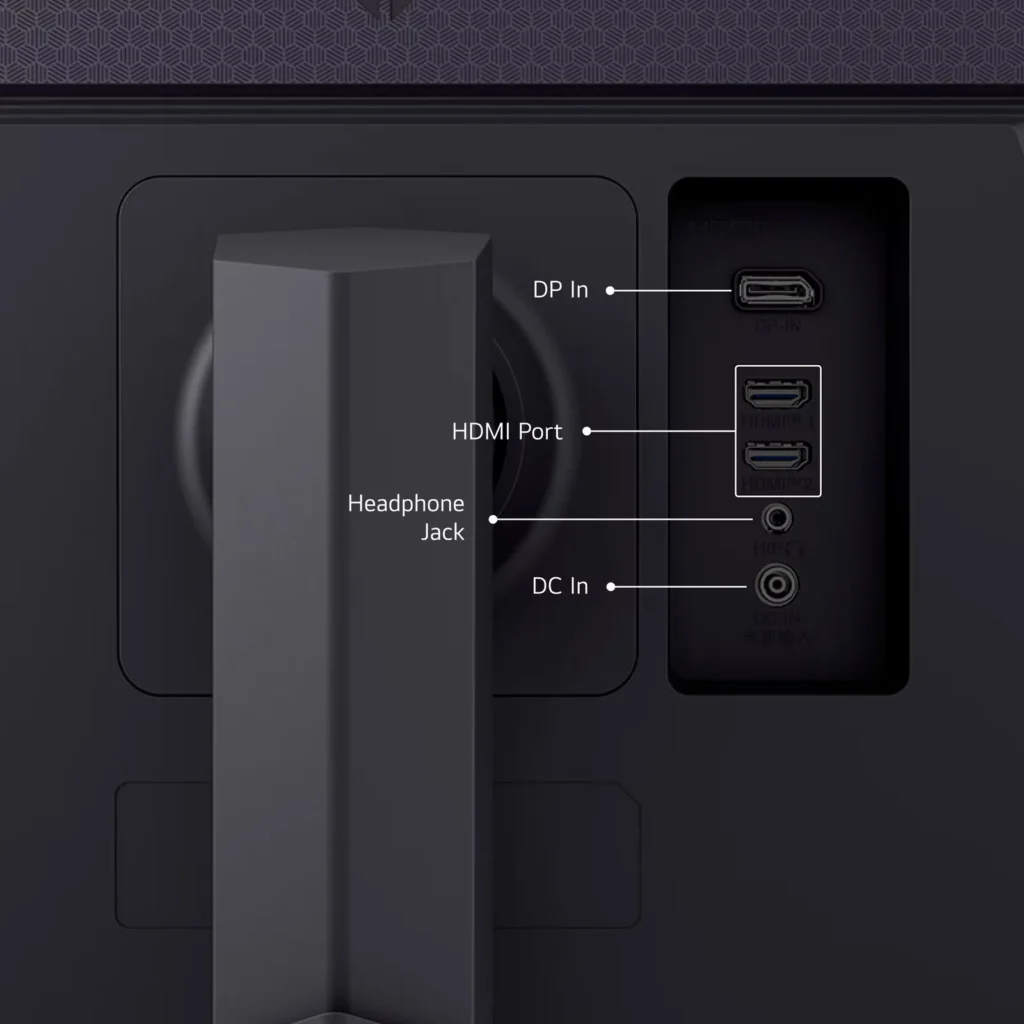
The LG UtraGear 27” (Model #27GS75Q-B) is an QHD IPS gaming monitor capable of up to 180 Hz refresh rate. It is both NVIDIA G-Sync and AMD Freesync compatible, has a response time of 1ms GtG, and supports HDR10. Its color gamut is sRGB 99% (CIE1931). It has a contrast ratio of 1000:1. It supports 1x DP, 2x HDMI and a 3.5mm headphone jack.– LOOK/FEEL –
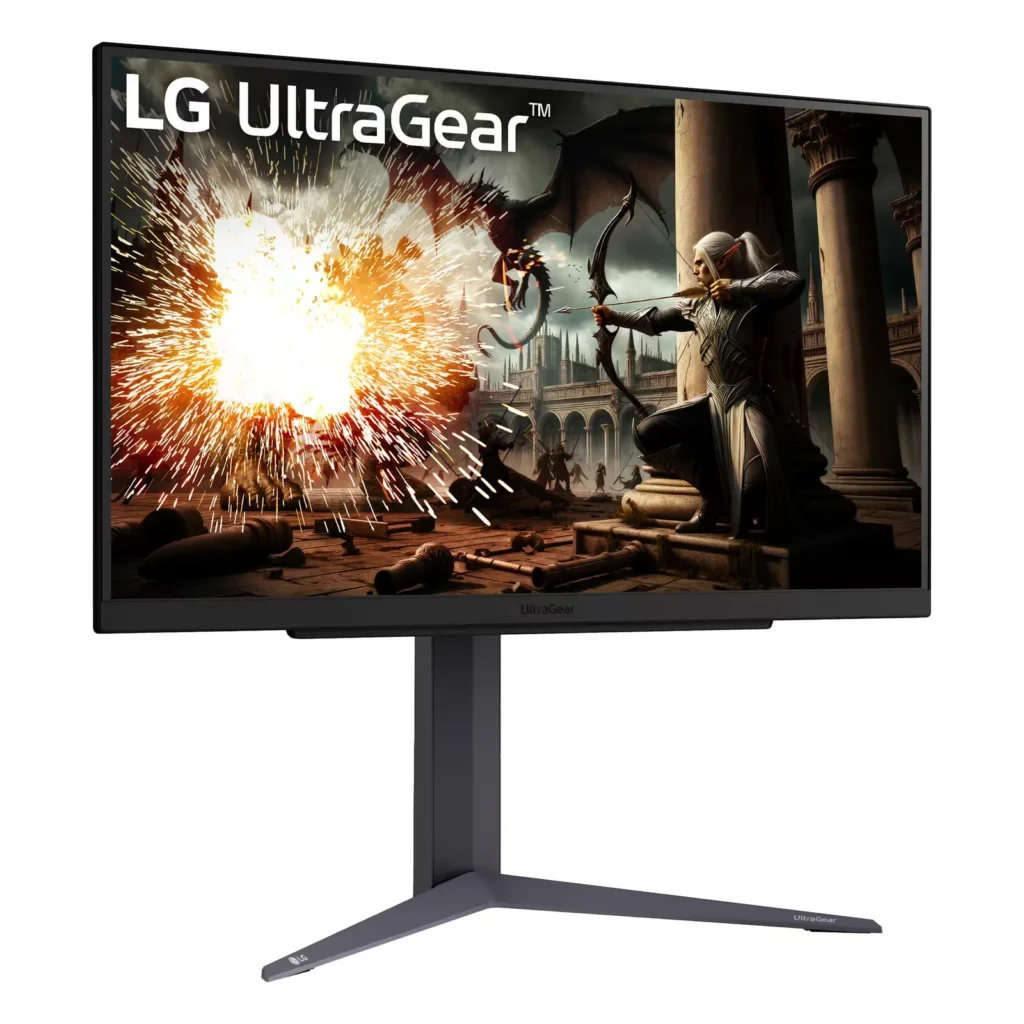
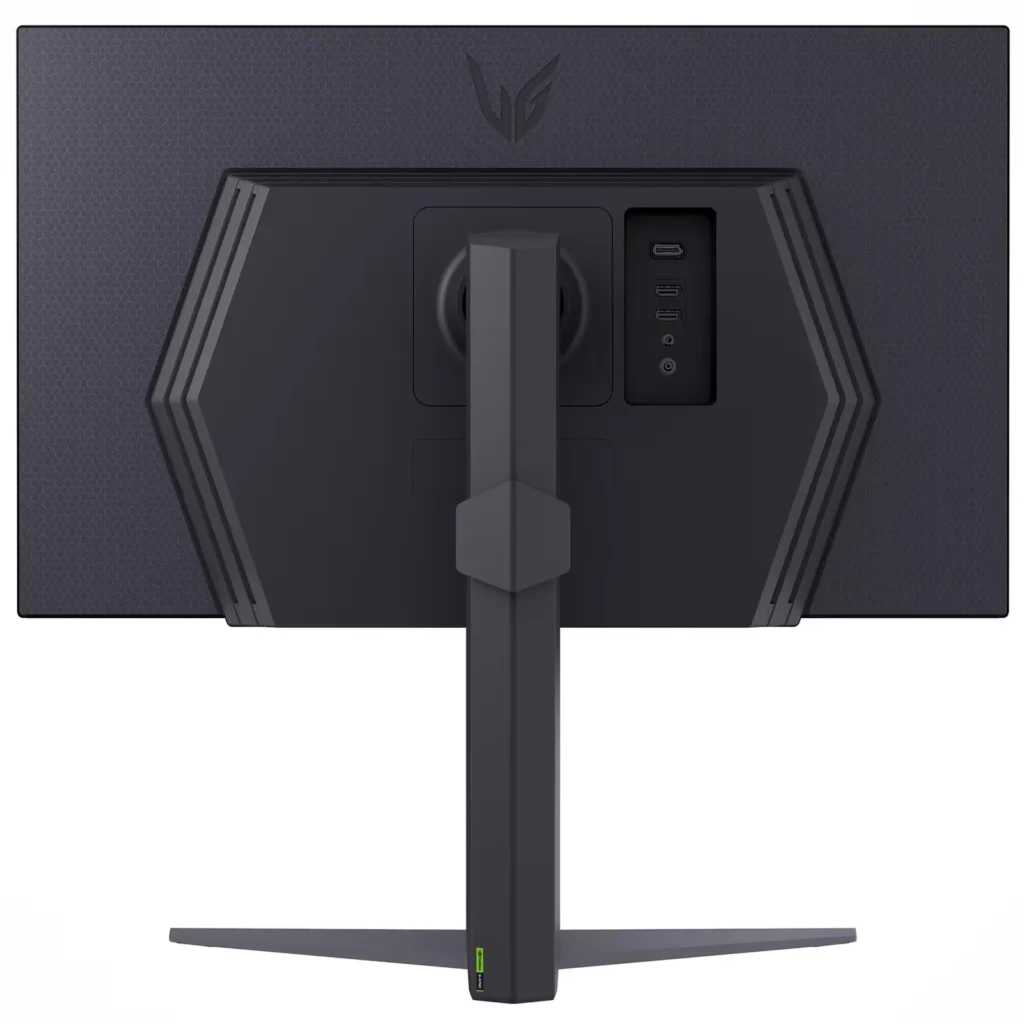
The 27GS75Q-B has a 3-sided borderless design, with the exception of its chin that probably houses some of the brains as well as down firing speakers. The monitor is fairly thin for an LCD panel and has gloss outer bezels; the backing has a design embossing on a matte surface. The “UltraGear” logo can be seen on the top center backing of the monitor and it is aesthetically pleasing to look at if the back of your system is visible (think open/centered desk design).– SETUP–
Setup on LG monitors have been very simple and straightforward. There are no tools required and each section of the monitor (panel, stand) can be easily assembled and disassembled in a few minutes. This monitor is no different as it shares the design philosophy of its siblings. Cable management is very good; I love that the ports are directly behind the monitor as opposed to other monitors that have them located facing down toward the bottom of the monitor.Bringing up the OSD is also very simple; LG employs the joystick method of changing settings. It’s a single button with directional buttons as well as the standard push from dead center. Pressing the center button brings up the main menus where you can find the main settings, input change, game center changes, on/off and exit OSD. A press to the left or right brings up volume levels, and press forward and aft brings up accessibility and beep settings.
Going into the main settings, you will find the status of the monitor (Hz, Adaptive Sync, HDR, Response Time, DAS). These settings will change with respect to how your GPU is configured. Other settings like picture adjustments, game adjustments and general settings can be changed here. Everyone has their own preferences, so I won’t comment too much here other than LG does a wonderful job at navigating through the OSD with a single button joystick.
– PERFORMANCE –
Front and center is the monitor’s refresh rate @ 180Hz, which is fairly noticeable with respect to 120Hz and 144Hz. Albeit not 240Hz, most of us weekend warriors will appreciate this frame rate provided your GPU can drive these frame rates during gaming. I was able to drive this monitor to peak using my 4090 and it looked pretty amazing in terms of frame rates, in my opinion.Brightness looked very good, and contrast ratio for an IPS was also very good. Setting the display settings to HDR and watching LG’s “The Black” on YouTube allowed me to enjoy the rich colors and details at 1440p HDR, with the small exception of black levels that can only be achieved from an OLED panel. But overall, it’s pretty darn good.
– GOTCHAS –
Documentation didn’t tell me the DP version; I found it looking at the OSD settings that allowed me to choose either 1.4 or 1.2, for compatibility concerns. As far as HDMI, researching the LG website yielded that these are HDMI 2.1 ports. As far as frame rates, if you’re coming up from a 144Hz, you may want to stick it out at that refresh rate or jump to 240Hz as you may not see a lot of improvement coming up to 180.– CONCLUSION –
The LG UltraGear 27” (Model #27GS75Q-B) is a very capable monitor, provided you have hardware to drive it to its max. At 180Hz, you will notice reduced motion blur and screen tearing for a smoother gaming experience, improved responsiveness and reduced input lag, and enhanced visual clarity and detail, especially in games with fast-moving objects or scenes. There is a lot of value in this monitor with respect to other monitors that may be similarly priced but are at lower refresh rates, so take the time to find out what’s more important to you if frame rates aren’t #1 on your list. -
Everyday gamer fun
Incentivized Incentivized review: The reviewer received a benefit for sharing feedback.HoMi3 August 27, 2024Review source: BestbuyLG really makes some great displays. As a gamer and photographer, a display of this caliber and cost is appreciated. You really get a great deal for a quality IPS LED, 27″, QHD (2560×1440), fast 180hz refresh rate. With these specs alone, I am happy to report that this makes editing photos and playing the newest games a blast. If you are in the market for a great display and are trying to get a good bang for your buck, look no further. Using this display so far has been great from day to day work tasks and then jumping on Steam to play well into the night.
Pros:
-Fast 180hz refresh rates
-QHD resolution
-1ms response time
-27″ IPS is a quality screen for great color reproduction
-NVIDIA G-SYNC and AMD Freesync compatible.
-1x Display port and 2x HDMI inputs allow for flexibility in connecting your PC and Playstation/Xbox/SwitchCons:
-Plastic look and feel (just mount it)
-No built in speakers (let’s be honest, gamers are rocking a good headset already)
-Steam tells me I can push this display to 200hz refresh rate but I have issues with flickering. (not LG’s fault though) -
Amazing Screen, Gamer and Convenience Features
Incentivized Incentivized review: The reviewer received a benefit for sharing feedback.Balboa3 August 27, 2024Review source: BestbuyLet’s get this out of the way, the only thing I regret after using this monitor is possible going up in size. The screen is so crisp, and the colors look really good. If you are looking for a gaming monitor, or just a good overall monitor that happens to work well with games; then this is the monitor for you.
Ok, so what makes this monitor special? Let’s begin with the fact that it has a refresh rate of 180Hz and a response time of 1ms. Combine that with the HDR, 2560×1440, and impressive color accuracy; that gives you a quality monitor that can tackle whatever you toss at it. No matter what game I have tried running on it, it’s smooth and crisp. I’ve been playing Fortnite on here with my sons, and the motion looks very crispy. We also played a few rounds of CoD, Apex Legends, Minecraft, and some Forza. Everything looked very good, and the motion was super smooth. I played the new BM:W when it released and it also looked very nice.
It’s great that it also supports G-Sync and AMD Freesync. I have been using this with my 2024 ASUS G16 laptop and the G-Sync has been a nice feature to keep everything looking good.
Initially I was going to use this on a monitor stand that is built into the desk, but the stand this comes with is so much more robust. Honestly, the stand was a nice surprise. You can choose what height you want, as well as the perfect angle for you. A big plus is all of this is easily adjusted with minimal effort.
This is a great monitor, and honestly the 27” size is very good, especially with how close I sit to it at my desk. Refresh rate is great, colors are great, response time and resolution are also top tier. This is an easy recommendation for any gamers, or someone shopping for that gamer in their family.
-
Middling display quality in a thin package
Incentivized Incentivized review: The reviewer received a benefit for sharing feedback.GrizzlyD August 23, 2024Review source: BestbuyI was eager to give the LG UltraGear 27 IPS a shot. I had a previous LG UltraGear monitor that was fantastic. However, on this model, I was left underwhelmed to say the least. I’ve tinkered with all the settings and even gone in search of best settings online and have come up short. But before I speak to exactly what bothered me, I wanted to address their stated feature list.
Ultra-fast at up to 180Hz & 1ms MBR – This monitor does in fact support G-Sync and Freesync. And most importantly, it does in fact hit its stated min of 180hz refresh.
Bold Color On A 27″ Screen – They claim 99% sRGB color gamut, but unless my old eyes deceive me, it doesn’t live up to this claim. A “world of brilliant color” was promised and what I received was muted colors, bad contrast, muddy blacks and whites, and almost no brightness. In fact, I noted that the corners and edges looked particularly dim from the center. Whatever you do, do NOT activate HDR. Blues become grey. It’s really awful.
Get In The Game – As mentioned already, it supports G-Sync and Freesync. Enough said.
Customized For a Game Changing Experience – Yes, it does have different pre-programmed modes for different game/movie types. However, none but Gamer 1 setting is recommended. Even vivid which usually over saturates colors and cranks the brightness to insane levels was muted and not worth using.
Advanced Gaming Features – It claims to have a bevy of advanced gaming features, and they are in fact built-in, but you’re not likely to turn them on. Why would you want to have your monitor reporting FPS, or tinker with overclocking the refresh? And for the life of me, I cannot understand why anyone would want a permanent crosshair turned on.
Designed For The Win – The bezel is nice and thin on the top and sides. The weight of the monitor is light and easily moveable. It sports a thin bezel and overall looks like its reasonably well constructed and classy sitting on your desktop. As well, it comes with HDMI, and DisplayPort connectivity if you were looking to connect multiple devices to it.
Well there it is. I highlighted the proposed feature list and spoke a little about some of my gripes. Let’s expand a bit on those.
It vastly underwhelmed me with it’s brightness and ability to represent colors correctly. Contrast was a muddy mess that resulted in blurry images. How did I determine this? I used a sundown beach scene where you could see the ocean waves, clouds, and flare of the sun as it set. There should have been tons of colors represented and it should look quite stunning. On my laptops native display, it did exactly this. On this LG display, it was as previously described. The brightness is terrible. Therefore, don’t even bother with HDR unless you want your colors to shift completely off and be stuck with this bland, terrible image.
Pros? Yeah, it has a nice build to it and the bezel is nice and thin. But we buy monitors to see the display shine, not so much the housing. And yes, it does in fact support G-Sync and Freesync, and it supports a 180hz refresh.
For the price, I would expect better. I wouldn’t recommend this one to a friend unless they lowered the cost and needed it for a productivity PC. I wouldn’t even trust the colors on this display to be a graphic design PC. Overall, I will give it 3 stars because it delivers on most of its promises, but it loses the 4th and 5th star for underperforming colors and brightness.
-
Great LED/HDR quality. Refresh Rate only 144Hz.
Verified purchase Verified purchase: This reviewer bought the product. Incentivized Incentivized review: The reviewer received a benefit for sharing feedback.MAK17X August 23, 2024Review source: BestbuyIt is one of the best LED 2560x1440p monitor at 27” out there with an affordable price tag compared to others.
The only downside I noticed is that for some reason when I connect my laptop via HDMI2 cable, the maximum refresh rate is only 144Hz while the product description says its 180Hz.
-
PERFECT / AFFORDABLE / IMPRESSIVE 27" QHD IPS
Incentivized Incentivized review: The reviewer received a benefit for sharing feedback.Manny August 21, 2024Review source: BestbuyStraight up this monitor is the pinnacle of exactly what you should get in a QHD 27” led backlit IPS display. LG is always at the cutting edge of display tech and even sells panels to other manufacturers to use so it’s no surprise that this is exactly what youd expect, perfection at an affordable price.
There is 3 inputs on this 2 HDMI 2.1 and DisplayPort which is perfect with auto input switching. There is also an audio jack if you use that.
If your new to monitors there is always a sweet spot where pixel density is too low versus size and thankfully this is the “ideal” at 27” size and QHD resolution it allows you to run your resolution at 100% so no scaling issues for Mac users or lag for windows users. It has special overclocking modes for Nvidia GPUs above 30 series you can go up to 200hz and extend the adaptive refresh to meet your system which is great.
Speaking of lag this has genuine 1ms response time and barely any ghosting even when overclocked which is really great to see it doesnt become a blurry mess.
The stand is the classic LG style where it leaves plenty of room on the desk for anything and includes excellent cable management options to hide everything.
The user menu interface on this is easily the best out there. If you come from other brands you may know the struggles of those and the pain that it becomes navigating them. This one just has everything exactly where youd think it should be and is extremely intuitive with the joystick on the center bottom right where youd expect it. Perfect!Honestly it just doesn’t get any better value for an IPS panel monitor today this is the top dog in the QHD 27” IPS bracket and I fully recommend this over any others out there.
-
A Worthwhile Experience
Incentivized Incentivized review: The reviewer received a benefit for sharing feedback.HBCUgrad13 August 20, 2024Review source: Bestbuy[PROS]
Hits Benchmark: Playing at 144-165hz allows for a great experience even at 1080p. But breaking the ceiling to hit 180fps at 1440p is awesome. I tested a number of titles with 4080, and can confirm that it is indeed achievable and maintainable. Furthermore, I didn’t even have to tweak any settings or overclock it.HDR10: The HDR space can be a confusing area among gaming monitors. Often times we see monitors that say they support HDR but it might be HDR400 or something similar which doesn’t match up with consoles like the Xbox Series S or X. Fortunately, being HDR10 certified ensures compatibility with those consoles and produce very vivid colors.
Functional Modes: Along with HDR, I found a plethora of options to customize the monitor experience to suit my gaming needs. I have a visual impairment that cause me to struggle with aiming. Features like Crosshair makes playing games so much easier allowing me to improve my accuracy.
[CONS]
No USB Connections: I’m the person that probably has something plugged into most of the USB slots within my desktop. It would’ve been nice for the monitor to contain an USB B port that could create hub through the monitor.
Awkward Power Cable: So the tip of power adapter is a right angled plug, but the spacing around the port isn’t large enough to accommodate the housing around the tip. I have to turn the plug almost upside down to prevent a shortage from occurring within the wire. Also, the base of the adapter that plugs into the outlet is sure to take up a lot of space on a surge protector.
[CONCLUSIONS]
Gaming with this UltraGear variant has been superb. It’s not the ultimate monitor, but has many of the features to make is a great monitor: 180Hz, HDR10, IPS, and a dozen other adjustable settings to make it an enjoyable experience.
-
A Stunning Visual Experience
Incentivized Incentivized review: The reviewer received a benefit for sharing feedback.Hmirza August 18, 2024Review source: BestbuyThe LG UltraGear 27″ 27GS75Q gaming monitor is an exceptional choice for gamers seeking an immersive and competitive edge. Its ridiculously fast refresh rate, response time and brilliant colors will give you the upper hand in the world of gaming.
The IPS panel delivers vibrant colors, deep blacks, and wide viewing angles, bringing your favorite games and movies to life with stunning detail. The monitor offers HDR10 support delivering brilliant colors. The QHD resolution (2560 x 1440) just adds more detail offering sharp and detailed images, and the Nano IPS technology enhances the color accuracy, simply put a stunning visual experience.
The monitor offers 180Hz refresh O/C 200Hz rate and 1ms response time delivering smooth gameplay with no lag or motion blur, The NVIDIA G-SYNC and AMD FreeSync compatibility eliminate screen tearing and stuttering, providing a seamless visual experience. I tested out this monitor on multiple devices like my PS5 and my PC with an RTX 4060 and I was able to get up to 180 Hz connected via DPI on my PC and 120Hz on my PS5 but overall, an amazing gaming experience.
The monitor’s sleek design and ergonomic adjustments cater to your comfort, allowing you to play for extended periods without strain. The monitor can be setup vertically or horizontally, has a virtually borderless design on 3 sides, and offers tilt and height adjustments so pretty much set it up as you like. The monitor also offers 2HDMI inputs, 1 Display port, and audio jack input options.
Overall, the LG UltraGear 27″ 27GS75Q gaming monitor is a great investment for gamers of every level. It combines top-notch performance, stunning visuals, and a stylish design, making it a must-have for an immersive gaming experience.
-
Great gaming monitor with great picture quality
Incentivized Incentivized review: The reviewer received a benefit for sharing feedback.SciFiFan August 18, 2024Review source: BestbuyThe LG UltraGear 27GS75Q is a 27” monitor with a 180 Hz refresh rate. The design of the monitor and stand are excellent. The adjustable stand allows you to adjust the height and angle of the monitor to your liking. This includes allowing the monitor to be vertical rather than horizontal. The borderless design is very eye-catching. The one problem I do have with the design of the monitor is that the power supply fits in the slot odd. The angled cable hits the side of the area where the ports are located. The way you put the cable in makes the other ports a little harder to access. This specifically affects access to the headphone port on the back. It also has a nice cable organizer that prevents the cables from being visible
On the bottom of the monitor is a unique joystick button. Pressing it can turn the monitor off and on as well as turning on the settings menu Moving it left and right adjusts the volume up and down or if the menu is displayed enters the Input Menu or enters Game Mode. Game mode offers you control over a bunch of options that many others don’t. You can also use it to enter the Accessibility Menu. This control is something that I have not seen before.
The monitor runs great, it has a QHD display with a resolution up to 2560×1440 and has a 1ms response time as well as runs on 180 HZ. While you can connect via HDMI or DPI, When connecting via HDMI, you are limited to 144mhz. In order to operate at 180mhz, you must connect via DPI. The monitor utilizes IPS technology which improves the colors for a great view from any angle. It also utilizes HDR for brighter whites and darker blacks. The colors and the picture run at excellent levels for gaming. The monitor has G–Sync which helps with picture tearing. This function is only available with an Nvidia graphics card. The picture is super clear and runs very smoothly for a variety of games. The frame rates stayed relatively stable. When the games were played on higher quality settings over performance the picture was very clear and looked beautiful. The amount of detail you could see with this monitor was amazing.
Overall the UltraGear 27GS75Q is a great monitor for gaming and is everything you would look for when trying to get a competitive advantage.
-
LG UntraGear 27" IPS LED Monitor
Verified purchase Verified purchase: This reviewer bought the product. Incentivized Incentivized review: The reviewer received a benefit for sharing feedback.Sam007 August 16, 2024Review source: BestbuyGreat gaming monitor with excellent refresh rate! Slim design with good maneuverability/tilt functionality.