Customer Media
Highlights
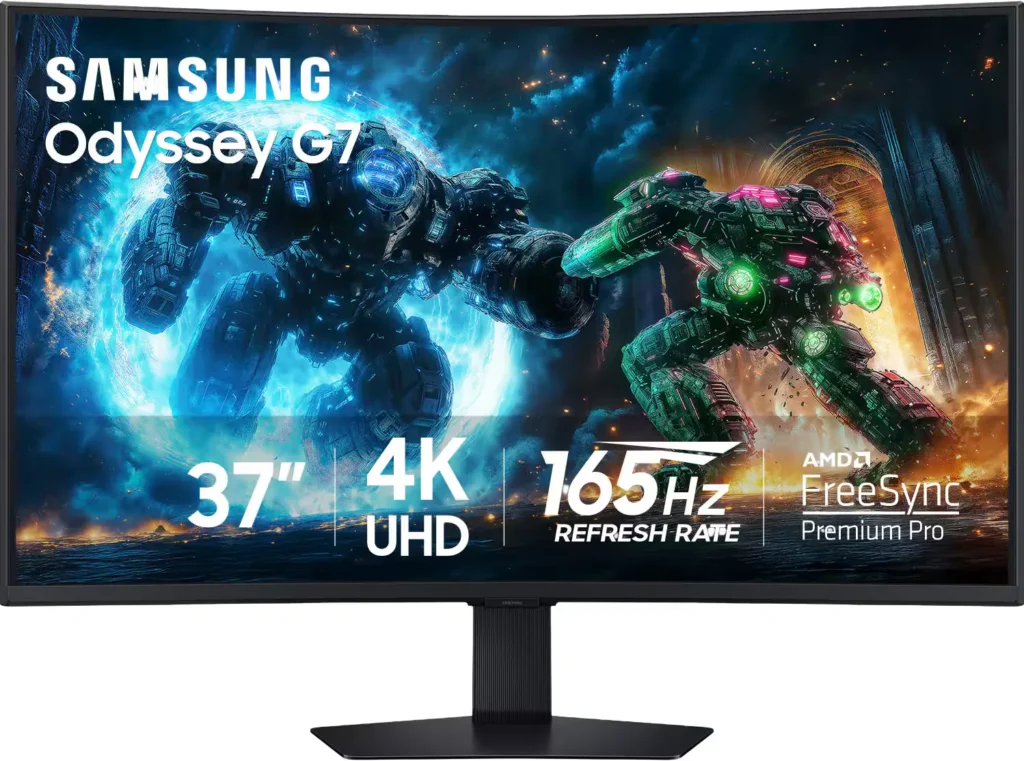
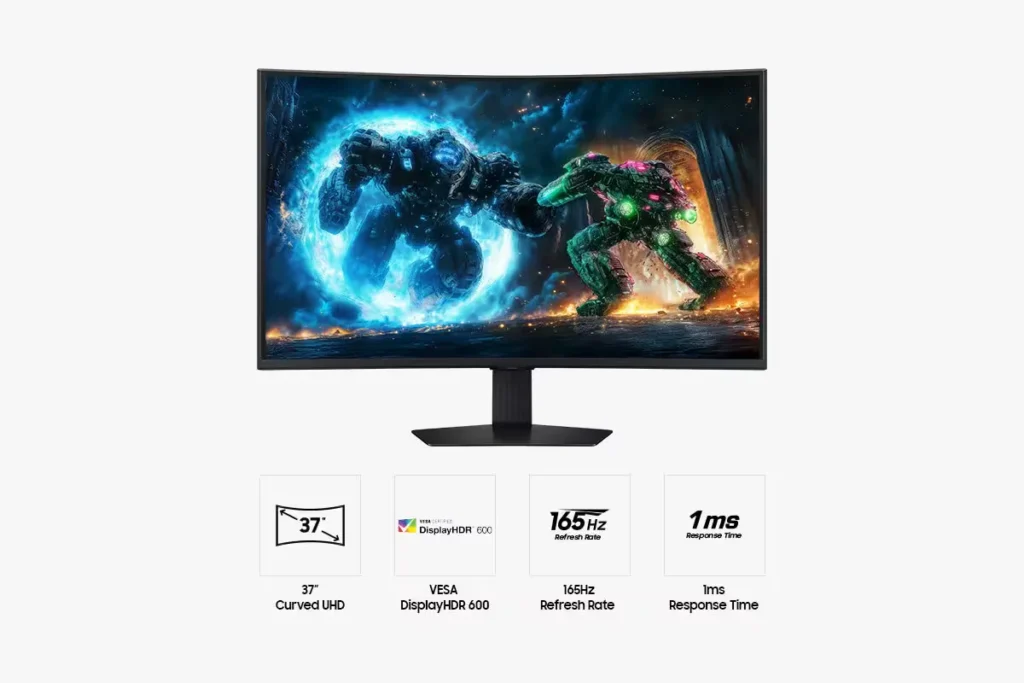
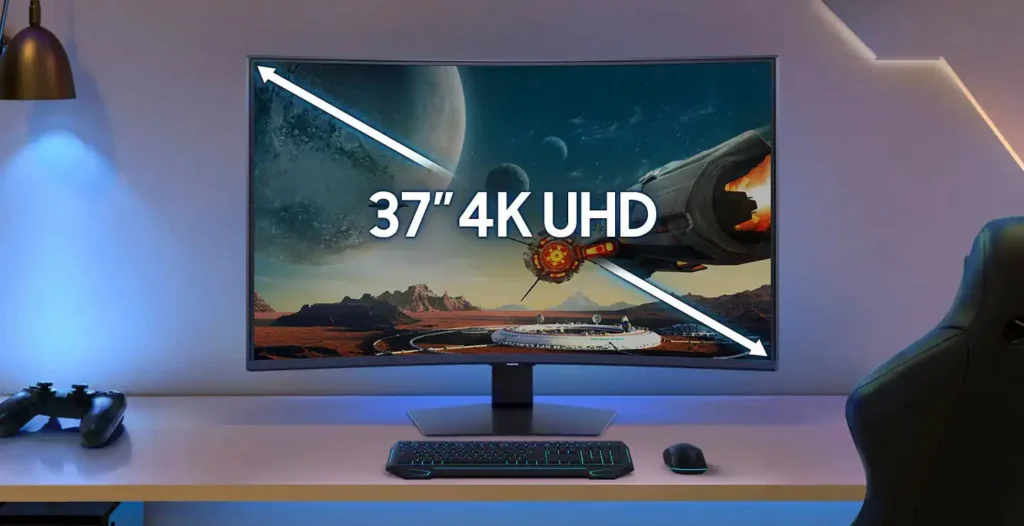
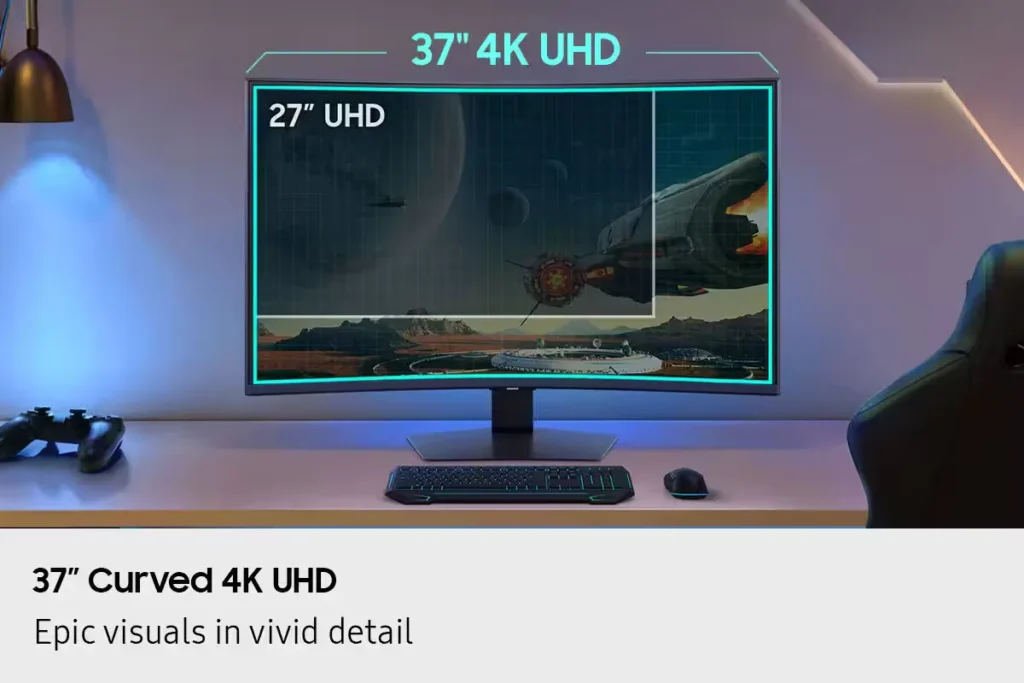
| Immersive 1000R Curved 4K UHD Display | Experience next-level gaming with a 37-inch 4K UHD (3840 x 2160) display featuring a deep 1000R curvature, designed to wrap around your field of vision for unparalleled immersion and realistic detail. |
|---|---|
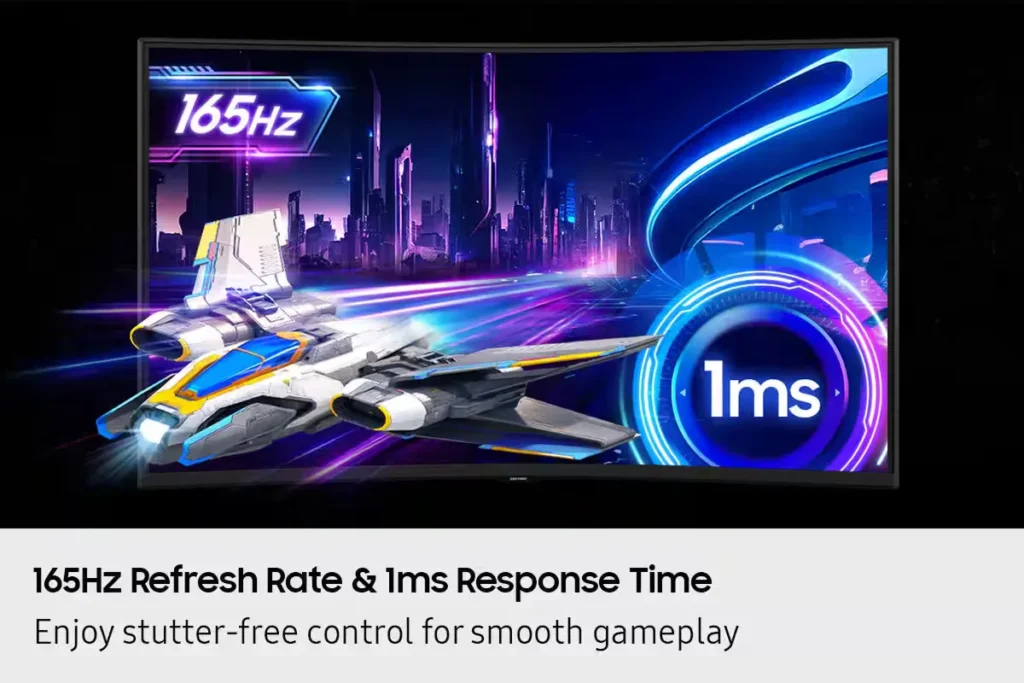
| Blazing-Fast 165Hz Refresh Rate & 1ms Response Time | Stay ahead of the competition with a rapid 165Hz refresh rate and a near-instant 1ms Gray-to-Gray (GtG) response time, minimizing lag and ghosting for ultra-smooth, sharp precision in fast-paced action. |
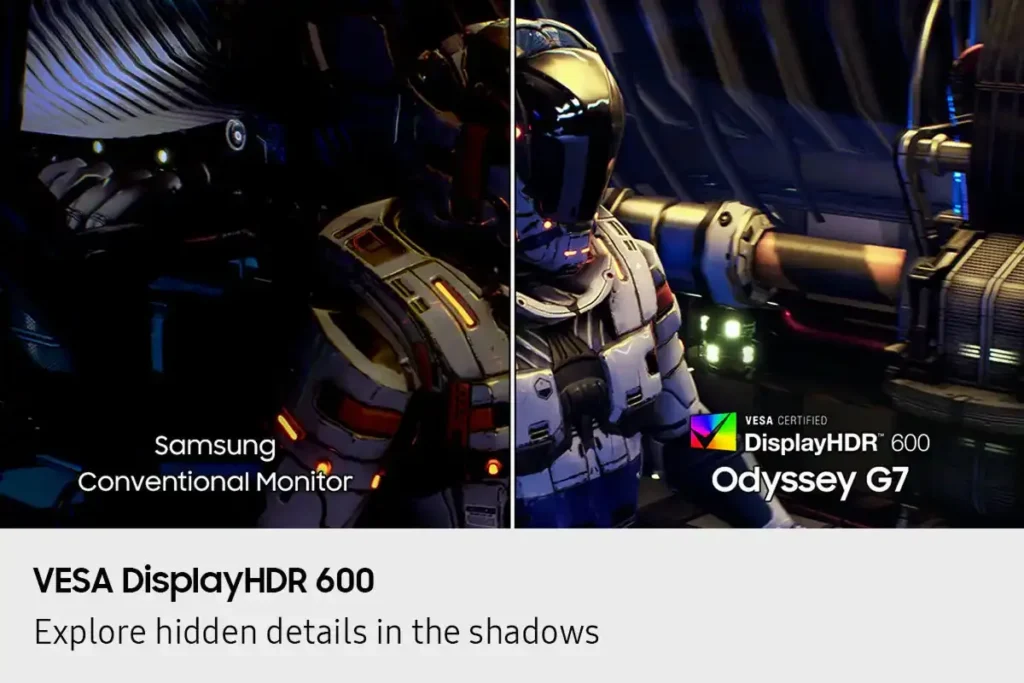
| VESA DisplayHDR 600 & HDR10+ Gaming | Reveal the full picture with VESA DisplayHDR 600, delivering enhanced contrast, deeper blacks, and brighter whites for vivid, lifelike visuals, complemented by HDR10+ Gaming support for a truly captivating experience. |
| AMD FreeSync Premium Pro Support | Enjoy fluid, tear-free, and stutter-free gameplay with AMD FreeSync Premium Pro technology, which synchronizes the GPU and panel to ensure a seamless and responsive gaming experience. |
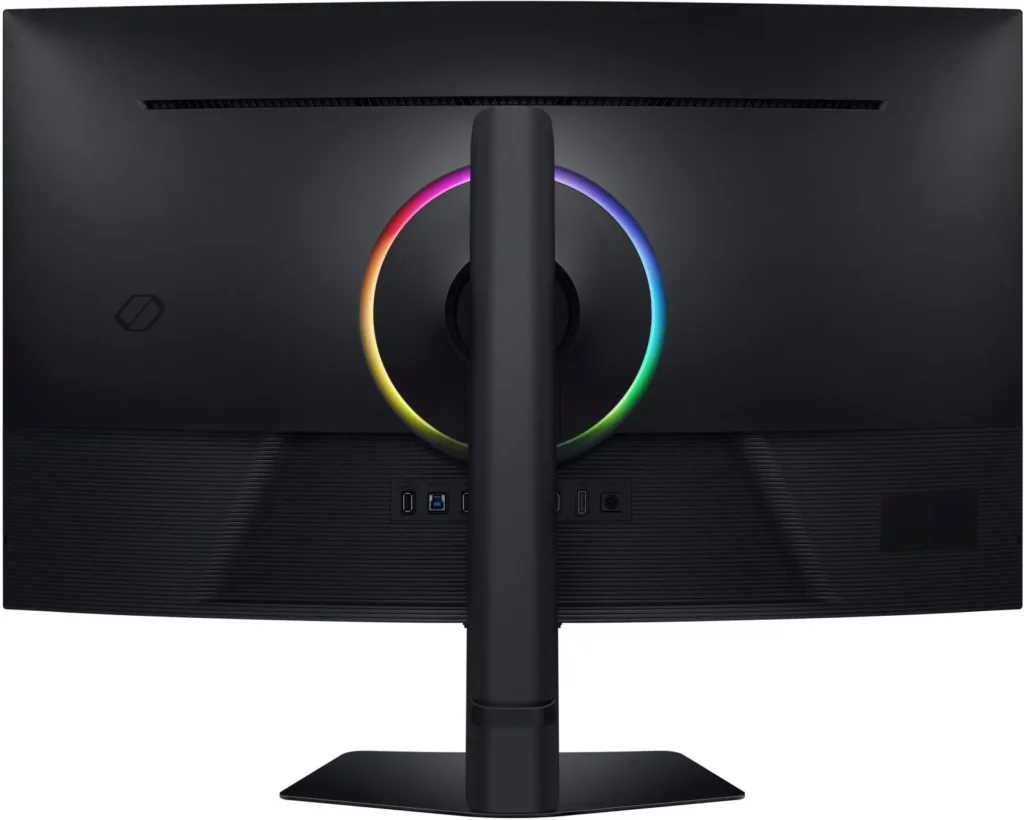
| CoreSync & CoreLighting+ for Ambient Immersion | Enhance your gaming environment with CoreSync technology and CoreLighting+, which project vibrant on-screen colors into your real-world surroundings using 16.7 million colors, creating a fully immersive ambient lighting experience. |
Pros & Cons
Pros
- Immersive Curved Display: The 37-inch 1000R curved screen is widely praised for providing a highly immersive experience, making games and media feel more engaging and reducing eye strain during long sessions. It helps keep more of the display in the user's direct field of vision.
- Excellent Picture Quality and Performance: Reviewers consistently highlight the monitor's stunning 4K UHD resolution, vibrant and accurate colors, deep blacks, and crystal-clear text. The 165Hz refresh rate and 1ms response time ensure exceptionally smooth gameplay with minimal motion blur or ghosting.
- Versatile for Work and Gaming: Many users find the monitor equally impressive for both professional tasks like coding, spreadsheets, and video editing, and for high-end gaming. Its large screen real estate and sharp display enhance productivity, while its performance specs deliver a premium gaming experience.
Cons
- Absence of Built-in Speakers: A significant number of reviewers expressed disappointment that the monitor does not include built-in speakers, requiring users to rely on external audio solutions despite having a headphone jack.
- Lack of Smart Features and Remote Control: Several customers were surprised and dissatisfied by the absence of smart monitor features, an integrated operating system, or a remote control, especially when comparing it to other Samsung products or expecting a more comprehensive media hub.
- VA Panel Image Quality Limitations: Some users noted drawbacks inherent to the VA panel technology, such as noticeable blooming or halo effects around bright objects on dark backgrounds, slight ghosting in certain scenarios, and color shifts or washed-out appearance when viewed from off-angles.
You might also like










Customer Reviews
Showing reviews 51-60 of 90
-
Level up your setup
Incentivized Incentivized review: The reviewer received a benefit for sharing feedback.Bubba September 24, 2025Review source: AmazonThe curved gaming monitor has a solid build and it sits on the desk firmly. The curved monitor makes gaming more immersive and cinematic. The resolution is crisp with vibrant and accurate colors. No dead pixels. The performance is smooth and reliable. Overall, it is a great monitor for anyone looking to upgrade their setup.
-
Fantastic monitor for a very specific user.
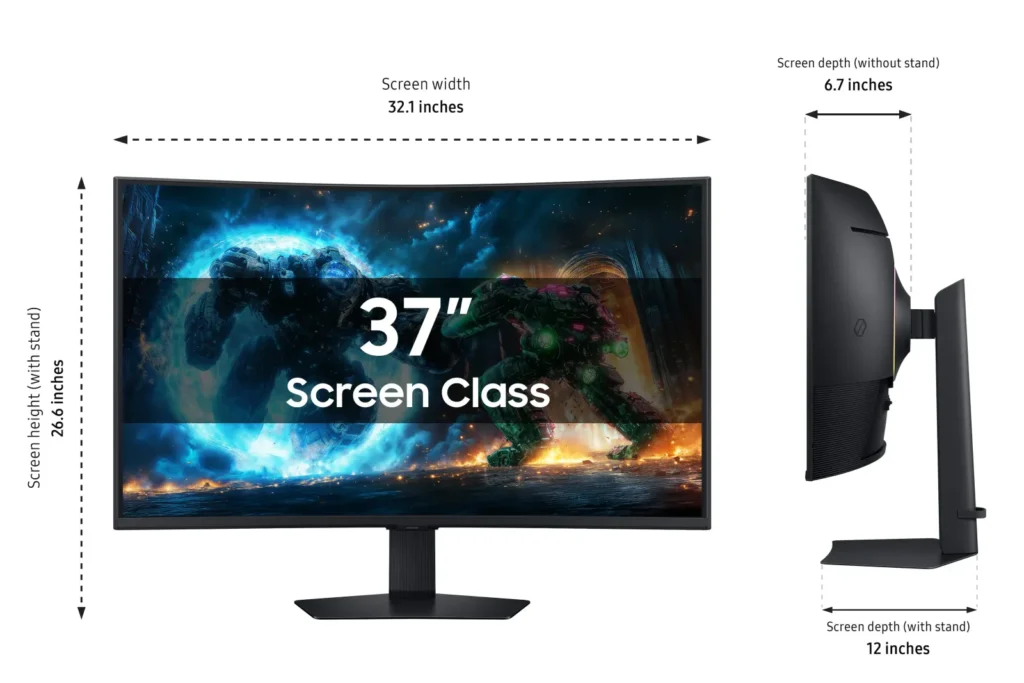
Incentivized Incentivized review: The reviewer received a benefit for sharing feedback.cw77 September 21, 2025Review source: BestbuyThis is a great monitor for someone that enjoys an immersive gaming experience and has enough space on their desk. This monitor takes up a fair amount more space than you might expect; it has about a foot of depth to it, from the back of the stand to the front edge of the display, so keep this in mind when looking.
The unboxing is pretty straightforward and easy, with no awkward maneuvering to get the stand attached to the monitor, and the setup is toolless as well. Speaking of the included stand, it is great! I do wish it had some pivot to make plugging cables in easier, but the completely flat base is amazing. It’s slim enough to still be usable desk space, or you can simply put a desk pad over it to hide it altogether.
The picture quality is truly great, with quite a bit of brightness that makes colors pop in HDR. The black levels are also better than expected, which contributes to the decent HDR performance. However, there are times when the local dimming zones are noticeable, particularly in darker scenes with small, bright elements. I’d also highly recommend disabling the “contrast enhancer” setting, as it can sometimes create an unnatural, flat look.
Since the monitor is 4K UHD, it can be pretty difficult to drive in many modern games. You’ll likely need a very powerful graphics card to achieve stable frame rates at the highest settings, so be prepared for some compromises in your graphics settings if your hardware isn’t top-tier.
On the connectivity front, while I understand this is primarily a gaming monitor, I would have liked to see a USB-C input for added versatility. The power supply is also a point of note; it is pretty large, so you’ll want to plan for that when it comes to your desk setup. A small positive, though, is that Samsung used a 90-degree connector, which allows the cable to run in either direction on the power supply, which I found pretty thoughtful.
One of the more frustrating quirks I’ve noticed is that the monitor takes an abnormally long time to wake up compared to any other monitor I’ve used. It’s a minor inconvenience, but it’s something to be aware of if you frequently put your PC to sleep. I have also noticed the occasional flicker when gaming with variable refresh rate enabled, but this was rare, and hardly noticeable. Overall, despite a few minor drawbacks, this is a very solid choice for a high-end gaming setup.
-
Great for console, not great HDR
Incentivized Incentivized review: The reviewer received a benefit for sharing feedback.Alex September 21, 2025Review source: BestbuyI have ben using the G75F 37″ version for a little while now for both productivity and gaming, its a nice monitor but for me I think I will ultimately change back to my dual monitor set-up or an ultrawide. First some technical specs, this is a VA panel with a peak brightness of 350nits, has HDMI 2.1 connection for high refresh rate 4k gaming on modern consoles/PCs, has AMD Premium Pro VRR, overall a massive screen because it retains 16:9 aspect ratio, and has a USB hub. The combination of aspect ratio, HDMI 2.1 connection, and the 4k resolution makes this perfect for those gaming on a console. Its extremely difficult to push high frame rates at native 4k currently, so the inclusion of AMD premium pro VRR is welcomed and is supported by consoles as well as PCs. With the USB hub you can have your PS5 hooked up for games, then plug your laptop in for work or school. To be frank I think the use of a VA panel here is pretty disappointing, although it didn’t have a noticably negative impact on my experience. However, for a monitor that is advertising HDR600 gaming, this only has a peak brightness of 350nits so HDR content is mediocre at best and doesn’t hold a candle to my MSI OLED. As a result I have been using this primarily for productivity and incorporated it into my laptop docking station for the days I’m working from home. The included stand is nice, the square base ultimately takes up less room versus those monitors that use more of a tripod design with two long legs. Feels very sturdy once set-up, has height, tilt, and swivel right out of the box along with the ability to be mounted on 100×100 VESA mounts. Overall this is a high quality monitor that will do everything you want it to if you are looking for a large format 16:9 display. Those that are used to gaming on TVs will definitely appreciate the picture quality, refresh rate, and input latency decrease you will get going to a monitor like this.
-
Samsung – 37" Odyssey G75F 4K 165Hz Gaming Monitor
Incentivized Incentivized review: The reviewer received a benefit for sharing feedback.elitegangsta September 21, 2025Review source: BestbuyAs a fan of Samsung’s Odyssey gaming monitor lineup, I was really excited to try our the new 37″ Odyssey G75F! Samsung always provides a really nice unboxing and setup process. All of the items are packaged in a way that forces you to unbox and setup in the correct order. The display itself is always the last piece to assemble and clicking in the stand before pulling it out of the protective foam is the final step resulting in a secure and impossibly to damage way.
Once setup I began loading content and fine tuning the settings to my preference. I understood this LCD panel to be VA technology and I tempered my expectations accordingly. To my surprise, this display does have local dimming settings, however, I did find this to be fairly minimal effect on overall image quality. I setup both SDR and HDR. I found the colors to be too saturate out of the box, and black/contract to be too bright. After many adjustments I landed at the following and found these to be pretty accurate all around and provides a nice balance of contrast and visibility:
SDR
Picture Mode: Custom
Brightness: 37
Contract: 40
Sharpness: 10
Color: 20
Tint: 0
Local Dimming: Low
Contract Enhancer: off
Color Tone: warm 2
Gamma: 0
Color Space: NativeHDR:
SDR
Picture Mode: Custom
Brightness: 50
Contract: 50
Sharpness: 10
Color: 20
Tint: 0
Local Dimming: High
Contract Enhancer: off
Color Tone: warm 2
HDR Tone Mapping: Enabled
Gamma: 0
Shadow Detail: 0
Color Space: NativeIt’s worth noting, HDR in Windows looks terrible, but in game, the effect is significantly better.
There are also some additional gaming panel adjustment you can make, my settings are as follows:
Adaptive Sync: On
Black Equalizer: 5
Virtual Aim Point: off (places a permeant cross hair in the middle of the screen)
Infinity Core Lighting: on, static, purple to match my speaker LEDs, coresync: off
Screen Size: WideMy RTX 5080 was able to recognize the AMD Freesync technology and enabled “G-sync” as a result. I found the 1ms response time and 165Hz panel to perform very well in both Windows and gaming. Images felt smooth and I experiences no screen tearing or other oddities. Everything felt really clean and performed well. I found the 37″ screen size to be extremely immersive sitting about a 2 foot distance from the display without being too large. The 1000R curve screen wrapped around my head giving me the illusion of an IMAX like experience. I’m used to a 27″ monitor and I found the upgrade to 37″ to add a “wow factor” yet was easy to adjust too. I did not have to move me head around to see HUD elements in game but could simply shift my eyes. Since this is a VA panel, it has a considerable amount of clouding and halo effect around images when against a black background. This was really only noticeable when loading games with black backgrounds and white text, or really dark scenes. 95% of the time, when in game, these effects were not noticeable. While this display does have local dimming, I did not find it helped much in maintaining consistent black without the bright spots. The viewing angle is also a bit limited, I found the center of the display to look the best, but edges to be more muted due to it’s large footprint. Things like the Windows task bar appeared more washed out until I shifted my angle. Overall, I did not find this to be overly bothersome.
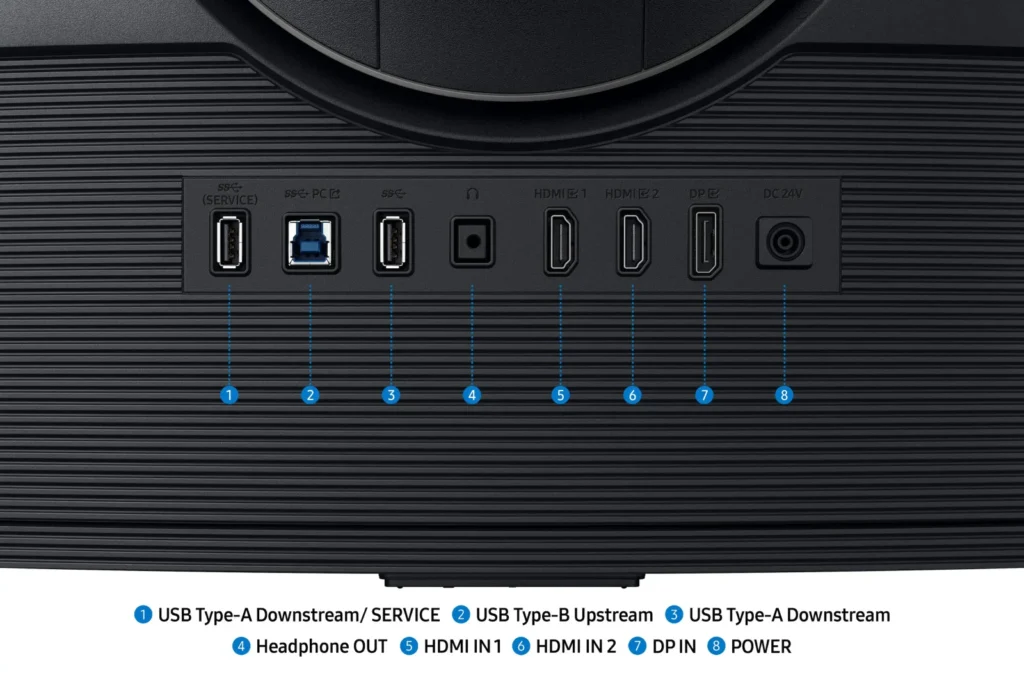
This monitor has a single display port (which I used for my PC) and 2 HDMI ports that can be used for additional gaming devices, or used on PC instead of DisplayPort. I found other devices such as a PS5, Nintendo Switch, etc to connect nicely to the display, making this setup quite versatile.
The menu and navigation for the display are centered under the display in a square like button where the center powers on/off/selects and the buttons around the edges act like arrows for navigation. It took a little to get used to, but once I got the hang of it it was quite nice.
The Infinity Core lighting on the back is a nice atmospheric enhancement but I found it to be rather dim and not overly noticeable in my space. I could tell when it was on or off, but the effect were subtle and I didn’t find it really brought much to the table.
Overall, this is a really nice immersive gaming monitor and the 37″ size is really perfect. It checks most of the major boxed when considering a high end gaming monitor. I did find the VA panel to be lacking in overall image quality, but the immersive nature makes up for it. With OLED displays being more common now, it is hard to compare anything else to them. Temper expectations a bit if you are a videophile or expect “nothing but the best” and simply enjoy this for what else it brings to the table. I think for the price and overall experience, this is a wonderful option to consider for most people.
-
Immersive and Sized Right
Incentivized Incentivized review: The reviewer received a benefit for sharing feedback.HappyPhantom September 19, 2025Review source: BestbuyThis 37” 4K monitor is hitting the sweet spot for me as a gaming monitor and in daily productivity use.
This monitor is large and requires a somewhat deep desk. I’m using it on a 24” depth desk that is 60” long. It takes up more space front to back than I thought it would, but is completely worth it. The stand is easy to put on the monitor and adjustments are simple. The stand also keeps the monitor very sturdy. There are 2 HDM 2.1 ports, and 1 DisplayPort 1.4 port. The ports face out on the back of the monitor, making it easy to attach cables. There is also a USB B port and a USB A port.
The 3840×2160 resolution at this size has several advantages. If your gaming device can output it, you can get full 4K at a 165Hz refresh rate (I believe you need to use the DisplayPort 1.4 connection to achieve this). As a daily use monitor, you can increase the size of screen elements. The native 4K resolution works well with MacOS and Windows, but items are just a bit too small for my liking. I can change the resolution and then still fit more on the screen than a 1440p monitor. At 37” this makes a very pleasing setup for my eyes. No strain at the end of the day.
While on paper this might not be the brightest panel, in use is is more than bright enough. Also, in HDR content is can go up to 600 from 300. The 1000R curve is great for immersion into gameplay. Off angle viewing is not the best, but a curved monitor like this is meant to be viewed straight on. Gaming is a joy and I like the different modes (eco for working for example). It has AMD FreeSync which eliminates screen tearing, a super fast response time to eliminate ghosting, and the 165Hz refresh rate to keep things smooth.
This is a large monitor and a unique screen size, that hits all of the right notes for gaming and daily use.
-
Ambitious and impressive monitor for gaming & more
Incentivized Incentivized review: The reviewer received a benefit for sharing feedback.Joe1015 September 17, 2025Review source: BestbuyIn the world of PC gaming, having a powerful, modern CPU and GPU, a high amount of RAM, a fast SSD, and a reliable power supply and cooling system are the first steps to enjoy video games to the fullest; and a good gaming monitor will translate all that processing power into stunning visuals for hours of entertainment.
Setting up the 37-inch Samsung Odyssey G75F is a two-step simple process that takes barely a minute. The wide, fairly heavy base of the stand gives it great stability. That stand offers swivel, height and tilt adjustments. The overall quality build is great. The plastic feels solid. This monitor offers several connection options, among them two HDMI 2.1 ports and a DisplayPort 1.4 plus headphone jack and a pair of USB ports. I’m a strong believer in DisplayPort connection for best results in gaming, so it is my go-to connection. A compact jog controller at the center base of the screen serves as command and control and is quite intuitive and easy to navigate.
At 37 inches, the Samsung Odyssey G75F is quite unique in terms of size. In my opinion, it comes close to the ideal size, not too big and not too small. It has a 1000R curvy screen that looks odd at first but grows on you quickly with how easy it gets on the eyes. For the inquiring minds, 1000R means a curvature radius of 1000 millimeters which comes close to your natural field of vision. As a guideline, placing it at a distance of about 3 feet would be ideal for most people but it’s a matter of personal choice.
I enjoy playing my games on this monitor, from racing simulation, to FPS, third person action games and more. The non reflective VA panel has vibrant accurate colors with great contrast. I was surprised by the deep blacks that it reproduced. At 4K resolution and 165Hz refresh rate, it really excelled at reproducing clear and precise graphics. My past experience with VA panels was the lackluster response speed, however the Odyssey G75F with its fast 1ms response time, pretty much eliminated blurring during fast paced games. An interesting feature of this monitor is its ability to project on-screen colors to the wall behind using CoreSync and CoreLighting+ processes. It does create a more immersive gaming environment. Also, for those with compatible AMD graphic cards, AMD FreeSync Premium Pro is supported by this monitor. This feature synchronizes the monitor’s refresh rate to the GPU’s frame rate to generate buttery smooth graphics without stuttering or tearing. I could not test that feature since none of my gaming PCs have an AMD graphics card.
After many days, playing games for hours on end, the 37-inch Samsung Odyssey G75F fills my need for a bigger screen than a 32-inch without being cumbersome. It’s a stunning and fast 4K performer with great colors and deeper blacks than expected. I find the 1000R curve makes the games more immersive and more enjoyable, but this is my personal opinion. It’s definitely a keeper that I will enjoy for the foreseeable future.
-
Premium monitor
Incentivized Incentivized review: The reviewer received a benefit for sharing feedback.mamallg September 17, 2025Review source: BestbuyThis Samsung 37″ Odyssey monitor is spectacular and one of the best I own. It is a high quality monitor. It only took a few minutes to set it up properly. With the curved screen, it really feels immersive and realistic. The size allows for a great experience, whether gaming or viewing other entertainment. The monitor is definitely a presence with a height including the stand is about 26.6″, depth about 12″ and width is about 32″. The ports are easily accessible, centered in the back including a USB- A, USB- B, headphone jack, 2 HDMI, display and power. The stand allows for tilt and height adjustments to have the optimal comfort and experience. The Odyssey is also able to wall mounted if that’s what you prefer.
The LED offers a great color contrast and brightness. The 4K resolution results in lifelike graphics. The 165Hz and a very high refresh rate of 1ms makes for the ultimate gaming experience. All of the images are clear and crisp. It not only works great for gaming, but also for daily tasks and work. The Auto Source Switch+ is a nice added bonus. It automatically switches signals to the device that is powered up. Keep in mind that it does not include built in speakers. For me, I don’t mind because most built in speakers are never great anyways.
I highly recommend this Samsuny 37″ Odyssey curved monitor. It’s high quality, immersive and excellent in performance.
-
An Amazing Gaming Monitor
Incentivized Incentivized review: The reviewer received a benefit for sharing feedback.kwilks3 September 17, 2025Review source: BestbuyThe Samsung Odyssey G75F 37″ monitor is an amazing gaming monitor.
The colors are vibrant, but not over the top. I’d say almost perfect. The black has zero visible bleed through when testing solid colors. The 4K resolution and 165Hz refresh rate, along with 1ms response time makes for a very enjoyable gaming experience.
The 37″ is more of your traditional 16:9 widescreen format. I was shocked how big the screen really is. The curve helps games become more immersive. It has HDR 600 capability, and out of the box it looks amazing, but I would highly recommend using the windows calibration tool to calibrate it exactly to it’s capability and your preferences. It takes it to a whole new level.
It’s very easy to assemble and setup right out of the box. The base is heavy duty and very sturdy. It’s doesn’t shake at all. The HDMI, display port, and USB adapter cords are included.
It also has an RGB circle on the back, which is really cool, but most likely will never be seen. It’s possible it may be able to reflect off the wall behind it, but the screen is so tall and wide that it’s unlikely to be noticed.
The built in menus give you access to all the settings, and it is very easy to navigate and explanations of what the settings do are very good. It also gives you access to a virtual aim point, which is just built in crosshairs and you have a few options to chose from.
I’ve found this monitor very enjoyable, especially when playing racing games, and you have cockpit mode on. It makes you feel like your really in the car. It’s also fun with games like Monster Hunter Wilds. It makes fighting monsters more exciting with the HDR depth and the wrap around feel of the screen.
-
Excellent choice for racing sims
Incentivized Incentivized review: The reviewer received a benefit for sharing feedback.vortex0007 September 17, 2025Review source: BestbuyAfter a few days of trying to use this as my general purpose monitor I discovered that its too large for this purpose. I have a dedicated gaming rig for playing racing simulation games and I think this monitor is a perfect fit. The curve of this monitor is amazing for immersing yourself in the sim and only in this scenario have I wished it to be a bit bigger. I did not think I would be excited about the monitor stand, but this stand allows horizontal and vertical shifting along with tilting and is so easy to shift around that it is magical. Eventually I’ll be moving the monitor from a table to a racing rig and will be VESA mounted, but for now I could not be happier with the flexibility of the stand.
To take advantage of most of the technical features included you need to use DisplayPort 1.4, not HDMI. The refresh rates and response times are excellent, my only complaint being that I spend most of my time viewing OLED displays and every LCD I view these days has saturated blacks making me yearn for an OLED in this display configuration. None the less this display does look wonderful for LCD.
I appreciate that Samsung kept all the ports in full view on the rear of the display.
-
Samsung Gaming
Incentivized Incentivized review: The reviewer received a benefit for sharing feedback.Johnnyboy84 September 16, 2025Review source: BestbuyMy initial impression of the G7 was awe, that is what I felt when I opened the box. You will find all that you need. Obviously, the monitor itself, the stand, and all the cables you need. That is a plus in my book. You get an HDMI & DP cable and they are sturdy and not cheap feeling cables.
Follow the instructions and this would be setup in five minutes or less. You connect the base to the stand and snap on the arm to the monitor, plug in power and your devices. It was that simple.I am a gamer and a father and as any father knows if you have one TV in the house then the kids & wife will usually end up using it more than you and that is most certainly the case for me. I wanted a small gaming monitor that is simple to setup and use and for me the Samsung G7 37inch 4K monitor checked off all the right boxes.
I previously owned a Samsung Curved Television a few years back and I did enjoy it very much, unfortunately I never got around to replacing it, so I was excited to see the G7. Now I have a small space and I did not want a huge television so a multipurpose device was essential for me. I have my PC & PS5 hooked up to my monitor.
The curve is Subtle and makes for a more immersive experience when consuming media on the device. I love that the menu and power buttons are in the middle of the bottom of the screen.
They are easy to use, navigating the menu is easy and intuitive. I found that the inputs HDMI 1 & 2 and DP are set to ECO mode. While it is nice I chose my desired settings which was “Dynamic Mode”. There is a headphone Jack in the back but I honestly will not use that. I have Bluetooth setup for my audio needs and that is good enough for me.I played Final Fantasy 7 on my PS5 and it looks amazing to me. Of course, this is all subjective as you may disagree but I did not need an OLED monitor like everyone seems to be pushing on you. The colors are great with the right setting and mode, HDR is good as well when setup properly for the device.
There is a lot to love about the G7 and it is not the cream of the crop but it is a high-end device in my opinion and it will do as advertised. I forgot to mention this but I would like to point out that the stand is phenomenal it is sturdy and has good heft to it so it will not wobble or fall over the base is heavy and it does support the weight of the monitor.
There is a good amount of tilt & swivel so you can find the sweet spot for you.
:::Pros & Cons:::
Pros:
– Curved
– 4K
– HDR 600
– Excellent weighed stand (tilt & swivel)
– Easy to setup & useCons:
– SpeakersMy only complaint are the speakers, but that is minor because I use Bluetooth headphones & speakers for my devices. So, it really is not a big deal but I am certain it may bother others. I am unsure if audio is meant to play through HDMI but I am not getting any audio. Although I do see there is a headphone jack.
My closing thoughts are that this is a solid device and it is nearly perfect. The G7 37 checked off all the boxes for me and I am happy to be able to game again and not have to fight for the television. I do have a PS Portal but that’s a small screen and I prefer being able to see all the details of the games I play.
So, to wrap up this review there is a reason Samsung is No. 1. The G7 is proof of that, if you are in need of a gaming monitor then please do check out the G7 37 or the 40 inch Widescreen.