Customer Media
Highlights
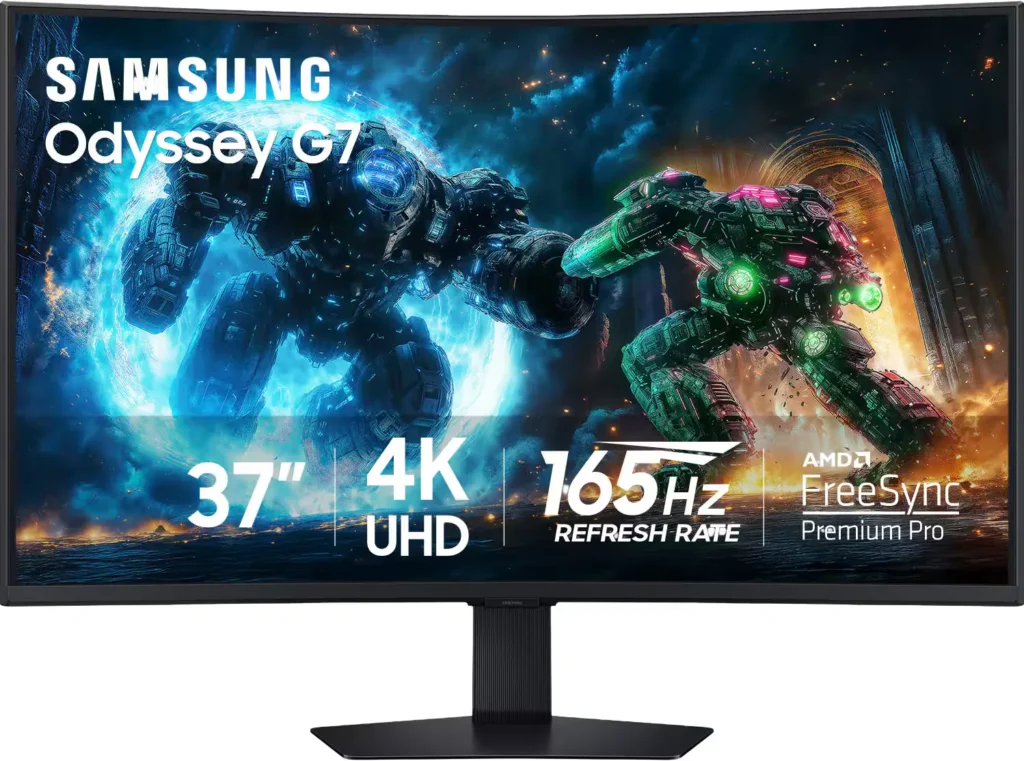
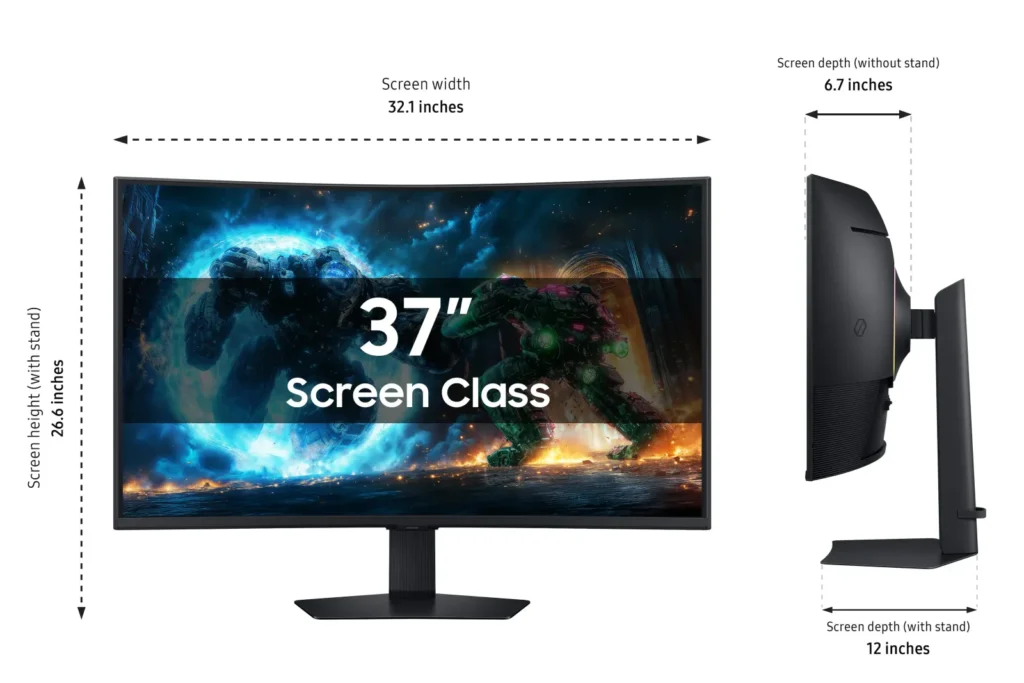
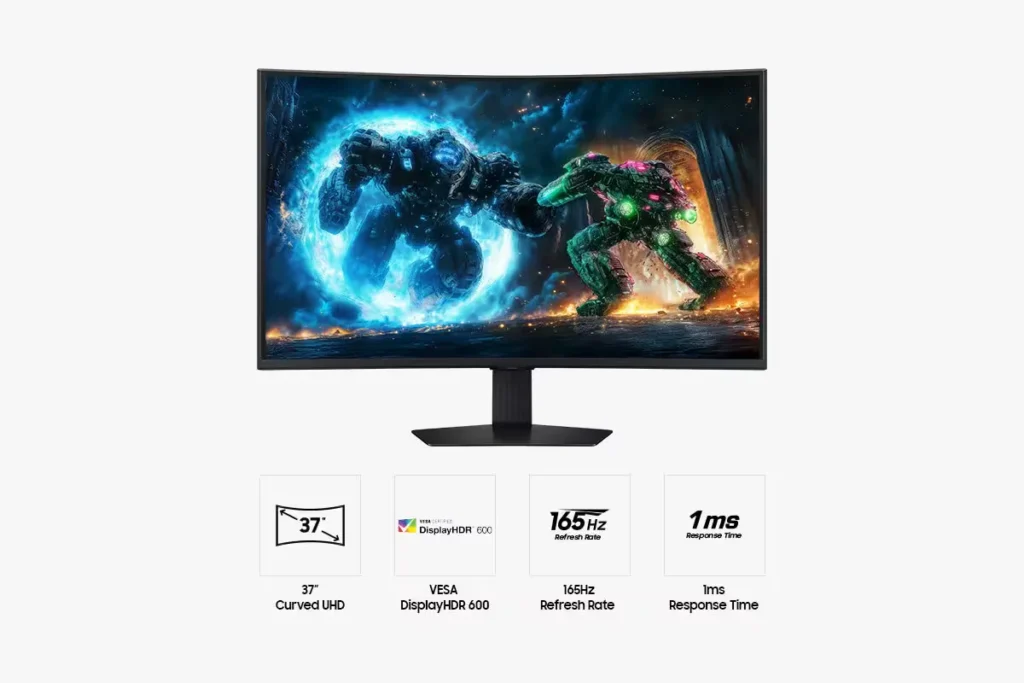
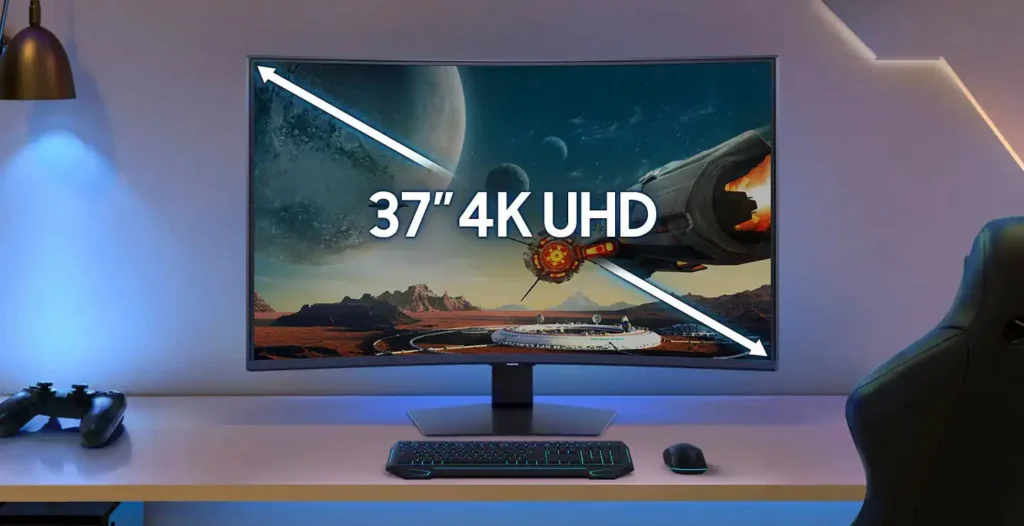
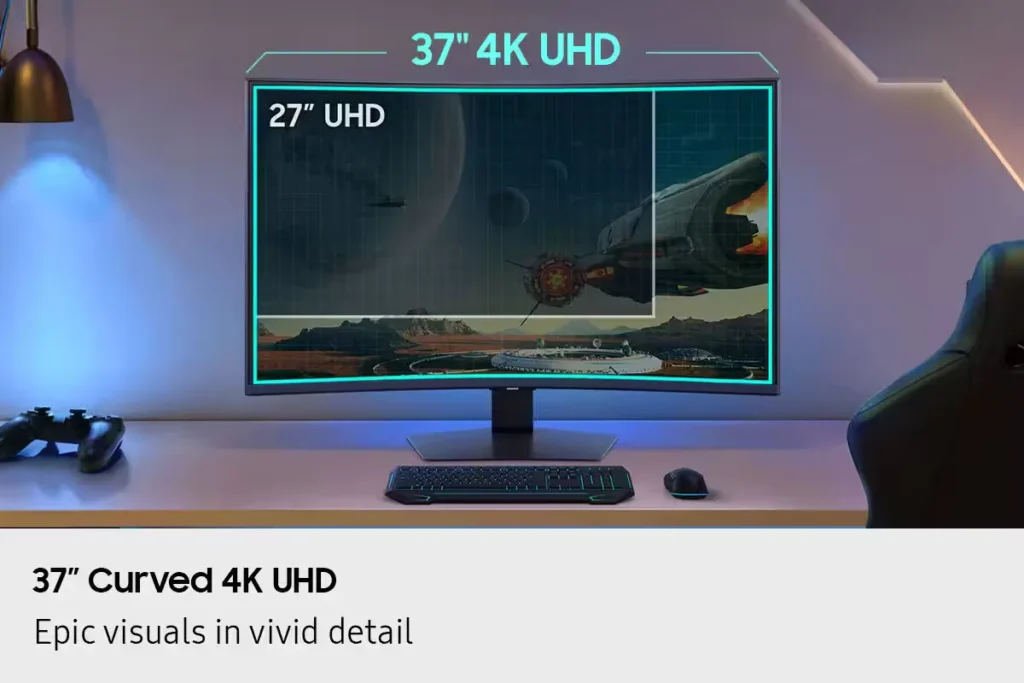
| Immersive 1000R Curved 4K UHD Display | Experience next-level gaming with a 37-inch 4K UHD (3840 x 2160) display featuring a deep 1000R curvature, designed to wrap around your field of vision for unparalleled immersion and realistic detail. |
|---|---|
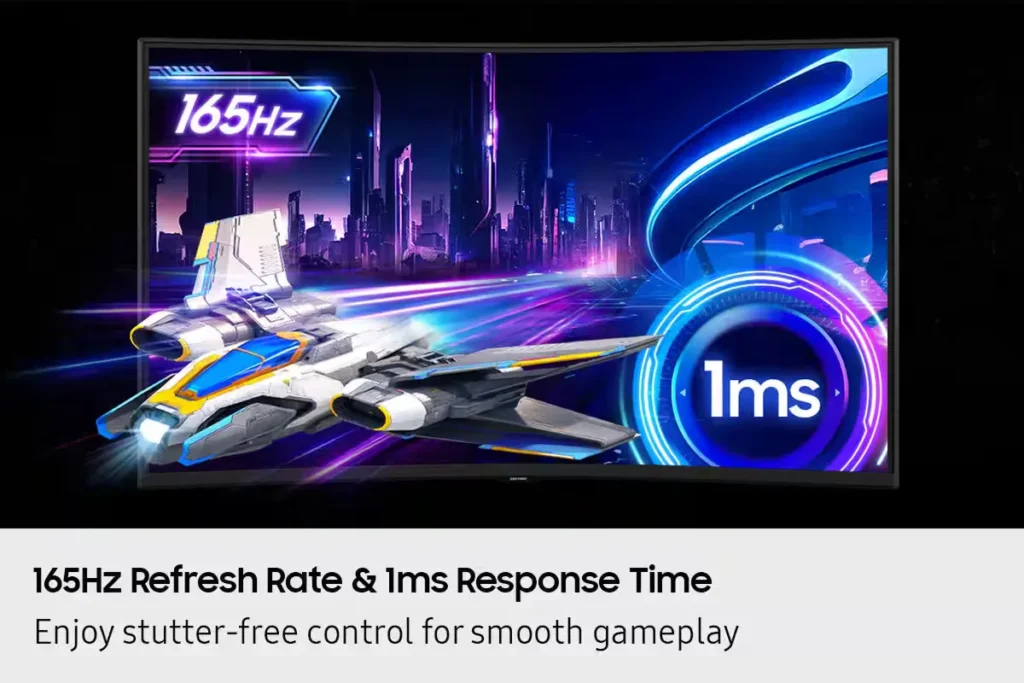
| Blazing-Fast 165Hz Refresh Rate & 1ms Response Time | Stay ahead of the competition with a rapid 165Hz refresh rate and a near-instant 1ms Gray-to-Gray (GtG) response time, minimizing lag and ghosting for ultra-smooth, sharp precision in fast-paced action. |
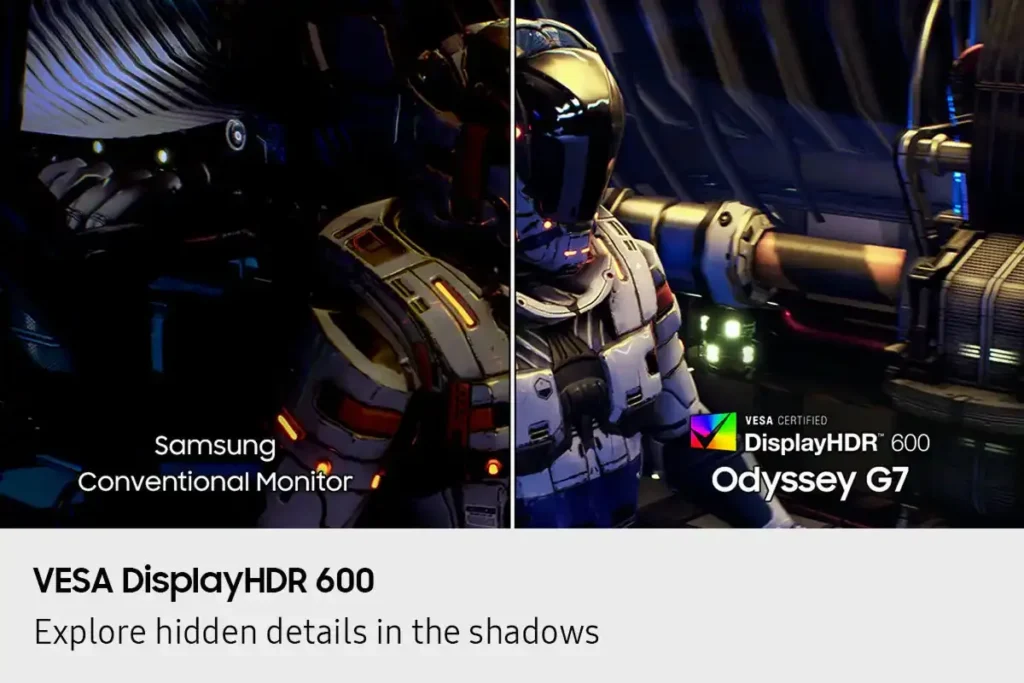
| VESA DisplayHDR 600 & HDR10+ Gaming | Reveal the full picture with VESA DisplayHDR 600, delivering enhanced contrast, deeper blacks, and brighter whites for vivid, lifelike visuals, complemented by HDR10+ Gaming support for a truly captivating experience. |
| AMD FreeSync Premium Pro Support | Enjoy fluid, tear-free, and stutter-free gameplay with AMD FreeSync Premium Pro technology, which synchronizes the GPU and panel to ensure a seamless and responsive gaming experience. |
| CoreSync & CoreLighting+ for Ambient Immersion | Enhance your gaming environment with CoreSync technology and CoreLighting+, which project vibrant on-screen colors into your real-world surroundings using 16.7 million colors, creating a fully immersive ambient lighting experience. |
Pros & Cons
Pros
- Immersive Curved Display: The 37-inch 1000R curved screen is widely praised for providing a highly immersive experience, making games and media feel more engaging and reducing eye strain during long sessions. It helps keep more of the display in the user's direct field of vision.
- Excellent Picture Quality and Performance: Reviewers consistently highlight the monitor's stunning 4K UHD resolution, vibrant and accurate colors, deep blacks, and crystal-clear text. The 165Hz refresh rate and 1ms response time ensure exceptionally smooth gameplay with minimal motion blur or ghosting.
- Versatile for Work and Gaming: Many users find the monitor equally impressive for both professional tasks like coding, spreadsheets, and video editing, and for high-end gaming. Its large screen real estate and sharp display enhance productivity, while its performance specs deliver a premium gaming experience.
Cons
- Absence of Built-in Speakers: A significant number of reviewers expressed disappointment that the monitor does not include built-in speakers, requiring users to rely on external audio solutions despite having a headphone jack.
- Lack of Smart Features and Remote Control: Several customers were surprised and dissatisfied by the absence of smart monitor features, an integrated operating system, or a remote control, especially when comparing it to other Samsung products or expecting a more comprehensive media hub.
- VA Panel Image Quality Limitations: Some users noted drawbacks inherent to the VA panel technology, such as noticeable blooming or halo effects around bright objects on dark backgrounds, slight ghosting in certain scenarios, and color shifts or washed-out appearance when viewed from off-angles.
You might also like










Customer Reviews
Showing reviews 61-70 of 90
-
Very happy with the Odyssey G75F
Incentivized Incentivized review: The reviewer received a benefit for sharing feedback.BarbM September 15, 2025Review source: BestbuyI’ve just upgraded to the 37″ Odyssey G75F from a 1440p monitor, and the difference in quality is stunning. Everything is crystal clear on the 4K monitor, the curved screen keeps all of my display in direct view rather than in the corner of my eyes, and the 165Hz refresh rate is butter smooth. The picture and colors in HDR pop vibrantly, and while they might not be as vibrant as an equivalent OLED monitor, they should last far longer without burn-in compared to an OLED display.
The included stand for the screen is strong and sturdy, and can be lifted and lowered easily, which is great for kicking back and watching movies! I’ve not used it, but there is a sturdy VESA standard mounting bracket on the back of the monitor in case you’d rather wall-mount it. On the gaming side of things, the 1ms GtG and included AMD FreeSync makes for quick, snappy response times.
The monitor comes with all the cables you’ll need included in the box, and the power cable has a hefty power brick attached at the mid-point that you might have to work around.
Overall, I’m very happy with the Odyssey G75F and have had no issues with the monitor at all. Setup was easy, and performance is wonderful. Just make sure your GPU is powerful enough to match the higher demands of 4K HDR!
-
Great Gaming Monitor with Picture-in-Picture!
Incentivized Incentivized review: The reviewer received a benefit for sharing feedback.hotice September 15, 2025Review source: BestbuyThe Odyssey G75F is a large monitor curved monitor with great image quality, and excellent feature set, and Picture-in-Picture!
Design
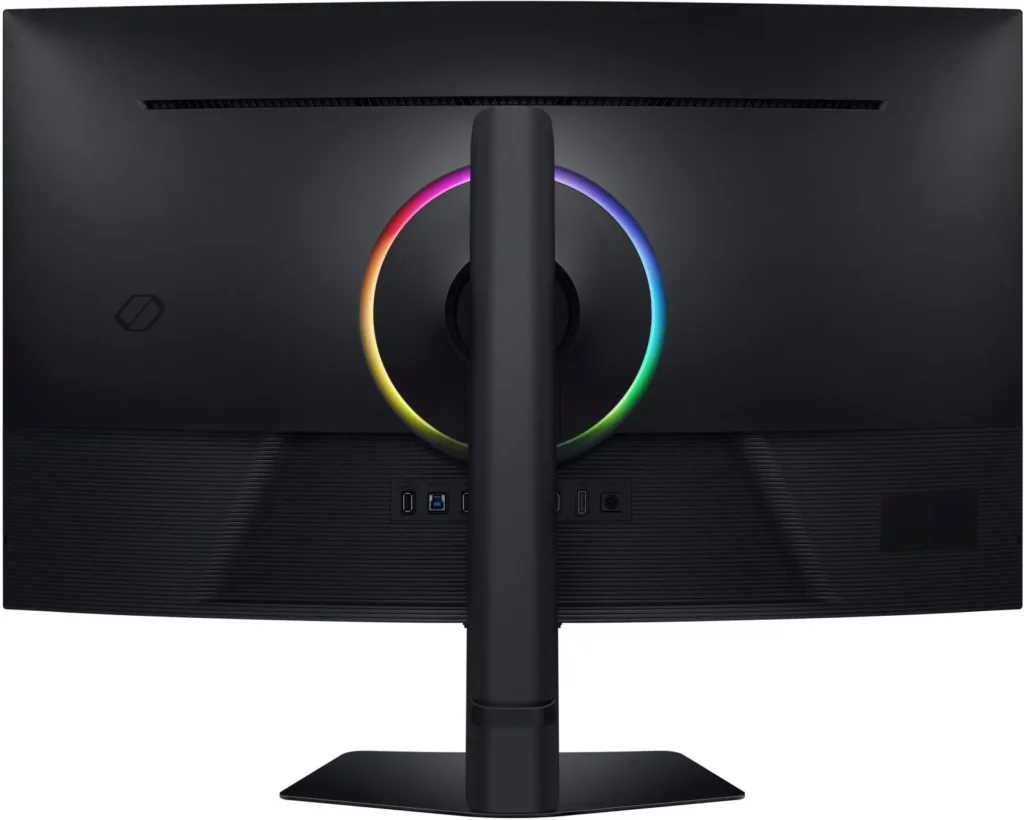
The stand and base are simple and I found them easy to put together. The back of the monitor has a light ring going around where the base attaches. All the inputs and power connections are in a row in the back, all facing straight back. I included a picture showing them. The power cord has a right angle connector. The controls are on the bottom of the display, facing down. There’s a four-way directional pad with a button, like , in the middle. To me the monitor looks large (I mean that in a good way) and very curved. It moves up and down about four or five inches as well as tilting left and right or up and down. The monitor comes with high speed cables, HDMI, Display Port, and USB 3.1. There is a rubber strap that goes around the back of the neck of the stand. It’s pretty easy to work with and hold cables well.Picture Quality
The picture quality is excellent! I was able to use it on my PC at the highest quality that it supports, 4K 165Hz. The image is bright, vibrant, and perfectly solid. Whites look very white and flesh tones look natural. You can of course change lots of setting on the monitor related to the color, and there are a number of pre-sets. I actually liked the “Eco” preset, which was the default. To me the colors looked richer than some of the other settings and it didn’t look dull at all. There are presets for all sorts of presets like Sports, RPG, RTS, Graphic, and more. Gaming and video look great on it! The FreeSync Premium Pro worked great, as I didn’t notice any tearing in video games.Is Curved Good?
My opinion is yes, but it may not be for every situation. If there were a bunch of people sitting back at a distance, I don’t think I would want a curved monitor. But for me on my desk, I was happy to find it saves desk space, or uses it more efficiently. It seems to fit in about the same space, maybe less, than my 32″ monitor did. This is great! I was really afraid it may not fit well but it fits far better than I thought and it’s much bigger at 37″ (feels a lot bigger to me!). Besides that, the image viewing, still or video, hasn’t been a problem. One thing that’s interesting that I noticed is I was doing some audio editing on it. For that I need to scroll left and right quite a bit. That sort of creates a neat effect on the curved screen. It wasn’t that it was bad or much better and I need to have that, but by adding that physical depth to the scrolling left and right, it was just different. I kind of like it and it doesn’t bother me at all. It was just something I didn’t think of. Does it work for gaming? Yes! I would actually say it gaming is a great use case because most of the time, at least for me, it’s just me in front of the monitor and the curved screen just lets me have a larger display in a bit smaller area. So that’s my take! I’m liking the curve more than I thought. I have used a curved monitor before but it wasn’t quite as big and it didn’t feel quite a curved to me. So, for whatever that’s worth – I guess if I’m getting a curved monitor I would want it very curved, like this feels to me.Features
Of course it’s a 3840 x 2180 display that does up to 165 Hz at 4K resolution. It also supports HDR 600. It supports HDR 10+ and has a contrast ratio of 3000:1. At first, in Windows, it seemed it would only support HDR for Video, not apps or games. But after working with it more and changing some settings it supports HDR in Windows 11 for apps and games as well as video. I’m not sure what makes that difference or what I changed, but I was glad to see that. Speaking of HDR, it also support local dimming! This should improve contrast ratio and give true black on regions on the screen, like an OLED display can. It does that by dimming or turning off back lights (local dimming) in areas of the screen as needed. Local Dimming on the monitor was not on by default, so I turned that on. So I’m using the default setting of “Eco” with “Local Dimming” turned on – all selected in the monitor menus. Earlier I mentioned the light ring in the back. This is off by default. It’s called “Infinity Core Lighting” and it’s turned off by default. I turned that on too. There are a number of lighting options you can set. It also has a setting called “CoreSync” that uses the “Dynamic Lighting feature in Windows” to sync the rear lighting with content being displayed on the screen, so the lighting on the wall behind goes along with the content being displayed. To turn it on you need to go into the monitor settings, “Game” menu option, choose “Infinity Core Lighting”, change the “Light Effect” to “Static”, then the “CoreSync” option can be turned on. You will also need to make sure “Use Dynamic Lighting on my devices” is turned on in Windows 11 and “Compatible apps in the foreground always control lighting” should probably be on too (I have mine on). Looking at the light ring I don’t notice the color change so much, but if I look at the light it throws on the wall behind I totally see it! Very cool! My favorite feature it has is probably Picture-in-Picture! You can display a second video input in one of the corners of the screen. There are also three size settings. The small setting didn’t work with the streaming stick I was using it with but medium and large did. The large is one quarter of the display. I like that because then, while I’m using Windows, I can snap applications to the other three corners or even the top and a bottom corner, to use my Windows PC while having another device, like a streaming stick, connecting to a different video input and display on a corner of the screen. Interestingly, I noticed that while in Picture-in-Picture mode, the max refresh rate for the main/large display goes down from 165 Hz to 120 Hz. While there is a headphone jack I want to make it clear that there are no built-in speakers. I should also mention it supports 99% of the RGB color gamut.Ports
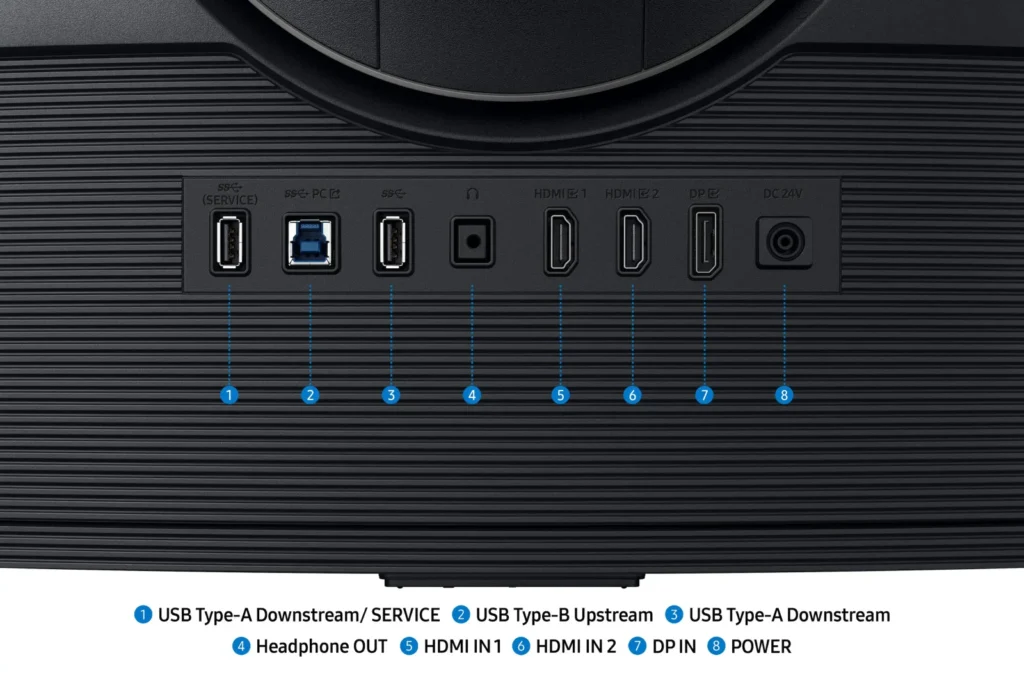
The Odyssey G75F includes the following ports:
2 HDMI 2.1 (you can change this to HDMI 1.4 in the settings)
1 Display Port 1.4
1 USB A 3.1 (for USB hub use)
1 USB A 3.1 (for USB hub use and System updates)
1 USB B (device port) – for USB connection to PC for USB Hub
1/8″ Stereo port (headphone jack)
1 Round power port
As I mentioned earlier, all port go straight on the back, not aiming down or to the side. The included power cord does have a right-angle end.Summary
I think the Odyssey G75F 37″ Curved Gaming Monitor is an excellent display, especially for individual use. It seems to let me fit more on my desk in the same amount of space as my 32″ monitor, but with a much larger physical screen real estate. The colors and features are excellent. I especially love the Picture-in-Picture which allows me to display video from two inputs at one time – nice when I’m connecting a second PC and still want my main PC on the display. It has the technology for syncing the back lighting with displayed content (CoreSync) but that doesn’t seem to be functional yet. I’m looking forward to new drivers or a firmware update, maybe Windows needs an update for it. Also, I found it odd that local dimming wasn’t on by default and the light ring in the back, “Infinity Core Lighting”, is also not on by default. I like having both of those on. But to me those are all very minor things and this is an excellent gaming monitor! -
No built in speakers.
Verified purchase Verified purchase: This reviewer bought the product.R J Wiley September 15, 2025Review source: AmazonWonderful picture. NO BUILT-IN SPEAKERS. Description per ‘Rufus’ is not accurate.
-
Huge But Worth It
Incentivized Incentivized review: The reviewer received a benefit for sharing feedback.Mikepas September 14, 2025Review source: BestbuyFirst off, this thing is huge (at least compared to the displays I normally use). Part of the size comes from the curved display which makes the box that holds it during shipping seem so much larger. The box weighs a lot as well. That being said I discovered during un-boxing that almost 80% of the weight comes from the included stand. That part weighs a lot, and I would say such a sturdy stand is needed for you using it on your desktop.
Ok, now that stuff is out of the way I want to say this display is amazing. Color reproduction is outstanding, there is no image blur when either play games or watching video. It’s pixel dense which means everything is ultra sharp. The refresh rate is amazing, even at a full 4k resolution which makes scrolling through large web sites or ultra large documents look even better with no blurring. When gaming as I said it’s ultra sharp with no blur or missed frames at all. Watching a full screen 4k movie is simply stunning. I do not think I could go back to a smaller display. Again, and I cannot say this enough, this is simply a stunning display.
-
Best Bang for Your Buck? I Think So!
Incentivized Incentivized review: The reviewer received a benefit for sharing feedback.Ricky September 14, 2025Review source: BestbuyThis new monitor by Samsung is pretty impressive! It ticks a lot of boxes and I can see this being a great fit for many people. To start, the 37-inch screen size is perfect for gaming, multitasking, and production. I found it insanely easy to get work done with multiple windows open at the same time. I didn’t have to minimize one to view another, and I didn’t have the problem of not having enough screen real estate to view words from multiple pages at once. This is easily the best screen for gamers who use their PC for work as well. Given that it has a 4K resolution and a 165Hz refresh rate, I don’t think you’ll encounter any issues when gaming with this bad boy.
That said, I do not feel like the VA panel is the best for color accuracy or vibrancy. It wouldn’t have been my first choice, especially with a matte finish on the screen. In my opinion, this kind of dulls the colors. If you work in a well-lit room or office, I can see this being a positive as it lowers light reflection and keeps things easier to see on the monitor. However, it’s not my cup of tea and it’s definitely the only thing I would change.
One thing I didn’t expect was how immersive the curved display feels, it really pulls you into whatever you’re doing, whether it’s editing, gaming, or just watching videos. The curve isn’t too aggressive either, so it doesn’t distort your view or mess with your workflow. The build quality is solid too; it doesn’t feel flimsy or cheap, and the stand is actually sturdy enough that I don’t worry about it wobbling every time I bump my desk.
Overall, I would say this is a great monitor and should be on your list if you’re looking for the best bang for your buck. It’s not perfect, but it’s pretty close!
-
Immersive with an impressive picture quality.
Incentivized Incentivized review: The reviewer received a benefit for sharing feedback.DJSmooth September 14, 2025Review source: BestbuyOVERALL
A very powerful high-end 4K gaming monitor.
The Samsung Odyssey G7 G75F is a 37-inch 4K 165Hz curved gaming monitor with a 1000R curvature, offering an immersive experience and more screen area compared to smaller monitors. It features a VA panel, a 1ms GtG response time, and 4K UHD resolution, 3840×2160.
One notable area that set itself apart for me, from many monitors before it is the sheer size of the packaging.
The monitor features a 16:9 4K VA panel with a matte finish, minimizing reflections.
Setup is quick and easy, with no additional tools required.
While it lacks some modern features like PIP/PBP and has less vibrant colors compared to newer panel technologies, it delivers a highly immersive gaming experience.
Access to the rear IO panel is made incredibly simple, when compared with traditional monitors. It includes two HDMI 2.1 ports and a DisplayPort, offering a good mix of connectivity. No built-in speakers which means users need to use external audio solutions like a soundbar or desktop speakers. Firmware updates must be done manually via a USB port on the rear.
Colors are less vibrant compared to mini-LED and OLED panels, but contrast and black levels are strong. The curved design helps compensate for the narrow viewing angles typically associated with VA panels. The biggest deterrent for any would be buyers is the premium price point.*** Highlights ***
FEATURES
– 37-inch 1000R curved 4K VA panel
– Matte finish reduces reflections
– Two HDMI 2.1 ports and one DisplayPort
– Impressive text clarityPERFORMANCE
– 1ms GtG response time
– 165Hz refresh rate provide good visual fidelity
– Excellent brightness and black levelsCONS
– No PIP/PBP (which is apparently present in the 40″ model)
– No built-in speakers
– Firmware updates are manual
– Less vibrant colors compared to mini-LED and OLED
– The premium price may be a barrier for some usersCONCLUSION
The Samsung Odyssey G75F is a top-tier, feature-rich gaming monitor with a curved VA panel, strong contrast, and a 165Hz refresh rate. While it lacks some modern features like PIP/PBP and has less vibrant colors, it remains a valid option for gamers who prioritize immersion and image quality over the latest panel technologies.
However, its large size and high price may limit its appeal to a broader audience.
This is worth 5-stars. -
Just the right size.
Incentivized Incentivized review: The reviewer received a benefit for sharing feedback.Malcolm September 13, 2025Review source: BestbuyWho knew switching from two 27 inch monitors to one 37 inch would make such a difference in the way I game and use my PC’s. I have my Mac mini hooked up to it as well.
I never really liked how Windows handled HDR before with my other monitors but this one has convinced me that my previous monitors were a bit lacking in that department and it wasn’t the operating systems fault but my panels just were not up to the task. 😒
This is my first curved monitor and never really thought what a difference it makes. Guess who has a lot of research to do?
This monitor is absolutely gorgeous. Only thing that would have been cool is that if I could have rotated it on the stand that came with it. No biggie just nit picking. Had to complain about something about this monitor. Be careful when taking it out the box and mounting the base to it. I almost broke it not paying attention to the instructions. Nice color reproduction and the brightness and contrast are very good. I basically plugged it in and changed the onboard setting to game standard and I haven’t had a need to adjust anything else. Please go see this if you can in person. I think you’ will like it and pick it up. Gamer or coder, you will like this one.
-
Impressive for both Gaming – and Productivity
Incentivized Incentivized review: The reviewer received a benefit for sharing feedback.JBCTECH September 13, 2025Review source: BestbuyWow. I found myself being much more impressed by this monitor than I had anticipated. Its focus is, of course, on being a killer monitor for gaming. I probably don’t quality as an intense gamer, but I do enjoy my games! And the Samsung – 37″ Odyssey G75F provides just what I was looking for – a large and immersive gaming experience on my desktop so I no longer need to use our primary TV screen. The image is clear and bright and responsive.
I won’t go into all of the inputs, features or specifications, but I find it has plenty of each. It seems to check all the boxes for serious gamers and has more than what I need. However, I do wish it had 3 HDMI ports instead of just 2, but that’s probably being greedy. Although I was surprised to find that there are no speakers on the G75F, I can’t actually imagine why you’d not want to pair this great monitor with equally great speakers.
A particular interest I had when considering the G75F was whether or not I could use it for my normal tasks and work – as well as for gaming. I wondered if the curve would be a bit much when working with emails, documents, keynotes, and videos. Thankfully, I found it to work great for all those uses. This is just what I needed! I’m preparing to move into an office shed we’re putting up on our property and I wanted to see if I could consolidate a couple of my monitors. With the G75F, the answer is “Yes!”.
FYI – When unpacking and assembling the monitor, I really liked the way it goes together. You put the sturdy stand together and then attach it to the back of the screen while it’s still in the box. Then you just lift it out of the box with the stand and place it in position. So much easier than trying to hold the monitor while trying to attach the stand (as I’ve had to do with previous monitors).
All-in-all, I’m impressed by the G75F for gaming – and for productivity.
Highly recommended.
-
Samsung Hit The Sweet Spot!
Incentivized Incentivized review: The reviewer received a benefit for sharing feedback.rtbestbuy September 13, 2025Review source: BestbuyShort Take: The Samsung Odyssey G75F 4K UHD monitor really hits the high notes for gamers. I found the 37-inch curved screen is much more immersive than the popular 32-inch screens. Compared to the larger 43-inch monitors, it feels much less unwieldy, like it belongs on a desktop. The Samsung Odyssey G75F really is the ‘just right’ monitor, for both gaming and general desktop use.
Searching for a new monitor, I just wasn’t that impressed with the difference between a 27-inch and a 32-inch. Both made me feel a bit constrained, especially gaming. I was a bit skeptical about fitting a 37-inch monitor on a desktop, but it worked! Probably should have about two feet of depth available, I use a 30-inch deep table. The box it arrives in is around 40lbs. Out of the box, assembly was suprisingly easy, attach the base to the stand, snap the stand to the monitor back, and lift the whole monitor out of the box and place it.
The build quality is excellent and feels very solid. The stand allows for tilt, swivel, and vertical positioning. It moves easily and stays put. Also included are a HDMI cable, DisplayPort cable, power brick, and CD/quickstart guide. The included cables are a particularly nice touch. The connectors are 2x HDMI 2.1 and 1x DP 1.4. There is also an audio out for headphones, a usbB connector for computer connection and a usbA connector for peripherals. The usbA connector can also be used for monitor firmware upgrades.
The Odyssey G75F is really feature rich, with lots of extras. It fits the bill with basic gaming specs of 165hz refresh, 1ms respoonse, and 4K UHD resolution. Side to side viewing is surprisingly good. Picture quality is excellent with nice saturated colors and lots of configuration options for color, brightness, and contrast. The curved screen works really well for both gaming and desktop viewing. It also supports VESA DisplayHDR 600 for enhanced contrast/brightness and AMD FreeSync Premium Pro, if you’re pairing with an AMD card(I am, more later). Two additional features that are really welcome are auto source switch and Picture in picture. Auto switch source allows you to have a second system, like a Playstation, connected to the monitor and it will switch to the system that was turned on last. It can be turned off if you don’t want the switch. Picture in Picture can also be configured for placement and size.
My needs were a little different than most in that I wanted a monitor that could do double as a gaming monitor and a standard desktop monitor to replace a two monitor setup. The Odyssey G75F is paired with an AMD Ryzen 99xx processor and AMD 9070 video card. I use this for gaming, video processing, as well as usual desktop applications and some development work. My 2 standards for gaming test are Cyberpunk 2077 and Diablo 4. Cyberpunk 2077 for frame by frame and Diablo 4 for dark dungeons. No tearing, lag, awesome vibrant colors, and excellent dark background separation. On top of that, the huge curved screen makes for a really immersive experience.
(NOTE: Windows desktop) For desktop applications, it’s all about squeezing more onto the screen while being able to read it without squinting close to the screen. The Odyssey G75F size and curvature makes it comfortable to be two feet away and use the smallest available text (and app) size, maximizing what I can have on the screen. The pixel density is enough that text still looks sharp and crisp, which would start to spread on a larger screen.
The only thing that took a little getting used to are the controls, which use four arrow pads and a ‘not a joystick’ at the bottom of the monitor. The ‘not a joystick’ feels like a joystick, but the arrow keys must be used to select the menu item. The Samsung Odyssey G75F is kind of a unicorn in that most of the monitors in this size class are the ultrawides, it’s really set the bar for a new class of monitor. It’s a very impressive monitor, both for dedicated gaming and for general desktop usage and I highly recommend it.
-
Must Have for Sim Racing!
Incentivized Incentivized review: The reviewer received a benefit for sharing feedback.explore42 September 13, 2025Review source: BestbuyIf you are doing any Sim Racing on a flat screen monitor you need to get this monitor instead because it makes it so much more immersive. Plus I was pleasantly surprised that the curved screen does not impact the quality of watching videos or playing non action games. Even though it’s curved the screen provides a uniform image as if it were flat so whether you are doing a spreadsheet or watching a video it all looks good. Bottom line is this Odyssey G75F is great for getting an immersive rush driving a F1 car at top speed but its also great for enjoying a video or even resolving the world’s problems at work.
Pros:
– Bright and colorful screen with 4k resolution and 165hz refresh rate
– The large curved screen makes gaming more immersive
– Easy to access control functions with lots of presets and the ability to fine tune the monitor to your liking
– Three video ports for easy connectivity
– Built in USB hubCons:
– Some vertical banding at high brightness
– Shows Glare – reflects light
– No G-Sync native supportUser Experience: I performed all the normal testing after unpacking the monitor and verified that there weren’t any dead pixels and that it had a 165 hz refresh rate. While doing the testing I noticed that there was some slight vertical banding about 6 inches in on both sides of the monitor. This was using the standard gaming presets which to me were very bright. To lessen the banding I lowered the brightness from 50 to 35 without making any changes to the saturation or contrast. At this level I found the image to be plenty bright enough and the banding for the most part was no longer visible. Beyond the banding I did not experience any other issues, all the images were very sharp and crisp. Due to the curvature of the screen it is prone to glare especially when there is bright lights near by. Using the menu control located under the center of the monitor you can access the monitor’s setup, menu and source inputs. Samsung has several gaming presets you can use or you can fine tune the monitor to your individual taste. After completing the setup and testing I played several sim racing games as well as watched some 4k video content. This monitor brought my sim racing games to a whole new level and I even found my non racing games to be enhanced due to the view angles and size of the screen.
Features and Specs: This monitor has an aspect ratio of 16:9 and a 3840×2160 4k resolution at a 165 hz refresh rate and a 1 ms response time. The screen curvature is 1000 R = 1000 mm (1 Meter) which means it is designed to match the curvature of the eye thus it is very immersive. It supports HDR 10+ and HDR 600 for the games that support HDR. It has a two USB-A downstream ports, a USB-B Upstream port, two hdmi ports, one Display Port and headphones jack. If you have two devices connected to the monitor you can select Picture in Picture mode to see both screens at once or you can use the Instant auto connect to select the active device. The stand is fully functional in that you can move the monitor in any direction to meet your viewing angle.