Customer Media
Highlights
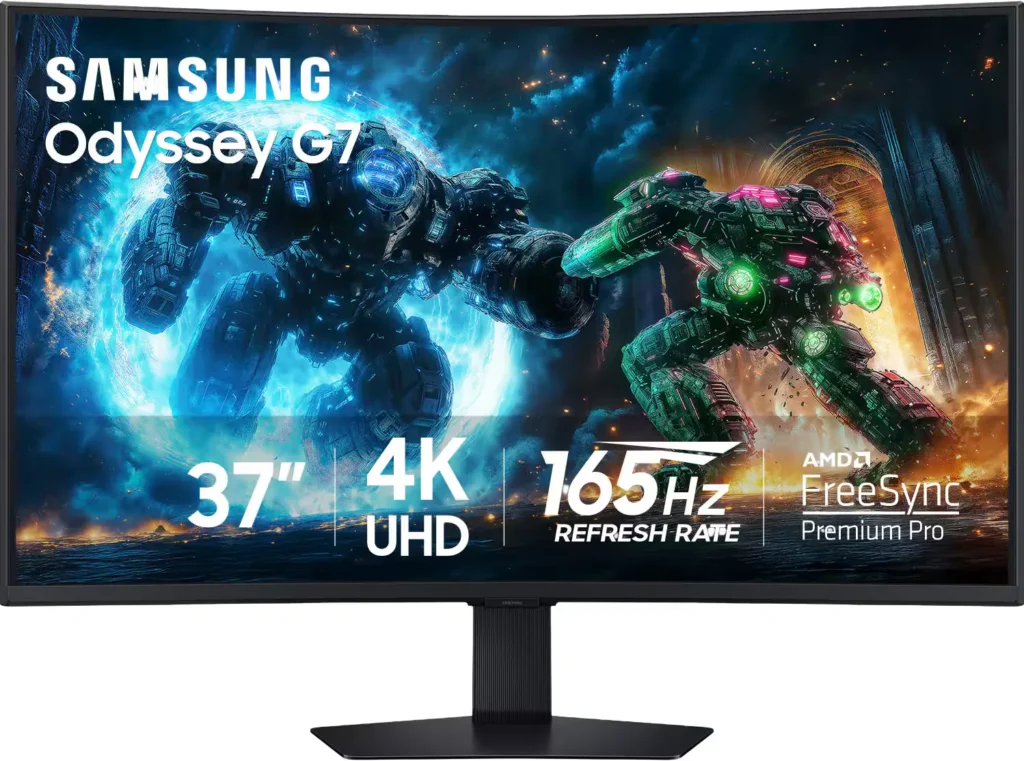
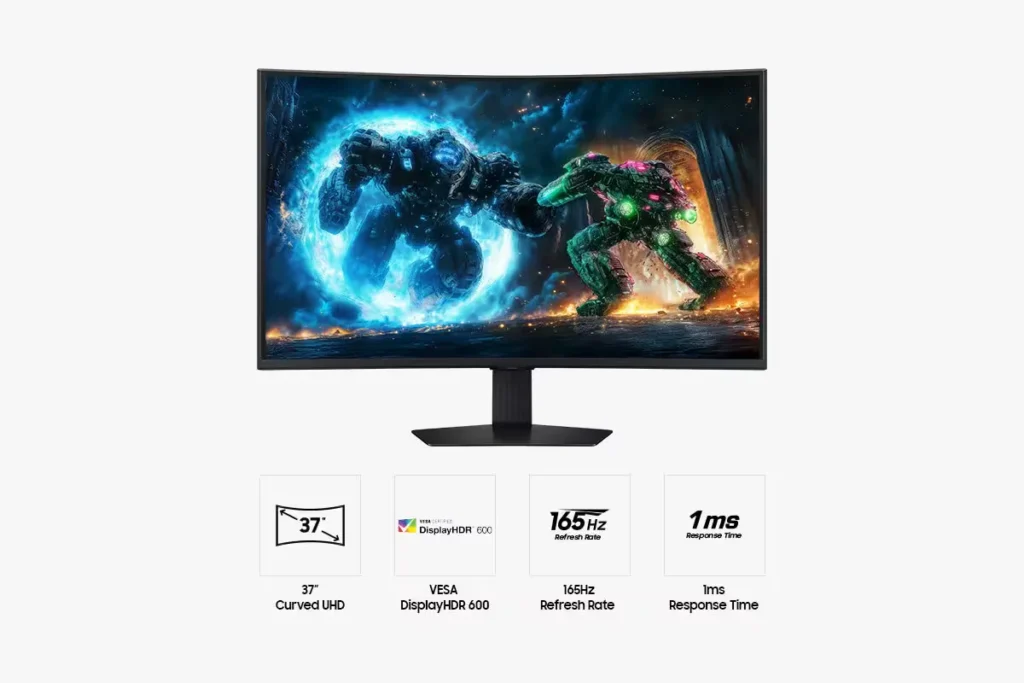
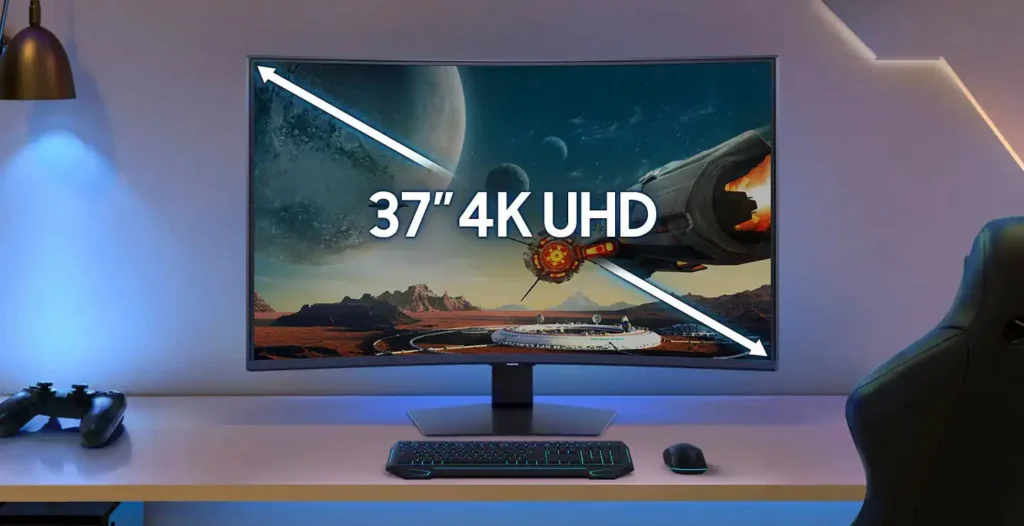
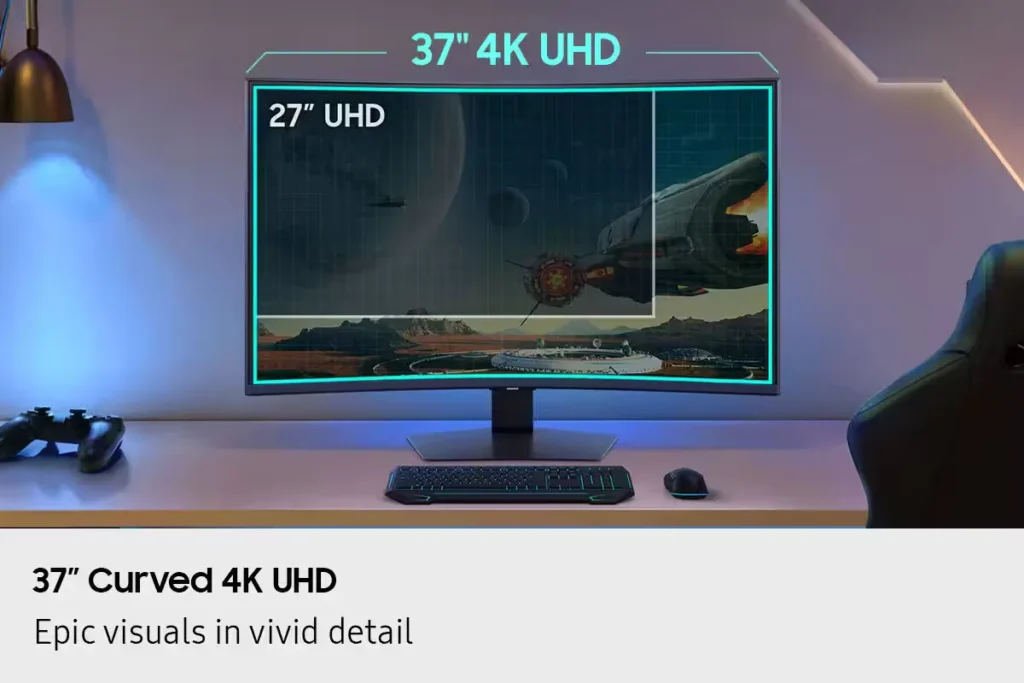
| Immersive 1000R Curved 4K UHD Display | Experience next-level gaming with a 37-inch 4K UHD (3840 x 2160) display featuring a deep 1000R curvature, designed to wrap around your field of vision for unparalleled immersion and realistic detail. |
|---|---|
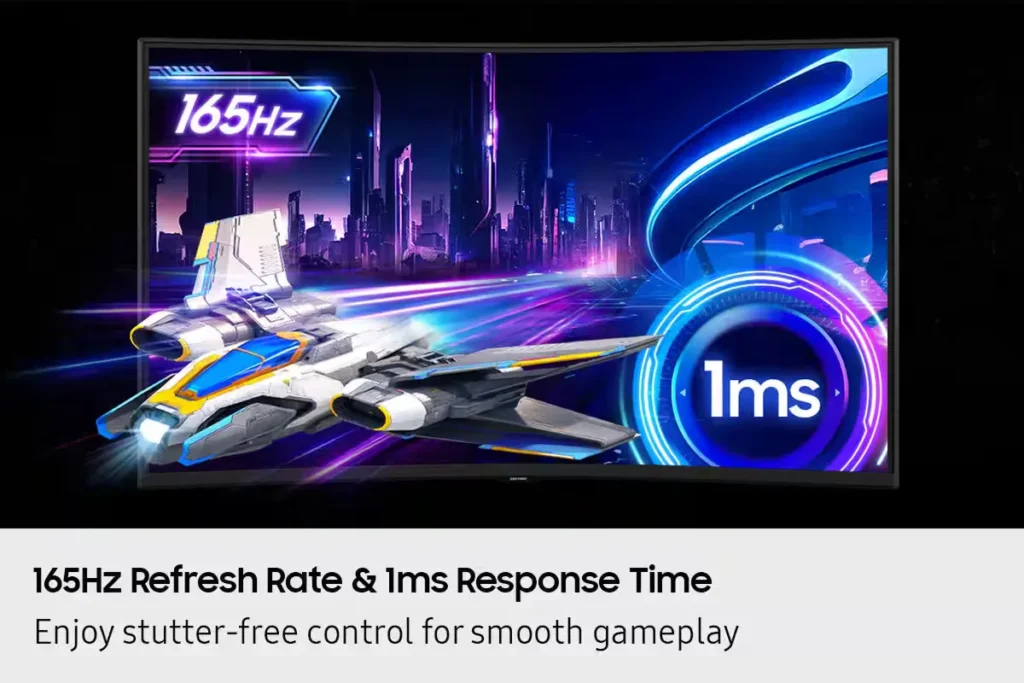
| Blazing-Fast 165Hz Refresh Rate & 1ms Response Time | Stay ahead of the competition with a rapid 165Hz refresh rate and a near-instant 1ms Gray-to-Gray (GtG) response time, minimizing lag and ghosting for ultra-smooth, sharp precision in fast-paced action. |
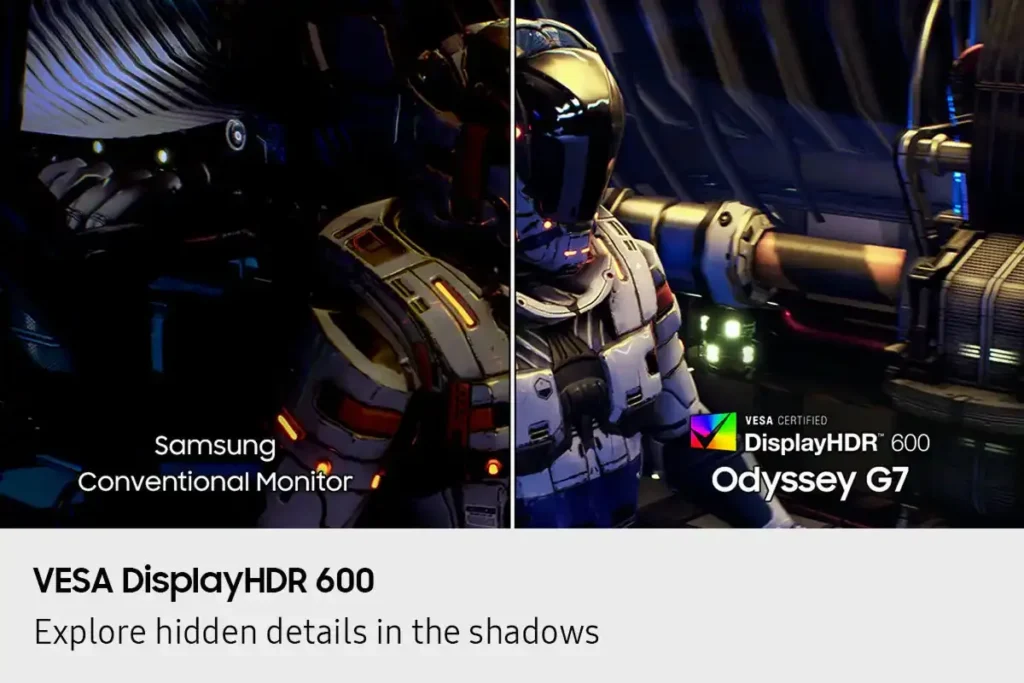
| VESA DisplayHDR 600 & HDR10+ Gaming | Reveal the full picture with VESA DisplayHDR 600, delivering enhanced contrast, deeper blacks, and brighter whites for vivid, lifelike visuals, complemented by HDR10+ Gaming support for a truly captivating experience. |
| AMD FreeSync Premium Pro Support | Enjoy fluid, tear-free, and stutter-free gameplay with AMD FreeSync Premium Pro technology, which synchronizes the GPU and panel to ensure a seamless and responsive gaming experience. |
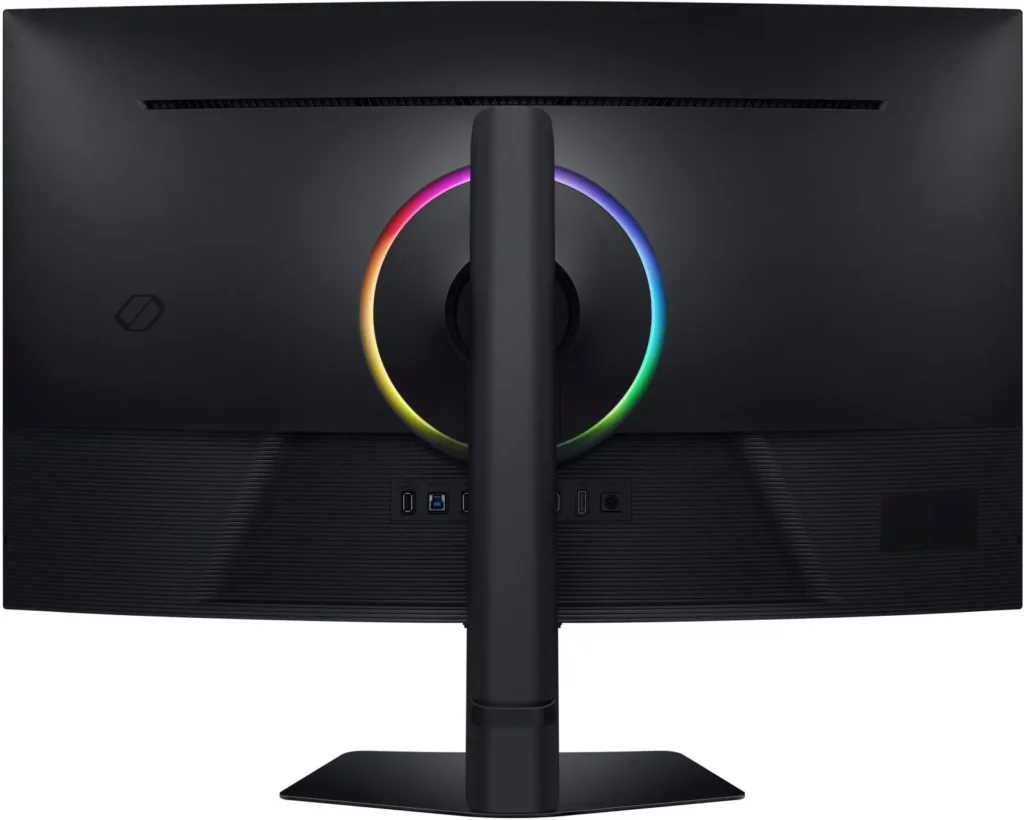
| CoreSync & CoreLighting+ for Ambient Immersion | Enhance your gaming environment with CoreSync technology and CoreLighting+, which project vibrant on-screen colors into your real-world surroundings using 16.7 million colors, creating a fully immersive ambient lighting experience. |
Pros & Cons
Pros
- Immersive Curved Display: The 37-inch 1000R curved screen is widely praised for providing a highly immersive experience, making games and media feel more engaging and reducing eye strain during long sessions. It helps keep more of the display in the user's direct field of vision.
- Excellent Picture Quality and Performance: Reviewers consistently highlight the monitor's stunning 4K UHD resolution, vibrant and accurate colors, deep blacks, and crystal-clear text. The 165Hz refresh rate and 1ms response time ensure exceptionally smooth gameplay with minimal motion blur or ghosting.
- Versatile for Work and Gaming: Many users find the monitor equally impressive for both professional tasks like coding, spreadsheets, and video editing, and for high-end gaming. Its large screen real estate and sharp display enhance productivity, while its performance specs deliver a premium gaming experience.
Cons
- Absence of Built-in Speakers: A significant number of reviewers expressed disappointment that the monitor does not include built-in speakers, requiring users to rely on external audio solutions despite having a headphone jack.
- Lack of Smart Features and Remote Control: Several customers were surprised and dissatisfied by the absence of smart monitor features, an integrated operating system, or a remote control, especially when comparing it to other Samsung products or expecting a more comprehensive media hub.
- VA Panel Image Quality Limitations: Some users noted drawbacks inherent to the VA panel technology, such as noticeable blooming or halo effects around bright objects on dark backgrounds, slight ghosting in certain scenarios, and color shifts or washed-out appearance when viewed from off-angles.
You might also like










Customer Reviews
Showing reviews 71-80 of 90
-
Clear, Vibrant, High Refresh Rate Gaming Monitor
Incentivized Incentivized review: The reviewer received a benefit for sharing feedback.James September 12, 2025Review source: BestbuySamsung has a new 37” Odyssey monitor out. The 37” 4K 165Hz HDR curved gaming monitor brings a good gaming experience to gamers looking for an HDR curved high refresh rate capable monitor that is not ultra-wide.
The Odyssey G75F supports AMD FreeSync. For users of AMD GPU’s, this can be a welcome upgrade for anyone who doesn’t currently have a monitor that supports FreeSync.
What Comes In The Box
The G75F comes with an HDMI cable, Display Port cable, power block, and USB-C cable, stand, and monitor.Construction
The monitor is well made as I would expect from Samsung. The monitor itself is reasonably light for it’s size. The stand base has weight to it as well as the arm. This makes it solid and holds up the large display easily. I found that the articulation was adjusted properly. When I move the monitor left, right, up, down, it is easy to move and it stays where I move. Many monitors/stands require a little extra force to start moving it, then move easily, but that’s not the case with the G75F. Mine moves easily throughout the range that I’m moving it. That’s not that big of a deal often as once I move a monitor to the position I want it I don’t have to move it again, but it is really nice to see a monitor that had tension properly adjusted from the manufacturer. The ports on the back are easy to find by touch. The design is good and the ports face directly out from the back of the monitor. The menu control pad is underneath the bezel. There are a lot of options which I appreciate. The monitor is curved and I found that I really liked the how much it curves. It works well with the dominions of the screen. It’s not an ultra-wide, so the height of the monitor is a refreshing change for me as my other monitors are all ultra-wide. They don’t have much height to the screen and the G75F does. I had forgotten how short the height of my ultra-wide monitors were until I setup the G75F.Features
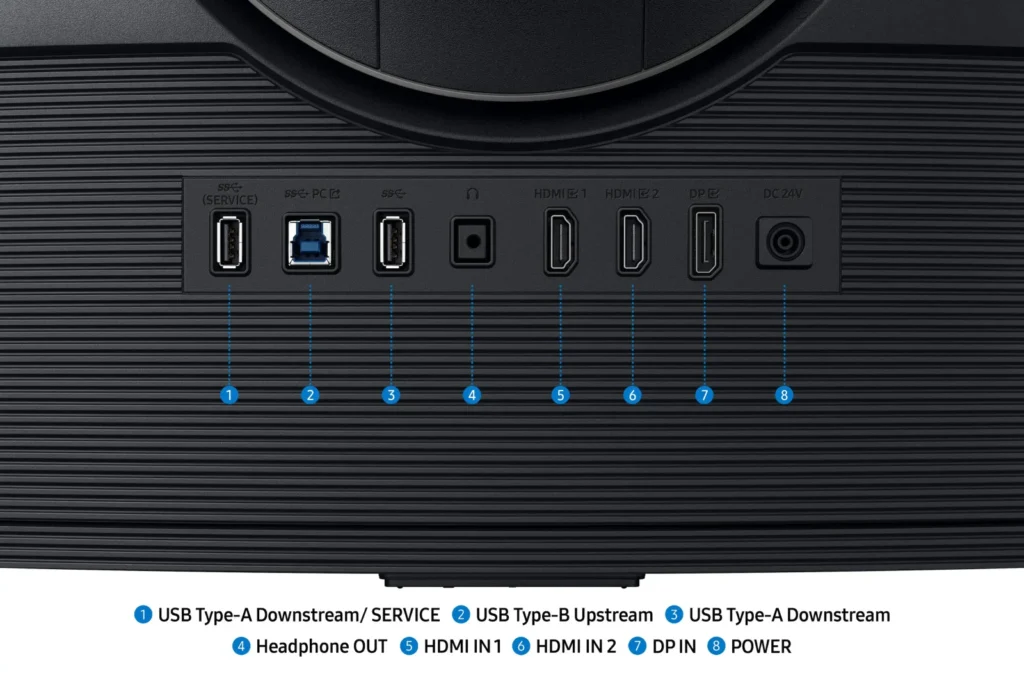
The G75F is an HDR monitor and it supports 165Hz. There is a USB input and two USB-A ports to plug in devices which is convenient. HDMI and Display Port are input options are present so I can plug in my laptop which only has HDMI and connect my desktop through the Display Port. Gaming on the 165Hz display I found to be great. This still a good refresh rate for my first person shooter games. If someone needed more, they could step up to the next model up Samsung has which can run at 180Hz. I’m glad Samsung supports AMD’s FreeSync with this monitor.Final Thoughts
I’ve really enjoyed gaming on the Samsung G75F. It was a nice change of pace from gaming on my ultra-wide Samsung monitor. I now can choose which one based on preference now. I think it would be interesting to see Samsung come out with this model in a 45”+ version, but I feel the 37” curved screen on the G75F is really good as it is. I hope Samsung continues to innovate and offer multiple styles of monitors both ultra-wide and non ultra-wide on into the future. -
Great for Gaming or Productivity
Incentivized Incentivized review: The reviewer received a benefit for sharing feedback.TheHodster September 12, 2025Review source: BestbuyThe Samsung S37FG75 monitor is a high quality VA, curved 4K monitor with a refresh rate of 165 Hz and a response time of 1ms. It supports HDR 600, AMD Freesync Premium Pro, and is VESA certified. It includes two HDMI 2.1 connections, one DisplayPort 1.4 connection, and aheadphone jack out. Speakers are not included. It also includes a stand that is easy to set up and can be wall mounted, if desired.
In operation, the monitor looked bright and colorful and the HDR 600 really made HDR content pop. The high refresh rate and fast response time performed well in first person shooters and other triple A games when driven by my RTX5070ti at 4K. The 4K resolution shined not only in games but in productivity and web surfing when viewing multiple side by side windows. The curved screen made games more immersive and allowed for multiple productivity applications.
If you are looking for a 4K gaming monitor or a monitor for productivity that allows multiple horizontal screens, I would recommend the Samsung S37FG75. -
Excellent Performance, Immersive View
Incentivized Incentivized review: The reviewer received a benefit for sharing feedback.dustinw September 11, 2025Review source: BestbuyThis monitor was an excellent upgrade to my setup. I am replacing a 30″ monitor, and the curved perspective is such a nice addition for immersion. The feeling of the screen, as if it’s wrapping around you is more dramatic of an effect than you may consider. The fast refresh rate and extremely fast response time are outstanding as well. Samsung labels this as a gaming monitor, and it is purpose-built.
– Setup
Assembly wasn’t difficult at all. In fact, I was surprised at how easy and quickly everything Went together. It was a toolless assembly, and it goes together in a couple of minutes. From there, it’s just plugging in your computer and you’re off.– Picture & Technology
As you can image from a monitor of this caliber, the picture is excellent. Including HDR and color reproduction. Everything I have tried on it has looked excellent. Including AMD FreeSync and VRR are excellent additions too. Not only does it have the ability to go to extremely high refresh rates, it also prevents screen tearing. The response time deserves mentioning again. As a monitor touted as a gaming monitor, low response times are essential. Especially for competitive shooters or fighting games. Frames matter, and this is a showcase for response time.– Additional Features
One interesting feature is the ability to utilize two inputs at once. Enabling you to have two sources displayed on screen. I can imagine this may be very useful for those doing live streams. I also really like the backlight on the monitor and being able to sync it with games is very cool too. I may need to reposition my setup, so that the color will drape the walls as I’m gaming. I do kind of wish the monitor included speakers though.The G7 is a serious upgrade to any setup. Not lacking for any features you would expect from a high-end gaming monitor.
Pros: Excellent performance, easy setup, interesting features (like PIP secondary input)
Cons: No built-in speakers -
Beast of Monitor
Incentivized Incentivized review: The reviewer received a benefit for sharing feedback.ScubaSteve September 11, 2025Review source: BestbuyThis is a top-of-the-line 4K gaming monitor. The box is huge and is definitely a two-person job of getting it out of the box. Assembling the stand is super easy and no tools are required. The size is perfect for an immersive gaming experience or eye-popping movie experiences. The curved monitor helps to give it a little more room to fit on smaller desk.
You have the option of connecting it via HDMI or Display Port. I highly recommend Display Port to get the full benefit of the high refresh rate. Fast motion was smooth connected to my gaming PC and running in full 4K. I tested connecting to my Switch 2 as well, running in 1440p and 120hz refresh rate. Both looked great and rain flawless. I really like the fact that I can have my PC and consoles connected at the same time and it auto switches the input based upon which devices are powered on.
This is the best of all features to get the optimal 4K experience on PC or gaming consoles. The only negative is there are no built-in speakers, but a headset can easily be connected or a soundbar can be added.
-
For Both Work and Play
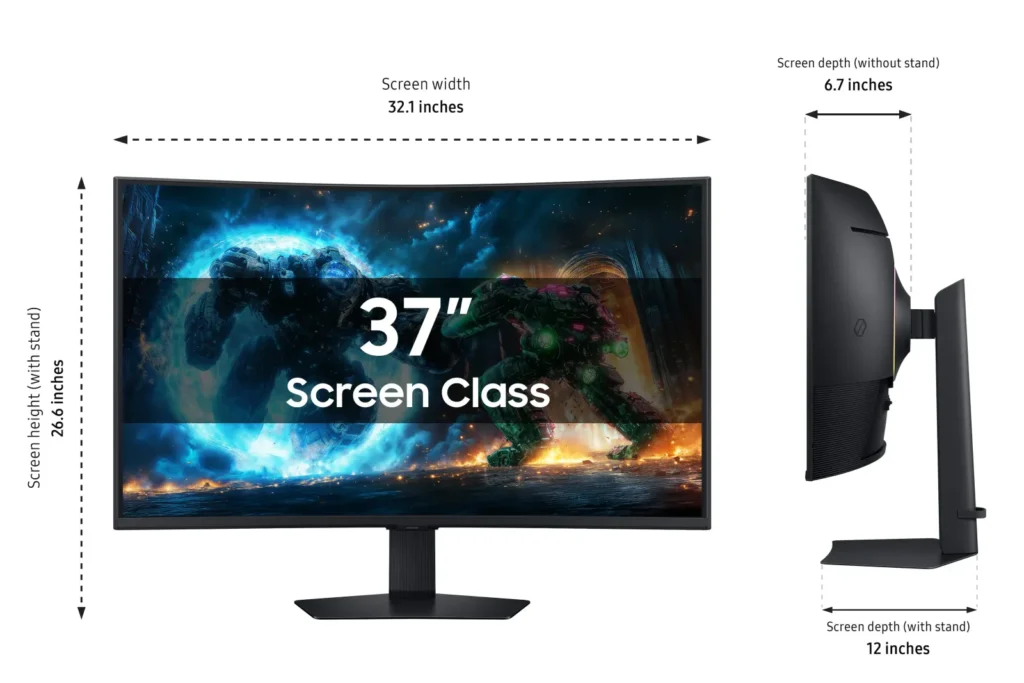
Incentivized Incentivized review: The reviewer received a benefit for sharing feedback.kriserikka September 10, 2025Review source: BestbuySamsung has released a new 37-inch Odyssey G7 Curved Gaming monitor for 2025. I really wanted to test this version since the size of the monitor intrigued me. I wanted to see if having this size monitor in the standard 16:9 aspect ratio instead of being an ultra-wide made a difference with work and play. I can say after about a week’s worth of usage, this monitor is more than just a gaming monitor. It’s the perfect monitor for the home office and gamers. I work in Microsoft Excel daily, and I’ve seen a difference in my productivity. Having 4K resolution and the extra screen real estate allowed me to give up my dual monitor setup. This monitor is much larger than I imagined. The website pictures don’t give it justice. I advise viewing this one in person to ensure your desk space is adequate.
The Samsung G75F offers picture-in-picture which allows the second input to display in the four corners of the screen of your choice. Picture-by-picture isn’t present on the 37-inch variant. This would have allowed the ability to show both sources on the screen at the same time in more of a split format. That feature is available on the 40-inch ultra-wide version.
The G75F monitor comes with a 1000R curved 16:9 4K VA panel. The panel is matte, so reflections won’t be an issue. The curve of the panel makes up for the narrow viewing angle that is normally associated with VA panels. I work behind a large window, and I haven’t had any issues with light reflections. Assembling the monitor out the box took all of 5 minutes as no additional tools are needed. I was up and running almost instantly. Having two HDMI 2.1 ports and a Display-port is just the right mixture of ports. Since there are no smart features baked into the monitor, the firmware updates will need to be manually performed by using the available USB port on the rear. There is a headphone jack located on the rear as well. I really wished Samsung opted for internal speakers, but adding a compact soundbar or a set of CPU speakers will do.
In comparison to mini-led and OLED, the G75F colors are not as vibrant. However, not having to be concerned with static images and the taskbar being present is a perfect trade-off for me. The contrast and black levels makes games look really good. The motion handling doesn’t add too much motion blur, but expect some smearing with fast paced FPS games.
I’m impressed with the brightness and black levels as well. The text clarity is impressive. The sheer size while gaming on the G75F offers quite the experience. CoreSync is a nice benefit, but I usually turn this feature off as the lighting isn’t too bright to notice in the daytime. I’m really happy with the 37-inch version of the G75F. I wish that there were speakers built-in and the option to have picture-by-picture, but I can sacrifice without having those perks for now.
-
This is the One!
Incentivized Incentivized review: The reviewer received a benefit for sharing feedback.zero325 September 8, 2025Review source: BestbuyThe Samsung Odyssey G75F 37” curved gaming monitor is next level. I mounted it with a boom arm and hooked it up to my 7900XT via DisplayPort. Talk about an upgrade! The pleasant curve (1000R) adds immersion and truly makes gaming and content so much better. Gaming is fantastic with a 165Hz refresh rate and 1ms response. Games look incredibly smooth, and FreeSync Premium Pro (my first time experiencing this version of FreeSync with HDR) does a solid job minimizing any sort of screen tearing. With 4k HDR content it really doesn’t get any better. Movies and 4K YouTube content look so good!
The HDR 600 on the Odyssey might be the best I’ve seen in a gaming monitor. Games and movies pop with vibrant colors, awesome contrast, and incredible blacks. I loved the extra features like the customizable LED back lighting, but I wish it got a little brighter. The on screen controls make tweaking settings easy. I found the size a little overwhelming at first, but I fell in love after a few hours.
The overall motion handling is impressive and the big 4K screen makes every detail stand out. The size and 16:9 aspect ratio make for a beautiful experience. I’ve historically been all about ultrawide monitors, but the 34” Odyssey changed my mind. Definitely worth considering if you want an immersive HDR gaming experience.
-
An excellent monitor with some glaring issues.
Incentivized Incentivized review: The reviewer received a benefit for sharing feedback.CalliopeAlpha September 4, 2025Review source: AmazonGoodness I want to love this monitor. It’s great, don’t get me wrong; I upgraded from an ASUS ProArt 24″ LCD to this Samsung. The resolution at 4K is excellent and the sheer scale of the 37″ screen means I’m definitely not lacking for real estate.
The MSRP at the time of purchase is $899.99. If I had paid that much for this monitor, I would have returned it and gotten an OLED instead.
• The edge-lighting is so vibrant on otherwise black screens that it’s distracting. That means any time you would have a black screen with a small non-black object: on loading screens (the kind with an autosave icon in the corner), on movie scene transitions, and similar situations.
• There are a few frames of ghosting in some scenarios. The video included uses TestUFO.com’s ghosting test; you can see in the slow motion that as the UFOs move they leave a trail of “ghost” UFOs behind.
Both the edge lighting and ghosting _shouldn’t_ be a problem while gaming or watching movies, but any scenes of a crisp object overlaid on a mono-color or black background… these quirks will likely crop up.I’m baffled by the lack of USB-C video input, a feature which even the cheapest portable monitors have.
I really want to love this monitor. But for the price I can only _really really like_ it.
Media:
• Video of a UFO pixel art scrolling by on the screen, up close, slowed down to show ghosting
• Two photos of edge lighting illumination. I would have included a video of that too (showing the different illumination zones as the mouse moves) but amazon only allows one video per review. The photos are not wholly accurate to what you may see in real life. The phone camera has enhanced the contrast (thanks, iPhone white balance and low-light adjustments), so the glow isn’t quite as bright IRL… but it’s not far off.
• A photograph taken at NASA of a man standing in a wind tunnel, followed by a close-up on the screen showing the pixel density. -
Large, but suffers from VA panel viewing angles
Incentivized Incentivized review: The reviewer received a benefit for sharing feedback.Alex September 2, 2025Review source: AmazonThis is a very substantial monitor that comes with the typical strengths and weaknesses of a VA panel. At 37 inches, it is the largest 16:9 desktop monitor I have seen, and the size alone makes for an impressive experience up close while still maintaining good sharpness at 4K. The curved design helps with off-axis viewing, but it can be difficult to find the perfect viewing distance. Image quality shifts not just horizontally but also vertically, which means there will always be some off-angle viewing, and the contrast differences at the edges are noticeable with certain content.
The HDR performance is acceptable but not outstanding, even with DisplayHDR 600. Brightness and color vibrancy are better than SDR, but the effect is far from dramatic. On Windows in particular, HDR feels underwhelming, requiring a lot of tweaking when moving between apps or games to get the picture dialed in. That limitation is more of a platform issue than a Samsung one, but it does diminish the experience and led me to revert to SDR for most tasks.
On the positive side, the 165Hz refresh rate performs very well, and adaptive sync keeps frame rates smooth without tearing. Overall, this is an impressively large monitor that delivers a striking visual presence and solid performance for its price, but it is limited by the inherent drawbacks of VA technology, especially with uniformity and off-angle viewing.
-
37" curved monitor
Incentivized Incentivized review: The reviewer received a benefit for sharing feedback.S August 30, 2025Review source: AmazonThis monitor is very nice, with a clear picture and bright vibrant colors, although for dark/black from the local dimming isn’t great. The monitor is on the larger side of what is usable, but the curved display helps with that. The stand is nice and very stable and allows for up and down movement as well as rotating and tilting for getting the monitor positioned best to where your focus is right at the center of it. The monitor works great, although I did notice a lack of usb-c capability for display and/or power passthrough as I’ve seen on several other monitors.
-
Gaming monitor
Incentivized Incentivized review: The reviewer received a benefit for sharing feedback.grbich August 28, 2025Review source: AmazonLooks great! Works great! Easy to set up. Great quality & value. Sound quality is good once speaker or sound bar installed. Very stylish. Sleek. Fun. Fast.