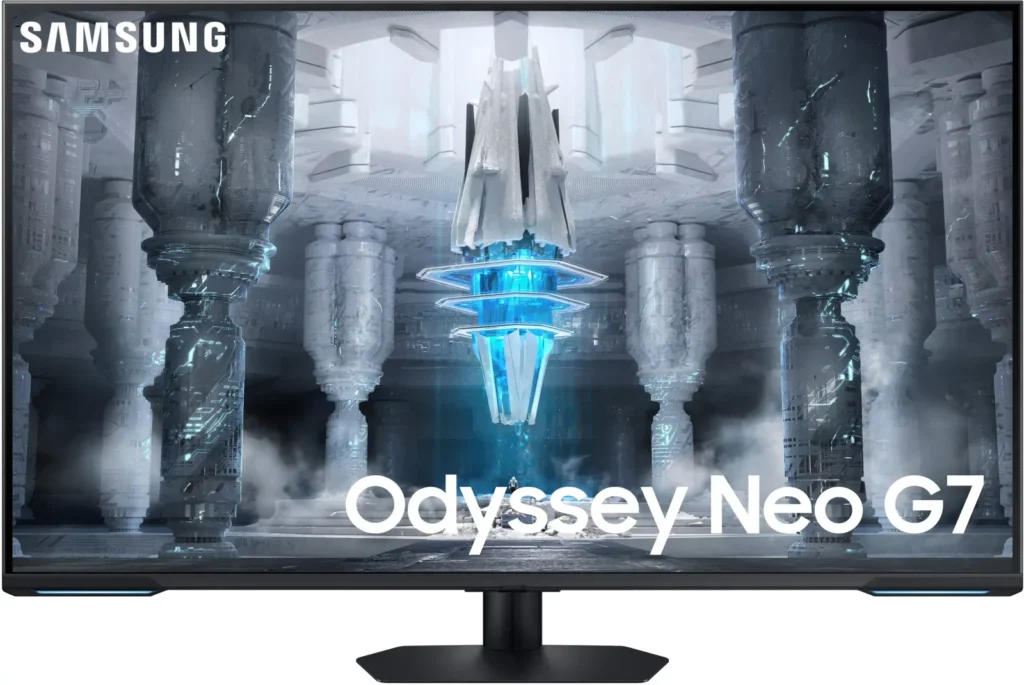
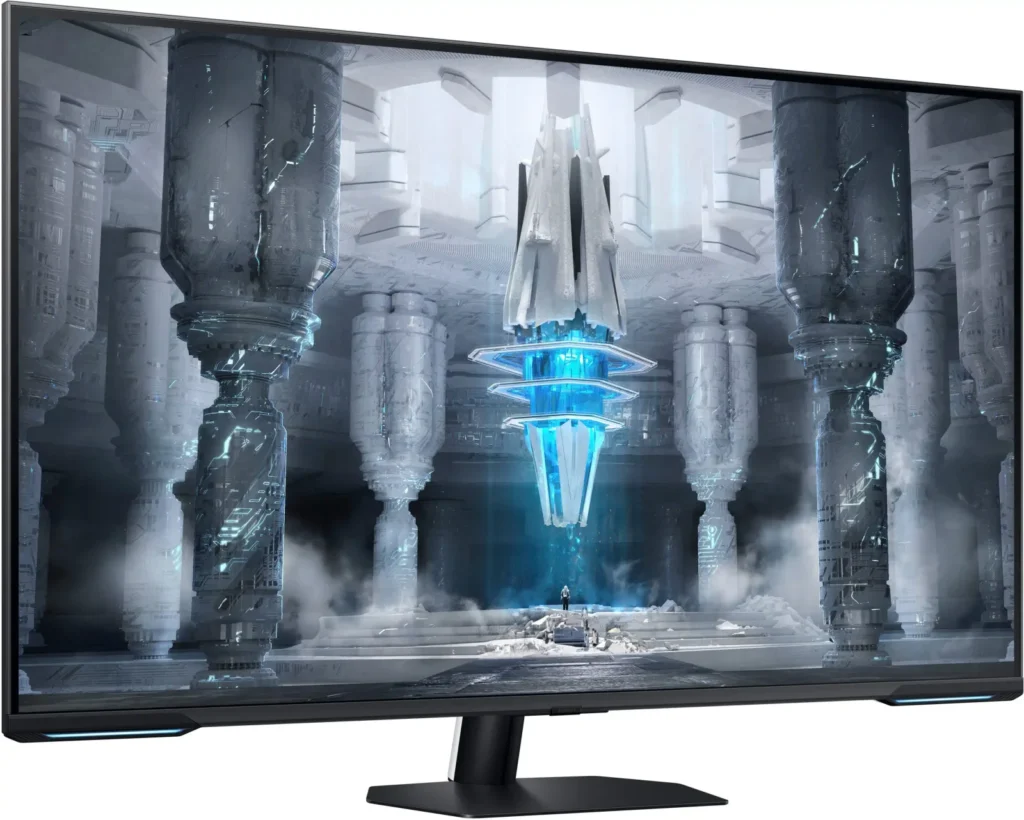
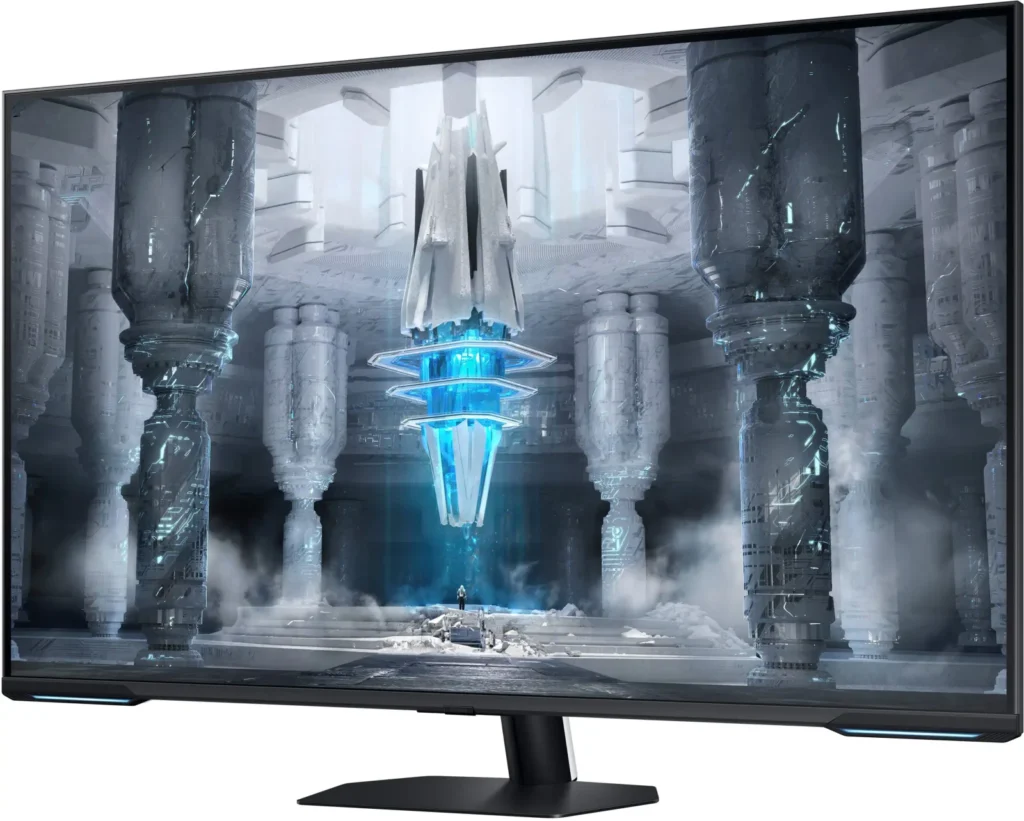
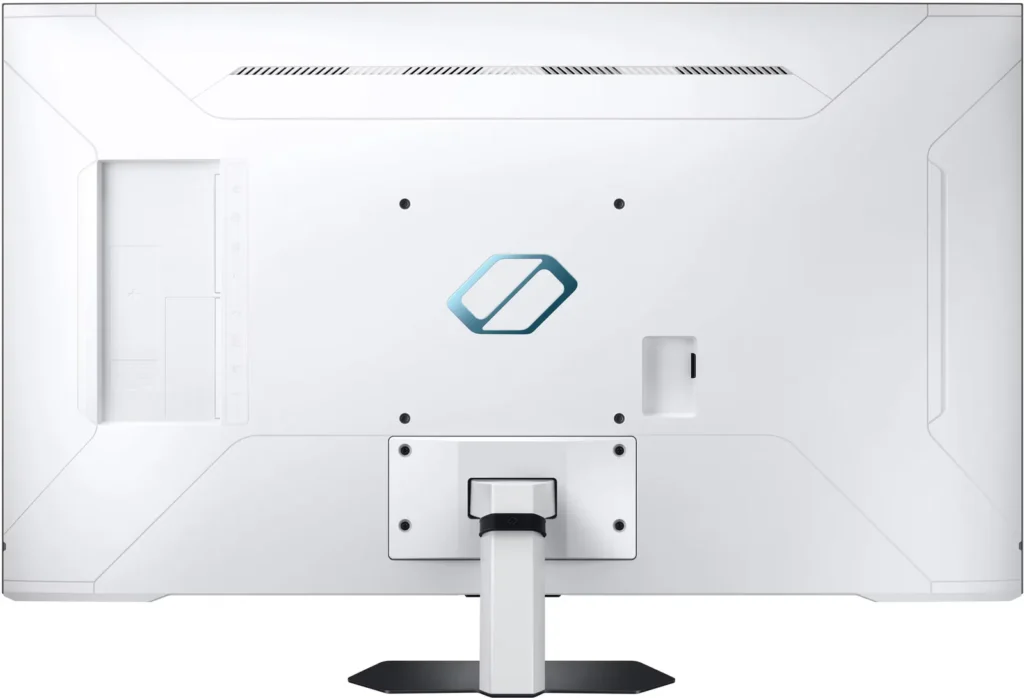

Customer Media
Highlights
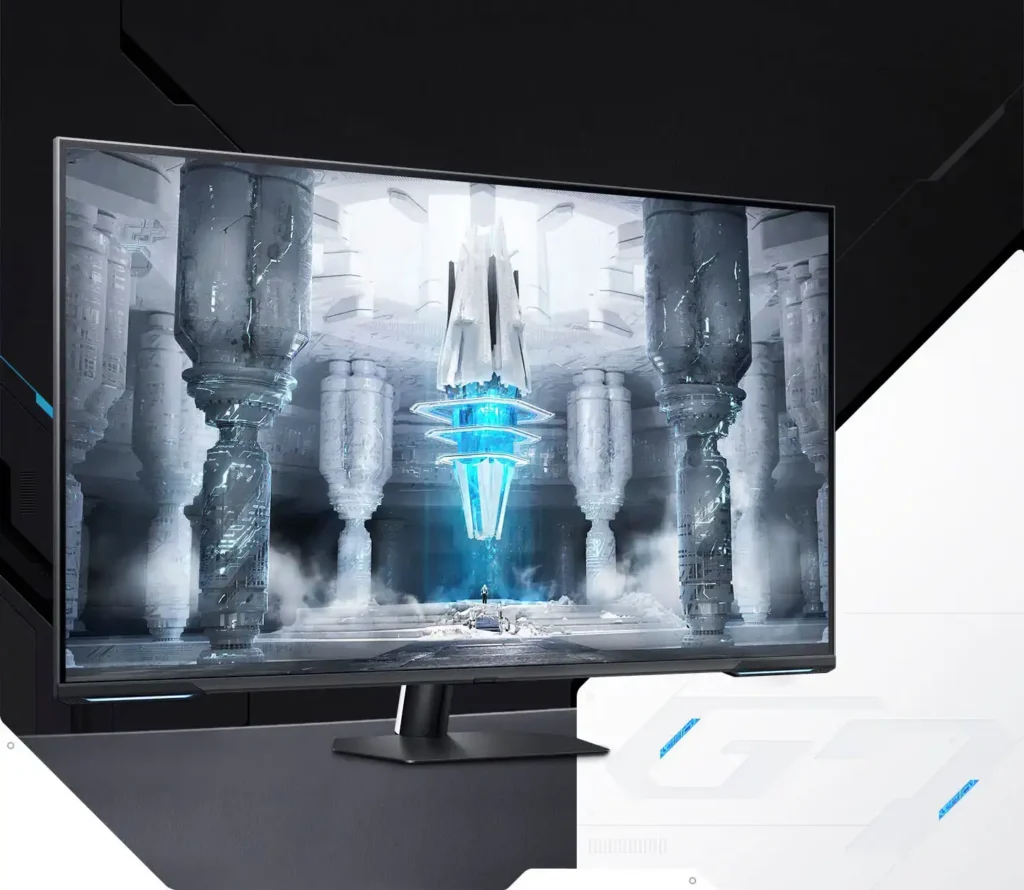
| Quantum Matrix Technology | Utilizes Quantum Mini LEDs with a 12-bit backlight unit to provide ultra-fine brightness control and incredible contrast, delivering deeper blacks and more detailed color expression in every scene. |
|---|---|
| 4K UHD & 144Hz Performance | Combines stunning 4K resolution with a 144Hz refresh rate and 1ms (MPRT) response time for ultra-smooth, high-definition gaming that eliminates lag and motion blur. |
| VESA DisplayHDR 600 | Features a 1,000,000:1 contrast ratio and VESA DisplayHDR 600 certification, ensuring life-like visuals with vibrant highlights and rich shadows for an immersive HDR experience. |
| Smart TV & Gaming Hub | Integrated Smart TV apps allow you to stream your favorite shows via Wi-Fi, while the Samsung Gaming Hub provides instant access to top cloud gaming services without needing a PC or console. |
| Flex Move Screen & Matte Display | The Flex Move Screen feature lets you adjust the on-screen size from 43 to 20 inches to suit different game genres, while the Matte Display minimizes reflections for focused, distraction-free gameplay. |
Pros & Cons
Pros
- Stunning Visual Performance: The 4K Quantum Mini-LED display provides vibrant colors, high brightness, and deep blacks that many reviewers compare favorably to OLED technology, making it excellent for HDR content.
- Excellent Gaming Features: With a 144Hz refresh rate, 1ms response time, and HDMI 2.1 support, it delivers a smooth and immersive experience for both high-end PC rigs and next-gen consoles like the PS5 and Xbox Series X.
- Versatile Hybrid Functionality: It successfully bridges the gap between a high-end gaming monitor and a Smart TV, featuring built-in streaming apps, decent integrated speakers, and a convenient remote control for media consumption.
Cons
- Frustrating Software Interface: The Tizen OS is frequently described as slow, laggy, and overly complex, with users particularly annoyed by the lack of a dedicated input-switching button on the remote.
- Persistent Connectivity Bugs: Users report significant issues with the monitor failing to wake from sleep, losing signals on DisplayPort, and experiencing random flickering or artifacts that often require a hard reset.
- Noticeable Motion Artifacts: As a VA panel, it suffers from ghosting and black smearing during fast-paced scenes or when scrolling through text, and the viewing angles can cause color shifting at the edges of the large screen.
You might also like










Customer Reviews
Showing reviews 261-270 of 287
-
Neo is name only, shame on you Samsung. Literally only good for Gaming and not worth it above $500
Verified purchase Verified purchase: This reviewer bought the product.Levi April 28, 2023Review source: AmazonTLDR; If you are just going to game (and don’t mind HDMI) it’s great, but it’s not worthy of the Neo branding and you’re probably better off with a TV that’s probably cheaper. If you want to be productive on this, save your eyes and choose something else.
I got sucked in by the price drop, I wanted to code by day and game by night and this was a complete failure for me.
Pros:
– Gaming is awesome, the ghosting is not noticeable while playing games unless you are trying to find it (you can see a hint of it as characters walk by if you stay completely idle)
– HDR is pretty good, beats out any side lit monitor by a mile.
– Not super bright, but bright enough. I didn’t need to max contrast/brightness out. I had contrast about 25/50 and brightness 40/50 and it looked great in most scenarios
– Great screen real-estate. 42/43in is about the max I think you can reasonable work on without hurting your next. I was able to setup tiling so I could have 4-6 things on one workspace and not squint at the windowsCons:
– No matter the settings (turning off local dimming, eco options, etc…); screen/brightness would go haywire if I click on a brighter windows vs darker window. Sometimes it would hit a point where is was almost like a strobe light if the dark/light colors on the screen hit a certain percentage
– The DisplayPort is extreme “afterthought” in implementation. I have used Club3D, Fibbr, and other high end cables and still had connection issues where it would tell me the signal is lost (again mine may have been defective, but previous issues weren’t worth trying to warranty/replace the device as there were already deal breakers)
– This is a TV, plain and simple. Every aspect of it is TV. The monitor stuff is all after thought and barely implemented. No firmware updates or any kind of news towards one to address issues and Samsung give you the run around when you try to inquire about it.
– Ghosting, it’s not horrid but it’s there. It’s really noticeable on the desktop if you are paying attention, especially on gray-like backgrounds, you can’t un-see it then. -
This is not a Monitor
Verified purchase Verified purchase: This reviewer bought the product.HeWhoDoesNotKnowJack April 21, 2023Review source: BestbuyI bought this monitor less than a month ago, and I must say, I’m feeling quite frustrated with it. While I appreciate Samsung’s easy return policy, the product itself is not meeting my expectations. The operating system is slow, making it less than ideal for use as a TV or monitor. The image quality is excellent, but unfortunately, the monitor struggles with input detection, especially when switching between HDMI and DP. It takes several minutes for the monitor to detect an HDMI signal, and the timer on the top left always times out before finally recognizing the input from my laptop. The only reliable port is HDMI 1, which I have connected to my PS5. If you’re only planning to connect a game console or stream box, and not using DP, then this monitor might be suitable for you. However, for everyday use, I don’t recommend it. The “smart” features are sluggish and frustrating to use, with the remote control taking 5 to 10 seconds to execute a command. Today, after losing the connection at the DP thrice and having to reboot my computer every time, I had to disconnect the monitor, connect a different one, and finish my work. Fortunately, the customer service representative allowed me to return the monitor beyond the 15-day return window.
-
brilliant with some flaws
Verified purchase Verified purchase: This reviewer bought the product.sfbayarea April 21, 2023Review source: AmazonI had high hope for this newly release Samsung unit, so I am a bit disappointed. Here are a few flaws, some are fatal:
(1) the “Smart” screen feature is extremely annoying to use. much prefer a pure ‘dumb’ monitor.
(2) color setting is finicky and confusing, especially when turning on HDR.
(3) the display is NOT uniform, as shown in the attached pictures. I guess this is intrinsic with the technology, just like burn-in with OLED.but it does have excellent treats:
(1) inky black almost as good as OLED. a big plus!
(2) color is vibrant with high brightness.
(3) very sharp -
Amazing Monitor With Smart TV Like Features
MoGJ April 10, 2023Review source: BestbuySamsung’s Odyssey Neo G7 monitor is an amazing monitor that combines many smart tv features into a monitor.
Compared to previous versions of Samsung monitor hardware, what stands out from the Odyssey Neo is the user interface. Since it is placed in the computer monitor category, the GUI looks to separate different features based on what you are looking to use it as and makes it easier to navigate to what you’d like to use. The modes featured are a Workspace mode (for computer or working from a mobile device), Gaming Hub mode (for gaming when connected to a gaming console or on a computer), and a Media mode (contains Samsung’s smart apps such Samsung TV Plus, Netflix, Disney+, and many more). Whether you are working throughout the day and have a computer connected to it or you choose to watch a tv show or movie during lunch or after work, you can switch seamlessly between the two through the GUI.
The Odyssey Neo’s 4K display itself is gorgeous; Samsung really hit it out of the park with the vibrant colors and super dark contrast. With Samsung’s Quantum mini-LED technology paired with VESA HDR 600, colors appear more lively, full of detail and the matte screen is able to get brighter without much glare from its surroundings (literally no glare!). When watching the Hobbit, the greenery of the Shire looked outstanding with different hues of green shining through the Neo’s VA panel. In darker scenes, such as when Bilbo and Gollum were in a cave, the contrast of the blacks did not overpower or bleed on the screen and allowed for you to focus on the details of the water and rock fixtures of the cave. The HDR 600 feature really shined here and it created a VERY nice viewing experience in my opinion. The Neo also includes Adaptive Picture or Eye Saver modes to adjust the brightness and color saturation for less eye strain. Additionally, I did not notice any soap opera effect when watching shows or movies. As for the Neo’s audio, I noticed it lacked detail and depth. For a monitor it performs well and actually outperforms the speakers for other monitors I’ve used but if you are going to look to use it for entertainment purposes (such as watching movies and shows), I recommend you look into getting a soundbar or external speakers for the extra oomph to accompany the beautiful display.
The Samsung Neo, being considered a monitor, what really differentiates this from just buying a large smart TV? Many smart TV’s neglect the multitasking and framerate technological abilities such as what the Odyssey Neo offers in my opinion. Features like Samsung’s DEX (more on that below) and AMD’s Freesync Premium Pro reduce the lag, screen ghosting, and motion blur that some TVs can present when gaming. Additionally, when a framerate falls below a certain threshold, AMD’s Freesync will compensate for the low framerate and speed it up itself to a higher one. In addition to the above features, the non-glare display, being able to tilt it different ways (tilt up, down, or to either of its sides), 144Hz framerate, and 1ms response time for gaming sets it apart from regular smart TVs. Overall, the Odyssey Neo brings the best features of both monitors and smart TVs in one package. You can also fit a soundbar under the screen!
When your Samsung Neo is paired to a Samsung account and device, there are many more features made available. A great feature not that many people use (I’m particularly a fan of it as you can see) is the wireless DEX feature. If you own a Samsung cell phone or mobile device, you have the ability to connect to the Neo display wirelessly and use your mobile device as a computer. You can open up the apps on your Samsung phone or device and see them as app windows (similar to using a Mac or Windows computer) on the Neo. Multiple apps can be displayed across the Neo’s large screen and is useful to multitask. Another very useful feature that enhances your experience if you own a Samsung mobile device is Samsung’s Smart View feature. You can cast your display to the monitor and even have the option to choose to use the full screen or take advantage of the Neo’s display size and cast your content to only part of the screen. Lastly, two features I wanted to mention were the Smart Calibration feature using the SmartThings app on a Samsung device and the ability to play the TV’s audio from your phone. The Smart Calibration feature allows for you to automatically calibrate the quality of the video on the monitor using your device’s camera. As for those that do not own a Samsung device, the Odyssey Neo also supports Apple AirPlay for casting from your Apple devices.
The Samsung Odyssey Neo offers many features and conveniences but the biggest let down is the absence of a USB C port as a display connector. As more and more devices are offering USB C as a display output, the lack thereof is a bit disappointing. A second con I found for futureproofing is that it also lacks the latest DisplayPort version. The new DP v2.1 brings futureproofing as it brings the bandwidth up to the speed of HDMI’s 2.1. In this case, it would be better to use the HDMI output vs using the DP output. Another thing I noticed is there was some lag when scrolling through the menus and when loading up an app.
Note: I did not experience any of the ghosting others mentioned from other reviews and tested this through web pages like scrolling through news or forums using Samsung’s Internet app and through Chrome when using Dex. When gaming, the refresh rate looked perfectly fine as well and I preferred to not use the gaming mode included on the monitor.
Overall, the Samsung Neo monitor really lets you take advantage of its size and features to the greatest of its ability. Offering many different smart tv features, it offers the best of both worlds in one package. The amazing display is definitely something pictures and videos cannot fully grasp and cannot see it disappointing anyone. I recommend it for anyone looking to get a monitor that will last them for many years to come as well as those looking to enjoy a powerful monitor that includes many smart apps.
-
Okay Smart Monitor that leaves much to be desired
Albert April 6, 2023Review source: BestbuyReview Samsung odyssey
Let’s talk Smart TV first, because it’s what you get as soon as you unbox this monitor and are prompted with setup. The setup was fine, though surprisingly long for connecting with the SmartThings app I’d already had setup on my phone. During setup, I noticed some lag when using my phone to control the monitor, and I thought maybe it was just my WiFi connection —it was not. I switched to the included tv-style remote, and the input still feels laggy just scrolling through icons on the screen. I found myself going too far or not far enough, struggling to choose the right app on the screen because the remote and the SmartThings remote were not responsive. It’s basically the same experience I got when I bought my mom a $25 Smart USB style streaming stick, and extremely disappointing to see in such a premium product. Hopefully it’s something they can correct with a software update, but it seems like they didn’t include a sufficiently powerful processor to run the Smart TV features.
Jumping over to appearance. The monitor itself is beautiful, with a smooth white back and matte finish. The matte finish significantly reduces glare, and even when the monitor is off, it doesn’t reflect objects like a normal monitor typically does.
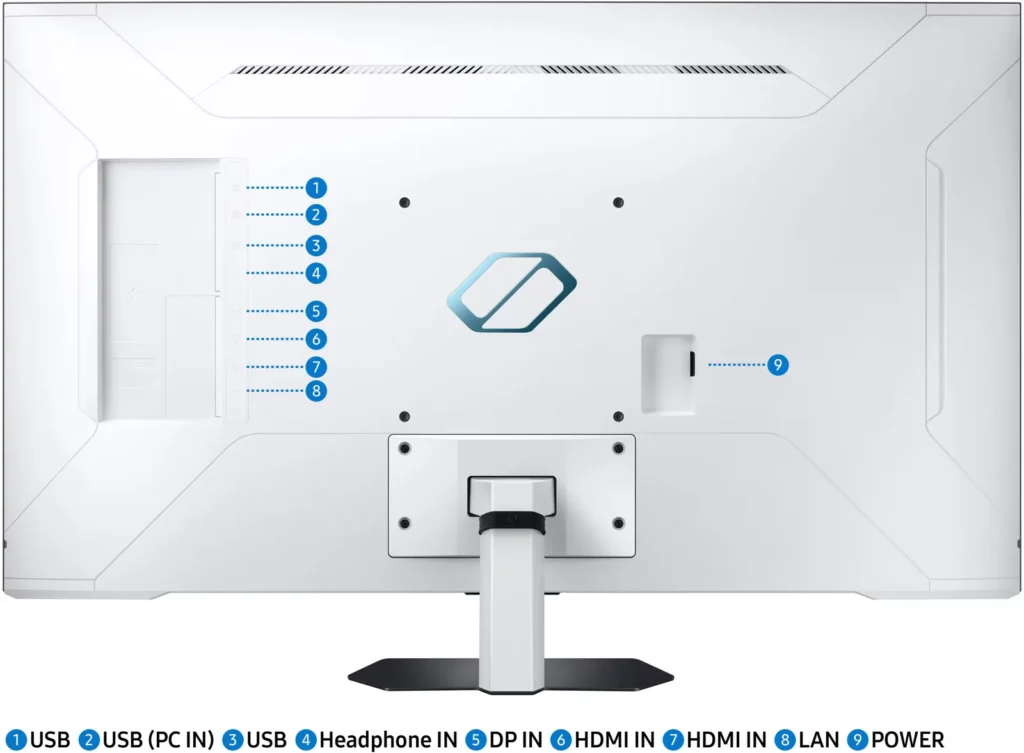
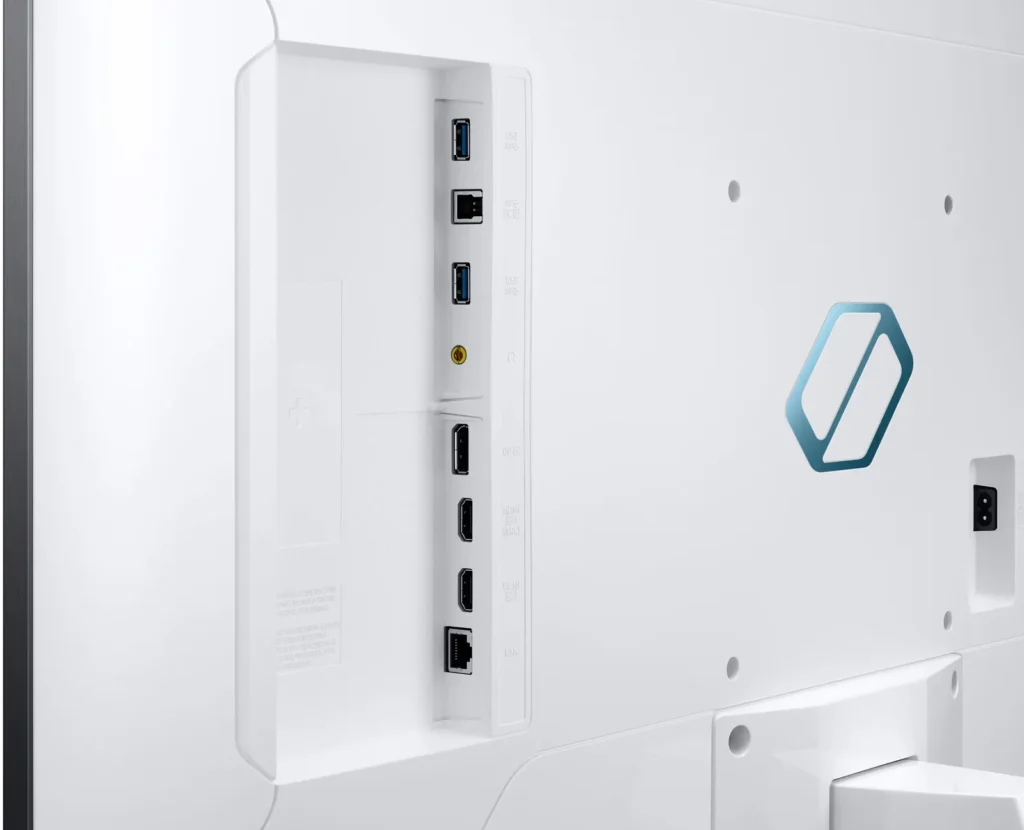
Functionality of ports. On the rear of the monitor, there are a number of ports, of note 2 USB ports I was able to use to connect my mouse and keyboard directly to the monitor instead of running them to my tower. The power controls, however, are awkwardly placed under the front of the monitor with no indication where those buttons are. I had to pull out the manual to figure out how to power it on, and even knowing where the button is, I still fumble around to find it. I like the fact that it is hidden, given how clean and beautiful the overall display is, but they failed in the form over function category, a slightly recessed area with more prominent buttons could have retained a similar aesthetic without compromising functionality.
Now to the part most people care about, the graphics and performance. I found the display overall to be very responsive when playing various games, ranging from League of Legends to ARK. However when performing a simple test like scrolling through web pages, the refresh rate didn’t feel like it lived up to my expectations and noticeable blur occurred.
Overall, with a premium product like this, I have a high expectation that all features will live up to the premium quality of the product, if there was no smart functionality built in, I’d give this product 4/5 stars for overall performance. However the smart functionality is a primary component of this monitor, and it deserves a 1/5 stars that is frankly embarrassing. Not only does it make using the Smart features cumbersome, it makes switching between Smart display feature and computer input painful. Unless the smart features can be resolved with a future firmware update, I can’t in good conscience recommend this product.
-
43" Game Changing Display – Pun Intended
Verified purchase Verified purchase: This reviewer bought the product.Amazon Customer April 3, 2023Review source: Amazonlike another poster said dont listen to the negative review of “ghosting”. Colors/blacks are vibrant and sharp. After going to a smart monitor, I cant go back to a “dumbmonitor”. Buy with confidence.
Only con – cant seem to find a Vesa Mount for it.
-
Not worth it.
Verified purchase Verified purchase: This reviewer bought the product.AlexB March 28, 2023Review source: BestbuyI bought this monitor 10 or so days ago. I was excited. I work from home and I had been using two monitors for productivity. One was a viotek 1440p monitor and the other was an odyssey g7 28 inch 4k. Nice monitor, but I really want to combine this into one wall mounted option.
For weeks I scoured looking for something that wasn’t too big, but big enough I could work and game on. I spoiled myself with 4k and knew I couldnt go back.
I didn’t want oled because burn In. I didn’t want a 49 inch curved because it’s too much for my office. In comes this thing. I loved the idea of everything about it. Big enough, non oled, price is right, 4k. Perfect.
Well sports fans, this thing is hotttt garbage. I read the reviews of ghosting and I thougbt “how bad could it be” it’s bad. U playable on pc. It looked like I was on mushrooms how many traces it would leave behind moving players.
The matte finish dulls everything. Navigating the settings menu is very annoying. It’s not intuitive or user friendly the power plug in the back of the monitor is in the worst spot possible.
Before you say “well maybe it’s your pc hardware”? Noppe. I have a 4080 and a 5800x3d in a custom loop. This thing is trash.
I went through every possible configuration of settings and nothing every looked good and I couldn’t get rid of the ghosting or get the picture to pop. For 1000 dollars, it’s not worth it.
I returned it and got an LG C2 because I’ll take my chance with burn in over this thing.
Maybe this tech will become refined, but wait it out or get something that’s a known commodity now.Read More
-
Huge Fast Display Fast Refresh – Awesome Color !
James K March 23, 2023Review source: Bestbuyamsung 43″ Odyssey Neo G7 4K UHD 144HZ 1MS VEA Display HDR600 Smart Gaming Monitor
First impressions:
It’s usably HUGE ! if you have not gamed or just driven daily on a monitor this large – you might be in for a bit of
a shock. A 43″ flat display hits the sweet spot between “enormous for gaming” and “massive productivity” for a daily use monitor.
Notably this display supports up to 144HZ Refresh at 4K resolutions and can run continiously at 144HZ with supported Intel, Nvidia
and AMD graphics.Testing:
I have two desk setups – one is for work and one is for “play” – I.e. graphics work, gaming, surfing and entertainment. I have a mix
of options to connect including one gaming rig, An M1 Macbook for software development and a dell PC laptop with an integrated hybrid
Intel / Nvidia graphics and also one tiny PC that has integrated AMD graphics for an upcoming project. This allows for a full smorgasboard
of input scenarions and I tested them all. I had no issue using Thunderbolt to displayport, USB-C to displayport, USB-C to HDMI etc . . .
I was able to connect every device via some combination of cables and achieve high refresh rates, including using the hybrid graphics
from a Dell laptop. Notably you will want to make sure you have proper HDMI and other cables – a single cable can make the difference
between a 30HZ refresh and 144HZ – especially if older HDMI cables are used.Gaming – . . . It’s big ! The fast refresh rates combined with gaming mode / anti-lag make this a fantastic gaming monitor. I even enabled
the lighting effects. 43″ is the perfect large size for a flat display. It fills your visual field with game and is very immersive.Color / Black Level / consistency comparison with a 42″ LG C2 OLED –
This is a really tough comparison – Both displays offer various advantages so I will try compare MY experience. Hopefully this helps
someone who is on the fence as to which technology to purchase –The best way to say it – After a few days of using each display and switching them – Home versus Work spot – twice – this Samsung 43″
became my daily productivity monitor. It won the spot for all day use versus the OLED. The contributing factors to this were the matte
display finish, the incredibly controlled backlighting, the overall lower eyestrain and the lack of worry about leaving static content
displayed for long periods of time. You win Samsung !Audio –
I was in for a bit of a suprise when testing the integrated speakers. I generally assume any speakers included in a TV or monitor
are there for convenience and likely won’t sound very good. I’m going to rate these as “Way better than O.K.!” – they create a resonable
stereo image, they perform well at low to mid volume levels and the overall sound profile is mid heavy with decent highs. I can also
tell you they are better than 95% of the speakers included in any televison, monitor or gaming monitor that I have ever heard which could
be considered high praise !What I love –
It’s HUGE, It’s anti-glare and fantastic image quality
Smart “TV” functionality – Very fluid with Netflix, HBO Max, Streaming GamesRoom for improvement –
Samsung – please publish an ICC Profile for this display.
Fast input switching – It’s too many clicks to change inputs. -
Bright. Colorful. Fast. But Tizen is tired.
Verified purchase Verified purchase: This reviewer bought the product.Hillman March 20, 2023Review source: BestbuySince this isn’t the only Neo G7 offering, and to avoid any confusion between this and the smaller Neo G7’s, for the sake of this review I will refer to this model as the G7-43.
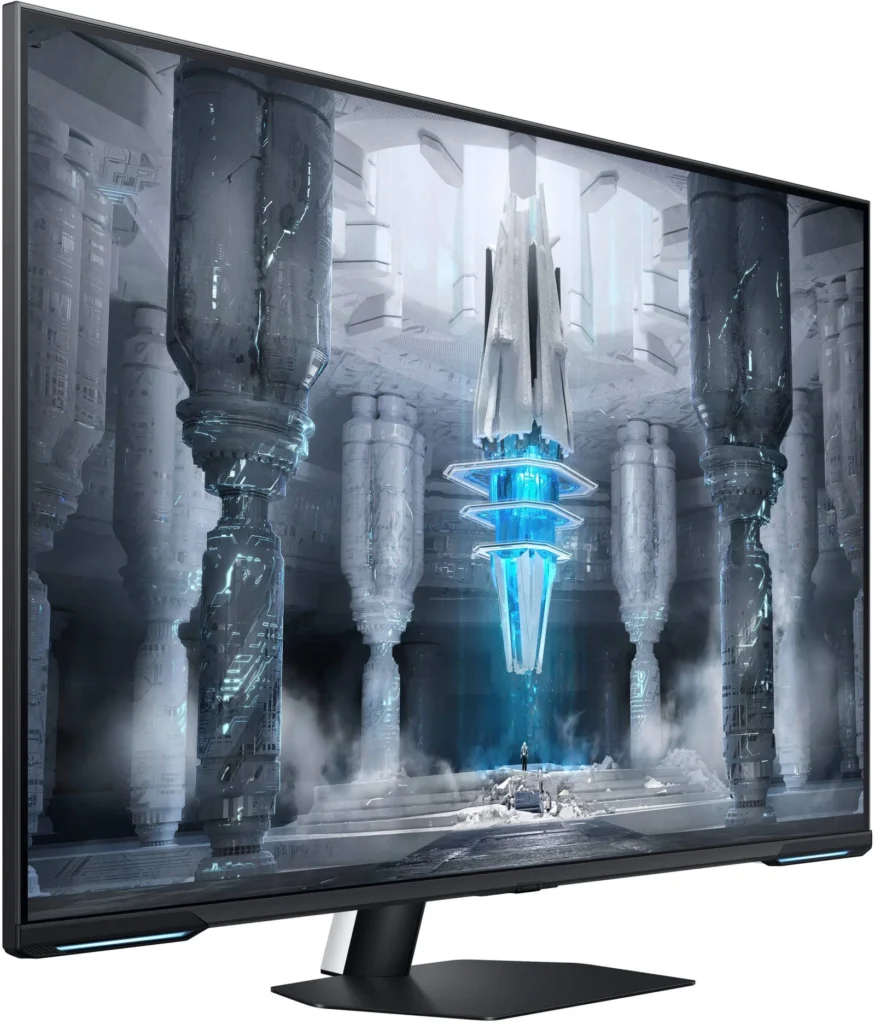
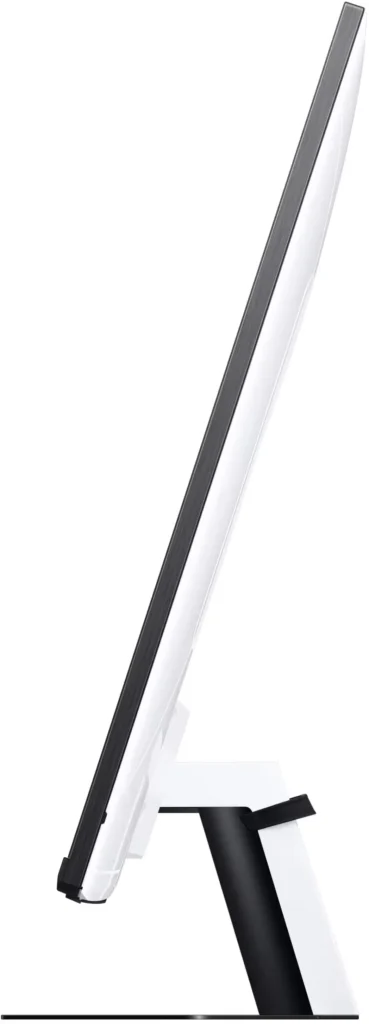
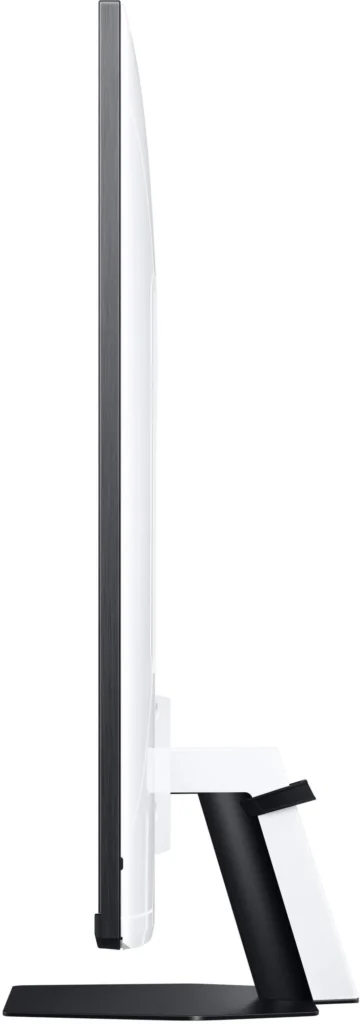
The G7-43 has a flat, matte display, with up to a 144hz refresh rate, a 1ms advertised response time, 360 dimming zones of Mini-LED technology, an HDR600 certification, and Samsung’s own built in Smart OS which is usually reserved for their tv’s. The monitor also features a smart remote to access apps, settings, and Samsung’s built in smart UI for gamers, “Game Bar”. It boasts a thin overall profile, small display border, and plenty of tilting options with the included stand. The expected inputs are all here as well, including 1 display port and 2 HDMI 2.1 ports.
DISPLAY:
Because this is a Mini-LED display and not OLED, there is some noticeable blooming around bright objects on screen when displayed over a dark background. This is most apparent when you are watching movies or shows in a standard letterbox format with black bars. While the 360 zones of Full Array Local Dimming would seem sufficient for a display this size, there seems to be an issue with how they are performing in dark scenes here. For reference, I own a 65” Hisense U8G in my living room, and that also has 360 dimming zones – however, the blooming on that display is much less noticeable, and its 22 inches larger. So, if anything, this seems to have something to do with Samsung’s algorithm, which could end up being a good thing as sometimes local dimming can be improved via software updates. The same issue applies with viewing angles, as blooming becomes more apparent off-axis. There is some significant color shift as well, so you’re going to want to make sure you and anyone else viewing the monitor is doing so straight on. Secondly, if you’ve perused any customer reviews of the G7-43 so far, you’ve likely seen widespread complaints regarding ghosting. And while I did do some testing of my own, I noticed this was mitigated when setting the response time in game mode to “standard” rather than “faster” or “extreme”. Your mileage may vary, but I will say this was not a deal breaker for me as it was rarely if ever noticeable in game. There is some black smearing on this display, but again, how much this bothers you is likely down to how you plan on using the monitor. In my day to day use cases, it wasn’t something I noticed much. Though, I will admit, I have black smearing on a 34” VA ultrawide that I use daily, so perhaps I am more accustomed to it. Still, it shouldn’t come as a surprise that these drawbacks are present as they are common with VA panels.
Alright, now with some of the negatives out of the way, let’s get into what this display does really well. And for me, I have to start with the brightness. While the G7-43 is slated as an HDR600 certified monitor, I would not be surprised if it was punching above that number at times. With the calibrations I did, I felt that the display was more than bright enough for all situations. Both SDR and HDR content really pop here, and while the black levels aren’t as deep as an OLED, they are much better than a standard IPS or VA panel due to local dimming. And considering my desk is flanked by not one, but two windows casting light directly onto the screen, I thought the G7-43 was plenty bright to combat any form of glare. Speaking of glare, the anti-reflective matte coating on the G7-43 is some of the best I’ve ever seen on any display. I’m not kidding when I say there is a LOT of light in my office space, and this screen had no issue whatsoever dispersing and filtering the reflections. So, while the matte screen does affect overall clarity of the image, if you are sitting further away from the screen or have bright lights around your workspace, the G7-43’s matte coating may be worth the slight loss in clarity.
Moving onto colors, the G7-43 seemed a little too warm out of the box. I found that the “cool” color tone setting seemed most accurate, but even then I had to adjust the white point settings to my liking, as well as adjusting the individual RGB gains in the color space menu. This may not be something that you notice however, but it is nice that we have the ability here to dive into the settings and tune things the way we prefer. Something that isn’t offered on every monitor.SMART OS/TIZEN:
Speaking of settings, Samsung is employing their usual TV interface here, Tizen OS, for all of the G7-43’s menus and smart functions. That means with a quick press of a button on the included remote, you can launch directly into some Netflix or Disney+ content. That, also means, however, that the interface has the same usual Tizen lag and hiccups that we’ve come to expect on Samsung’s displays. There are times when it seems snappy and responsive and that all is well. But, there are also moments where you’re pressing a button and waiting for a response on screen – sometimes upwards of 5, 7, or even 10 seconds. Navigating through the settings menus is usually nothing too cumbersome, but Tizen tends to strain hard when you try switching between apps, inputs, or generally just taxing the software beyond volume or picture adjustments. Again, this can vary from time to time, but it lacks a consistently smooth experience across the board, and slow UI’s are beginning to be something that’s difficult to stomach nowadays. This is 2023, not 2013, after all.
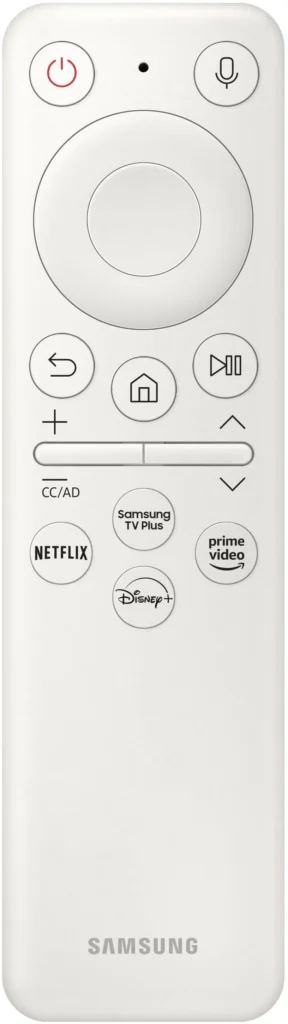
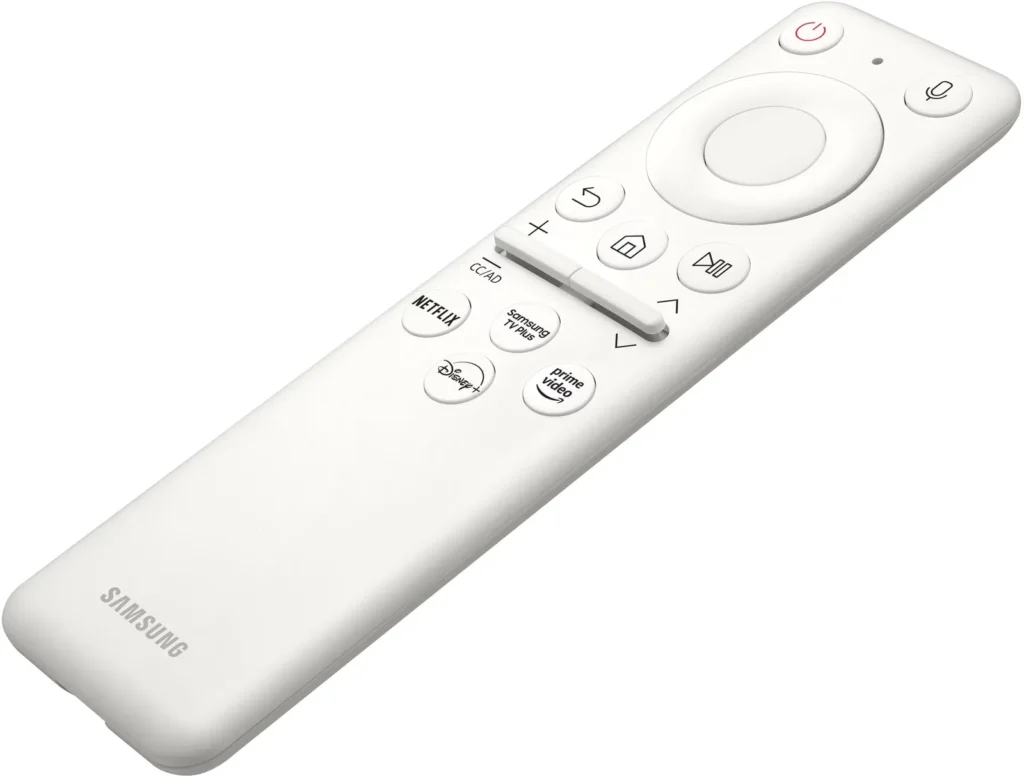
Navigating this interface is made more simple than usual for a monitor though, as Samsung has included one of their best smart remotes I’ve ever seen. Slightly smaller and lighter in form than the accompanying remotes for Samsung’s tvs, this little guy is refreshingly simple but with plenty of tactile and clicky button action. There are also voice search features here, with the ability to set either Alexa or Bixby as your search assistant. Using Bixby as mine, it handled normal commands fine when it came to switching between apps or inputs, with the usual Tizen lag of course.GAMING:
Speaking of lag… let’s discuss the G7-43’s gaming performance. I tested a miriad of competitive shooter titles, between the likes of Halo, Battlefield, and others – and not once did I ever notice any perceivable amount of input lag. Even outside of game mode, the G7-43 is an admirable performer. But switch it into game mode, and it flies. There was never a moment where I felt the action from my fingers wasn’t translating to the action on screen. Basically, you’re fine here – it performs as any suitable gaming monitor should. And since we’re talking gaming, what about Samsung’s Game Bar functionality? Well, it’s alright. It loads up with the same sluggish response that you’d expect from a Tizen interface, but it does offer some nice UI info, including an FPS counter, picture modes, and even an “ultrawide game view” if you wanna try out a 21:9 format. Ultimately, it gets the job done, but I still find LG’s implementation to be slightly more refined here.
What is refined is the refresh rate – the G7-43 boasts a capability of 144hz, which, for any monitor on the market of this size is impressive. If you’re shopping in the plus +40inch display category, your options are plenty limited, though that is thankfully beginning to change. For awhile, LG dominated this size category with its OLED offerings but those are capped at 120hz. While the extra 8% of hz on the G7-43 may not seem like much, it’s a nice bump up from the competition, especially at 4k.OVERALL:
So, is the G7-43 a worthy buy at its current price point of $1000? Well, that likely depends on your own personal needs. Do you game in a brightly lit room and value an excellent matte screen with high HDR brightness? Do you require a smart interface with app and input switching available via an included remote? Are standard monitor sizes just too small and you’re ready to make the jump to something that can double as both monitor and TV in a gaming space? For the right person, the G7-43 is likely a great option. It has a bright, vivid display, high refresh rate, and plenty of gaming features, including a small and compact remote if and when you want to stream some content. For all others though, I think this is a wait for sale. It doesn’t do anything exceptionally well, other than brightness, and while it’s well rounded enough in all aspects, I think it’s a far more compelling purchase at say, $799, or even $850. It’s just hard to recommend this over something like the LG C2 which is currently selling for $899 and has a better UI, glossy display, and the true blacks of OLEDs. That isn’t to say the G7-43 can’t stand on its own, however, and for $1000 there is still an argument to be made regarding its value, especially as a large format Mini-LED monitor. But for me, I think Samsung needs to fine tune this software a biiiit more before it truly stacks up at that price point.
-
Ignore the guy saying "horrid ghosting"
Robert K. March 17, 2023Review source: AmazonYou can’t test the UFO test on standard mode. It needs to be in game mode with the “fastest” settings checked. It’s more than acceptable in game mode. Also it’s not a rebranded QN90B. My QN90B does 1400+ nits, this one is only HDR600. The difference is this is a monitor while the latter is a TV. Both good products.