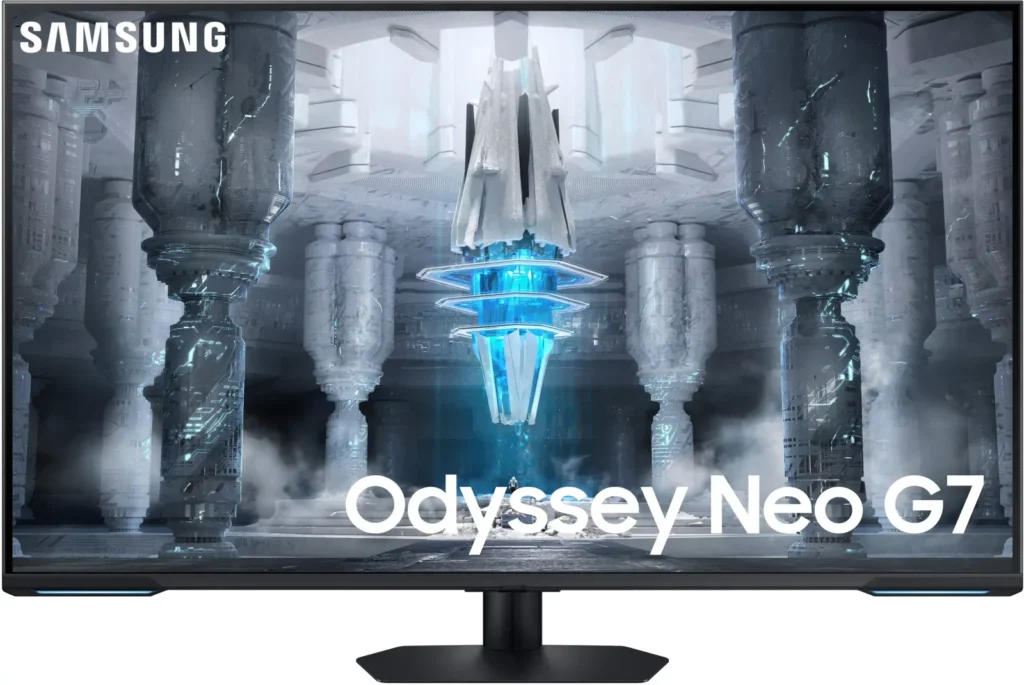
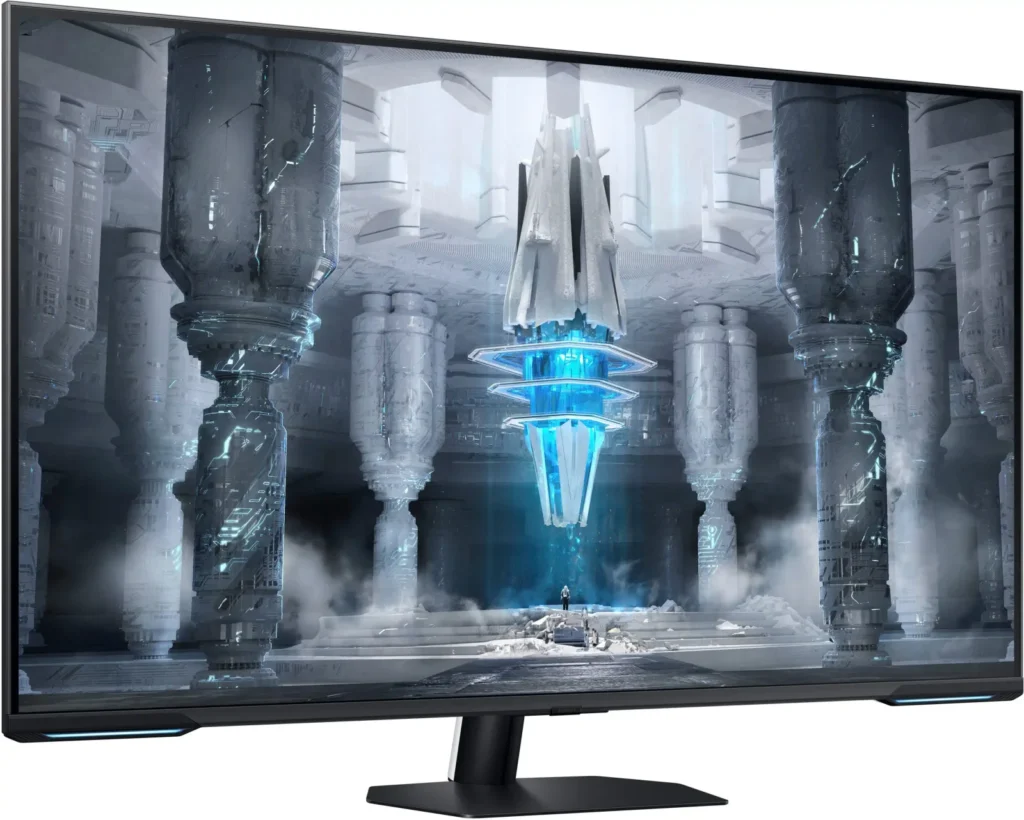
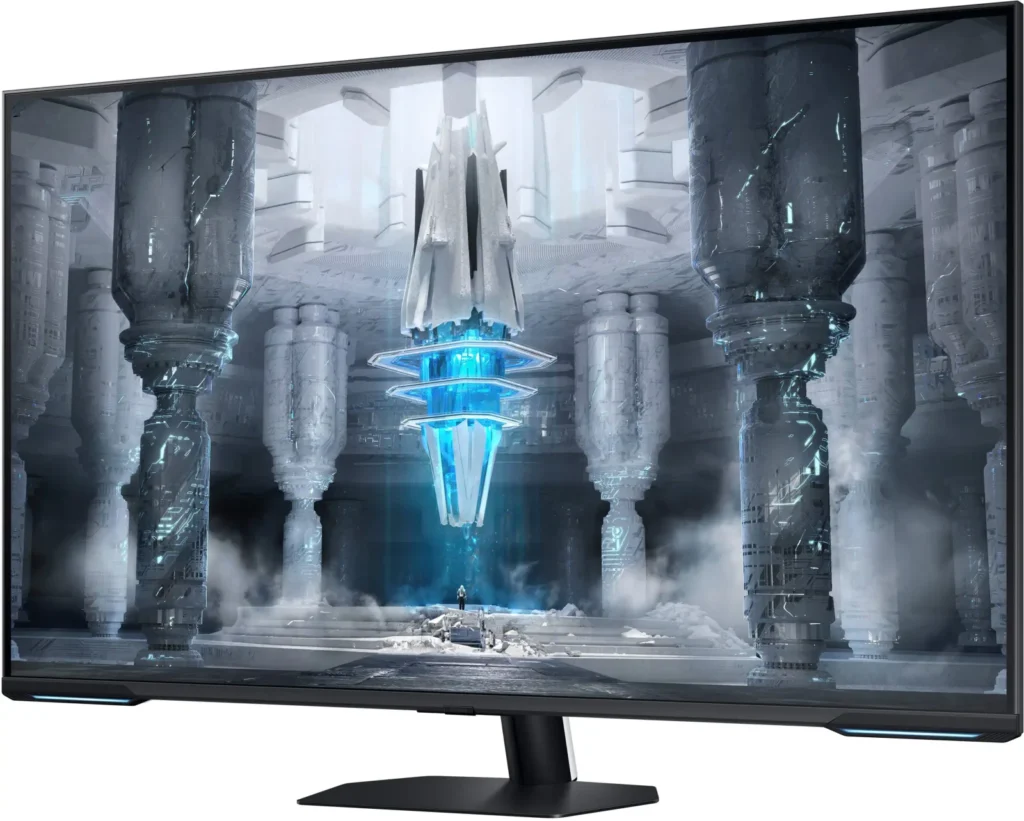
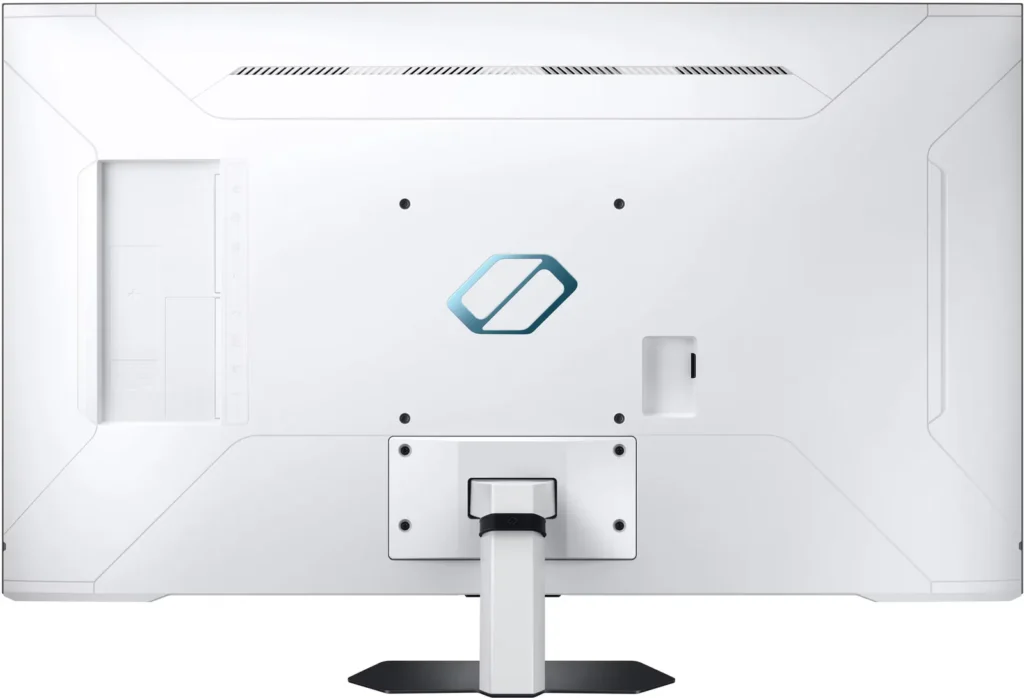

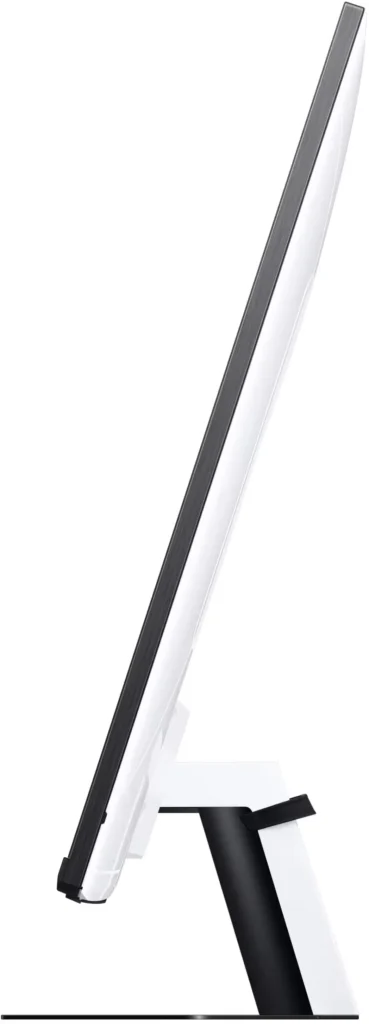
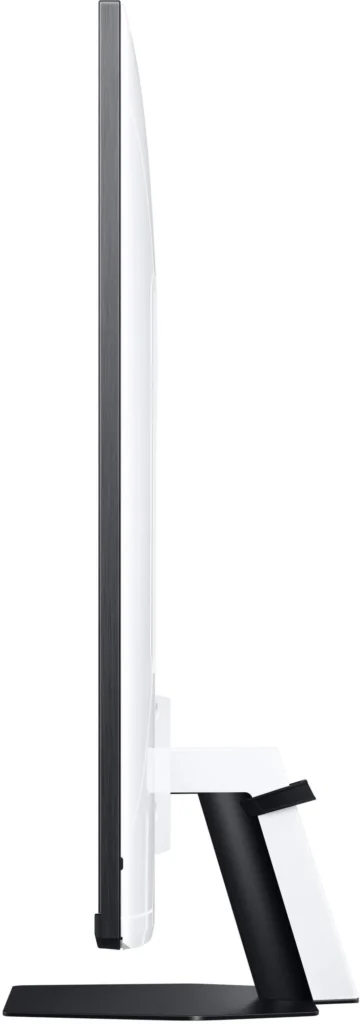
Customer Media
Highlights
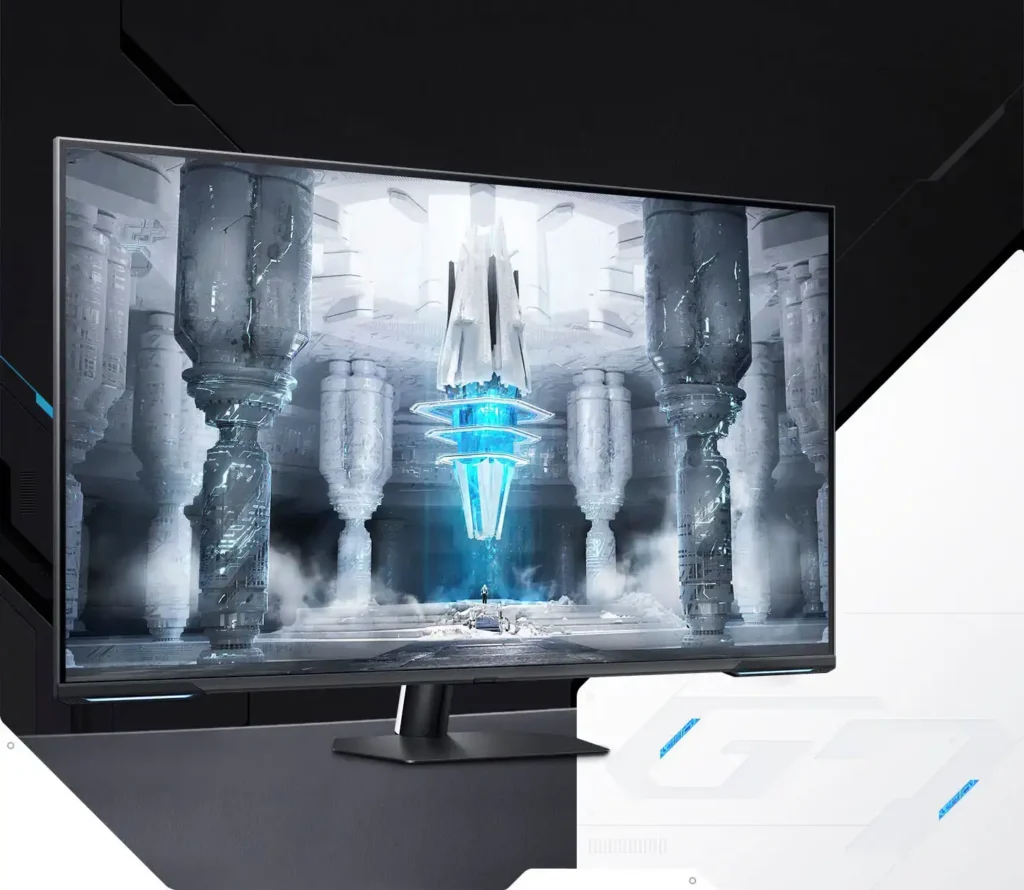
| Quantum Matrix Technology | Utilizes Quantum Mini LEDs with a 12-bit backlight unit to provide ultra-fine brightness control and incredible contrast, delivering deeper blacks and more detailed color expression in every scene. |
|---|---|
| 4K UHD & 144Hz Performance | Combines stunning 4K resolution with a 144Hz refresh rate and 1ms (MPRT) response time for ultra-smooth, high-definition gaming that eliminates lag and motion blur. |
| VESA DisplayHDR 600 | Features a 1,000,000:1 contrast ratio and VESA DisplayHDR 600 certification, ensuring life-like visuals with vibrant highlights and rich shadows for an immersive HDR experience. |
| Smart TV & Gaming Hub | Integrated Smart TV apps allow you to stream your favorite shows via Wi-Fi, while the Samsung Gaming Hub provides instant access to top cloud gaming services without needing a PC or console. |
| Flex Move Screen & Matte Display | The Flex Move Screen feature lets you adjust the on-screen size from 43 to 20 inches to suit different game genres, while the Matte Display minimizes reflections for focused, distraction-free gameplay. |
Pros & Cons
Pros
- Stunning Visual Performance: The 4K Quantum Mini-LED display provides vibrant colors, high brightness, and deep blacks that many reviewers compare favorably to OLED technology, making it excellent for HDR content.
- Excellent Gaming Features: With a 144Hz refresh rate, 1ms response time, and HDMI 2.1 support, it delivers a smooth and immersive experience for both high-end PC rigs and next-gen consoles like the PS5 and Xbox Series X.
- Versatile Hybrid Functionality: It successfully bridges the gap between a high-end gaming monitor and a Smart TV, featuring built-in streaming apps, decent integrated speakers, and a convenient remote control for media consumption.
Cons
- Frustrating Software Interface: The Tizen OS is frequently described as slow, laggy, and overly complex, with users particularly annoyed by the lack of a dedicated input-switching button on the remote.
- Persistent Connectivity Bugs: Users report significant issues with the monitor failing to wake from sleep, losing signals on DisplayPort, and experiencing random flickering or artifacts that often require a hard reset.
- Noticeable Motion Artifacts: As a VA panel, it suffers from ghosting and black smearing during fast-paced scenes or when scrolling through text, and the viewing angles can cause color shifting at the edges of the large screen.
You might also like










Customer Reviews
Showing reviews 271-280 of 287
-
43 inch 4k 144hz mini led
Verified purchase Verified purchase: This reviewer bought the product.Brian March 16, 2023Review source: BestbuyGreat monitor. If you have ghosting use overdrive function and use settings to fix the issue. Don’t be a basher of an amazing product. Grow up.
-
Lowering price so close to launch by 200, mowing over initial buyers past the policy of price match.
Brian March 16, 2023Review source: AmazonPros:
-4k 144hz
-Mini Led
-Good screen real estate
-Price is not horrible for what you get.
-Brighter than OLED
-HDR compatible with streaming and gaming
-Gaming looks fantastic on this as well as streaming Movies/TV
Cons:
-Samsung lowers price strategically past the 15 days to reject price matching early customers who take a
leap of faith before proper reviews. Shady Corporation greed tactics.
-The UI needs serious updates for it to be more user friendly and optimal. Settings change on the fly from using as monitor and back and forth between TV mode and Gaming mode.
-Text can be a bit blurry while scrolling, but text looks crisp otherwise.
-During UFO test you will see ghosting but I do not notice it at all while gaming just a little bit with text while scrolling.
-Not optimal out of box but i guess most tvs/monitors won’t be, because everyone has different views on what looks good or bad to the individual, as well as where the screen is placed in room or house can force one to change settings based on the environments and viewing angles/varying distance from face to screen.Final thoughts:
For 799 it will be very hard to find the same specs for the price. I am just salty that I was cornered into buying a monitor rather than being patient for a price drop. but doing it so soon to the release seems unfair to the initial buyers. Don’t scam around for an extra 200 dollars and then time it so you don’t have to honor price matches cause of (Policy) That is some trashy tactics to use on customers who have faith in your products. Hopefully the UI can get some firmware updates to be more user friendly. Makes no sense to use a ui worse than the previous versions used. Overall I really like the monitor and have no regrets in buying it just wish they would have a more concrete price figure at launch and at least 3-4 months after instead of lowering after just a few weeks screwing over everyone who initially bought for 999. You will loose a lot of customers toying with people money like that. -
Large. Great picture/specs. Check your use case.
skylog March 15, 2023Review source: BestbuyI really like this monitor for many reasons, but at the same time, I am kind of torn. It performs very well (picture, response time), more or less has you covered on specs and connections, has a matte finish, which I prefer, and generally, does everything I want/need it to. All of that said, maybe it is too big (for me and my space), the software is a bit slow/laggy/clunky, and it does take some time to dial it in. Well, at least it did for me.
As a sort of common theme, setup is rather easy…like a TV. Basically, unbox and attach the stand. There really is not much more. The build is solid, about what you would expect from Samsung. It has a good number and variety of ports. I think most people will be covered. I am typically a wired guy when it comes to desktop/TV internet connectivity, and I think that would be a wise choice here. I am assuming for cost reasons…? but they decided to go with older Wi-Fi standards. Kind of a ding, but perhaps it is not an issue. The speakers are…” good.” They get fairly loud and should be ok for many, but if you are looking for a really nice audio experience you are going to want to add a bar or speakers to your setup.
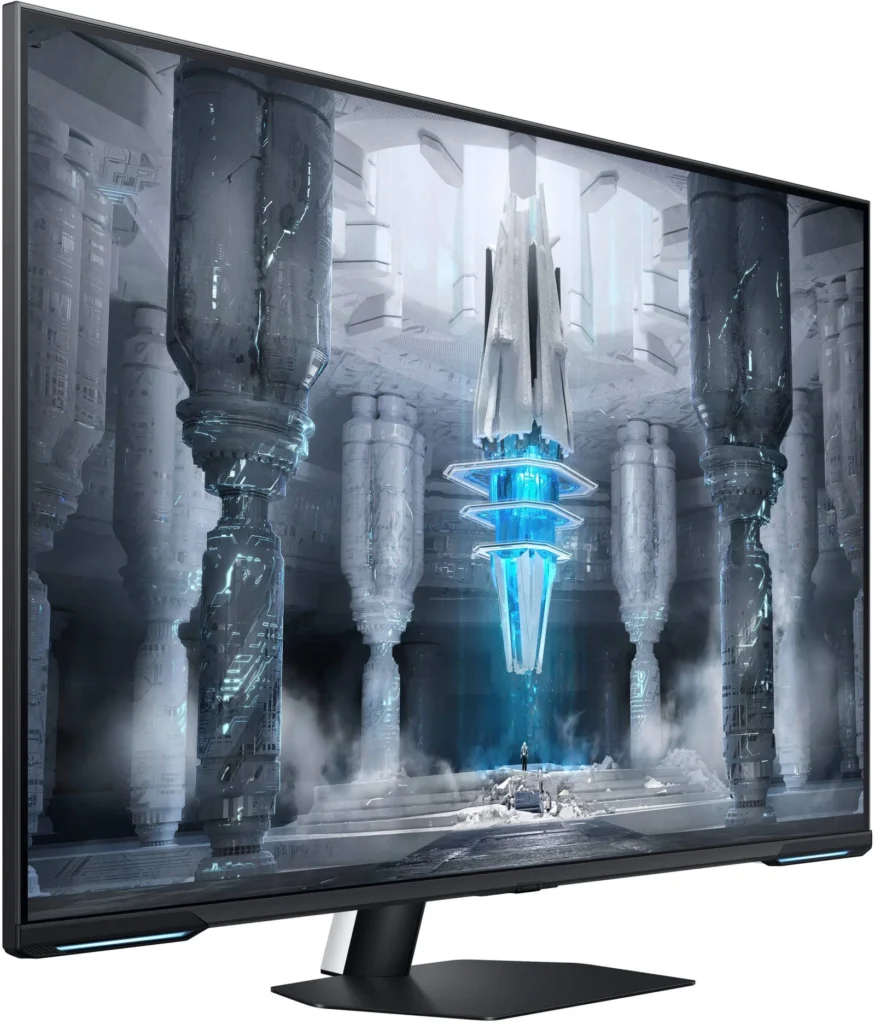
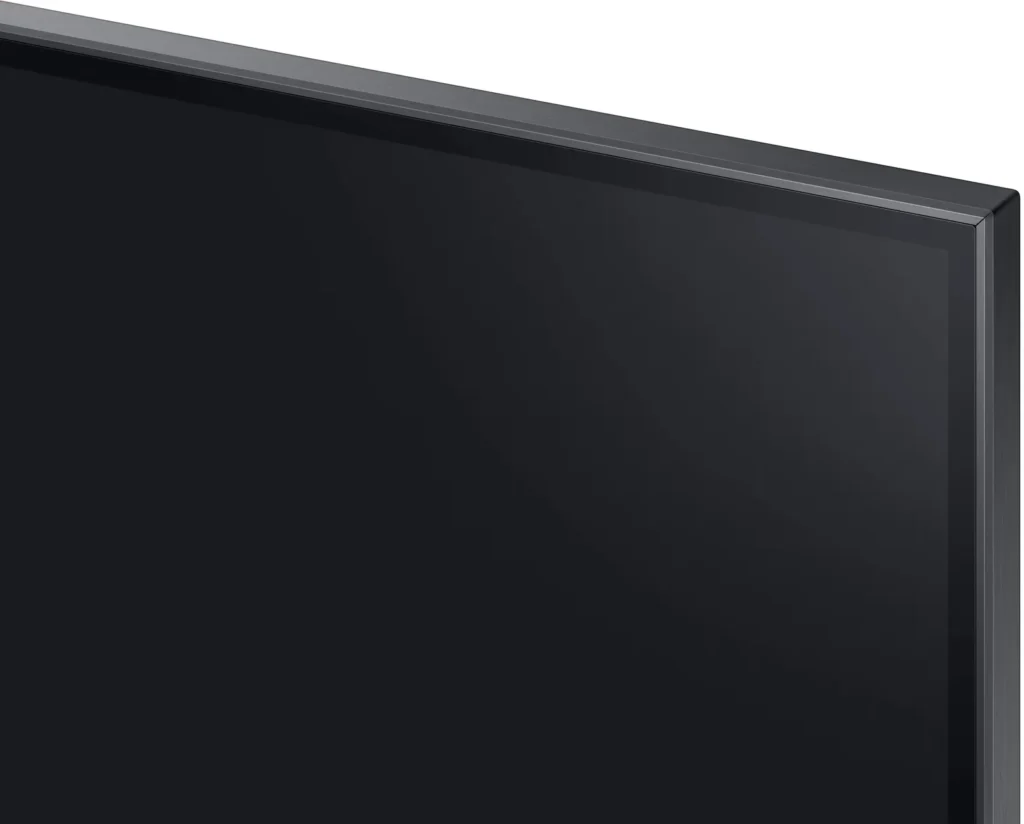
The design/styling kind of walks the line between muted and gamer. Personally, and yes I know this is meant as a gaming monitor, I wish it just went plain, black, everywhere. It was close. That said, you have small bezels on the front with two very small LED bumps at the bottom corners and a rather plain white glossy back. All in all, most would consider a bit “plain,” but I think it looks good.
When it comes to the display, what everyone is really buying this for, I think it is fantastic. I know I may be in the minority, but I love a matte finish. It may degrade the color ever so slightly, but frankly, I don’t see it and I think the colors are very full, accurate, and detailed. The picture quality as a whole is great. Vivid, great contrast and brightness, and nice deep blacks (thanks to the Mini LED). HDR is solid and performs well. Further, I also really appreciate all the resolution at such a size. Admittedly, it did take me a bit of time to dial everything in to where I feel it really shined, but given how much it is going to be used I feel it was time well spent. Lastly, having the 144HZ refresh rate, 1ms response time, and Sync Tech, well, it just takes all of that good and makes it run smoothly. Of course, some of this will depend on your system, etc…but this thing was humming for me. Games looked great and ran great as well.
Additionally, you get some rather cool and unique gaming focused features from Samsung. Flex screen which allows you to adjust the screen size as well as expand the aspect ratio. Game mode. Aim stabilizer. Black equalizer. How much these appeal to you will be a personal thing, sure, but options are always nice to see.
Now, while this is being sold as a gaming monitor, it is also sort of a TV. Generally, it does this well. The Smart TV experience is what you see and expect from Samsung. There are a collection of apps that will work for just about everyone. Further, you also get a remote which gives you that TV feel as well. For me, however, I just felt the software was just slow and laggy. Not “horrible,” but definitely noticeable to me. This is sort of the same feel I got during the initial setup. Perhaps this is me, perhaps it get better with an update, and I do no think it is a deal breaker (depending on how you want to use it), but just something to note. That said, I do really like the versatility you get here. You can use the PC as a PC, game, add a game system, watch some content…all really without much hassle. That is really a nice feature.
My only other real concern, and this is just my situation, is size. It is BIG. I am struggling a bit to find the right space, distance, setup. I may explore mounting it, which I think would work great for me, but I will have to see. It is something to think about. While I love the resolution, using it for work and stuff has been a bit challenging. I think it will all work out, but it was not something I had really thought about.
Ultimately, though, I really do like this monitor. It looks good, is spec’d well, does everything I want/need it to do, and it does it well. Other than the few concerns I listed above, I think it would be a great, versatile choice for most people. My only last concern would be to check your use case. While the monitor/TV thing is a nice feature, I just think maybe you can get a better monitor for less and/or a better TV for less. If you don’t think you need them sort of together, maybe look in another direction.Read More
-
Excellent monitor, but as a TV…
R Tanaka March 14, 2023Review source: BestbuyUpon receiving this monitor, my first thought was that it was massive. I don’t mean just for a monitor — this was almost as large as my living room TV and would be considered perhaps too much for a TV for a secondary space like a bedroom or garage. For the average user, this monitor would be a considerable upgrade in both size and image quality.
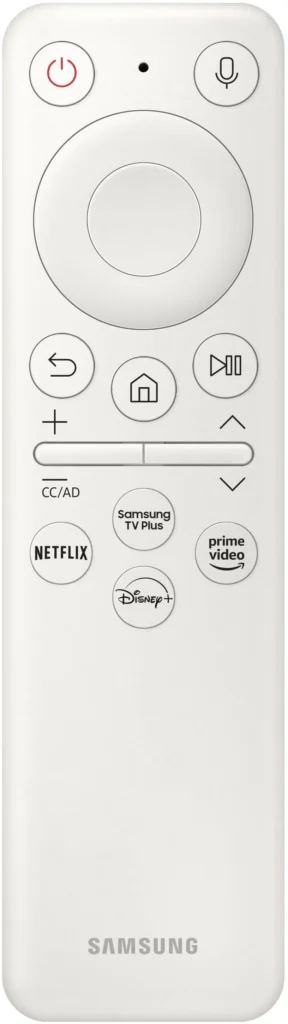
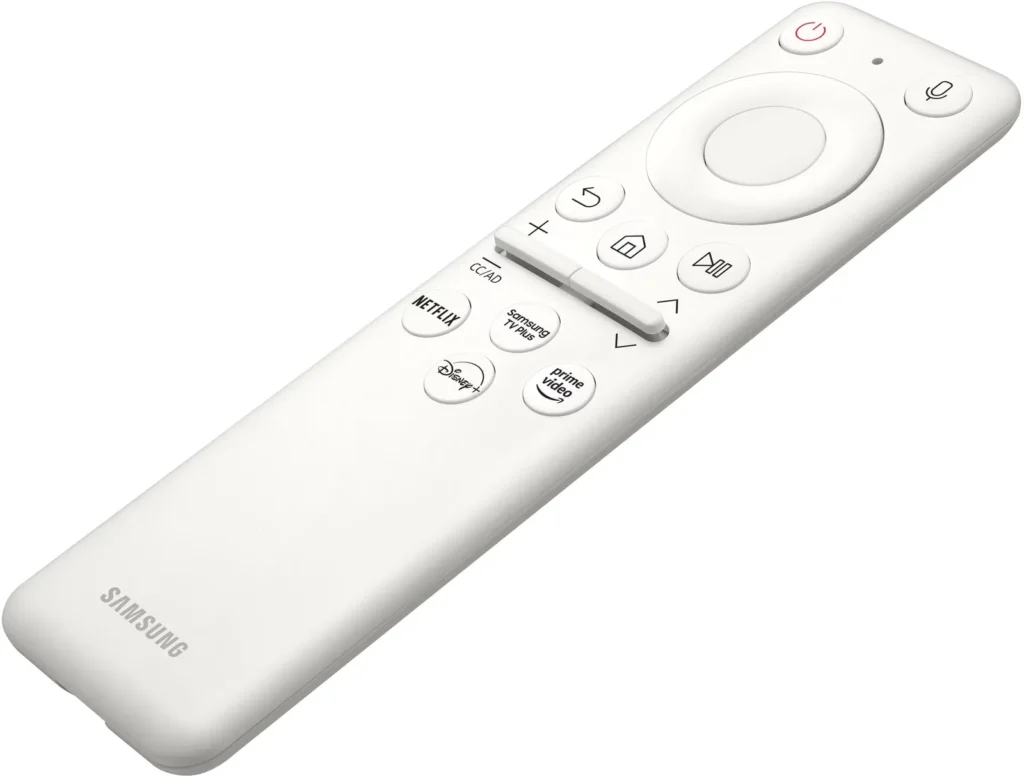
Interestingly, this monitor does seem to acknowledge its parallelism to a TV pretty well. The speakers are decent, moreso than my actual (TCL branded) living room TV’s, and even at a lower setting (say, 15), it’s still clearly audible even from several feet away. It includes a quite smart-looking remote, with toggles for navigating volume control and menu items. If so desired, you could install the SmartThings app and control the monitor through your phone instead, too. What I found most surprising was that the monitor came with its own suite of apps and OS, including live TV channels and apps like Netflix, Youtube, and Hulu. The remote control combined with its ensemble of TV apps does make me think that this monitor could be easily repurposed as a smaller TV. However, at this price point, there are plenty of other cheaper TVs at this size or even larger that would be a better value proposition.
Luckily for it, the Samsung Odyssey Neo G7 works brilliantly as a monitor. While playing several games on it, both on my PC and hooking my Nintendo Switch up to it as an external display, I felt that it was a significant upgrade from my previous BenQ monitors. The higher refresh rate is immediately noticeable even to the naked eye and the matte coating to reduce glare does make an apparent difference. The viewing angles similarly are excellent and I never felt that I had to adjust the monitor to compensate for whatever angle I happened to be viewing it from (my posture can be wonky). The colors are noticeably off compared to my other monitor (BenQ) out of the box, but those settings can be easily adjusted and do not detract from the overall bright, lively colors the screen offers. It is worth noting that the color accuracy was certainly “good enough” out of the box, but that little bit of tweaking helps. The screen gets pretty bright, especially in the context of gaming where most people probably aren’t playing in a particularly bright, sunlit room. I did find I had to actually reduce the brightness somewhat to make looking at the screen a tad easier in a more dimly lit setting. One concern I had was text clarity, as a smaller Samsung monitor I bought last year had noticeably blurry text, and this appeared to be a fairly known issue amongst certain Samsung monitors. Those fears were very quickly put to rest; the text is crisp and clear, and reading on this screen is pleasant. I didn’t notice any issues with input lag, even using a Bluetooth game controller, and the games I played (such as Splatoon, Slime Rancher, Minecraft, and War Thunder) looked simply amazing on it. Colors popped, and especially when playing on PC, the visuals were stunning. My previous monitor is not by any means “bad,” but going from a 27″ to a 43″ 4K display is a helluva upgrade! I also found the ethernet port interesting. Though I don’t plan on using Samsung’s game streaming features, it is a nice inclusion.
Frankly, I couldn’t be happier with the visual appeal of the screen when it comes to gaming and everyday use. I work from home and found that this monitor was great for work and play, which — although I do have a second monitor for productivity — is convenient to have in one (large) package. Games look great, text looks great…where could it go wrong?
One area this monitor does not shine quite so brightly is in media consumption. I find the “soap opera effect” distracting to the point of frustration, and it took some time to figure out how to minimize this. When watching videos or movies on this monitor, this “blurring” is horribly noticeable to the point where, until I figured out that this was a setting that could be changed in the Picture Clarity menu, I wondered just who would be using this monitor for watching movies or TV as Samsung so clearly intended. Speaking of, the monitor’s UI is another weak point. Although the onboard OS is convenient in that you don’t need a Chromecast or similar device to watch content on the monitor itself, it is far from snappy or responsive. If you’ve had a Samsung phone before, you know: the bloatware is real, and the UI can sometimes feel like trying to scroll through vaseline. 90% of the time, it is fairly responsive. But that other 10% can be frustrating, waiting for a menu to pop up or trying to scroll through menus, like you need to do in order to calibrate the screen or adjust settings, and it detracts a bit from the premium feel the monitor otherwise has. You can’t remove certain Samsung apps, which feels silly as a current iOS user (former Samsung user) that will never find use for them. You are thus required to reorder the apps to put the ones you will use towards the front so you don’t have to spend a thousand years scrolling through all of them (and there are a LOT especially if you, like me, would only ever need two or three), and in the reordering process, you must scroll through every single one of those apps twice (once forward to navigate to the sorting menu option, and once backward to move a specific app to the front of the list) for each app…! Add UI lag to that process and it becomes downright tiresome. Though it only needs to be done ideally once during initial setup, little things like that detract from the “TV” experience of this monitor.
Ultimately, if you wanted this as a TV, there are cheaper, competitively spec’d ones (and OLED would be great for watching movies and so on). But as a gaming monitor with a side TV functionality, I find it an exciting product. Outside of quirks like I mentioned, the TV aspect is, above all, convenient if you want to swap from gaming to watching Netflix without fussing with additional remotes or cables. You could get away without a soundbar, too, thanks to the passable speakers. The white of the monitor’s back looks clean and sleek in a more “modern aesthetic” setup, and the bezels aren’t big enough to be a real distraction. Games look amazing on it, and — maybe more importantly — games feel amazing to play on it. If that is your priority, this monitor might be worth a shot, especially if you find use in Samsung’s Gaming Hub.
Samsung’s UI has, in my experience in the past, consistently fallen short of what I would ideally use on a daily basis, but its displays have always impressed me and this monitor does not disappoint. As a monitor, this is an easy recommend.Read More
-
TV sized gaming monitor.
Benb March 14, 2023Review source: BestbuyDepending on what you want out of a monitor this might be the perfect one for you… or it might be found wanting. At the end of the day, it didn’t replace my 49” ultra wide monitor, I swapped it out for a few days but as good as the gaming experience was it couldn’t hack the dual purpose I need a monitor for which is work. But it did find a spot, it is the new screen for the multipurpose desk (computer, switch, shows, etc). If your monitor is for gaming and work and requires a dual screen setup, this monitor’s dimensions are just not quite right, don’t get me wrong, it looks great, and single task items like reviewing a PDF or word document works amazing, but multitasking can be found limiting as the dimensions are that of a single monitor and programs like rdp can’t easily be put on one side of the screen and look good and a quarter of a screen is just a little smaller than I’d like. I saw that it had a usb docking station and display port on the specs and was excited but the display port is actually a display port (full size) and the USB hub is just that, a USB hub; it is not a display port USB hub (where you just plug your laptop into the USB and it does the display and everything (sometimes even charging on the fancier ones). It does make sense that this wouldn’t actually be included as video through USB doesn’t support high refresh rates right now. All this to say I do love this monitor; so now I’ll talk about what it is actually good.
For what this monitor is good at. It beats the snot out of my older (3 year old) Samsung gaming monitor in image quality and response. I absolutely love playing games on this screen. I like curved screens but flat screens are key when multiple people are using the screen. I feel like Mario Kart doesn’t take advantage of this screen to its fullest extent but my kids have had a blast on that and Xbox cloud the last few days. I played horizon 5 on my computer with it and it looks amazing but I also played horizon 5 on xbox cloud which is built into the monitor, and I was shook. I didn’t realize how far cloud gaming had come. The game loaded decently fast and then I was in and the graphics and response time was impressive. I have a xbox controller that I use on my computer but I had to go get another because I saw 007 on the cloud gaming (I signed up for a trial period) and was all hyped up to play 007 goldeneye with the kids and show them what I grew up playing…. But that’s where I found the limitation of xbox cloud gaming and that it won’t replace an xbox any time soon. It doesn’t support multiplayer. My kids saw hotwheels racing and wanted to try that on luna cloud gaming, which the xbox controllers did work for luna as well. Luna supports multiplayer which awesome.
Past the gaming portion of this monitor it also has a ton of streaming apps built in. The most annoying being SamsungTV. Which may be nice, but sometimes I’ll turn on the monitor and it’ll be playing on SamsungTV, like it just switched to it, this was really annoying when I was trying to use it as a dual work/play monitor but as a play only, it is just slightly annoying. The more annoying part is how slow the OS is compared to Samung’s smart TVs. The monitor can be slow to respond to the remote and is never instantaneous. Once you are in an app it gets better, it’s just the home screen area that seems to be sluggish. It doesn’t have chromecast built in but it does have smartview and dex. I hooked up a sounds system with the HDMI ARC, it auto detected and set itself up without any input from me and auto turns on the sounds system which is awesome.
Where I really think this monitor shines is for someone that doesn’t currently own more than a single monitor and really wants a monitor that can be used for streaming videos or playing games. This is the perfect dimensions for movies and some games and even has a widescreen mode for games where that looks better. It is also perfect for the gaming corner of a house. The only reason I give it 4 stars instead of 5 is because the OS is sluggish to the point it is annoying and on such an amazing monitor it is more noticeable than less capable monitors.Read More -
Smart Gaming Monitor and TV combo for pros
TechGuru March 13, 2023Review source: BestbuySamsung Odyssey Neo G7 43” Mini LED 4K UHD monitor is targeted for gamers and is a premium high-end gaming monitor that offers a wide range of features to enhance the gaming experience.
It has a 4k UHD resolution of 3840 x 2160 with 144Hz refresh rate for a smooth video visuals and clarity for games and movies.What’s in the box : Monitor, stand(2 pieces that needs installation), power cord, HDMI cable, Remote, user manual.
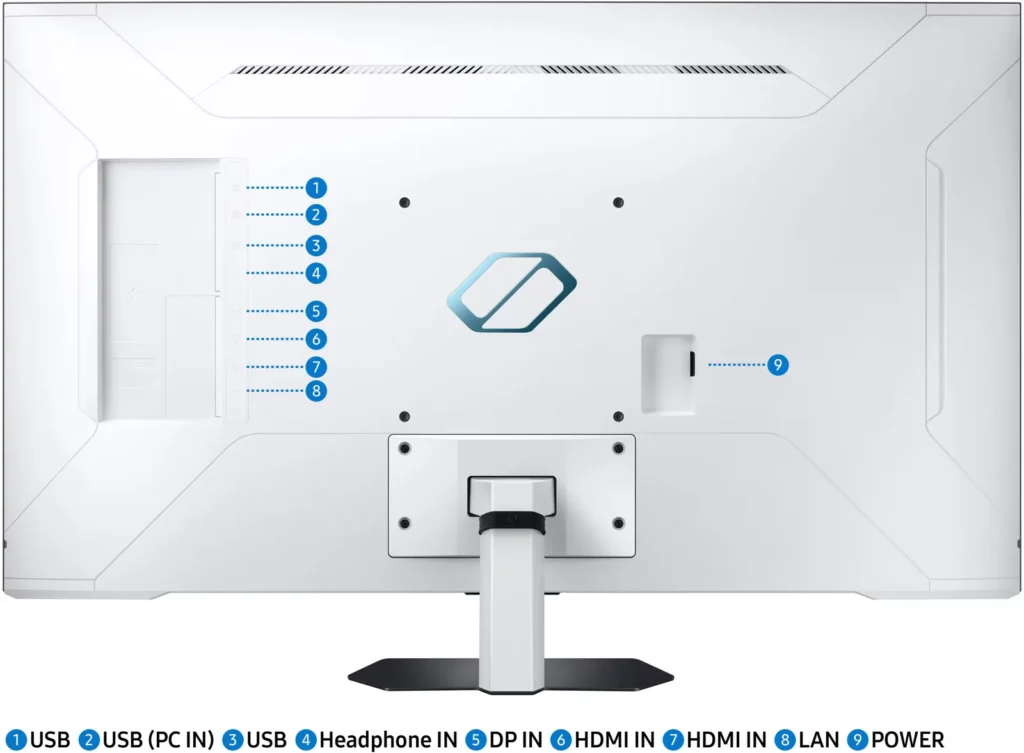
Setup: Comes in a big box like TV and upon unboxing all it needs is the stand installation. Back of the monitor is gloss white with the ports on right back side and the power slot on middle left. Included stand is shorter and comes in 2 pieces. The base needs to be attached with the included screws to make it a single piece. Once done it has to be inserted into the slot at the back of the monitor and there are 4 screws that needs to be tightened for more stability. Included stand provides minimum movement tilt and it does not move up or down like other monitors and not ergonomic for gaming long hours. Monitor does have an option to install wall mount (200 x200).
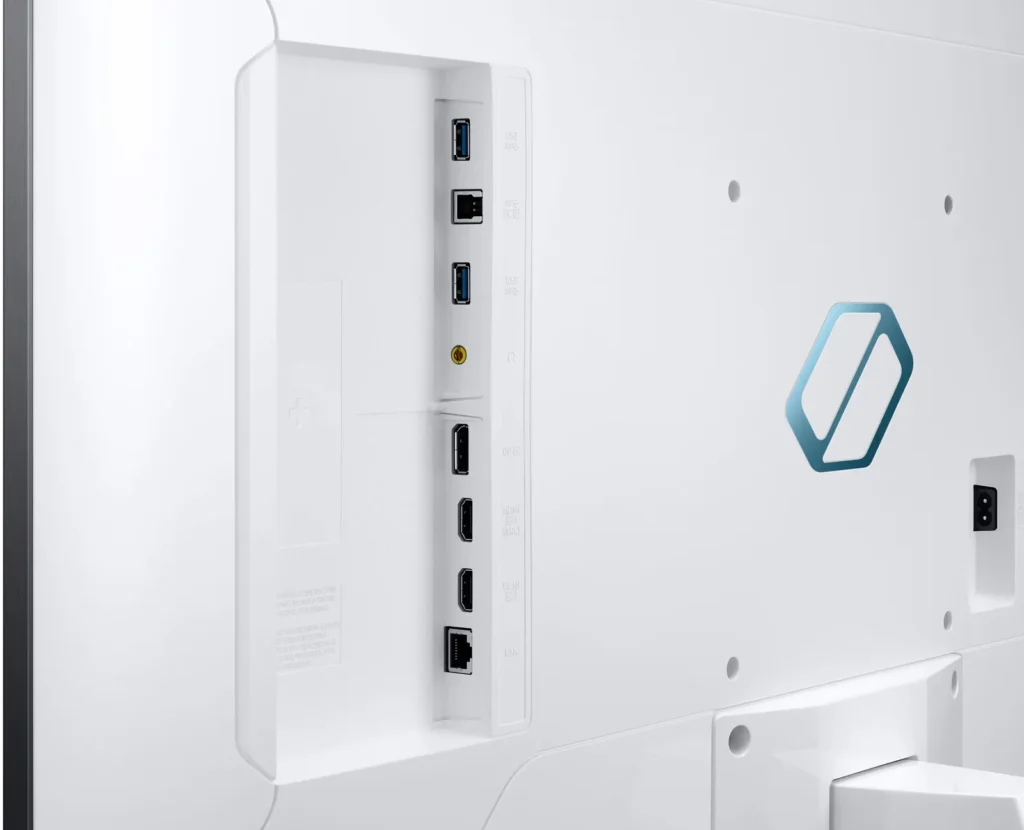
Ports: Monitors has good number of ports to accommodate different connections. Comes with 2 USB ports, headphone jack, Display port DP, HDMI(ARC), HDMI2.1 and Lan port for direct ethernet connection. It does have speakers that is good enough to watch digital content as this monitor also serves a smart TV. It does come with the remote to adjust volume and change inputs.
Display: This monitor is a 43-inch flat and not curved and uses Mini-LED technology that offers higher level of brightness and contrast, richer black details than traditional LED monitors. I do have a Samsung 49 CHG90, and this monitor is brighter comparatively. This monitor offers a 4k UHD resolution of 3840 x 2160, providing good resolution compared to the CHG90. Also supports fast 144 Hz refresh rate and 1ms(MPRT), for reduced motion blur and makes face paced games much smoother. It has both G-Sync and FreeSync that greatly reduces screen shuttering compared to G9.
Support of HDR is good for high level of brightness and this monitor includes variety of gaming focused features like game mode, aim stabilizer, black equalizer that improve the gaming experience. Back of the monitor is gloss white and the front display is matte display that reduces light reflection and glare on the screen .
This monitor supports wireless display where you can play a mobile game on a larger screen with the built in WIFI/Bluetooth. This monitor supports only WI-FI 5 and Bluetooth 5.2, and not Wi-Fi 6 or 6E. Not sure why it was not supporting the latest standards but if you need to stream games or 4k content faster better to plug in the ethernet in the LAN port.
Smart TV experience is great without needing to turn the laptop or desktop with just a click of the apps. It has the same interface that you see on Samsung 4k TV’s and included remote makes this monitor as Television when not using as monitor and playing games or creating contents. It has apps like Netflix, YouTube, Prime Video and most of smart tv apps.
Samsung Gaming hub allows instant access to cloud gaming services and you can connect your favorite gaming console like Xbox and PlayStation.
One of the cool features that helps a lot when this monitor is used for work is the flex move screen. Flex move screen lets you adjust the screen size from 43 to 20 inches and also expand the aspect ratio from 16:9 to 21:9.
Pros : Mini LED Technology, HDR Support, G-Sync and Freesync compatibility, Gaming focused features, 144HZ refresh rate, 4K UHD resolution, Smart TV option with remote, Matte display, Wall mounting feature, Speaker sound
Cons: Lack of Wi-Fi 6 or 6E, Lack of adjustments and not ideal for ergonomics, limited connectivity with only one HDMI 2.1 port to connect multiple devices, Price
Overall, the Samsung Odyssey Neo G7 flat screen monitor is an excellent choice for gamers that provides a highly immersive and enjoyable gaming experience with little cons as mentioned above. If you need a monitor that can also serve as a SMART TV when not using for gaming or work then this monitor can be a good choice.
-
Beast Gaming Monitor but not perfect
Parker March 13, 2023Review source: BestbuyThe Samsung – Odyssey Neo G7 43″ Mini LED 4K UHD 1ms AMD FreeSync Premium Pro Smart Gaming Monitor with HDR600 is a beast of a gaming monitor packed with features.
Let’s start with the build quality. The monitor itself looks to be built nicely and looks great. The back is a gloss white with a logo on the back while the front has thin bezels and the screen itself has a matte finish. The stand bottom is made out of metal and screws on like any other standard monitor but does not have that much articulation in my opinion and height is not adjustable.
As far as outputs the Odyssey Neo G7 has plenty including two HDMI ports, two USB ports, Display port and a LAN port.
Lets talk about the screen. The Samsung Odyssey Neo G7 has a 4K UHD display with Quantum Mini LED and has a 1ms response time. Although Mini LED is not on par with OLED it is still impressive none the less. It has a 144Hz refresh rate which makes gaming smooth. Colors pop and the screen is bright. Movies looked great and gaming even better. I really appreciated the matte finish on the panel because for my setup I have a window behind me and it really reduced the glare tremendously compared to my other monitor which does not have a matte finish. Initially I thought this would hinder the performance of the monitor but I was wrong. The 43 inches of real estate makes for great multitasking. I can have multiple windows open and also keep gaming at the same time. Great for people like me who work from home.
A pleasant surprise for me was the sound! Though I game with a headset I didn’t realize how good the speakers were for a gaming monitor when I watched a movie. I’m not saying that they are surround sound Dolby quality but they are actually good for watching videos and movies and you don’t feel like you have to have your headset on all the time to enjoy other media other than gaming. The Samsung Odyssey Neo G7 is also a smart TV with the usual hosts of streaming apps that you’d find like YouTube, Netflix, HBO Max etc….There’s also the Samsung Gaming Hub where you can also access Games and monitor setting for games. There’s even an option to add a crosshair overlay onscreen. I tried it on a few FPS games and it was pretty cool.
Though it performed well I did have some minor issue when first setting up the monitor. Initial setup was easy as you can use an app to setup the monitor. When plugging in my laptop through the HDMI port the monitor said it recognized my laptop but could never get a signal and it would switch back to the home screen. I tried the other HDMI port and had the same issue and I also tried connecting another computer with no luck. I went back into my computer display settings and adjusted a few things and still no luck so I gave up. I came back the next day and turned on the power and this time it connected just fine and kept working from then. I don’t know if it was my fault or not but as long as it was working I was happy.
Overall the monitor has a beautiful display and is packed with features and has great sound but to me it almost feels like a smart TV with gaming monitor features not necessarily a bad thing as this is a great monitor. I love the size and matte finish and honestly it fits my needs as I work from home and reduces the need for me to have a second monitor.Read More
-
Samsung's giant monitor delivers a ton of features
DFN80 March 13, 2023Review source: BestbuyThe Samsung Odyssey Neo G7 gaming monitor, at 43″ in size, straddles the line between being a big monitor or a television. One could very well argue the latter, given the shared Tizen OS smart platform it shares with its Samsung brethren. It’s certainly a monitor that fits a very specific niche, as it’s so large a lot of traditional desks probably can’t accommodate it. However, if you do have the room and are a gamer, the G7 offers an enormous number of features to go along with the giant size.
The monitor is very large and rests on a large central stand that’s heavy enough to keep it stable. The back is a striking white design along with VESA mounting holes for optionally placing on a wall, while the front has a more subdued look with black bezels On the bottom of the left and right side of the screen, there are customizable LED light strips configurable in the game setup menu. On the back, connectivity consists of a DisplayPort, 2 HDMI ports, a Type-B USB port along with 2 Type A ports to act as a hub, a 3.5mm audio jack for headphones, and a LAN port. The latter might prove useful if you are a big user of this device’s built-in game streaming capabilities, as disappointingly the wireless connectivity is only WIFI 5. In testing, I used the Xbox game streaming function since that’s what I subscribe to, and while setup was easy with an Xbox controller, I think this was a case where the wifi held it back. (Forza Horizon 5 played smoothly, but I would describe the graphical fidelity to look more like an Xbox One than a Xbox Series S/X).
I did have some quirks when using this connected to a gaming laptop. My Asus laptop with a RTX 3060 was sent into endless reboot cycles upon connecting to the monitor. My screen would do a zoom animation like it was trying to switch resolutions, and then promptly the Nvidia driver would crash. I did have no difficulty however with my Dell XPS 15 with an RTX 3050, though my Dell external hub connector would not output a DisplayPort signal that the monitor recognized. Whether this is a quirk of switching graphics, or a driver problem, I am not sure.
Since this has the Tizen smart platform that Samsung’s TVs possess, there are a plethora of streaming apps, and this display definitely has the chops to be a compelling display for movies as well. With its HDR 600 rating, it does get bright enough for HDR to come through, and the panel has excellent contrast. My go-to movie for such testing is Pacific Rim, which is a great 4K HDR demo material despite not being natively 4K. The Hong Kong battle scene looked fantastic, and here I’ll add that this has surprisingly decent speakers as well. It’s no substitute for a home theater system, but the sound was good.
I did find the interface clunky to use as a monitor, though not as a TV, which was a surprise. And I absolutely loathe the included remote, which is sadly necessary to use. It’s voice-enabled, so you can choose either Bixby or Alexa as an assistant, but I’d rather have had a remote 1.5x to 2x the size with more buttons. The remote also felt a bit flimsy for such an otherwise premium device.
Gaming offers a variety of features, from Freesync for those with AMD cards to a unique 21:9 mode that simulates an ultra wide screen. You can access game settings by pressing the play/pause button while connected to a device like a PC, and it will give you access to the aspect ratio control, response time control, game picture settings, and status (HDR on/off, VRR on/off). The biggest factor for this in gaming is just the sheer size. Firing up Civilization at 4K with such a huge screen gives an epic feel, and for something like Forza, the immersion factor is enhanced because your entire field of view is taken up by the image. And since this does support up to 144Hz refresh rate at 4K, those who like competitive shooters are covered well here as well.
Overall, it’s a striking, impressive display, with an excellent picture and technical specs. No reason to buy it solely as a TV, but it delivers there as well, and if you have the room for it, the immense screen really improves gaming immersion. My only real disappointments were in the remote and the lack of WIFI 6, which I think ought to have been considered in a product like this, though I am glad that there’s an available LAN port. Recommended, if you have the room for it!Read More
-
Great potential thrown away
masc360 March 13, 2023Review source: BestbuyI wanted to love this monitor, I needed something to use for my pc and consoles but also use for occasional tv or movie watching. And in some aspects the monitors is everything I hoped for but it also falls tremendously short on several other things and with a lot of competition from OLED at this range and size makes it harder to look pass those issues.
Let me start off with the good, lots of ports and inputs for use with several things I had no problem having my Xbox series x, PS5 and pc connected at the same time. It has Intelligent switching so whatever I turned on it switched to that input automatically.
The overall brightness and colors were very good hdr was pretty good had a decent pop. And black levels were good.
The speakers on it are surprisingly good and having apps right on the tv make it easy to stream without having to use something a system or pc.
Now to the issues let me start with this the UI is Terrible and incredibly slow. Sometimes it take forever for the menu to pop after hitting the button, it’s incredibly frustrating trying to adjust the picture settings there are several parts on the menu which take you to different areas of the picture to change. And if you just wanted the one menu to adjust everything you have to go to main setting and drill down from there.
Some settings don’t affect the picture in a way that seems normal to me. Local dimming setting is odd low seems to darken the image a bit normal brightens it and high seems to do nothing. Also the screen has a fuzzy gray layer over it unless you go in to contrast enhancer and activate that but then you lose a lot of detail in the blacks it’s frustrating. If you turn on game mode that is a whole new UI with a whole new set of settings.
Needless to say trying to calibrate this screen is a nightmare.
Using the monitor with the consoles was fine no issues for the most part. PC was where I had tons of issues turning on HDR caused weird fluctuations in the color changing back and forth.Overall this monitor seems more like a tv than a monitor but at this range they are several better tvs you can get that are easier to calibrate and use their menu but will also give you a better overall picture. HDR brightness is not great and with the Mayte screen there is a good amount of reflections on screen if your near a window during the day. Local dimming is ok and you can def see a lot of blooming as the zones seem to be very big on this tv. Unless Samsung can do some wonders with their firmware I would say this monitor is a passRead More
-
Price to performance is AMAZING! Love it!
MeDavid16 March 10, 2023Review source: BestbuyFor context, I do have a Samsung Odyssey Neo G9, An Alienware AW3423DW, ASUS XG32VQ and have been playing around with different models to see the results. These are different category of monitors, and differently priced. For $1000, this IS a 43″ Mini-LED 4k HDR monitor! For the people who don’t want to read all of this, the TLDR version : for $1000, this is a TV , HDR, VRR, best compromise for computer monitor to console 4K TV/Monitor you can get, hands down. Nothing else in the market.
For those not familiar, the Mini-LED technology is the competing format to OLED, producing blinding bright whites and competing blackness of OLED. Not the fault of the monitor but simply due to limitations of the technology, the OLED will always have a darker black then the mini-LED, if that’s what you’re looking for.
What you get with this is almost all the latest technology: 4k HDR(HDR600) mini LED, VRR, AMD Freesync Premium Pro, 1ms response time!, 144hz, Viewing angle 178h/178v, matte plating for minimal glare (see photos), you get 2 HDMI2.1 with VRR (for your next gen console ps5/xbox), Displayport 1.4 and 2 USB3.0 ports in the back (if you plug it into your PC). Because this functions as a TV!, you have the option of hooking up a ethernet LAN (or you can use wifi) and set up cord-less TV (youtube/hulu/prime, etc).
So the situation if you can imagine is this. You’re sitting, eating your dinner, you turn on the monitor to Netflix, eat your dinner, grab a drink. Now you’re done with your dinner, you turn on your pc, finish up some excel/productivity things, maybe even make a few video/editing things, last minute touches on work. Then you turn off the PC, turn on your PS5 and play some Hogwarts. It can do ALL OF THIS at the comfort of your desk, all with the latest technology (4k 120hz HDR VRR on PS5). Is it the blackest black? No, it’s not OLED. Does it have the best motion blur reduction? No, it’s not an IPS monitor. Is it the brightest? The bigger brother has 1000nits, so I guess not but it’s very close. But it’s a close second rate in every single category of all of this, and it can swap between ALL OF THESE scenarios on the fly. For the average to amateur user, you won’t notice a difference. Only pro gamers will notice the blacks, or motion blur, as these are minimal and will not affect you AT ALL (see the pictures).
My best advice is take the time to adjust the monitor, consider not using the gaming mode if you are bothered by the motion blur, calibrate (appropriately) the colors with whatever methods you are comfortable with, speakers are nice if you sit up close but get dedicated speakers (obviously), and finally consider this a jack of all trades, a really good jack of all trades, monitor/tv !
Bottom line
Pros:
Great value price to features
HDMI 2.1 with VRR, with HDR10
TV built in, seamless functionality
BRIGHT mini-led technology
Low reflection / matte finish
Built in speakers
Freesync Premium Pro support
No input lag! Lightning fast 1ms response time
Amazing viewing angle 180/180!
Amazing contrast! 1000000:1
Amazing uniformity! (no distortion at edges)Con
Minimal blooming on edges, noticeable only in the darkest room
Needs some adjustment to improve color/motion blur to really make the viewing experience shine
Menu of the TV hub is still slow/clunkyDefinitely contender of the year already for best all-around tv/monitor combo!