
Customer Media
Highlights
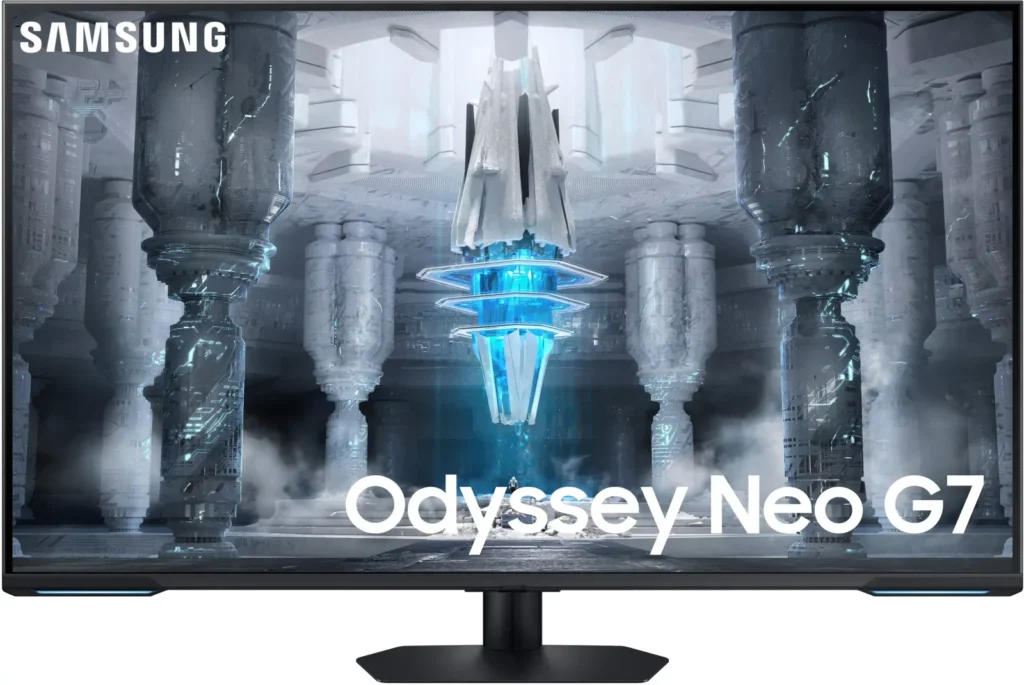
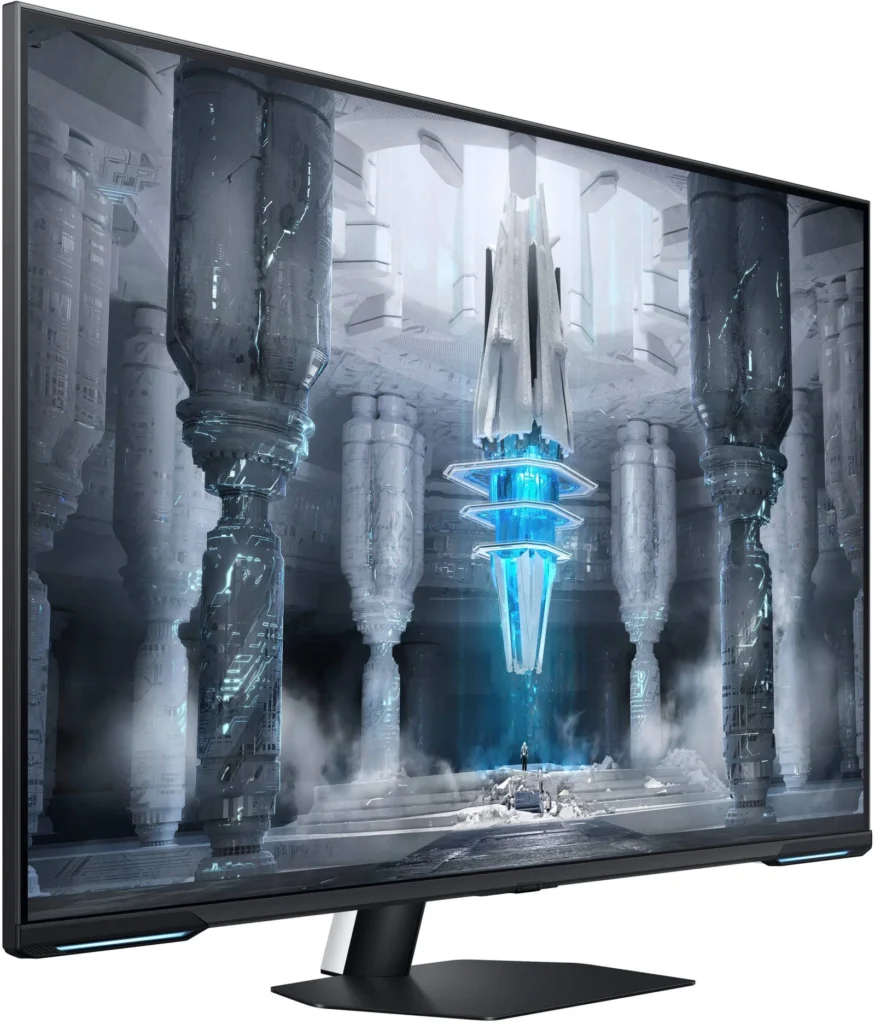
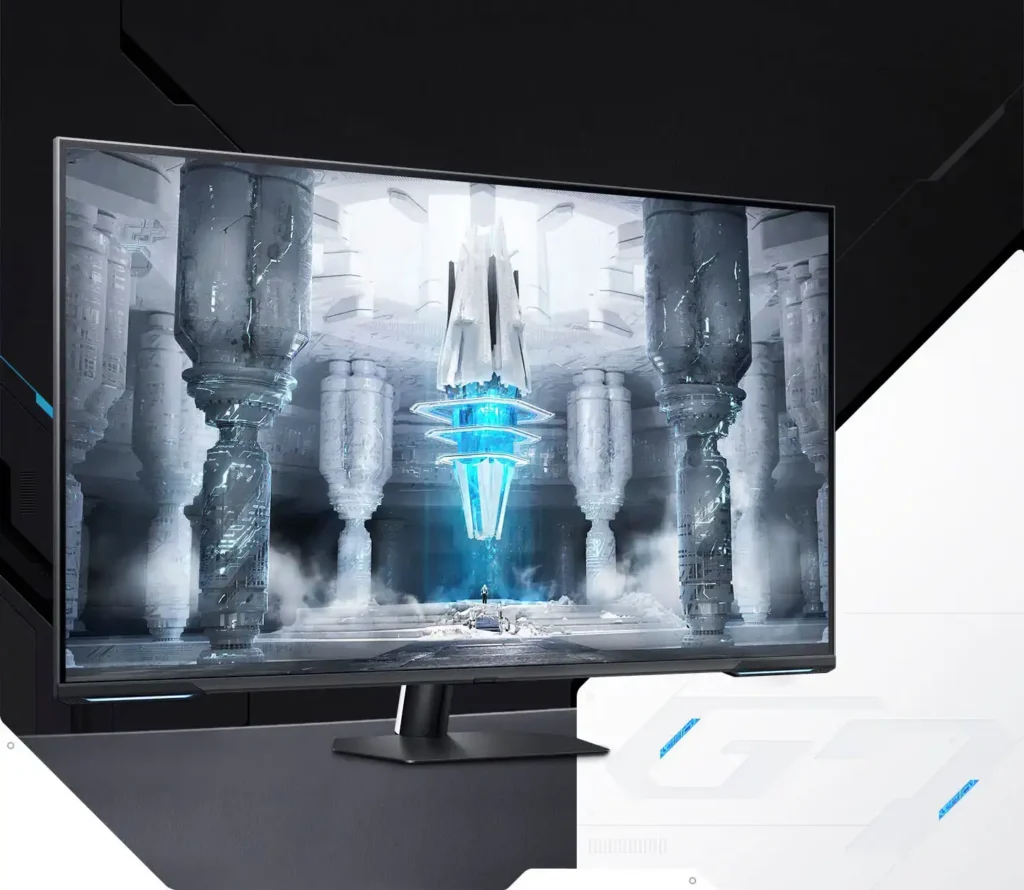
| Quantum Matrix Technology | Utilizes Quantum Mini LEDs with a 12-bit backlight unit to provide ultra-fine brightness control and incredible contrast, delivering deeper blacks and more detailed color expression in every scene. |
|---|---|
| 4K UHD & 144Hz Performance | Combines stunning 4K resolution with a 144Hz refresh rate and 1ms (MPRT) response time for ultra-smooth, high-definition gaming that eliminates lag and motion blur. |
| VESA DisplayHDR 600 | Features a 1,000,000:1 contrast ratio and VESA DisplayHDR 600 certification, ensuring life-like visuals with vibrant highlights and rich shadows for an immersive HDR experience. |
| Smart TV & Gaming Hub | Integrated Smart TV apps allow you to stream your favorite shows via Wi-Fi, while the Samsung Gaming Hub provides instant access to top cloud gaming services without needing a PC or console. |
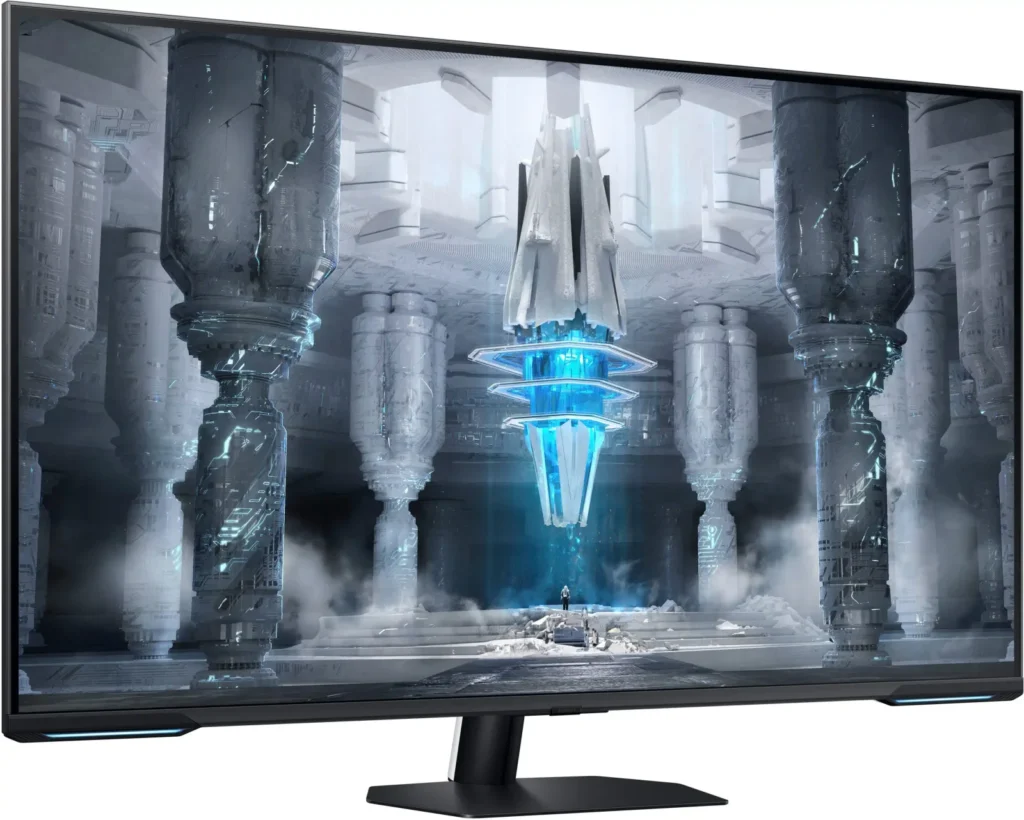
| Flex Move Screen & Matte Display | The Flex Move Screen feature lets you adjust the on-screen size from 43 to 20 inches to suit different game genres, while the Matte Display minimizes reflections for focused, distraction-free gameplay. |
Pros & Cons
Pros
- Stunning Visual Performance: The 4K Quantum Mini-LED display provides vibrant colors, high brightness, and deep blacks that many reviewers compare favorably to OLED technology, making it excellent for HDR content.
- Excellent Gaming Features: With a 144Hz refresh rate, 1ms response time, and HDMI 2.1 support, it delivers a smooth and immersive experience for both high-end PC rigs and next-gen consoles like the PS5 and Xbox Series X.
- Versatile Hybrid Functionality: It successfully bridges the gap between a high-end gaming monitor and a Smart TV, featuring built-in streaming apps, decent integrated speakers, and a convenient remote control for media consumption.
Cons
- Frustrating Software Interface: The Tizen OS is frequently described as slow, laggy, and overly complex, with users particularly annoyed by the lack of a dedicated input-switching button on the remote.
- Persistent Connectivity Bugs: Users report significant issues with the monitor failing to wake from sleep, losing signals on DisplayPort, and experiencing random flickering or artifacts that often require a hard reset.
- Noticeable Motion Artifacts: As a VA panel, it suffers from ghosting and black smearing during fast-paced scenes or when scrolling through text, and the viewing angles can cause color shifting at the edges of the large screen.
You might also like










Customer Reviews
Showing reviews 281-287 of 287
-
Massive and well spec'd but has some deficiencies.
David March 10, 2023Review source: BestbuyThis is an interestingly spec’d out gaming monitor – form factor and capabilities almost makes it feel like a roided out television. The size of this thing is massive at 43″, which makes gaming quite immersive without requiring an ultra-wide curved monitor. And because of its 16:9 aspect ratio, it provides sufficient vertical visibility in addition to horizontal. Overall, the colors and brightness are great and the 1M:1 contrast ratio using 4K UHD mini-LEDs is great at getting closer to OLED technology… just not quite there yet. The screen also has a non-reflective coating on there, which gives it a somewhat antiquated look about it but its intended purpose absolutely checks out. Given the size of this thing, it makes sense that the included stand doesn’t swivel but NOT having the option feels a bit odd. It’s VESA compatible so mounting should be easy if you really want the countertop space or want to use a swiveling mount. It comes with Samsung’s Smart Hub operating system, which gives you all the normal Smart TV capabilities like Netflix, Hulu, Xbox Game Pass, etc. That being said, I still believe Samsung’s Smart Hub capabilities are still a bit clunky and transitions between different inputs aren’t great. Regarding inputs – note that my Alienware M17 and PS5 were compatible but I could NOT get my 2023 M2 Max MacBook Pro to connect via HDMI to this monitor at all- just lots of stuttering. Given that it’s essentially just well spec’d TV for gaming, I found this incompatibility to be extremely odd- I don’t know if it’s a software and/or a hardware limitation. HDR600 picture quality is sufficient but it also feels a bit dated in 2023. I did experience some mild ghosting during gameplay but it wasn’t horrendous. The real selling point here is the 144 Hz refresh rate and 1ms response time in a giant form factor. Also, note that Wifi is NOT 6 or 6E so serious games may want to consider using an ethernet cable. This monitor DOES achieve what it wants to but it sacrifices certain specifications that hardcore gamers will notice pretty quickly; this functions well as a medium-sized television with some boosted parameters to allow for casual gamers to enjoy it.
-
They need to update the software immediately
Freddy March 10, 2023Review source: BestbuyIts a huge monitor on paper it comes with lots of features first off its mini-LED. Compared to a standard LED it does a better job with black colors. Its almost an OLED . Lets say you have a seen looking up at the night sky with the moon and stars of all brightness. Before on LED you would see a handful of stars because the brightness of the moon would pollute the screen and you would obviously lose stars, the LED’s are bigger therefore released more light. With mini-LED the size of each LED is much smaller so now instead of a handful of stars you see most of the stars . Obviously OLED you would see 99% of them but still mini-LED is very close to it. You get a nice 144Hz refresh rate you get hdmi 2.1 so you can use VRR and the monitor comes with its own VRR. Now i tried using VRR and idk if its the software but it keeps changing from vrr on to vrr off. I changed cables different brands all said hdmi 2.1. A waste of money on these cables. I tried using ps5 and my laptop. Both devices the screen would do this. If youre playing competitive games it would get me so upset i cant see whats going on for that 1-2 seconds. My seocond issue was using the streaming apps at times the image would stutter when i would stop gaming and switch to media mode. I would have to turn off the monitor and or unplug it to get that to stop. Im hoping an update will fix these issues which is a let down because like i said on paper its an amazing monitor i do love the colors and but not being able to use all the fearures is a letdown
-
Bright. Colorful. Fantastic. But Tizen is tired.
Landon H Goff March 10, 2023Review source: AmazonNeeded a monitor that could also double as a tv with streaming capabilities to fill a small nook area with a leather chair. It’s a gaming space my wife and I use in our current apartment, but my plan one day is to convert this into my main monitor for my desk setup. Was initially eyeing the 43″ QN90B, but literally the day after receiving it, I saw this on Best Buy and couldn’t believe it. Literally checked all of my boxes. And my boxes were as stated:
~ Needed HDR capable brightness
~ Anti-glare screen preferred
~ Smart OS system for apps/streaming
~ All the BASIC modern gaming features ie. High refresh, HDMI 2.1, low input lag, HDR panel with sufficient mini led or OLED display tech for deep blacks
~ 43″ screenThat was really all I was looking for. And as of now pickings are slim in this size range. You basically have the option of the 42″ C2 OLED, 43″ QN90B, LG’s 48″ OLED monitor, and the AORUS 43″ VA monitor. But 2 of those don’t have anti-glare screens, and the 48″ OLED as well as the AORUS lack any smart features. The AORUS is also just a standard VA panel with no mini-led or local dimming. After owning and using a Hisense U8G in my living room for the past year and a half, I have really come to appreciate the insane brightness levels of the high end LED tvs. While the U8G didn’t technically have mini-led tech, it operated in the same way with 360 dimming zones and capabilities of 1500+ nits brightness. It’s an absolutely stellar viewing experience, whether in HDR or SDR. I’ve seen OLEDs, and I love OLEDs for their own reasons, but they are use case dependant. And with me wanting to one day use whatever I got as a full time monitor, I was hesitant about OLED for a desk PC because of burn in risks. Though I admit had this not worked out so well for me, I probably would have gone with the 42″ C2 at the end as options were pretty much exhausted at that point. Thankfully it didn’t come to that because this thing rocks and also checks all of those boxes above. ^
PROS:
~ Screen is very bright and also offers deep blacks with the mini-led back-light. Near OLED levels of contrast with similar if not better levels of brightness. While I don’t have a spectrometer, I’m very tempted to get one, and if I do I will update this review with my own calibrated brightness levels. Out of the box it will take some tweaking in the settings to get the best picture, but it’s not too involved at all. Basically involves turning off “brightness optimization” and “brightness reduction” toggles in the power saving area of the settings. Ensure those are disabled, then maximize your “brightness” to 50 if you want the brightness picture possible. I found anywhere between 25-30 to be optimal for colors and man, the colors really pop on this thing. Speaking of which, it is capable of displaying 12-bit color if you ever need to showcase something of that nature. But either in SDR or HDR, the colors look phenomenal. I do find the color tone settings odd as “cool” seems to be slightly warmer than “natural” and the good middle ground between the lot. Standard and Warm 1 seem slightly too warm for whatever reason. But other than that, colors and whites look great.
~ So far I’ve primarily used this with my Series X at 4k/120hz and it has worked perfectly. Haven’t tested with my PC yet, but I have noticed any issues with motion blur or ghosting using the “faster” pixel response setting. I will likely investigate this further out of curiosity to see how far I can push it, but out the gate I don’t notice any issues here with normal content or gaming. Nothing out of the ordinary for a VA panel anyway, maybe not revolutionary, but certainly not bad either. Seems fine to me. Nothing noticeable in regular use. But I acknowledge I may not be as sensitive to this as others might be.
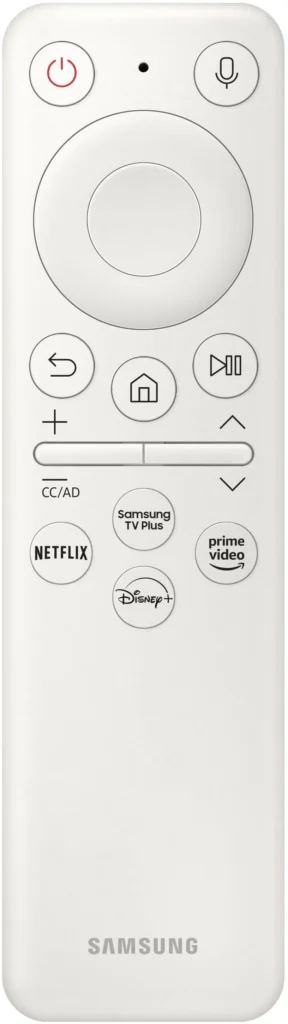
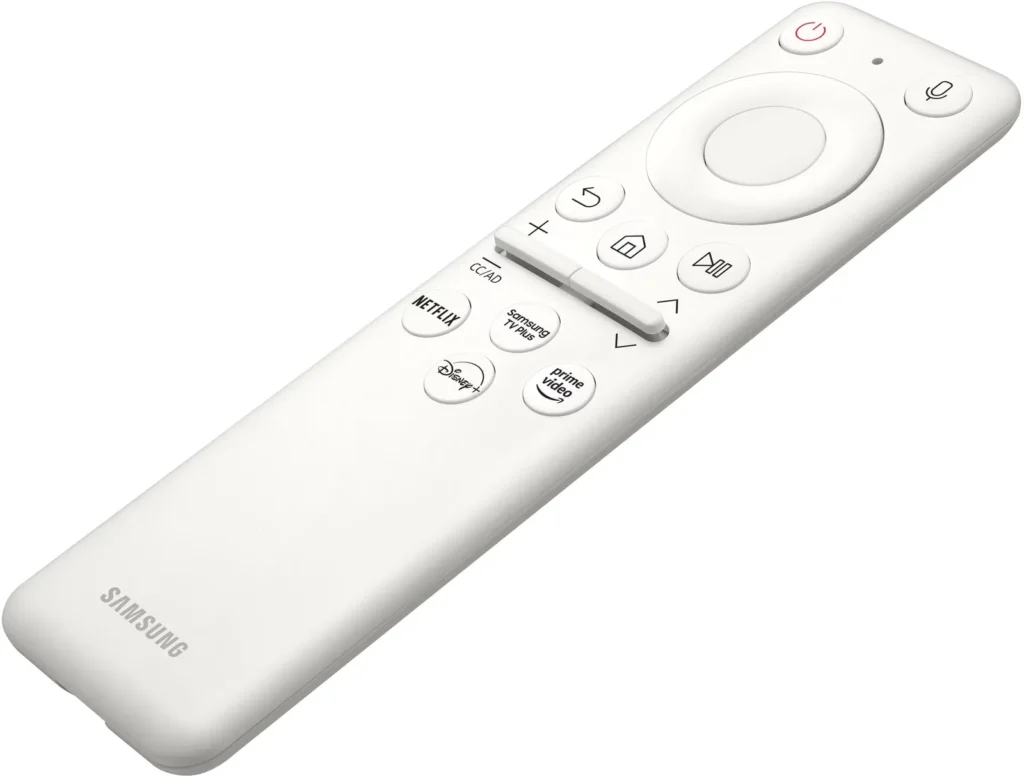
~ Remote is simple, and easy to use, and offers USB-C charging. Nice touch. And I actually prefer that to Samsung’s other remotes which work via solar charging. This seems more practical.
~ LED zone lighting on the front is customizable in the settings. Various flashing patterns are available or you can just use it as a static color (what I do). There is also a zone sync mode that attempts to match whatever is on screen. This is mediocre at best though, and so I didn’t use it for long. The colors in the led zone are simply not rich enough to live along side what’s on screen. Cool but not needed or good enough to be really useful.
~ On board 20 watt dual speakers are solid. Nothing groundbreaking but suitably nice if you don’t have a soundbar. Definitely not thin sounding when the sound settings are tweaked to your desire. Nothing great, but definitely decent. Limited bass obviously, but the point is this is easily usable as is. But I’d definitely go with a sound bar or dedicated speakers if you can – but don’t feel shamed if you can’t. It’s perfectly fine on its own.
CONS:
~ Honestly, it is high past time ole Sammy either drop or completely refresh their Tizen OS. It’s better here than on the QN90B, definitely a bit snappier. And way better than my 2016 Samsung. But it’s still far and away not ideal. First of all, to teach your settings you have to hold the home button which takes at least 2 or 3 seconds before it pops up. Reaching the game menu is done in the same way with the play/pause button. Don’t see why it wouldn’t have been more efficient to just have dedicated buttons… Also, returning to the home screen often forces the entire home to reload every time. So just the process of switching apps or inputs (BECAUSE THERE IS NO INPUT BUTTON WHYYYY) often takes at least 5 – 10 seconds longer than it should because you have to retreat to the home screen any time you want to change activities. I have no idea why Samsung abandoned their popup menu they used to use, but it was WAY faster than this. Unfortunate downgrade here.
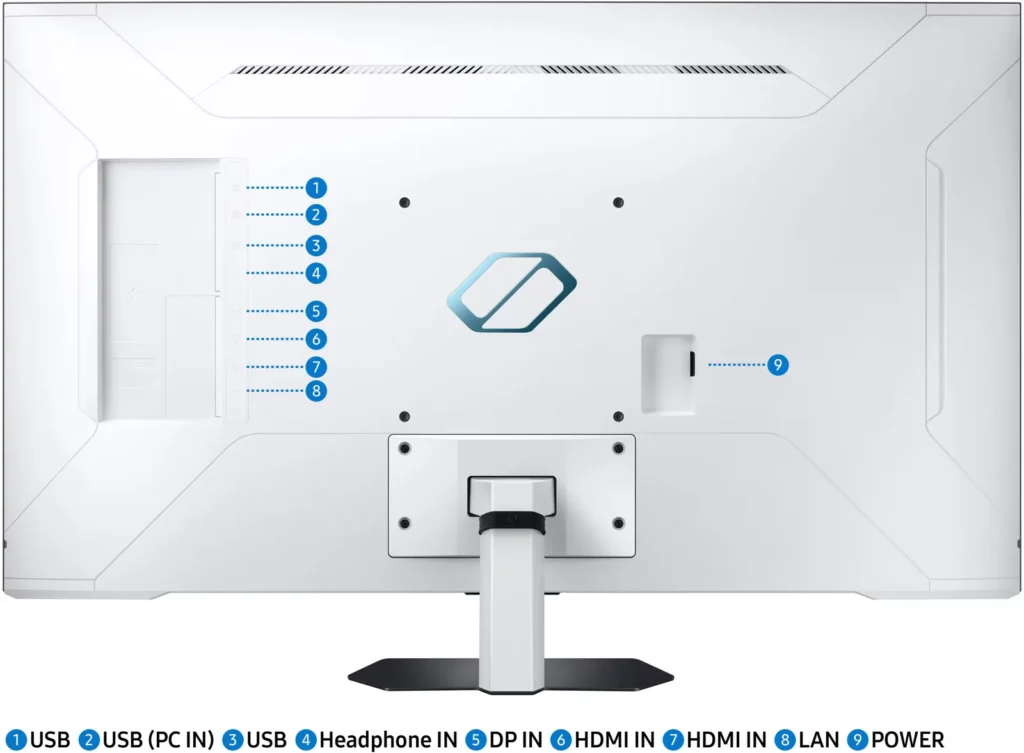
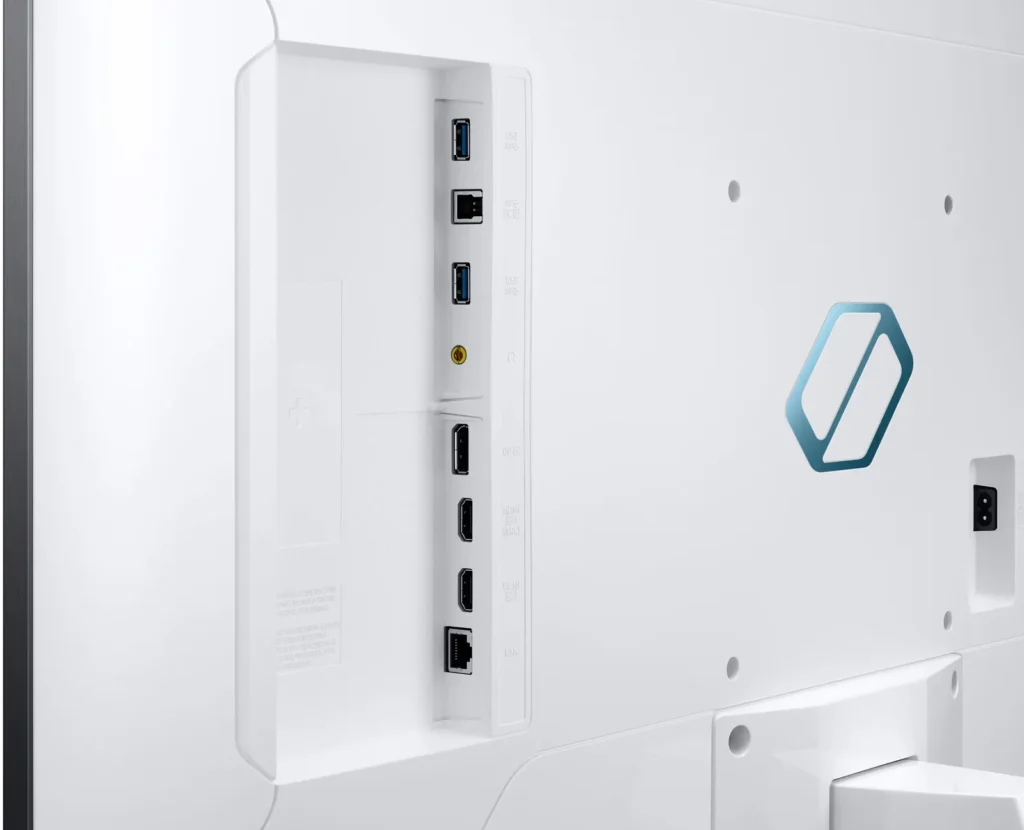
~ Only 2 HDMI ports and 1 DP port seems odd. I would have expected at least 3 HDMI ports, but at least both are 2.1. There is no optical for what it’s worth. But there are USBs on the back as well as ethernet for hardwire network connections.
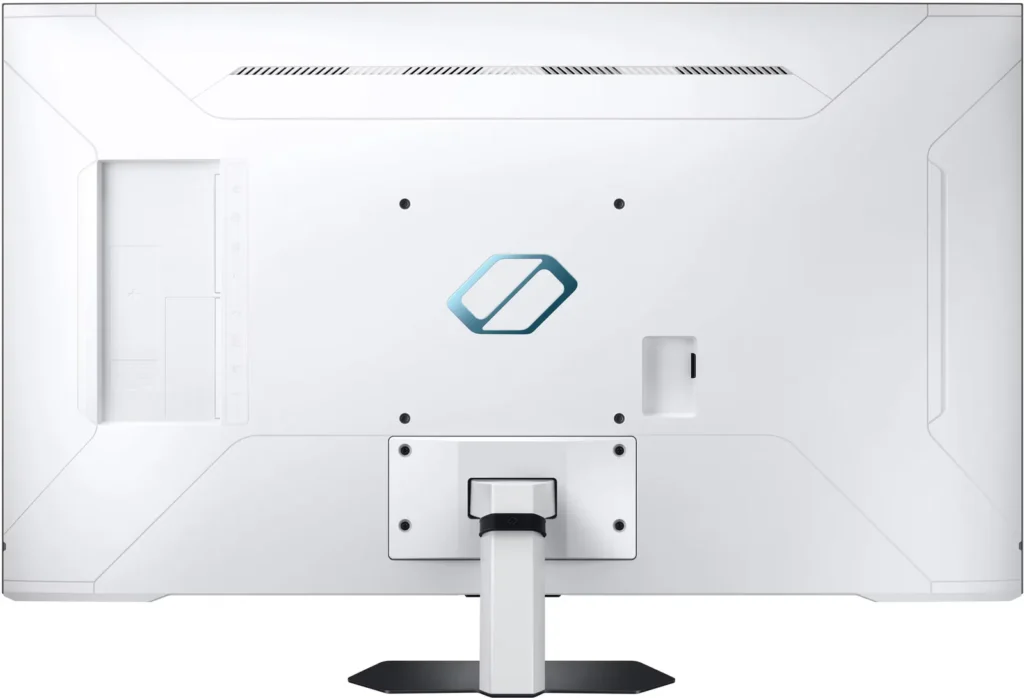
~ Not a fan of the glossy white back, but that’s entirely subjective.
SUMMARY:
If you have a very specific needs list and use case like me, this might be right for you. Personally, I didn’t want to go OLED for a monitor due to fear of burn in with static images, so I felt more comfortable going with something like this. It still manages fantastic contrast, brightness, and colors, and gaming features. So all in all I don’t feel like I’m missing much, if anything. Also, while this panel has a VESA 600 rating, I genuinely think, at least with my settings, that this thing is punching above 600 nits at times. I mean, it’s not too far away from the U8G and that thing is a brightness/HDR monster. And when the wife and I were playing some Halo tonight, glancing over to her screen on the U8G and back to mine on the G7, I barely noticed a difference. In fact the G7 seems to trade blows with the U8G, albeit in a smaller form factor. I’m not actually saying that it is as bright as the Hisense, obviously not, but depending on how close you are and your room conditions you really don’t want anything brighter, especially as a monitor.
Overall, I’m very happy with this purchase. Love the anti-glare screen, the quality of the display, and the level of customization I have in the picture settings.
I’d definitely recommend this if you’re looking for something in this size range. Though, I do think this is a much better buy at $899 or perhaps even $799 if it hits a sale one day. $1000 is still a good value for what you get here, but future discounts will make it even more compelling.
-
Ghosting is really bad
Verified purchase Verified purchase: This reviewer bought the product.Rich March 9, 2023Review source: BestbuyGhosting is very in game mode while trying to do anything on the internet. Turning off game mode helps but its is still very poor when scrolling. While gaming the monitor does quite a nice job and ghosting is not near as bad. I will be returning this monitor asap
-
Horrid ghosting/ motion blur for pc use
Verified purchase Verified purchase: This reviewer bought the product.Piranha March 9, 2023Review source: BestbuyI jist recieved this monitor today, and its gonna go back asap. Its a shame because the colors, brightness and features it provides are top notch. But if your pc gaming and web browsing you will get major ghosting, whites blacos, colors bleed when you drag windows/ webpage, even your mouse cursor turns yellow hue when moving it around.. its the same issue i saw on the 43 qn90b tv.. basically they relabeled it as a gaming monitor
-
Beautiful picture, Smart TV software a bit clunky
ILikeVideoGames March 8, 2023Review source: BestbuySamsung markets this as a “smart gaming monitor”, but it really falls in a weird space between computer monitors and televisions. It has all the features of a Smart TV, but without the requisite TV tuner to call it a TV. Meaning, you have all your typical built-in streaming apps (netflix, disney, samsung tv plus etc..). It also supports all your HDMI features including ARC and CEC. So, I end up just calling this a TV.
But, despite it being marketed as a monitor, Samsung puts its Home screen front-and-center, instead of just jumping to a connected HDMI/DP input. This is a bit annoying if you have this connected to a gaming PC and you just want to turn it on and get to the action on your PC. This is further complicated by the fact it doesn’t have a dedicated input menu, or any input buttons on the remote. You have to wait on the TV to detect the device and make it available on the home screen of the TV.
And this is my other frustration with this, and is hopefully something that can be fixed with software/firmware updates, is the lack of responsiveness of the TV menus. Navigating and selecting items on the TV is very slow and laggy. It also fails to provide feedback if it received your last button press (e.g. starting an app), but still allows you to navigate and click on other things while it’s chugging away at the last thing you tried to do. And then all of a sudden it’s trying to do what you asked it to do a few seconds ago (e.g. launch an app). This is by far the most annoying thing, and is what gets it docked a star.
Now, the picture quality, it’s here where the TV/Monitor really shines. The TV has a beautiful picture, the 144hz refresh rate is amazing, and allows for buttery-smooth action in your games. And, just the sharpness, bright colors… I love this monitor. And of course it has gaming mode available for the HDMI and DP inputs, so input lag is not noticeable.
The other neat feature of this monitor is that it comes with Xbox and Nvidia GeForce Now built in. So you can log into your account (if your a subscriber of one or both) and stream your games directly on the TV. I was able to pair my Xbox One controller to the TV with no issues and did not require a dongle. I played a couple games, and again, no major issues.Read More
-
Large and in charge in the best way
Electrosoft March 5, 2023Review source: BestbuyI had previously been using a BenQ 32″ 4k display but it was only 60hz and had IPS glow. Still, it was a wonderful display.
I switched to “ultra-ultra-wide” and moved to an LG 49″ 5120×1440 144hz but the lack of true 4k and IPS glow were detriments. I do not like curved displays and while its curve was mild, I would have preferred none. Still, it was a wonderful display.
When I finally thought about what I wanted in my ideal display I wanted something 32″ or larger non curved with no glow, local dimming, no OLED due to burn in converns, 4k and at least 144hz refresh rate with good color reproduction.
Enter the Samsung NEO 43″ mini led 4k 144hz display.
Arriving in classic Samsung brown boxing, inside is a display that checks all the boxes and then some.
Setup was straight forward and requires just a phillips head screw driver to secure the arm to the display and then the mounting base.
It is so large I feel like I’m IN my PC games and for desktop work seeing everything is a breeze thanks to the massive display size.
I use a 4090 and the Samsung NEO is G-Sync compatible so you have access to all control panel settings. You don’t realize how wonderful mini LED is until you are playing games or watching content with a lot of black spaces. Those near inky black reproductions just make everything else pop.
You have plenty of connections from HDMI 2.1 to DP 1.4. There are USB ports and a USB hub connection if you want.
If you use Samsung’s SmartThings app, your display will detect it and ask if you want to connect. I use the app with my washing machine so my display picked up on it as soon as I connected it to my network. You can also use the app to setup your display too. This will also keep your NEO firmware and smart apps up to date as yes your NEO display also is a beautiful full smart app enabled display with apps of its own (Netflix, Prime, etc…) to provide media consumption with no need of external devices if you so choose.
I have a spare AppleTV so I connected that via HDMI to my NEO and wow….the picture just pops in the best way. Watching Apple’s “Foundation” series was a beautiful thing to behold and the mini LEDs and color reproduction made for a beautiful experience.
Whether using it with my PC or AppleTV, I love having a large, full 4k experience back.
Back to gaming which was one of my primary reasons for picking up this display. Playing World of Warcraft or Fallout 76 in 4k is just…..majestic. The display is just so large that everything pops and is front and center in the best way. Proper local dimming vs edge lit is a game changer in everyway especially for gaming. I picked this up primarily for gaming and to check all my “dream display” boxes and this does it and then some.
There are a passable set of speakers built into the display. If it is all you have it will give you audio but in the end you would be better serve getting a decent set of speakers or using headphones but at least they’re there if needed and you have nothing else.
I must make note of the overall picture quality as it is very uniform and clear. The display has a matte finish but it is very subtle in application so there is no overly grainy textures or problems. I love the way it produces images. Nothing is overly saturated or washed out.
Nothing is perfect though and if I had to call out a few minor faults: I felt the setup was a bit tedious. Everything requires a remote (or the smart app) to properly navigate. The display for desktop use can be TOO big depending on neck and eye positions. While the mount allows tilting forwards and backwards there is no vertical adjustment but the mounting takes into consideration this is a 43″ display so it mounts maybe ~3″ off the table. It is VESA compliant so you can always mount it to your needs and specifications. 43″ at 4k close up things can get less sharp as 4k at 43″ equals ~102.46 PPI.
Overall I am incredibly pleased and I did not expect to have all my boxes checked or enjoy this display as much as I am. I am slowly but surely adjusting to the lush 43″ landscape it provides and now all other displays feel small.