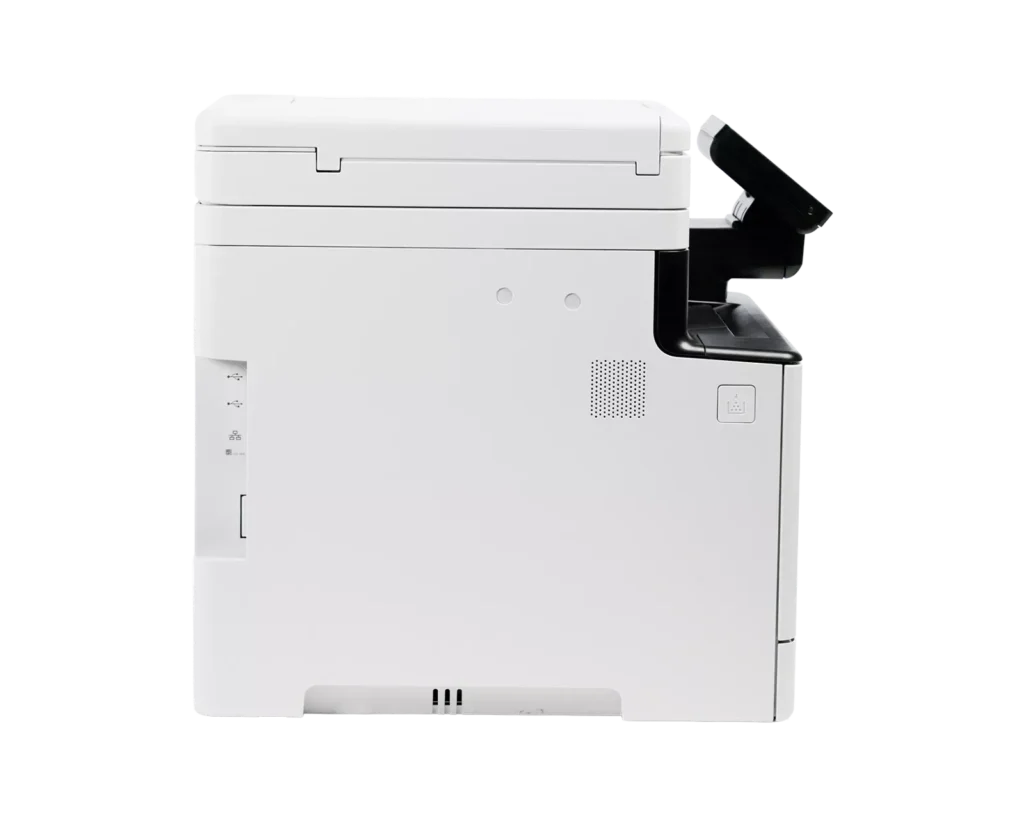
Customer Media
Highlights
| Fast Print Speeds | Delivers efficient performance for busy offices with print speeds of up to 35 pages per minute in both color and monochrome, featuring a quick first-print time of approximately 7 seconds. |
|---|---|
| Single-Pass Duplex Scanning | Equipped with a 50-sheet automatic document feeder (ADF) that supports one-pass, two-sided scanning to save time and improve workflow efficiency when processing multi-page documents. |
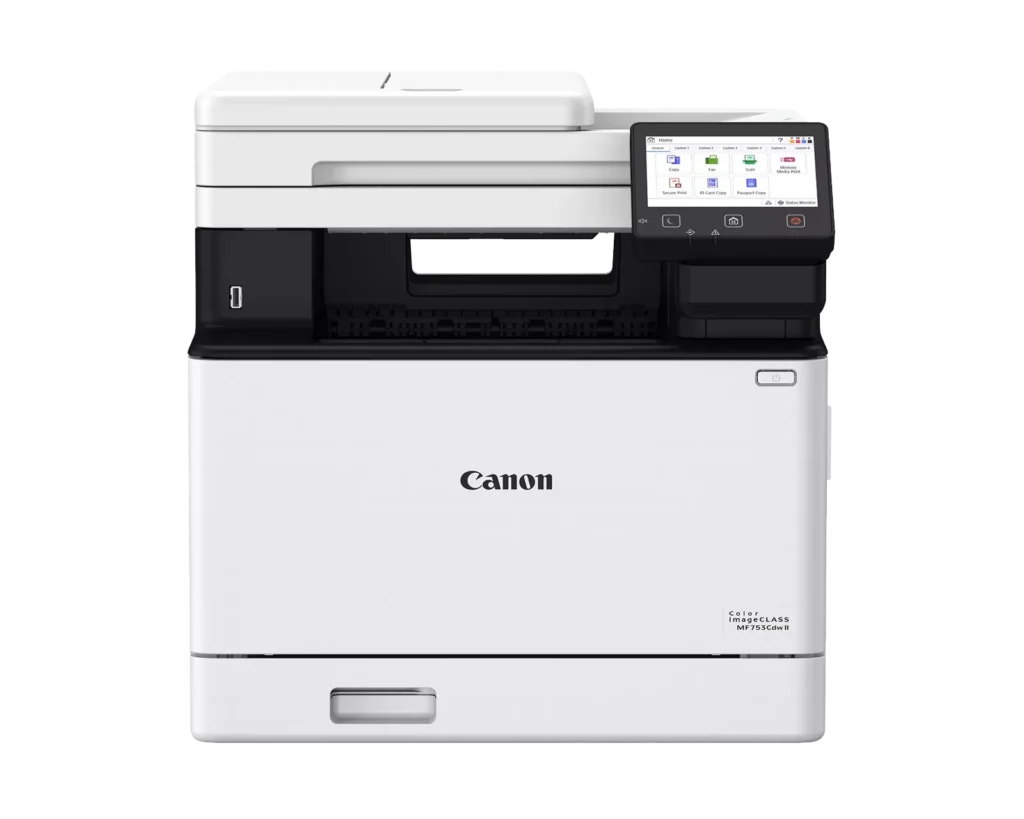
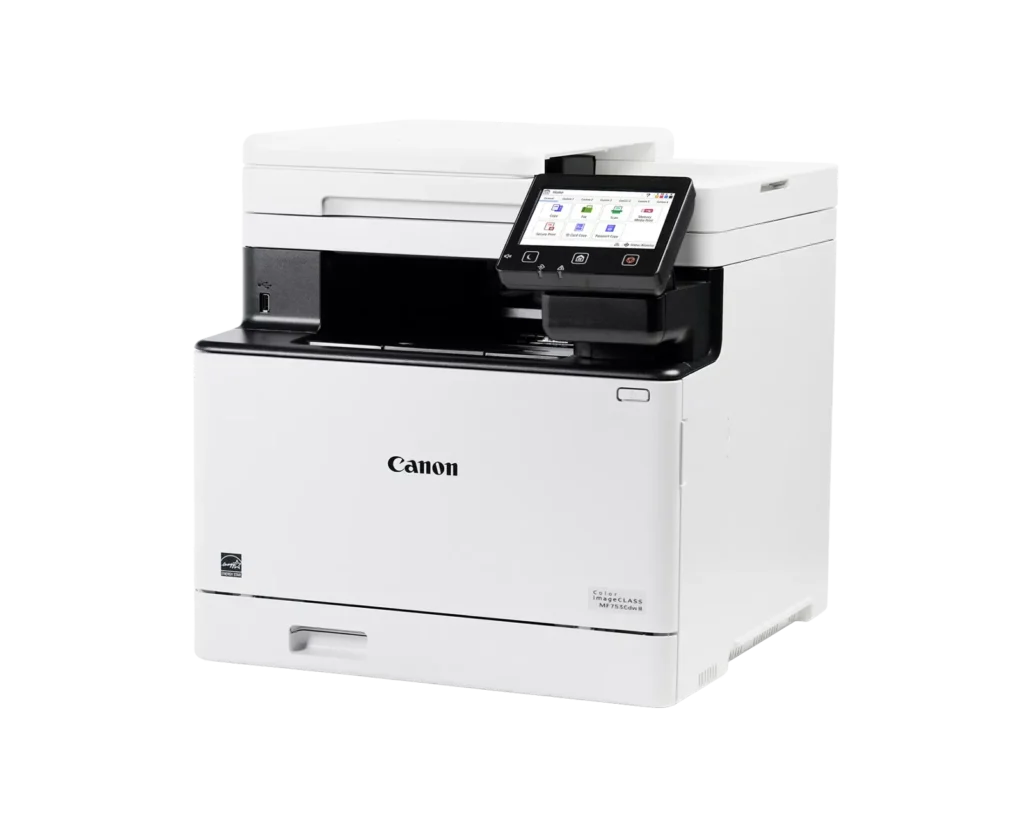
| Customizable 5-Inch Color Touchscreen | Features an intuitive, smartphone-like 5-inch color touchscreen that can be customized with the Application Library to provide easy access to the functions you use most. |
| Versatile Connectivity and Mobile Printing | Offers seamless integration with built-in Wi-Fi, Ethernet, and USB ports, supporting mobile printing via the Canon PRINT Business app, Apple AirPrint, and Mopria Print Service. |
| Expandable Paper Capacity | Comes standard with a 250-sheet cassette and a 50-sheet multipurpose tray, with the option to expand up to 850 sheets using an additional cassette to handle high-volume print jobs. |
Pros & Cons
Pros
- Fast Performance and Efficiency: The printer is highly praised for its rapid 35 ppm print speed and a quick first-page-out time of approximately 7 seconds. Additionally, the one-pass duplex auto-document feeder (ADF) significantly speeds up scanning and copying tasks.
- Superior Print and Scan Quality: Users consistently report sharp, crisp text and vibrant, accurate color reproduction for both documents and marketing materials. The scanning function is also noted for producing high-quality PDFs with ease.
- Modern Features and Connectivity: The device offers a responsive 5-inch color touchscreen with customizable menus and seamless wireless connectivity. It supports mobile printing via AirPrint and the Canon PRINT app, and integrates well with professional business software.
Cons
- Warranty Registration Issues: A significant number of reviewers discovered that their units were not intended for sale in the USA, leading to Canon refusing warranty registration and technical support for these 'grey market' units.
- High Toner and Operating Costs: The genuine Canon 069 toner cartridges are described as very expensive, which increases the total cost of ownership. Some users also noted that the printer only comes with 'starter' cartridges that may need early replacement.
- Bulky and Heavy Design: The printer has a large physical footprint and weighs nearly 50 pounds, making it difficult to move and requiring a sturdy, dedicated space. Some users found it much larger and noisier than expected for a home office environment.
You might also like












Customer Reviews
Showing reviews 31-40 of 48
-
Large size printer that has all the features
Incentivized Incentivized review: The reviewer received a benefit for sharing feedback.Violet November 9, 2025Review source: AmazonLarge size printer that has all the features, wifi, color laser. Very quick to print, with great color quality from the results. It prints super fast, with great alignment, meaning that there is very little shift of the print from sheet to sheet if that matters to you. The scanner is able to auto-feed, so you dont have to worry about scanning one page at a time. All in all, Im very happy with the Canon Color imageCLASS printer.
-
Excellent laser printer
Incentivized Incentivized review: The reviewer received a benefit for sharing feedback.Andre November 9, 2025Review source: AmazonWorks great, fast printing speed. Prints stacks as fast as you turn around to grab staples. Clear words every time, just wish it came with a stack of paper given the cost. Really like the wireless printing feature, like directly from your phone, etc.
In terms of value for money, if you’re in an office space that does a lot of printing, this is a no brainer since it does it all. For home usage? Still has tons of use, but you’d be better off with a basic inkjet or something that runs under $100.
-
Excellent all in one printer. Love all the features, smooth, clean and quality printing
Incentivized Incentivized review: The reviewer received a benefit for sharing feedback.Rk Star November 6, 2025Review source: AmazonThis is everything our office has needed for a long time. Love the wireless function and the ability to print from our phones from anywhere in the office. It’s fast, efficient and has all the features we need, including a fax machine which we still use in our office. This prints our color brochures as well and they look beautiful! Excellent quality, comes with ink already and the instructions are easy to follow. High capacity loads and decent value for the money. Would recommend. We have no complaints. If you are worried about paper jams, we have not encountered that issue. It has been smooth printing since we have set it up. Makes our office much more efficient. Would recommend
-
Great for home office!
Incentivized Incentivized review: The reviewer received a benefit for sharing feedback.Vash the Stampede November 6, 2025Review source: AmazonI got this printer for my home office and apart from some odd quirks, it’s been a great product. The overall functionality of this all in one is great. It prints very fast and very high quality in both color and black/white. It copies quickly as well and the scanner produces very high quality images. All of the functionality is great! It’s a decent sized printer and a bit heavy but considering it’s class, I expected this. It connected easily to my home network and while I had to mess around in the settings a bit to ensure it stayed connected, once I got it set properly, I’ve had no other issues. The touch screen works properly but the UI is a bit unintuitive. Navigating to some of the necessary settings took time to find and didn’t always make sense. The other oddity is the print over network. Every time I print over the network it asks me which paper source I want to use. I can select it easy enough but the inability (that I can find) to have a source automatically selected is a bit annoying. Other than that, I’m a big fan of this printer.
-
A very good printer.
Verified purchase Verified purchase: This reviewer bought the product.Roger T DeAngelis III November 5, 2025Review source: AmazonVery good printer. It works very well. Its what a printer should be.
-
Impressive
Incentivized Incentivized review: The reviewer received a benefit for sharing feedback.Keppy Lopez November 5, 2025Review source: AmazonGood:
-Easy setup.
-Great features.
-Works well.Bad:
-Larger than expected.I ordered the Canon Color imageCLASS MF753Cdw II. We like the simple setup and intuitive features. The printer includes a cable for fax connection and offers a large paper tray for letter and legal size printing. We like the quick printing and quality of our documents. The product seems durable and the control panel provides a responsive clear touch screen. Overall, the printer is very impressive, but time will tell.
-
Excellent multi-function printer for home or small office – fairly small footprint for color laser
Incentivized Incentivized review: The reviewer received a benefit for sharing feedback.Scott November 4, 2025Review source: AmazonIf you’re looking for an all-in-one device that covers all the standard functions you’ll want (i.e. wireless, print both-sides, etc.) this is a good solution for a small office without breaking the bank. Since it’s a color laser printer, you’re not going to run into the problems intrinsic to working with inkjet printing. I was impressed by it’s relatively small footprint – you can find a home for this in a conveniently accessible corner as it doesn’t dominate potentially limited office space.
The only drawback would be that the unit uses only a single cartridge for all four colors, so inevitably you’re going to be wasting the lesser-used toner colors. Additionally, it only comes with a ‘starter’ toner cartridge, so you might want to order a replacement cartridge fairly soon. Those details aside, it’s an excellent printer. It sets up quickly, the wireless connectivity is very stable, clearing up paper jams is very easy, and it will likely operate without problems for a very long time.
-
Large, good quality, easy to setup
Incentivized Incentivized review: The reviewer received a benefit for sharing feedback.J. Hansen November 2, 2025Review source: AmazonWe’ve had a lower-end HP inkjet printer for sometime, which, sadly, kept having problems off and on. I finally decided I was going to see about getting a different, more high-end printer, and happened across this one. I admit, it’s been a long time since I’ve ever considered a Canon printer. I’ve largely used HP and Brother over the years, as I’d previously not had the best experience with Canon in the past.
I was debating between this, the MF753Cdw II and the MF665Cdw. The 753 is about $400, and the 665 is around $500, but I find it a little puzzling that the 753 has 35 ppm vs 22 ppm on the 665. I’d think bigger numbers in the model number would indicate a higher-end printer, but I guess that isn’t the case with Canon. Not sure why I’d pay $100 more for a slower printer. Honestly, couldn’t quite figure out the difference, so went with the cheaper one.
It, of course, arrives in a pretty large box, and is padded very well. The suggest you open the box, tip it on its side, and slide the printer out. That works fine, and then you have the fun task of removing all the tape that has kept the printer from moving while in transit. There are probably 25 different areas where tape is adhered. Short of the power cable, there was a phone jack cable (for the fax) included as well.
Afterwards, I set it up at it’s location, plugged it into power, and plugged in the ethernet cable I wanted to use for its internet connection. The printer took a few minutes to startup, and had me go through a setup with what type of internet connection. It then printed out a test color page, which I was then asked to put on the scanner bed for it to scan. Obviously, it was doing some sort of calibration.
We’re largely a Mac home, and on all of our various computers, our macs weren’t able to automatically install the software drivers. I suspect since it’s such a new printer? Regardless, we had to go to the Canon site to download the drivers, get them installed, and then our Macs were able to pickup and use the printer just fine. The printer does support AirPrint, and my iPhone was able to print just fine without anything special.
Interestingly enough, however, even after successfully getting it connected via ethernet, and continuing to be found by my router, the printer did go “offline” according to our Macs. Checking on the printer itself, it showed it was connected to the network, had an IP address assigned, etc, but none of our Macs were able to locate it. I ended up switching it to wifi, and we’ve not had a problem since. That works, although I’d prefer to maintain the ethernet connection.
As far as print speeds, yeah, this thing is fast. I printed out 15 copies of a 2-page document for a lesson I was teaching, and it spit them out in record time. Far faster than my cheap HP that we were using previously. It is certainly a bit noisier, overall, that the inkjet, but it is a larger machine. We barely have enough clearance to open the scanner bed where it lives on a printer cart we have. Not ideal, but it works well enough in that location still.
Print quality has been impressive. Far better than the HP, but I am comparing a $150 inkjet printer to a $400 color laser printer. Laser technology is great, and Canon has done a really nice job here. We recently did some family photos ourselves, and picked up some photo paper. They came out looking fantastic, and far better than any other printers we have had over the years.
The paper drawer is big. Has about 500 sheet capacity, which is nice. For $400, this really is a nice printer. I have yet to really find anything I don’t like about it, short of the ethernet and software install issues. Both are relatively minor in my opinion though, as the main print, scanner, and copy functions do just fine.
Frankly, Canon has won me back as a customer, and I’ll definitely be more open to their products in the future.
-
Reliable Workhorse with a Few Quirks
Incentivized Incentivized review: The reviewer received a benefit for sharing feedback.La Tour Eiffel November 1, 2025Review source: AmazonI got this printer to handle a mix of home office work and some small business tasks, and it has definitely made life easier in many ways. The print quality is sharp and vibrant, and it runs fast enough that I’m not standing around watching pages crawl out one by one. The touchscreen feels modern and intuitive, and wireless setup was surprisingly painless, a small miracle in the world of office equipment.
That said, it’s not all sunshine and toner. This thing takes up a bit more space than I expected, and when it decides to “think” before printing, you can almost hear it taking a coffee break. The toner cartridges also aren’t cheap, but the quality does make up for it. Overall, it’s dependable, professional-looking, and handles big print jobs well, but I wish it was a little quieter and a bit less bulky. Still, for everyday use, it gets the job done with minimal fuss.
-
Incredible and Versatile Machine, Fast, Quiet, Energy Efficient
Incentivized Incentivized review: The reviewer received a benefit for sharing feedback.MG November 1, 2025Review source: AmazonI would give this ten stars but five is the limit! It does literally everything a person could think of in the office, seamlessly, quickly, efficiently, quietly, and without any pesky wires beyond the power cord.
Setting it up was quick: maybe six minutes from unboxing and plugging it in to connecting the Wifi and printing the first item. When it’s sleeping it’s completely silent, no hum of any sort, and when it goes from that deep sleep to printing it takes about 7 seconds. Amazing.
The print quality is unparalleled, with high-quality in color or black and white on any type of paper or envelope. I even tested it with a double-sided thick cardstock for my business cards using the manual front-loading feeder (watch my video). It had no problem making perfect prints that don’t smear or smudge from the moment they come out. So clean. So wonderful!
Scanning is also a joy: I popped in a 5-page double-sided document and it scanned it in a few seconds with perfect quality, producing the PDF I needed. You can also make HEIC, JPEG, TIFF or whatever you want and you can use the flat-bed scanner, too. Note that it only goes up to 300dpi, however, which is standard for most printing jobs, but if you want to scan something small and blow it up you’ll can’t get that 2400dpi that some scanners provide.
You can also scan to email, USB drive or other locations, but you’ll have to connect a USB cord to scan from the printer to your computer, which I found to be a little strange because it automatically scans from your computer using Image Capture wirelessly, but not the other way around. Not sure why. Note that the printer does not come with a USB cord.
It is big and it is heavy, almost 50 pounds, so you may need help getting it into place.
Replacing the toner is very simple and only takes a few seconds. Cartridges are currently about $50 for the black and $75 for Cyan, Magenta or Yellow. You can also get bundled 4-packs (one of each) for ~$250 online. There are also high-yield cartridges that double the price, but give you a LOT more use if you have high-volume printing needs. Note that genuine Canon 069 cartridges are *required* or it may not function properly, and with the microchips in cartridges these days, it will know if you’re trying to use something else.
Considering the price and the durability that one typically finds with Canon products, I think this is a high-quality, valuable machine for a small office and I feel so lucky to live in a time and place where such an office tool even exists.