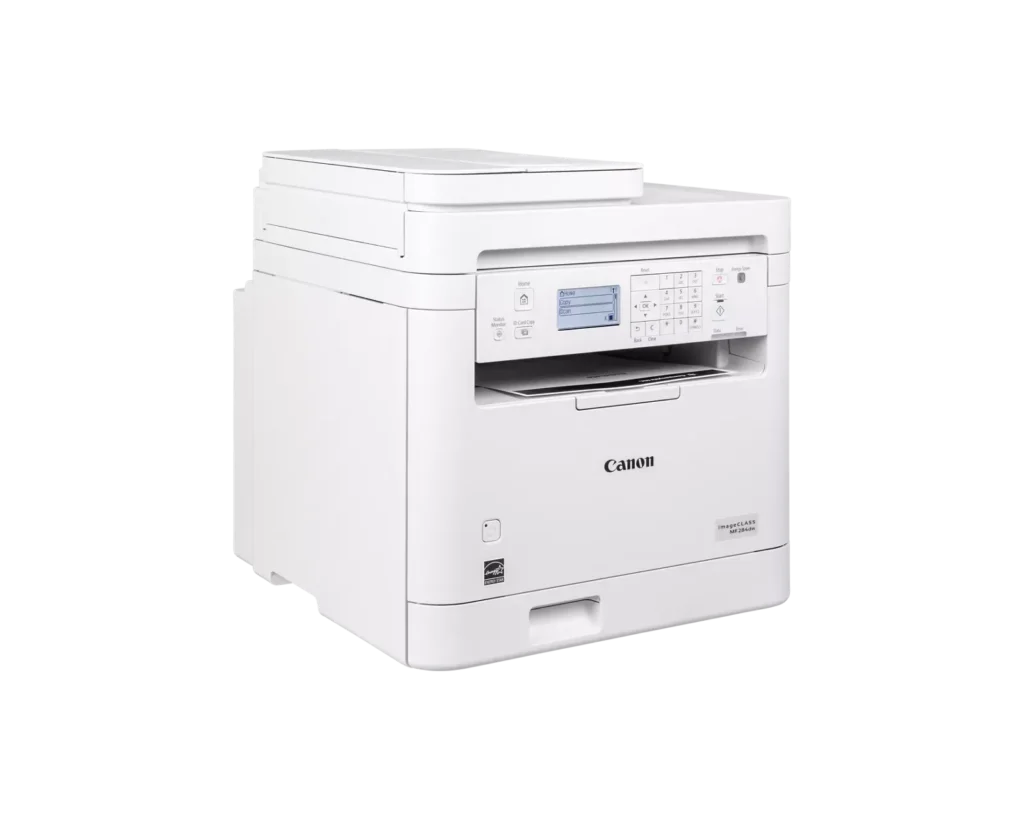
Customer Media
Highlights
| Fast and Efficient Performance | Boost productivity with high-speed printing of up to 35 pages per minute (Letter) and a quick first-print time of approximately 4.9 seconds, ensuring your documents are ready when you need them. |
|---|---|
| Automatic 2-Sided Printing | Save on paper costs and reduce environmental impact with built-in automatic duplex printing, allowing you to easily produce professional double-sided documents. |
| Seamless Mobile Connectivity | Print on-the-go from your compatible mobile devices using the Canon PRINT app, Apple AirPrint, and Mopria Print Service, or utilize built-in Wi-Fi Direct for easy connection without a router. |
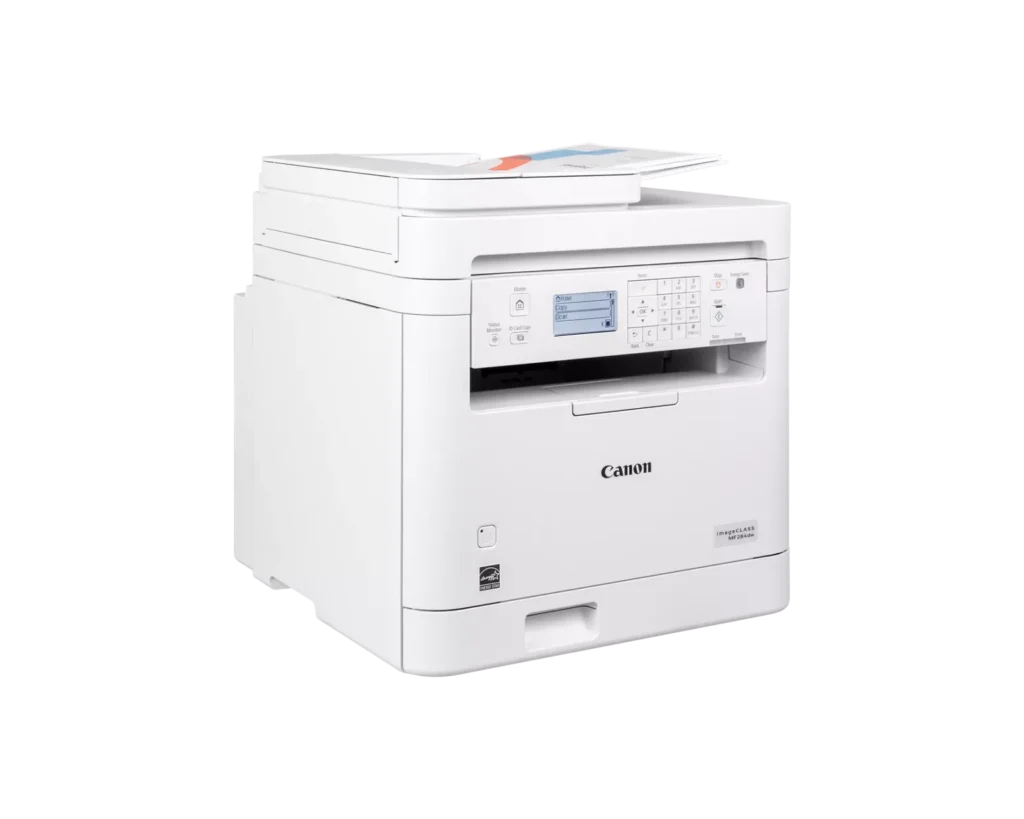
| 35-Sheet Auto Document Feeder | Streamline multi-page scanning and copying tasks with the integrated 35-sheet automatic document feeder, designed to handle batch jobs efficiently. |
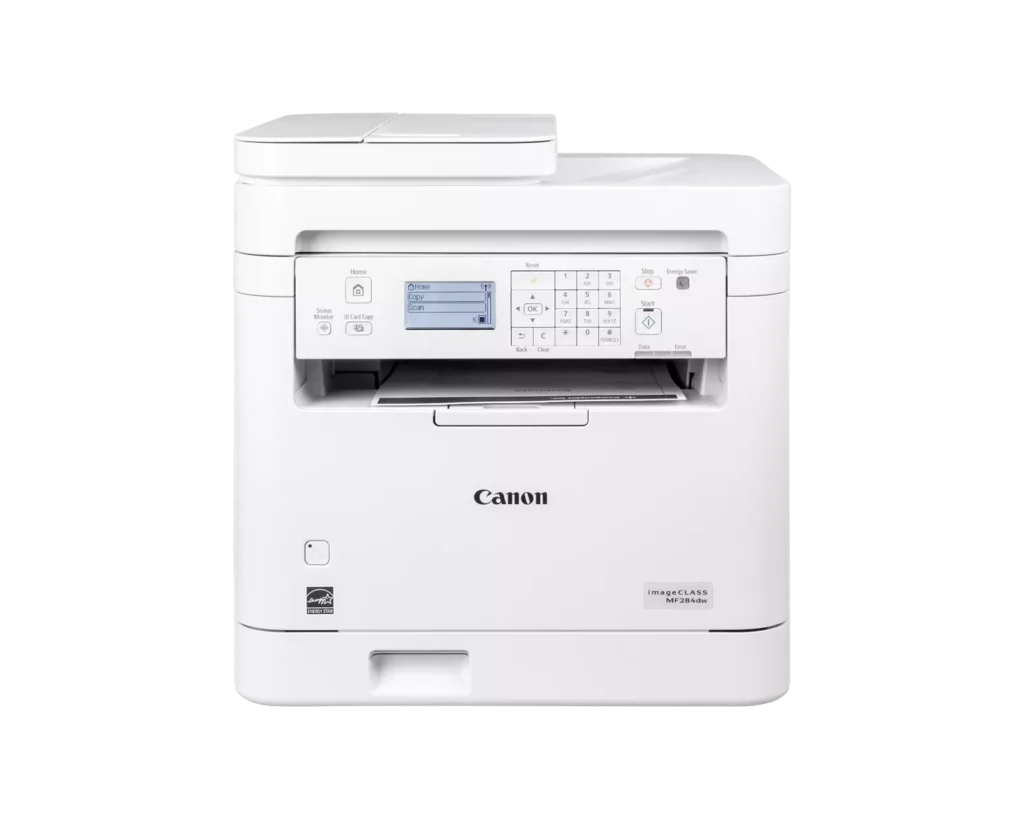
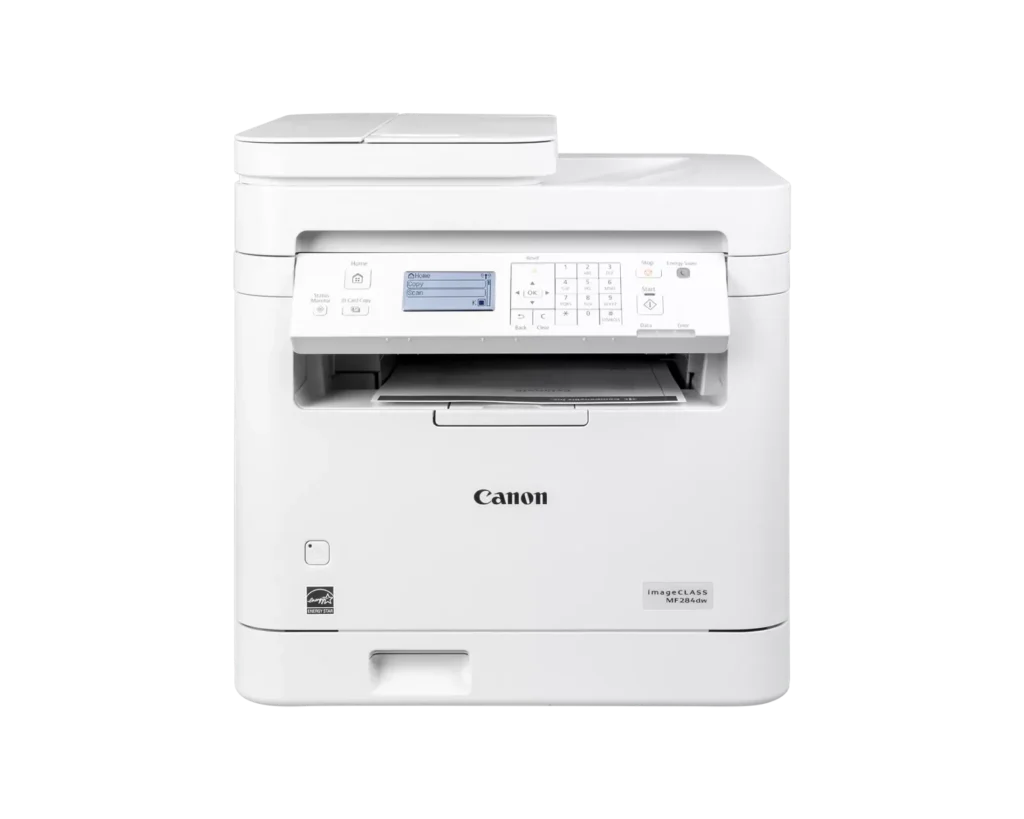
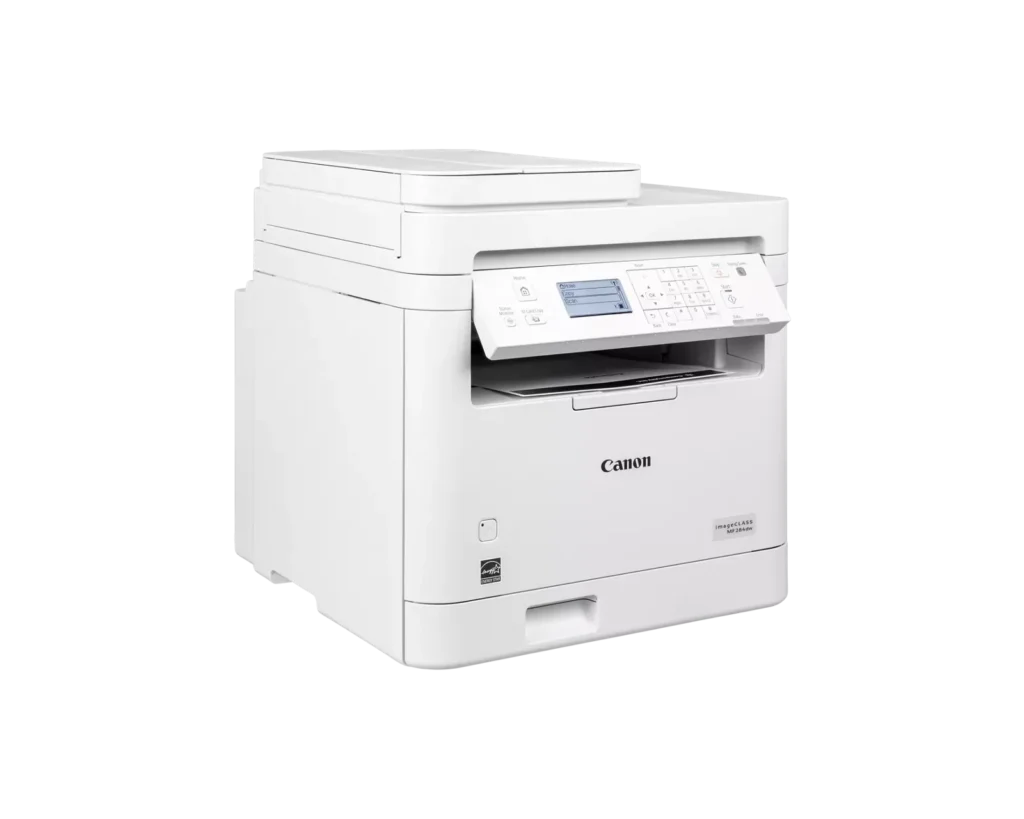
| Intuitive 5-Line LCD Display | Easily navigate settings and monitor printer status with the adjustable 5-line LCD control panel, which can be tilted to provide the best viewing angle for your workspace. |
Pros & Cons
Pros
- Fast and High-Quality Printing: The printer delivers crisp, sharp text at speeds up to 35 pages per minute, with a very quick first-print time of under five seconds.
- Versatile Multifunction Features: It includes a useful auto document feeder (ADF), automatic duplex printing, and reliable mobile printing capabilities via AirPrint and the Canon PRINT app.
- Excellent Value: Reviewers highlight it as a cost-effective choice for small offices, offering professional features like a 250-sheet paper tray and efficient toner usage at a competitive price.
Cons
- Difficult Setup and Connectivity: Many users reported a frustrating initial setup process, particularly on Mac systems, and some experienced persistent issues maintaining a stable wireless connection.
- Outdated User Interface: The small, non-touch monochrome display and physical button layout are described as obsolete and less intuitive than modern touchscreen interfaces.
- Poor Paper Exit Design: The printed pages are deposited in a recessed middle opening that makes them difficult to see or retrieve without reaching deep into the machine.
You might also like












Customer Reviews
Showing reviews 51-60 of 65
-
Disappointed
Incentivized Incentivized review: The reviewer received a benefit for sharing feedback.Dorian November 24, 2024Review source: AmazonQuite disappointed with cannon, somehow they think that making printers exactly the same as 15 years ago is OK, this might be okay for some who don’t like change but for must consumers we want a better integrated device.
At initial setup it gives you a qr code to scan and it takes you a broken link, a 404 page. That is a really bad start, so installation took longer and was not easy to read on the calculator like screen using dial buttons like on cellphones 20 years ago.
I test it a couple of pages and it printed fine, then I wanted to print a small envelope 6 3/4 and the printer did not have this size in the option, again I had to manually input it in the low quality screen with clunky keys. I was able to send jobs to print for my size envelope but 3 out of 7 times it did not print.
I downloaded the app, and it was another big disappointment, not much you can do in it or with it, just plain boring lacking anything useful.
Wrapping up, this printer may be okay for an office setting where only 1 size of paper is used and you like the old feeling of tech from 20 years ago. However, for modern users it may feel unappealing, I don’t think adding a small touchscreen would cost more than a couple of dollars in production, no reason for such an obsolete design. -
Fast black and white, all-in-one machine, but could be simpler to use
Incentivized Incentivized review: The reviewer received a benefit for sharing feedback.Amazon Customer November 12, 2024Review source: AmazonI got this Canon imageCLASS MF284dw for home use, and first noticed that it doesn’t have rubber feet, so I ended up putting it on a stone end table I had rather than in the location I was planning. Printing is fast and comes out sharp. That is most of what I’ll be using it for, so I’m overall happy.
I’ve found copying to be a little more cumbersome, as you have to use the menu. It’s right on the home screen, but the unit has a lot of physical buttons so why not just a “COPY” button? I’m sure I’ll get used to it, but it feels like some unnecessary steps. I do like that when copying or scanning, it automatically selects from either the bed or the sheet feeder, so I can use either one.
With scanning, I don’t have a computer hooked up, so I made use of the Canon PRINT app. The app could be a lot better though. The UX is slow and limited, with no way to pinch zoom on your scans until you’ve then exported them to Photos, Files, etc. You also have no ability to delete pages, reorder pages, or anything else. The app is a great concept, but is nowhere near as powerful as other scan apps I’ve used. But as long as you scan in order, or post-process later in another program, then it’s not too bad. You can just keep scanning and then when you’re done you choose to export it all to a PDF or a sequence of JPGs. I also was hoping the printer would offer a way to scan directly to the cloud. It appears that might be possible, but I could not get this feature to work. It seems that the app is also used for that setup, but I just kept getting a communication failed error. Scanning via the app isn’t terrible though, and despite the issues the app probably offers more convenience than other scanners I’ve owned.
These minor drawbacks aside, it does seem to be a good multifunction device. It came carefully protected, and was easy to setup. I used the Ethernet connection, and it was quickly discovered by AirPrint and other devices. It seems like a quality unit so I have high hopes for many years of service.
-
A class of its own
Incentivized Incentivized review: The reviewer received a benefit for sharing feedback.J. Mateo Baker November 10, 2024Review source: AmazonCanon has long made some of the best printers out there, and their all-in-one laser printers are no exception. This was fantastically easy to set up, connecting to the Ethernet with ease, but also with the WiFi for wireless printing. While I wouldn’t have minded a Gigabit plug, the performance has been excellent, with both Windows and Mac spotting the printer and installing drivers without any extra help. Printouts are clear and crisp, and scanning is simple. While the monochrome screen is a bit old-school and not as cool as the bright colorful touchscreens you can find now, what’s important is the multifunctions, and it performs everything super well. If you want an all-in-one printer low on the bells-and-whistles but high on performance, this is it.
-
Plug-in and Print
Incentivized Incentivized review: The reviewer received a benefit for sharing feedback.Mat November 8, 2024Review source: AmazonWhat an easy integration into my home office. It was as simple as connecting plugging the printer in and connecting it to Wifi. From my laptop to phone, all of my devices were able to quickly detect the printers presence on the network and easily print to it.
The printers capabilities are baseline for what I’d think an office would commonly use.
1. Monochrome printing
2. Scanner with feeding tray
3. Double sided printingThe only feature that I think it missed the mark was double-sided scanning. However, I think for its marked price it might have been a stretch to add. Admittedly annoying, but whatever.
It is a pretty bulky device, but given its usage that’s fine. The build quality is pretty amazing and I’d say lives up to the Canon name. The menu system on it is very no frills, and that is fine with me as I don’t need a color touch screen; I just need it to be understandable and navigable.
Overall, this printer is going to work great in a small office or business needing to print business documents like invoices, receipts, memos, etc. Certainly pass on this if you’re looking for something that prints in Color, or allows for larger document formats like tabloid. This to me is simply your goto printer for simplicity.
Canon’s accompanying app on the phone also works very well, and again is just simply straight to the point. I am actually surprised how the connectivity for this device was so simple.
-
Nice
Incentivized Incentivized review: The reviewer received a benefit for sharing feedback.chelsea November 4, 2024Review source: AmazonVery nice printer. Easy to set up. It’s fairly big but definitely worth the space it takes up.
-
Great printer if you have the space!
Incentivized Incentivized review: The reviewer received a benefit for sharing feedback.Ben November 3, 2024Review source: AmazonThis printer is decently large and while I was intending on giving it to my mom, she didn’t like the size of it.
Despite that, it is very easy to use (for most people) and the setup was super easy and fast. Printing over a network “just worked” on a Mac and iPhone and the quality is great.
I wish it was color as well but no big deal. Great for the price and features!
-
Great Printer
Incentivized Incentivized review: The reviewer received a benefit for sharing feedback.Michael Lisenbery November 2, 2024Review source: AmazonThe Canon MF284dw has been a great addition to my home office. It’s a multifunctional powerhouse, handling printing, scanning, copying, and faxing with ease. The print quality is sharp, and it’s fast—ideal for larger print jobs. Setup was straightforward, and I appreciate the wireless feature, which allows me to print from my phone or laptop effortlessly. It’s a bit on the larger side, but the performance more than makes up for it.
-
Excellent printer
Incentivized Incentivized review: The reviewer received a benefit for sharing feedback.Kia Couture November 2, 2024Review source: AmazonIf you’re somebody who runs a small business either in an office or in your own home and you’re looking for a printer that can print a lot of shipping labels quite quickly this is an excellent printer for you. The ink dries extremely fast and it’s very well pigmented so you’re not going to deal with issues of blotchy barcodes or hard to read shipping labels. My old printer used to take a while to connect to my phone or to my laptop and it would take at least a minute to print one full shipping label and a medium sized font, but this printer can print off 15 to 20 pages and the same amount of time it took my old printer to spit out one shipping label.
-
Great print quality
Incentivized Incentivized review: The reviewer received a benefit for sharing feedback.LP October 28, 2024Review source: AmazonWe have typically only purchased Canon printers. So happy to have found this one. It is easy to set up, and prints with great quality (the picture does NOT do it justice). I almost didn’t realize it even printed because on our older Canon, the pages come pushing out so far they all fall to the floor, even with the paper stopper pulled out. With this newer printer, they are all tucked away underneath, stacked in order perfectly. So, this is a great option for multi page printing as well. Quick, organized, and quality.
-
Over complicated printer system
Incentivized Incentivized review: The reviewer received a benefit for sharing feedback.J.G. of Phx October 26, 2024Review source: AmazonIf I would say so myself, I am no novice to printers. I have setup many printers from many companies.
Measuring from the time I plugged the printer power and ethernet and I printed my first test from my laptop was about three hours. Then I tried to connect the promised “mobile printer” system to print and scan from my phone and it took another two hours before I could do my first printout or scan. However, the settings made it disconnect from my laptop, and it will not print. This is a troublesome printer that needs a lot of attention to get from start to actually useful. The printouts and scans are actually high quality, but this is a disappointing result from Cannon. If you get one, be ready to study the manual and do not loose it.