Customer Media
Highlights
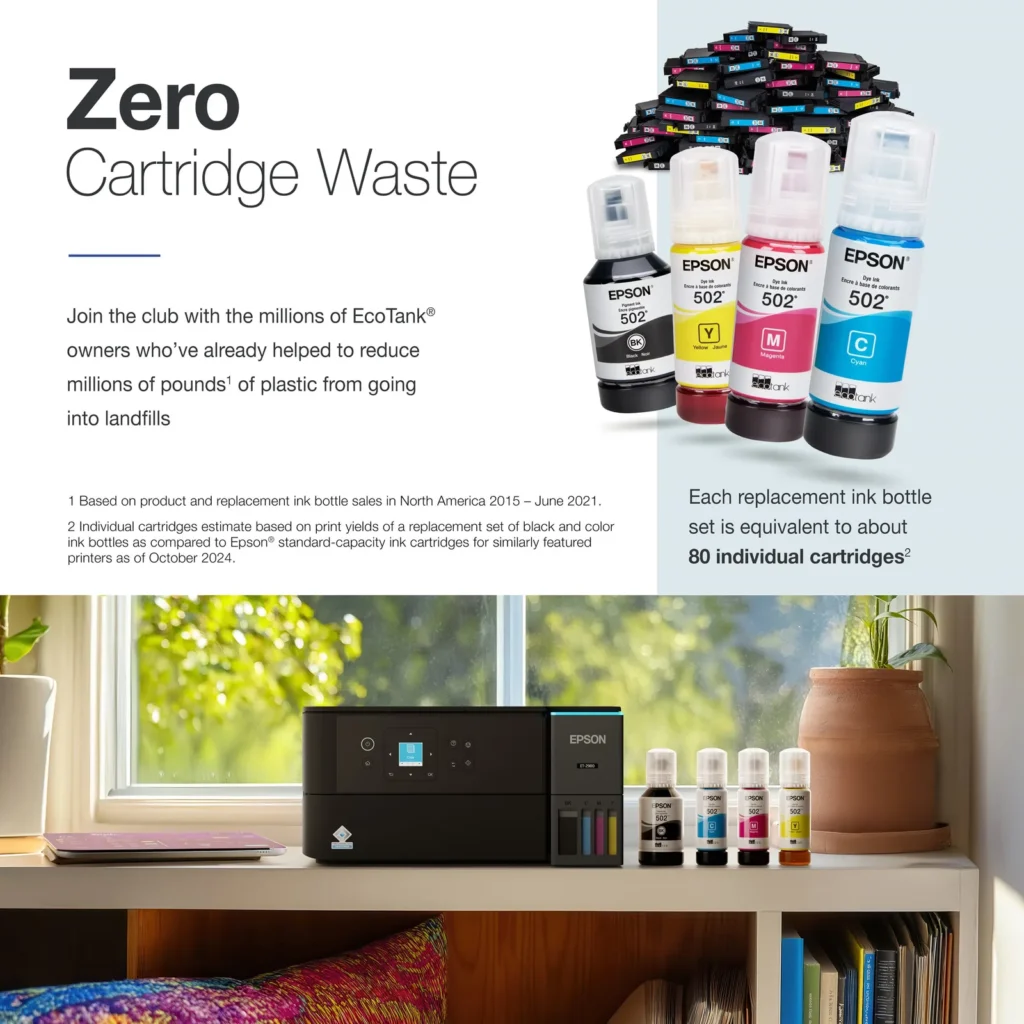
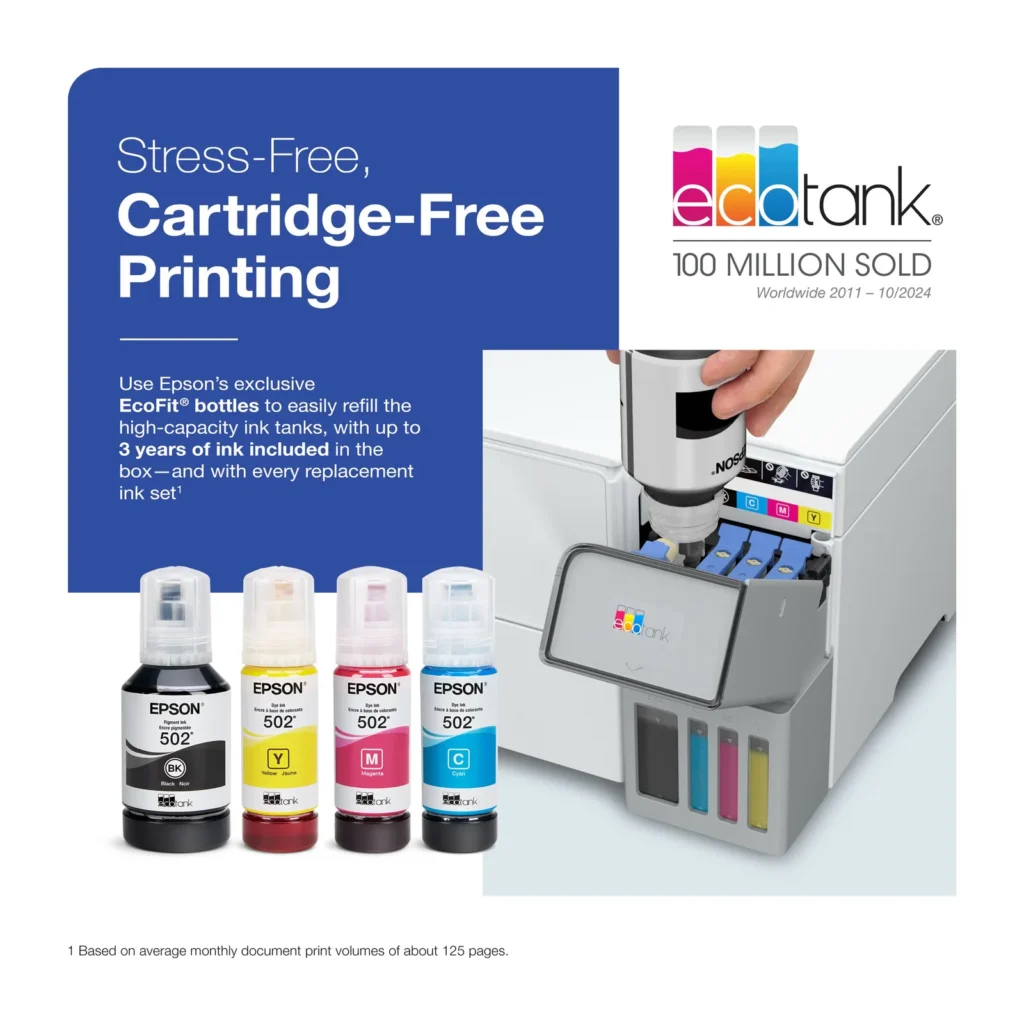
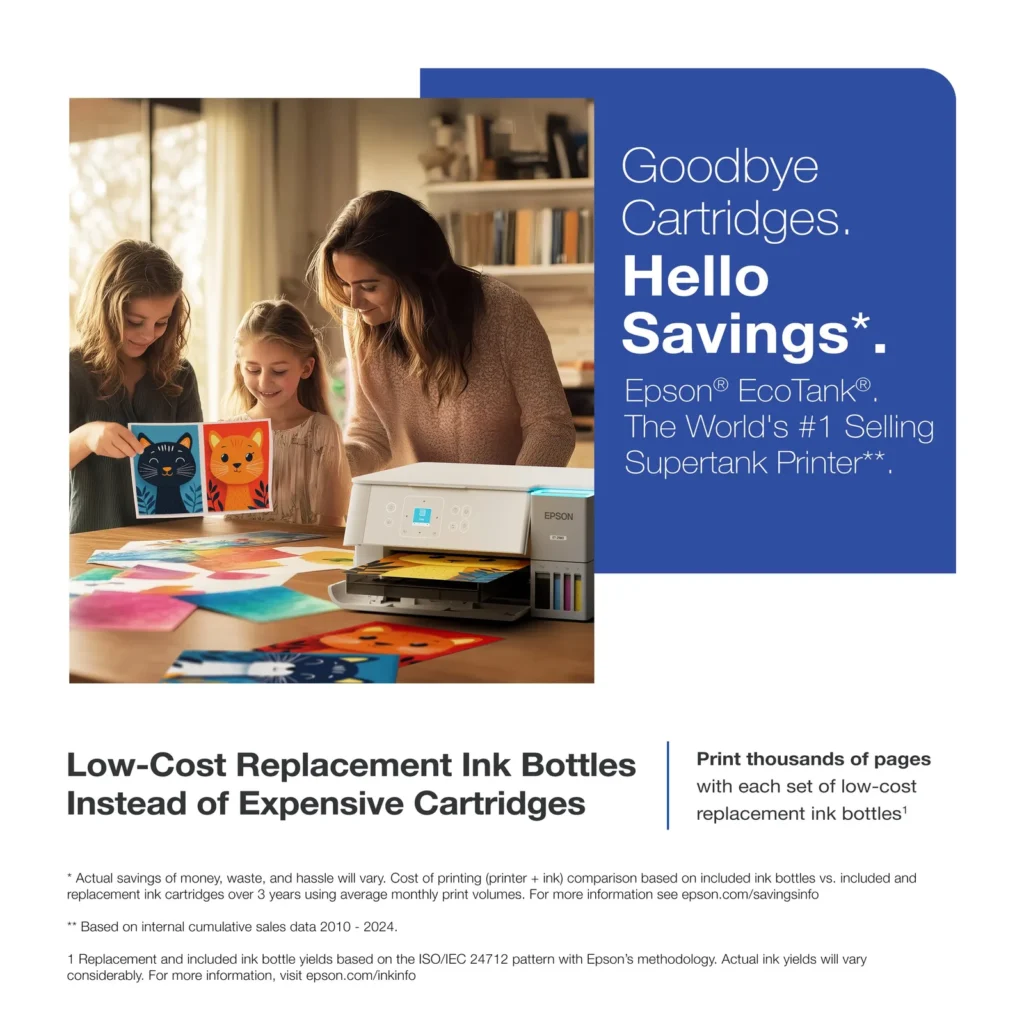
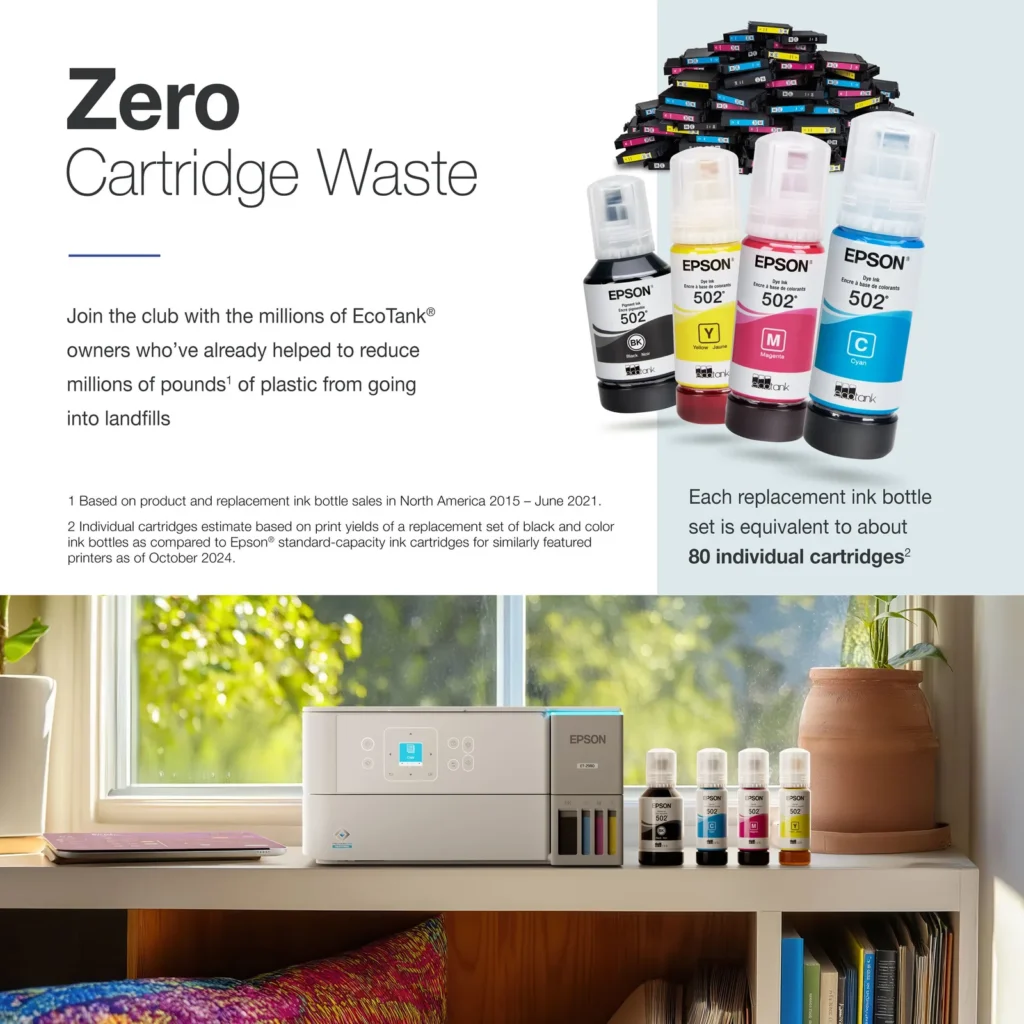
| Incredible Value and Savings | Save significantly on replacement ink with high-capacity ink tanks; each set of replacement ink bottles is equivalent to about 90 individual cartridges, providing a low cost-per-print. |
|---|---|
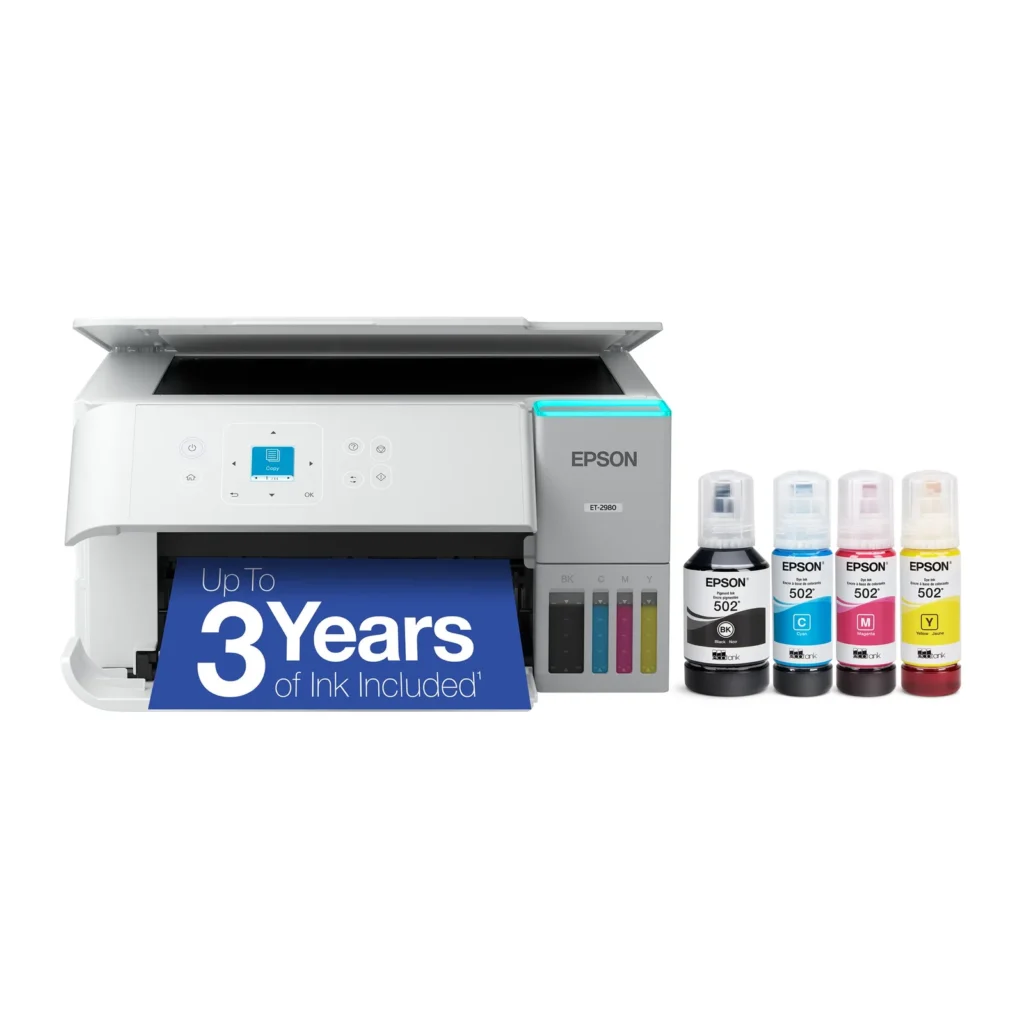
| Up to 3 Years of Ink Included | The printer comes with enough ink in the box to last up to three years, allowing you to print up to 6,600 black and 5,500 color pages before needing a refill. |
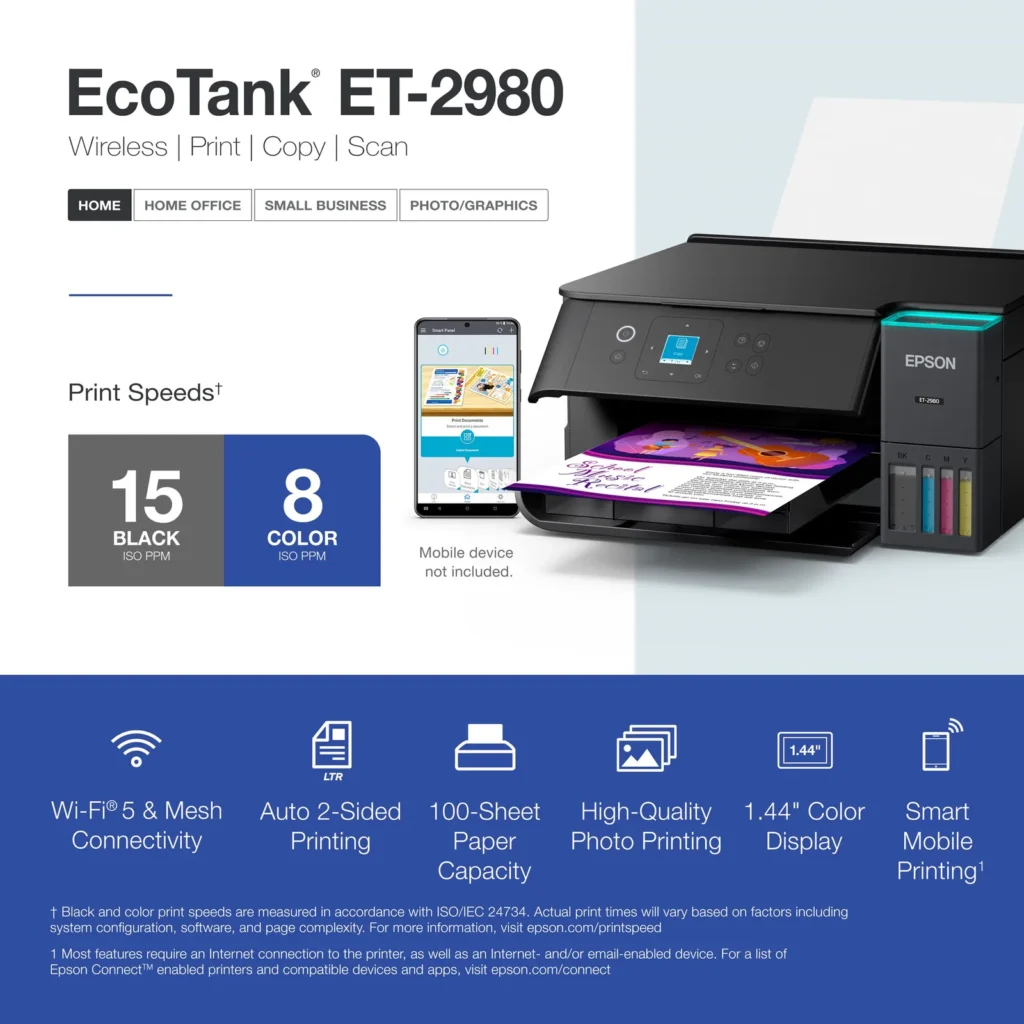
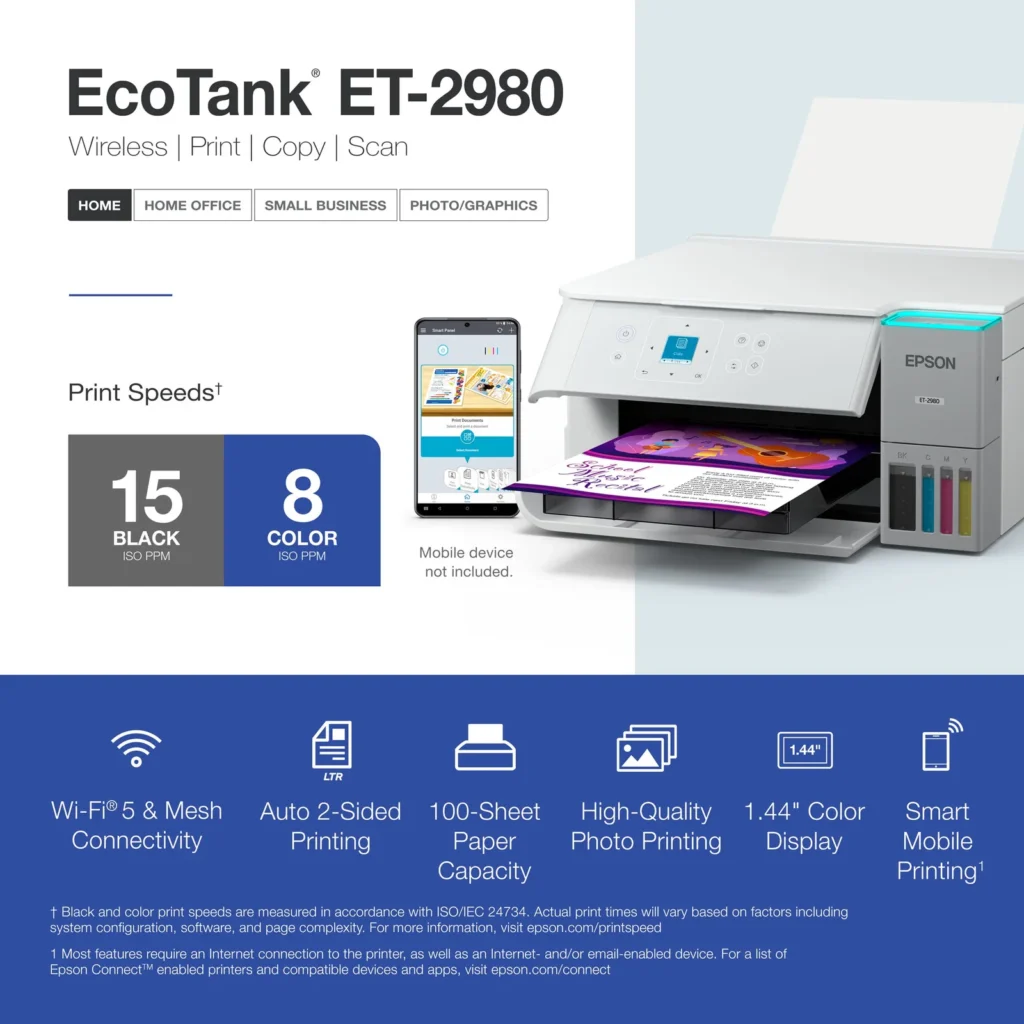
| PrecisionCore Heat-Free Technology | Delivers fast print speeds of up to 15.0 ISO ppm in black and 8.0 ISO ppm in color, featuring a unique permanent printhead designed to last the life of the printer. |
| Seamless Wireless and Mobile Printing | Easily print and scan from your smart device using the Epson Smart Panel app, with full support for Apple AirPrint, Mopria Print Service, and Wi-Fi Direct. |
| User-Friendly Features and Auto Duplexing | Includes a 1.44" color display for easy navigation, a 100-sheet paper tray, and automatic two-sided printing to help save paper and improve efficiency. |
Pros & Cons
Pros
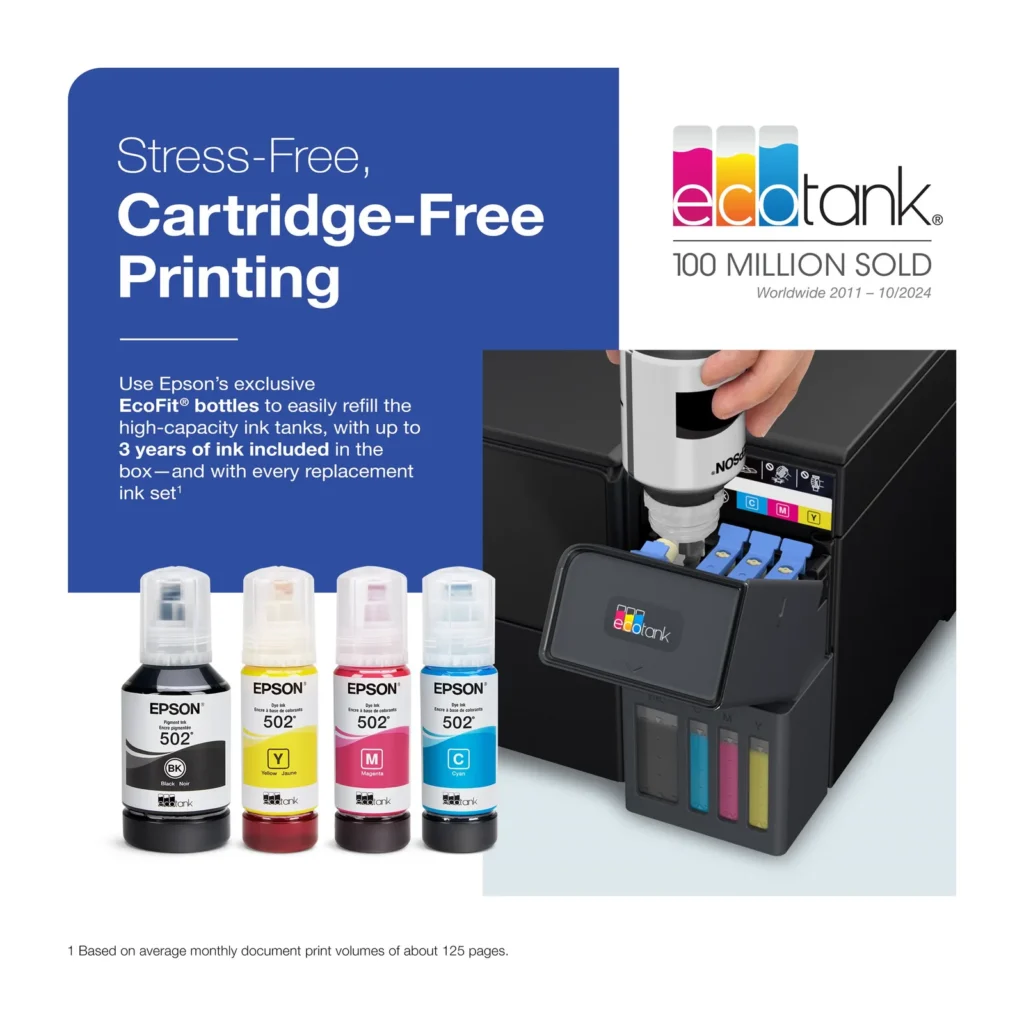
- EcoTank Ink System: The refillable tank design eliminates the need for expensive cartridges, providing a massive ink supply that users find much more convenient and environmentally friendly.
- Cost-Effectiveness: The printer is highly economical over time because the bottled ink is reasonably priced and lasts significantly longer than traditional cartridges, with some users reporting thousands of prints on a single fill.
- Easy Mobile Integration: The Epson Smart Panel app is frequently praised for making the initial setup and wireless printing from smartphones a seamless and intuitive process.
Cons
- Small LCD Screen: The 1.44-inch display is widely criticized for being far too small and difficult to read, often requiring users to use a magnifying glass or flashlight to navigate menus.
- Connectivity and Setup Issues: Many reviewers experienced significant frustration with the printer dropping its WiFi connection or found the initial driver installation on computers to be overly complex and time-consuming.
- Paper Handling Limitations: The lack of an internal paper tray and reliance on a rear feeder with limited capacity is a common complaint, along with reports of frequent paper jams during automatic double-sided printing.
Customer Reviews
Showing reviews 301-310 of 319
-
Amazing printer for any small to larger office!
Incentivized Incentivized review: The reviewer received a benefit for sharing feedback.ConcordCool30 May 12, 2025Review source: BestbuyThe Epson ecotank et-2980 wireless all-in-one color printers super tank inkjet printer is an amazing ink value, boasting that one bottle of ink is equivalent to 90 cartridges. It also has a 3-year supply of being out of the box, which is amazing for me as I print daily in my small home office.
The super-sized ink tanks hold an amazing amount of ink without drying out. It also has wireless printing so that any device in my home can easily print without any further setup. They’ve also upgraded the printer head to take on print jobs and last for the lifespan of the printer. The paper trail holds up to 100 sheets of paper, which comes in handy.
With print copy and scan functionality in hand is just about any job up to 800 sheets per month. It also adds wireless Mobile printing, a very convenient feature. I also want to know that when you clean the printer head or you have access to print ink, there’s a canister that is included that has to be replaced; it cannot be dumped or cleaned.
In the market for a reliable printer, this is the one. -
Great all-in-one printer!
Incentivized Incentivized review: The reviewer received a benefit for sharing feedback.Jordan May 12, 2025Review source: BestbuyChoosing the right printer for your home can be a pain. There are so many options with so many different features.
One thing is for sure; tank printers are the way to go. With that being said, I always find my way back to Epson printers. The Epson quality and durability is hard to beat.
The Epson EcoTank ET-2980 is a great printer option that you have to consider. The last three of my printers have all been Epson printers and I have been extremely happy with them. And no, they did not fail on me. I have one in my office, my son’s room, and in my living room.
The Epson EcoTank ET-2980 printer has a much sleeker design than my older Epson EcoTank printers. Similiar to any wifi enabled device, installation is super eazy. Follow a few steps on the screen and you will be up and running in no-time. I love email printing and use it quite often. I don’t I’ve ever had an email print fail on any of my Epson printers. They are extremely reliable.
As I mentioned before, tank printers are the way to go. The ink last a very long time. No more having to pay a ton of money on cartidge style ink kits. Filling the tank is extremeley easy, and the ink is relatively cheap.
If you are in the market for a printer, definitely consider the Epson EcoTank ET-2980.
-
Sharp Printing with big Ink Tanks
Incentivized Incentivized review: The reviewer received a benefit for sharing feedback.Frank Omelu May 11, 2025Review source: BestbuyFirst Impressions & Setup
After using the ET-2980 for a week, I was impressed by how quickly I transitioned from setup to productivity. The lightweight design and clear, illustrated instructions made setup a breeze. Filling the EcoTank system was remarkably straightforward. Epson’s large, transparent tanks allow you to see ink levels at a glance.
Print Quality & Speed
Every page that I have printed so far emerges with sharp text and rich, accurate colors. I consistently achieve high-resolution prints.
Scanning & Connectivity
Transferring documents to my computer is seamless. Load the scanner, press the scan button, and select a destination, and the Epson Smart Panel app takes care of the rest.
The Epson EcoTank ET-2980 combines modern design, advanced technology, and user-friendly features into one affordable package. From its effortless setup and ink refilling to sharp prints, speedy performance, and seamless scanning, it delivers on every front. This printer is ideal for home offices or anyone who prints frequently. Highly recommended!
-
Great for home offices that don't print often
Incentivized Incentivized review: The reviewer received a benefit for sharing feedback.psyclopps May 11, 2025Review source: BestbuyThis is a great overall printer for any home office. I am impressed by the ease of ink replacement. Print quality is good overall, and the form factor blends into any office decor. There are a few convenience annoyances I have which is the reason I took away a star, but it is minor overall.
Pros:
– Good design
– Easy and cheap ink refills
– Long lasting ink
– Good app support
– Decent print qualityCons:
– Output tray needs to be opened to use
– No large input traySetup:
The printer has a QR code which takes you to a prompt guided chat window to set up the printer. It has you fill the ink (easy and not messy), connect it to Wi-Fi or Ethernet, then do a test page followed by a scan to see the output quality.Use:
I downloaded the Epson Smart Panel phone app and the Epson Print & Scan PC app for testing with the printer. The phone app is useful for all the features and monitoring of printer status. I feel the app puts a little too much emphasis on big graphics and is more form over function, but it does the job with lots of options and control. The Windows desktop app, not so much. It works for printing and scanning but is more function over form. It has a Windows 8 design language and only allows control of printing and scanning. Keep in mind, you can use other scanning or printing tools such as the OS built in print spooler or various 3rd party scanner apps.I never had any print issues in my review testing with solid connections each time and no errors on the printer which is all I ask for in a modern-day printer, reliability.
Ink quality:
The Eco Tank system is outstanding for convenience. The included Black, Cyan, Magenta, Yellow inks are rated to last for three years by Epson’s testing estimate compared to a cartridge system. Ink is relatively cheap and has no DRM like cartridges can have. The quality is fine for regular office work, but I would not depend on it for photos. Anyone who needs high quality photos as a photo printer might work better for this purpose. Photo quality is not bad for a simple 4×6 or 5×7 photo on photo paper, but it has enough dithering that I wouldn’t display them around the house. For a simple 8.5×11 print for work purposes I feel this printer is just fine for text and color graphics or charts with decent quality and great print speed.Issues:
– This printer feels like it is not meant for frequent use. It has a great design that is clean and minimal, but to print you need to load paper in the rear feeder with the paper sticking out and open the output tray which is kind of ugly.
– The only paper tray is on the back rear input. There is no paper cartridge on the bottom so the paper is limited to how much you can load by quite a bit. Again, it feels like it is not meant for frequent printing. -
Great performance, no more cartridge waste…
Incentivized Incentivized review: The reviewer received a benefit for sharing feedback.Serv May 11, 2025Review source: BestbuyIt is true that there is a very wide variety of options when it comes to printers, but the reality is that few products strike a balance in terms of technology, price, and ease of use. This Epson EcoTank ET-2980 printer is at a good balance point, it is easy to use, has an affordable price, has features that enhance the experience, and is a product that saves money because of the tank system and the type of ink it uses.
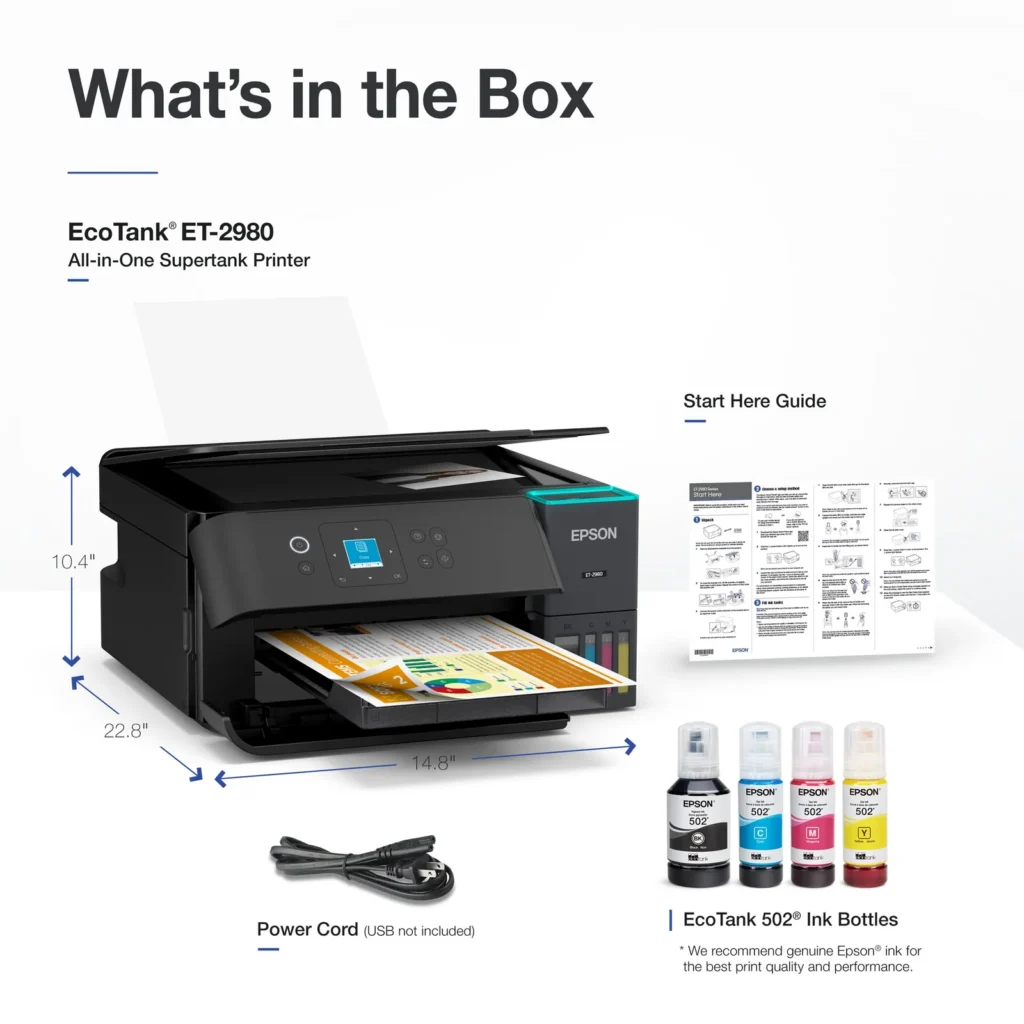
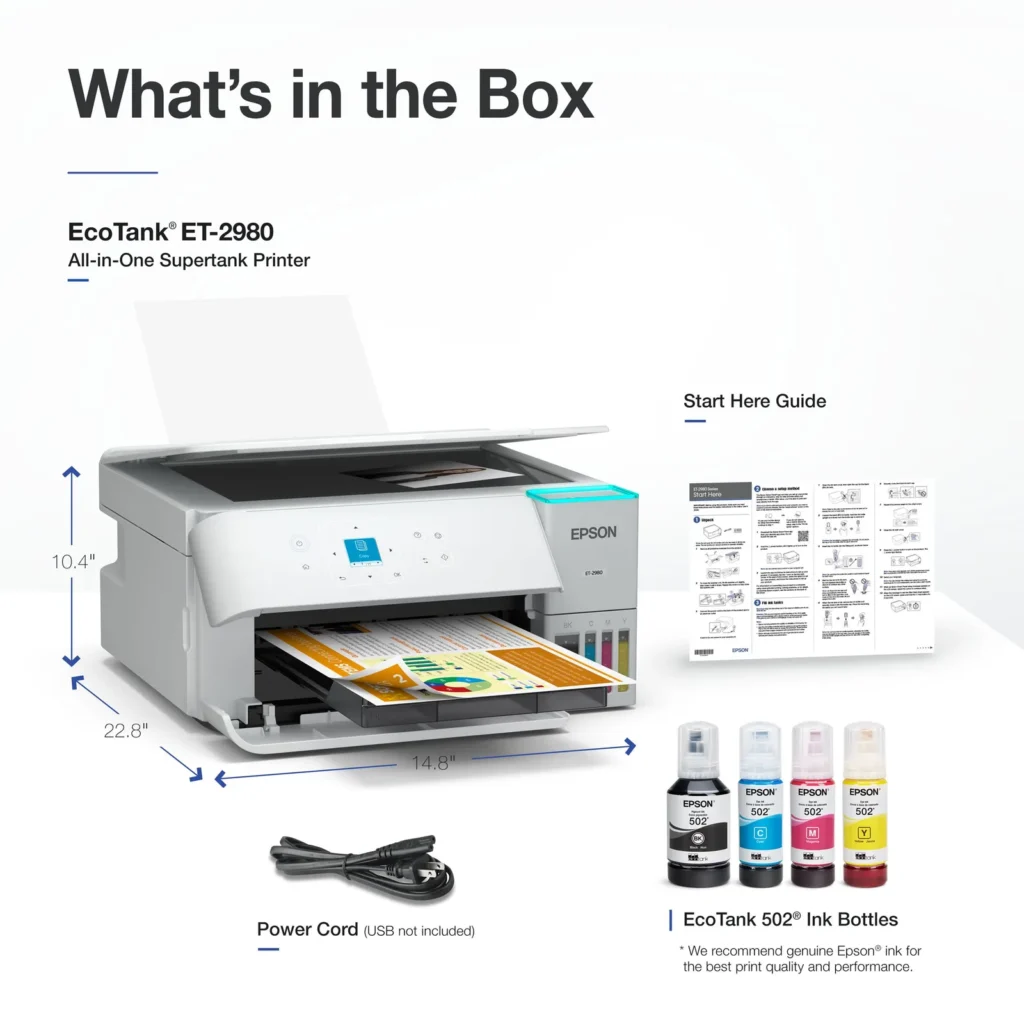
In the box comes the printer, ink bottles, a power cord, and the manual. The printer is not that big but it does need enough space to be able to perform its functions. It is recommended to download the Epson app to perform the installation and configuration of the printer. In reality, the process does not take more than 15 minutes through the app; however, on pc the process can take more time. In the case of connecting to a pc you can use the USB connection if you do not want to use or do not have a wireless network available. Once the printer is connected to the home network, the mobile devices also connected to that network can print wirelessly without any inconvenience.
The printer is capable of printing, scanning, and copying, and each of these tasks is performed outstandingly. The color copies have a nice tone, they are of good quality as well as the monochrome prints or copies. The print speed is ok, it is not too fast but it does quite well. The scanner gives a pretty good image quality, with the help of the app you can take advantage of this function.
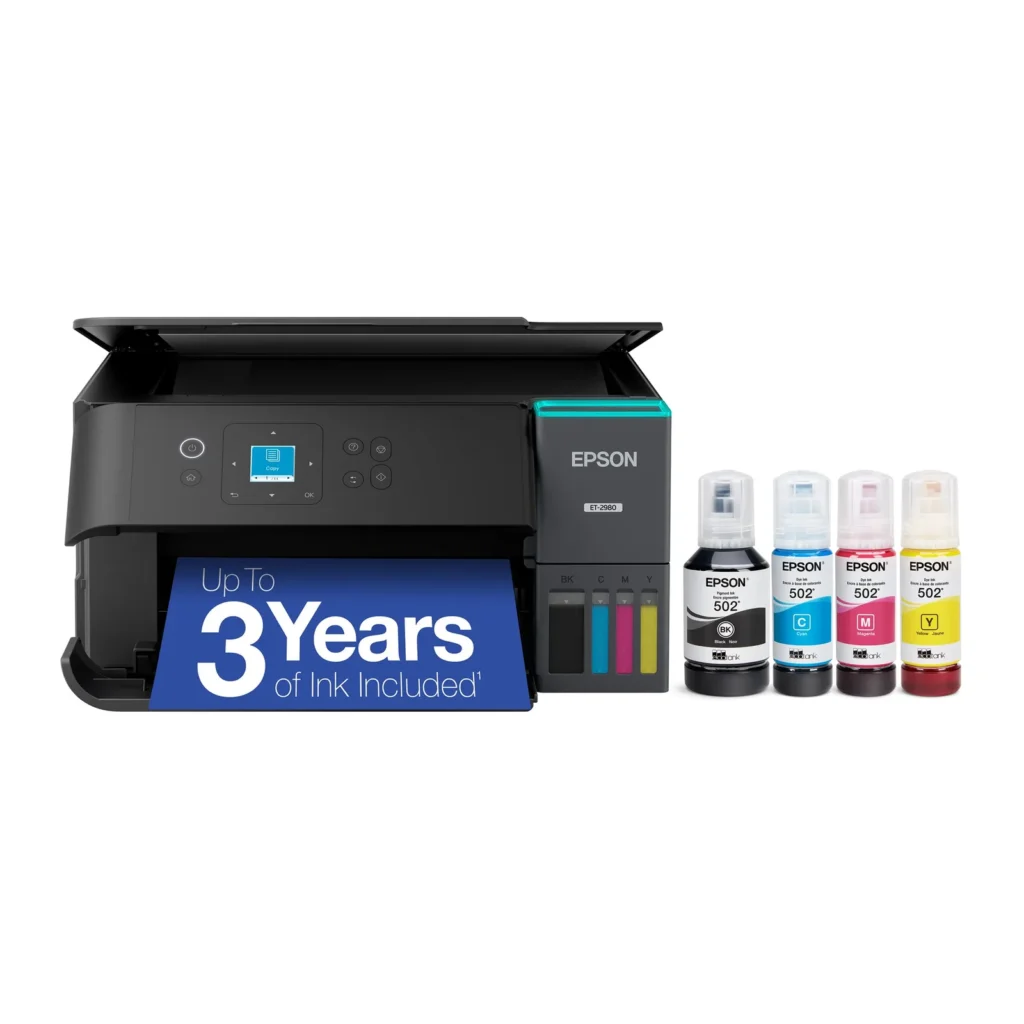
The design of this printer pleases me, it has a front panel with a small screen, menu navigation buttons, on/off button, underneath the paper compartment, on the right side are the ink tanks and the easy access cover. At the top is the area where copying and scanning are performed, also protected by a cover.
In conclusion, this Epson EcoTank ET-2980 printer is a good alternative for those who do not want to be dealing with the problem of cartridge or toner printers, for those who want a printer easy to install, easy to use with different mobile devices, and computers, for those who do not want to pay almost half the price or sometimes almost the price of the printer in pure cartridges or toners (and I’m not exaggerating). This is a printer for the family, for students, for those who work from home. It has an affordable price, a nice design, and saves you money, I can definitely recommend it. -
low-cost home printer
Incentivized Incentivized review: The reviewer received a benefit for sharing feedback.sollyp May 10, 2025Review source: BestbuyThe Epson EcoTank ET-2980 is a good relatively affordable home printer. All printers these days share the same design language in my opinion. The Epson EcoTank does not stray far from the trend. It is fairly compact and should fit nicely into any home office setting. The visible ink reservoir is very nice to see and are actually quite large. In actuality, they are not the vibrant colors and are all just grey-appearing in real life. One thing that I wish Epson would have done is just a bigger screen. It is TINY which I guess they needed to cut costs somewhere.
Print quality is great for a home printer. Not that you really need to stress test home printers but this thing can actually crank them out well. I was getting almost 16 pages a minute with black and white documents. Color pages slowed down to about half that at 8 but still not bad. Print text was crisp. Color documents were decent as well. Powerpoint slides translated well. Pictures were ok. I am not going to printing family portraits on this thing but the color accuracy was decent. My biggest annoyance was the duplex printing. For whatever reason, it would jam up. Removing the jams was easy but still annoying.
Scanning and copying are nice and straightforward. You do have to do each page individually. I understand the target audience for the Epson EcoTank ET-2980 and maybe I am spoiled by the copy machines in the office that can crank out multi-page scans and copies, but I do wish there was an automatic document feeder.
All in all, I think the EcoTank ET-2980 is a solid printer for the family. The “up to 3 years of ink” is probably a bit generous but maybe my family prints more than average? There are some features that it omits/sacrifices on that are worth noting.
-
Great printer
Incentivized Incentivized review: The reviewer received a benefit for sharing feedback.Closingracer May 10, 2025Review source: BestbuyI have used various printers from laser to mostly ink jet printers. This is my first experience using a printer with no cartridges so this is new. I do think this is more efficient and of course less cartridges to throw out more convenient and don’t have to contribute more waste . Just have to get more ink and refill it. The only negatives would be if Epson changes to a different color formula or just ends this. But so far they haven’t from what I have seen.filling up the ink into the printer is quite easy. Also you have to be more careful with this printer so you don’t spill the ink if the printer moves but that isn’t an huge issue anyways . In terms of color quality I find it great better than my last printer. Same goes with the black and white pages as well. They promise up to three years of ink but idk if I could accurately test that since I don’t print out a ton of stuff on a regular basis to want to test it. But I haven’t printed a few down pages and the ink levels haven’t really moved. The best part of this primer is that it works wirelessly so you can connect it through wifi from your phone or laptop to print
-
The At-Home/Small Office Printer to get!
Incentivized Incentivized review: The reviewer received a benefit for sharing feedback.Matt May 10, 2025Review source: BestbuyMy past two printers (a different brand) have given me nothing but headaches. They’re a pain to setup, they struggle with dual band routers where the 2.4ghz and 5ghz signals are on the same connection, have to be reset before each print job, the list goes on and on. It’s 2025, printers should just work. The Epson EcoTank ET-2980 just works. I plugged it in, walked through the setup on the device, filled up the tanks with ZERO spill, and I was printing. My laptop immediately connected to it. My phone immediately connected to it. It was finals week so my partner printed about 100 pages. I could barely see a dent in the ink tank. It’s going to last awhile and I’m happy! My quibbles are very small. I wish the screen was bigger, although this was really only a problem during setup. It’s definitely more expensive but overall it feels like a better built machine then it’s competitors and with ecotank ink i’m saving a lot of money as well.
All in all, this is the machine to get if you do want a solid home or small office printer. You’re going to save money, have less headaches and be overall happy with your purchase.Pros:
Ecotank Ink!
Easy setup
Connects fast and reliably
CONNECTS FAST AND RELIABLY
Allows USB connection (other brands tape over their USB port??)
Ink can last up to 2 years, much longer than cartridges
Sips ink, printed about a 100 pages in the first week and barely put a dent in the tank
Cons:
Upfront cost is higher than other comparable cartridge machines
Wish the display was bigger
Wish it was a little more compact -
Great for home use, Eco Tank shines
Incentivized Incentivized review: The reviewer received a benefit for sharing feedback.Fudgear May 10, 2025Review source: BestbuyThe printer is just what I need for my home. The kids use it to print their school assignments. I use it to print documents and photos. The scan and copy features are useful as well since every once in a while, we have something to scan or to copy.
The printer is well made, and it looks durable enough. It is quite big, so it needs proper space. You can place it anywhere in the house because it is a network connected printer that does not need to have direct physical connection whenever you want to print.
The biggest selling point of this printer is the Eco Tank inks. They’re just incredible and I like them a lot. I have been printing nearly a full pack of 5×7 photo papers without concern about ink depletion. Using a cartridge-based printer would typically require a cartridge replacement by now.
Installation is easy and intuitive. When connected to a network, the printer is recognized by practically any device: Chromebook, iPhones, Android Phones, Macs, PCs, etc. There’s an Epson app for both iOS and Android devices and the app is both intuitive and useful.
Printing results are excellent for both documents using normal paper and pictures using photo paper. There is literally no need for me to go elsewhere to print pictures anymore. Black and white and color documents are printed with satisfying results. Letters are very clear, and pictures are colorful and vibrant enough even when using normal A4 paper. It also supports duplex prints, which is an awesome feature because it really helps save papers.
Printing speed is on par with what I would expect on a Deskjet printer. When printing high quality pictures on photo paper, it will take a longer time for it to finish but that’s absolutely normal for a Deskjet printer. Epson rates printing speed at 15 pages of black prints and 8 color prints per minute according to ISO print standard.
Printing pictures directly from an iPhone occasionally causes errors, possibly due to iOS or Epson. The printer works well with non-iOS devices so I would say that the error is likely attributable to iOS.
While Ecotank printers are a substantial investment compared to cartridge-based inkjet printers, I am a fan of it. This printer is great for home use, has a large ink reserve and produces high-quality printing.Pros:
Eco Tank gives you lots of ink
Wireless print
Excellent printing results
Duplex printing
Versatility to connect to different devices
App is easy to use and usefulCons:
Quite big, needs proper space -
Continues to improve
Incentivized Incentivized review: The reviewer received a benefit for sharing feedback.3Tcubed May 10, 2025Review source: BestbuyThe instructions will get you to load the 4 ink bottles (keep in mind once the ink is loaded the printer should not be tipped (keep it level)); all are keyed so they can only be put into the correct tanks, note there will be a little ink left in each bottle, re-cap set them aside, we’ll get back to them later. It takes a couple of minutes per bottle. The app will ask you to confirm you’ve loaded the ink, then the LCD screen and app will let you know it’s started the initialization process, this takes about 10-12 minutes. During this time the printer sucks some ink from the large tanks into its internal reservoirs, and does a lot of repositioning. You should now load some paper. At the end of the process it will ask you to print a series of alignment pages. On each of these pages you will be asked which of several images is better (closest to perfect alignment). Choose the appropriate image number and move through each of the alignment tests (these can be re-done from the maintenance menu).
Once aligned you will be asked how you want to connect your printer to your PC/network. For most you will use WiFi to connect to your internal network (you can also connect to a PC via USB or use WiFi direct to the printer). I used WiFi to my home network; the printer can connect to all common WiFi networks (2.4 & 5gHz). It will show you the networks you can connect to and if your phone has saved a password for that network it will be used otherwise it will allow you to specify the network’s password from the app. I believe it also supports WPS (where you push a button on your router to add a product), but I did not try this.
Now the printer is ready to use, you just need to install software on the device(s) you want to use it from. I started with a Windows 11 install based on a link the app provided. The download was very straightforward. Before running the software install make sure that your computer is on the same WiFi network you selected for the printer. Now proceed with the install, which will install drivers and Epson application software, the software should automatically find your printer (it did for me). At the end it will ask you to print a test page, if all went well it will emerge from the printer a few seconds later (it did for me). Setup also lets you set up the printer as a cloud device (giving it an email address you can send to it to print) and for MS “One Drive” printing as well as setup for iOS/Android devices. The Smart Panel installed software to set up my iPhone to be able to print to the printer. A very easy operation.
So, so far, so good. My test pages all came out properly from my various devices. At this point I recommend adding the leftover ink from each of the ink bottles to the printer, there is not much, but the will nearly fill the reservoirs, the bottles can then be discarded (note the ink refill size is 502 (you’re likely to need more in a couple of years). I did a number of tests with color copies, I found that the default density setting of 0 for copies was a little light, changing the default to +1 improved the results. All the text that I printed was extremely sharp, most excellent.
I then loaded some 4×6 HQ Canon photo paper and sent the printer my first photo. It was very good, but not perfectly true colors, the darkest areas were an inky black. The yellow and blues were pretty true, but the deep dark reds, here just a tad light, more dark pink than dark red. Flesh colors were very good, quite acceptable. I guess it will probably be fine for 95% of the print’s I make (no worse than what I expect from Walgreens/CVS digital prints). Maybe with more use the quality will improve/change (I only tested 3 prints I sent directly) one that I scanned had the same not quite deep red issue, and you could see it did not have the full resolution of the original. I’ve attached a series of color copies showing density-1,0,+1 & the original, here again you can see the red heart is a bit pink, but all else (especially the last +1) looks great. I compared the printer’s output to my Laser printer (1200dpi) . The mono output from this printer was just as crisp, and the gray scale output just as good as what the laser produced. This EcoTank 2980 prints 15 ppm in black and 8 ppm with color (single sided; half this for double sided).
Finally in summary, this printer is a great buy, especially if you consider the total cost to output the first 8,500 pages/prints. On my previous ink jet printer I could not get 200 pages out of one set of cartridges. I’ve previously bought new printers to avoid replacing cartridges (and with each generation there are different cartridge #s). I’m pleased to see that Epson has not changed ink bottle types (502) since they introduced Eco Tanks. Yet they have improved the software and speed of their printers. I’m accustomed to duplex printing, and would not buy another printer without it. The printer can handle 2 paper sizes via the rear paper feeder (yea). I highly recommend this printer, unless you’re expecting truly HQ photos, in which case I don’t think you’ll be satisfied. But for any plain paper printing and most ‘family’ photos this is a great buy.